
1. Rhagymadrodd
Diolch am brynuasing the MUSE M-15 Alarm Clock Radio. This manual provides essential information for the safe and efficient operation of your device. Please read it thoroughly before use and retain it for future reference.
2. Gwybodaeth Diogelwch
- Ffynhonnell Pwer: Use only the specified battery type (1 AA battery). Ensure correct polarity when inserting batteries.
- Dŵr a lleithder: Do not expose the device to water, rain, or excessive moisture. Avoid placing it near liquids.
- Gwres: Cadwch y ddyfais i ffwrdd o ffynonellau gwres fel rheiddiaduron, cofrestri gwres, stofiau, neu offer arall (gan gynnwys amplifyddion) sy'n cynhyrchu gwres.
- Glanhau: Glanhewch â lliain sych yn unig. Peidiwch â defnyddio glanhawyr hylif neu lanhawyr aerosol.
- Gwasanaethu: Peidiwch â cheisio gwasanaethu'r cynnyrch hwn eich hun. Cyfeiriwch yr holl wasanaethu at bersonél gwasanaeth cymwys.
- Gwaredu: Dispose of batteries and the device according to local regulations. Do not dispose of batteries in fire.
3. Cynnyrch Drosview
Familiarize yourself with the components of your MUSE M-15 Alarm Clock Radio.
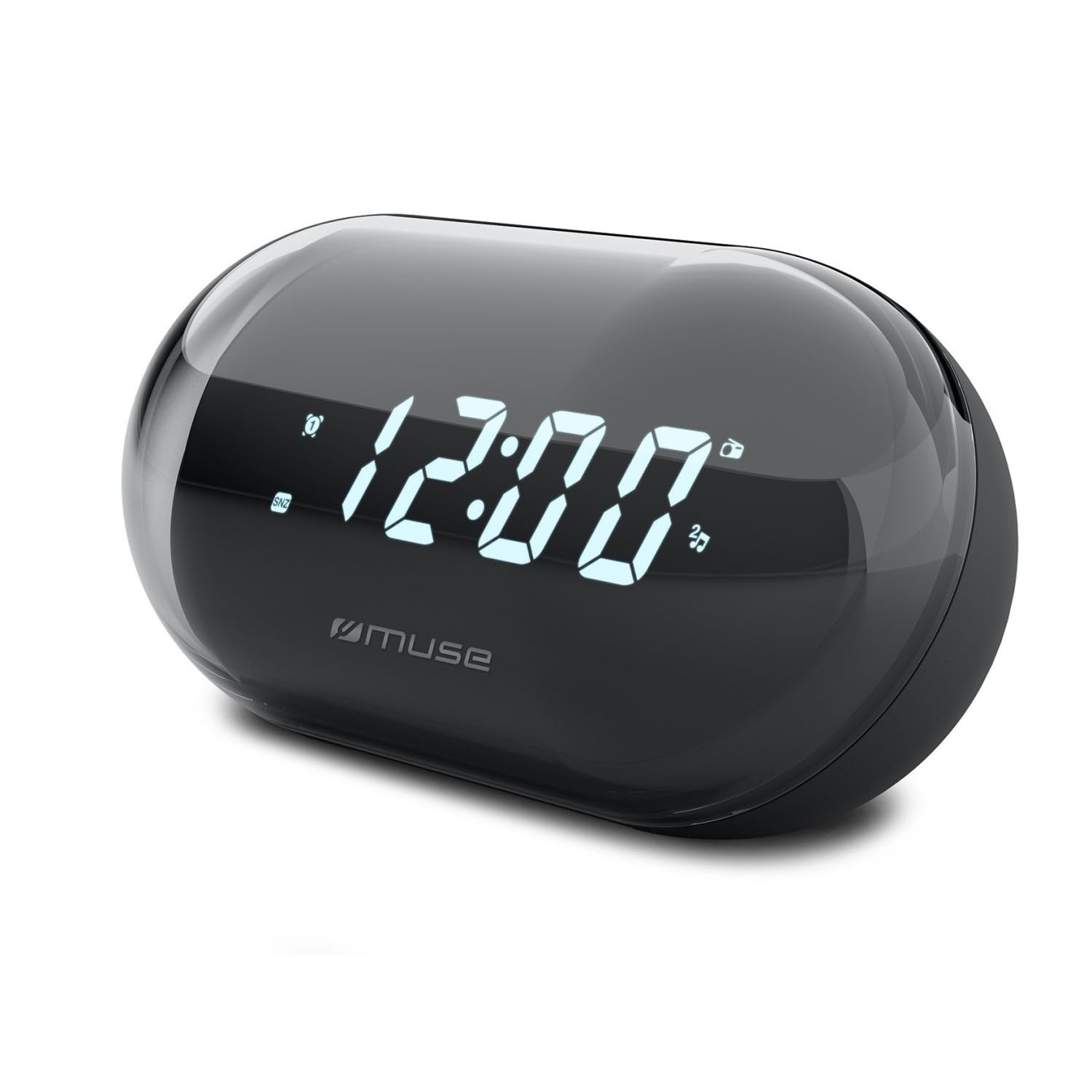
Delwedd: Blaen view of the MUSE M-15 Alarm Clock Radio, showing the digital display and control buttons.
Rheolaethau a Nodweddion:
- Arddangos Digidol: Yn dangos amser, statws larwm, ac amledd radio.
- Botwm Gosod Amser: Wedi'i ddefnyddio i addasu'r amser cyfredol.
- Botwm Gosod Larwm: Used to set and activate/deactivate the alarm.
- Botymau Tiwnio (+/-): Used to adjust radio frequency.
- Rheoli cyfaint: Yn addasu'r lefel allbwn sain.
- Botwm Pwer / Modd: Turns the device on/off and switches between radio and clock modes.
- Botwm Ailatgoffa: Yn tawelu'r larwm dros dro.
- Adran Batri: Located on the back, for 1 AA battery.
4. Gosod
4.1 Gosod Batri
- Lleolwch glawr adran y batri ar gefn yr uned.
- Llithrwch neu codwch y clawr i agor yr adran.
- Insert one (1) AA battery, ensuring the correct polarity (+ and -) matches the diagram inside the compartment.
- Amnewid y clawr adran batri yn ddiogel.
Note: The MUSE M-15 is battery-powered and does not require an external power adapter.
5. Cyfarwyddiadau Gweithredu
5.1 Gosod yr Amser
- Yn y modd cloc, pwyswch a dal y Botwm Set Amser until the hour digits begin to flash.
- Defnyddiwch y Tuning Buttons (+/-) to adjust the hour. Press the Botwm Set Amser again to confirm the hour and move to minutes.
- Defnyddiwch y Tuning Buttons (+/-) to adjust the minutes. Press the Botwm Set Amser one more time to save the time and exit time setting mode.
5.2 Gosod y Larwm
- Pwyswch a dal y Botwm Set Larwm until the alarm hour digits begin to flash.
- Defnyddiwch y Tuning Buttons (+/-) to adjust the alarm hour. Press the Botwm Set Larwm eto i gadarnhau a symud i'r munudau.
- Defnyddiwch y Tuning Buttons (+/-) to adjust the alarm minutes. Press the Botwm Set Larwm one more time to save the alarm time.
- To activate or deactivate the alarm, briefly press the Botwm Set Larwm. An alarm icon will appear on the display when activated.
5.3 Using the Radio
- Gwasgwch y Botwm Pŵer / Modd to switch to radio mode. The display will show the radio frequency.
- Defnyddiwch y Tuning Buttons (+/-) to manually tune to your desired radio station.
- Addaswch y gyfrol gan ddefnyddio'r Rheoli Cyfaint.
- I ddiffodd y radio, pwyswch y Botwm Pŵer / Modd again to return to clock mode or turn off the device.
5.4 Swyddogaeth Snooze
Pan fydd y larwm yn swnio, pwyswch y Botwm Snooze to temporarily silence the alarm for a few minutes. The alarm will sound again after the snooze period ends.
6. cynnal
6.1 Glanhau
Wipe the exterior of the device with a soft, dry cloth. Do not use abrasive cleaners, waxes, or solvents as they may damage the finish.
6.2 Batri Newydd
When the display dims or the device functions become erratic, it is time to replace the battery. Follow the battery installation steps in Section 4.1.
7. Datrys Problemau
| Problem | Achos Posibl | Ateb |
|---|---|---|
| Nid yw dyfais yn troi ymlaen. | Mae'r batri wedi marw neu wedi'i fewnosod yn anghywir. | Replace the AA battery or check its polarity. |
| Nid yw'r larwm yn canu. | Nid yw'r larwm wedi'i actifadu neu mae'r gyfrol yn rhy isel. | Ensure the alarm icon is visible on the display. Increase the volume. |
| Derbyniad radio gwael. | Signal neu ymyrraeth wan. | Reposition the device or extend the antenna (if applicable). Try tuning to a stronger station. |
| Time/Alarm settings reset. | Mae pŵer batri yn rhy isel. | Amnewid y batri AA. |
8. manylebau
- Model: MUSE M-15
- Dimensiynau Cynnyrch (L x W x H): 15 x 3.81 x 10 cm (5.9 x 1.5 x 3.9 modfedd)
- Pwysau: 300 gram (0.66 pwys)
- Ffynhonnell Pwer: 1 x Batri AA (heb ei gynnwys)
- Math Arddangos: Digidol
- Nodweddion: Alarm, Radio, Digital Time Display
- Math Mowntio: Bwrdd Mount
9. Gwarant a Chefnogaeth
This product is covered by a standard manufacturer's warranty. For detailed warranty information, please refer to the warranty card included with your purchase or visit the official MUSE websafle.
For technical support, troubleshooting assistance, or spare parts inquiries, please contact MUSE customer service through their official websafle neu'r wybodaeth gyswllt a ddarperir yn eich pecynnu cynnyrch.
Please have your model number (M-15) and purchase date available when contacting support.