
1. Rhagymadrodd
Thank you for choosing the VASAGLE Electric Height Adjustable Desk. This manual provides essential information for the safe assembly, operation, and maintenance of your new desk. Please read all instructions carefully before use and retain this manual for future reference.

Image 1.1: The VASAGLE Electric Height Adjustable Desk, showcasing its monitor stand, integrated power strip, and overall design.
2. Cyfarwyddiadau Diogelwch
- Gwnewch yn siŵr bod yr holl gydrannau'n bresennol ac yn ddi-ddifrod cyn eu cydosod. Peidiwch â defnyddio os oes unrhyw rannau ar goll neu wedi torri.
- Cadwch blant ac anifeiliaid anwes i ffwrdd yn ystod y cydosod. Gall rhannau bach fod yn berygl tagu.
- Rhowch y ddesg at ei gilydd ar arwyneb meddal, glân i atal crafiadau.
- Peidiwch â bod yn fwy na'r cynhwysedd llwyth uchaf o 80 kg (176 lbs).
- Ensure the power cord is not pinched or damaged during operation.
- Cadwch hylifau i ffwrdd o gydrannau trydanol.
- Do not attempt to disassemble or repair the motor or control panel yourself. Contact qualified personnel for service.
- The anti-collision feature is designed to prevent damage, but always be aware of objects in the desk's path during height adjustment.
3. Cynnwys Pecyn
Gwiriwch fod yr holl gydrannau canlynol wedi'u cynnwys yn eich pecyn:
- Panel Penbwrdd
- Monitor Stand with Drawers
- Coesau Desg (2)
- Feet/Wheels (4)
- Panel Rheoli
- Addasydd Pŵer a Chebl
- LED Light Strip (Optional)
- Bachyn Clustffon
- Caledwedd Cydosod (sgriwiau, wrench Allen, ac ati)
- Llawlyfr Cyfarwyddiadau
4. Cyfarwyddiadau Cymanfa
Follow these steps carefully to assemble your VASAGLE Electric Height Adjustable Desk. It is recommended to have two people for assembly.
- Paratoi'r Gweithle: Lay out all components on a clean, soft surface to prevent damage. Identify all parts using the provided parts list.
- Atodwch Goesau Desg: Securely attach the desk legs to the desktop panel using the provided screws. Ensure they are aligned correctly.
- Install Feet/Wheels: Decide whether to use the adjustable feet or the lockable wheels. Attach them to the bottom of the desk legs. The wheels allow for easy movement, while the feet provide stationary stability.
- Assemble Monitor Stand: Attach the side panels and back panel to the main monitor stand shelf. Insert the two fabric drawers into their designated slots.
- Mount Monitor Stand: Place the assembled monitor stand onto the desktop. The central shelf of the monitor stand is height adjustable, allowing you to customize your monitor's position.
- Install Control Panel and Power Strip: Attach the control panel to the underside of the desktop in the desired location. Install the integrated power strip into the designated opening on the monitor stand. This power strip includes 2 AC outlets and 2 USB ports.
- Cysylltu Wiring: Connect all necessary cables from the control panel, motor, and power strip according to the wiring diagram in the separate assembly guide. Ensure all connections are secure.
- Atodwch fachyn clustffonau: Secure the headphone hook to the side of the desk.
- Install LED Light Strip (Optional): If included, attach the LED light strip to the underside of the monitor stand or desktop as desired.
- Gwiriad Terfynol: Double-check all screws and connections to ensure the desk is stable and secure.
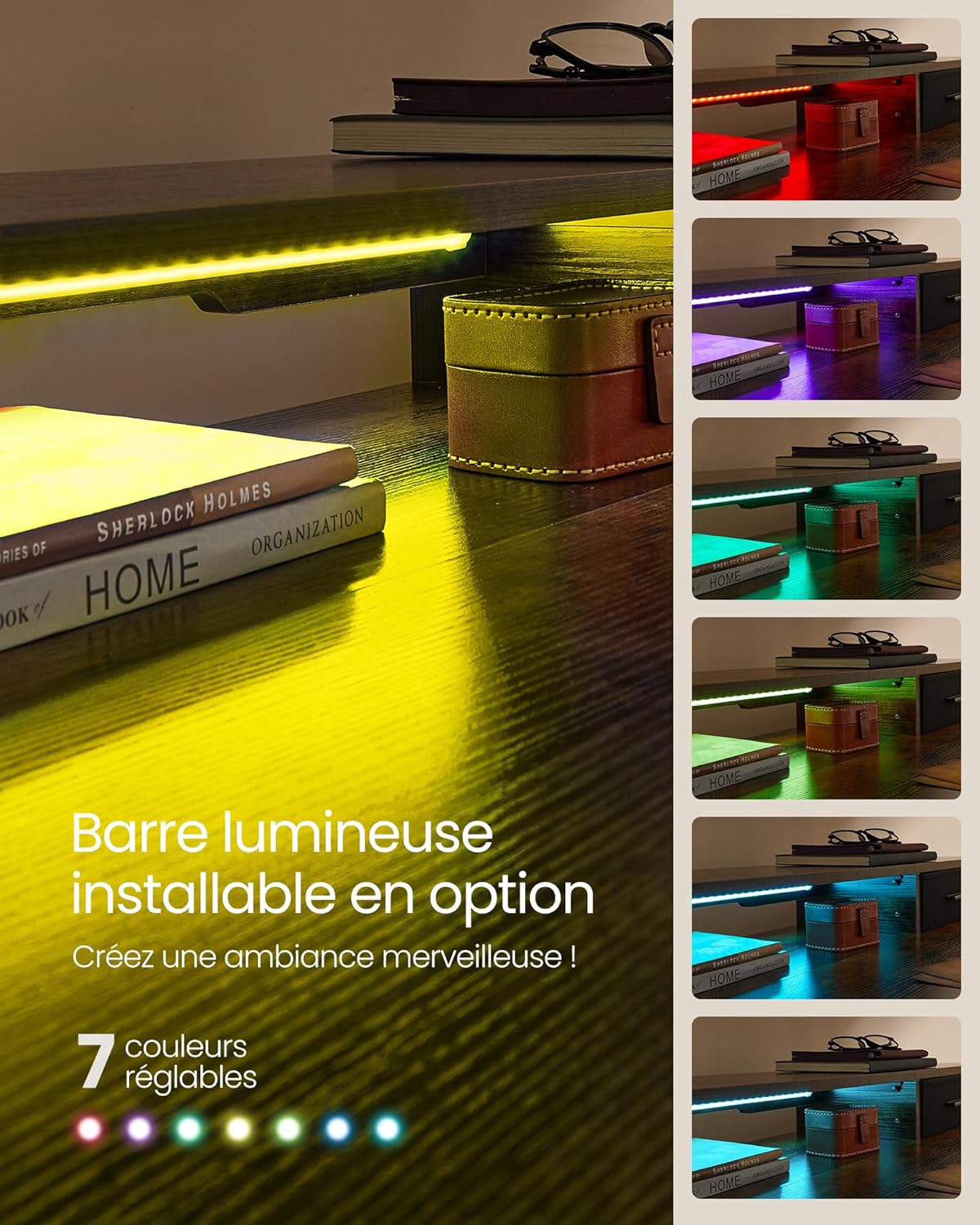
Image 4.1: Detail showing the adjustable feet and optional lockable wheels for the desk base.
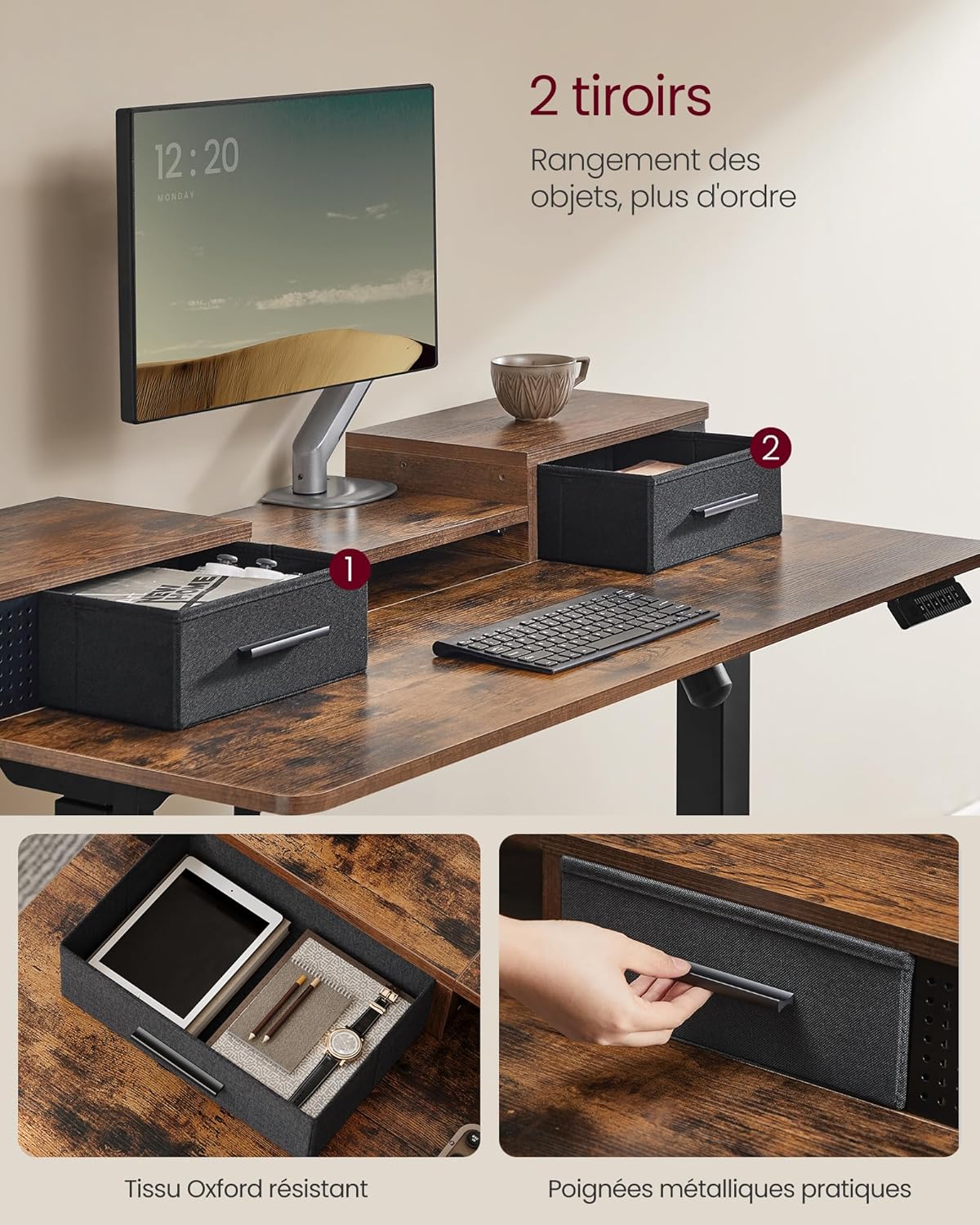
Image 4.2: The monitor stand features two convenient fabric drawers for organized storage.

Image 4.3: The central shelf of the monitor stand can be adjusted to accommodate different monitor setups, including clamp-on arms.
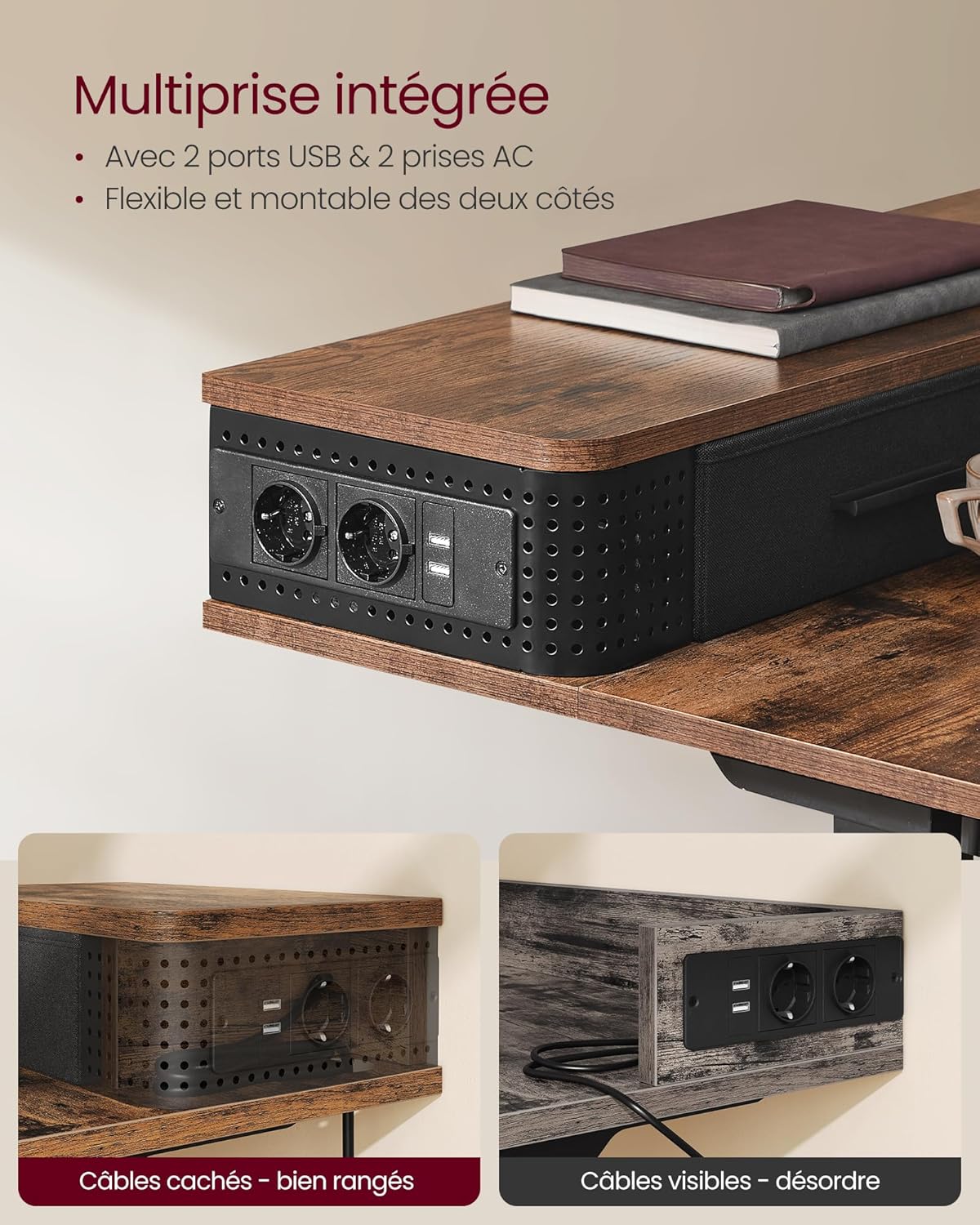
Image 4.4: The integrated power strip provides convenient access to power and charging for your devices.
Image 4.5: The optional LED light bar can be installed to add ambient lighting with multiple color choices.
5. Cyfarwyddiadau Gweithredu
Your VASAGLE Electric Height Adjustable Desk is designed for ease of use and flexibility.
5.1. Addasiad Uchder
Use the control panel to adjust the desk height:
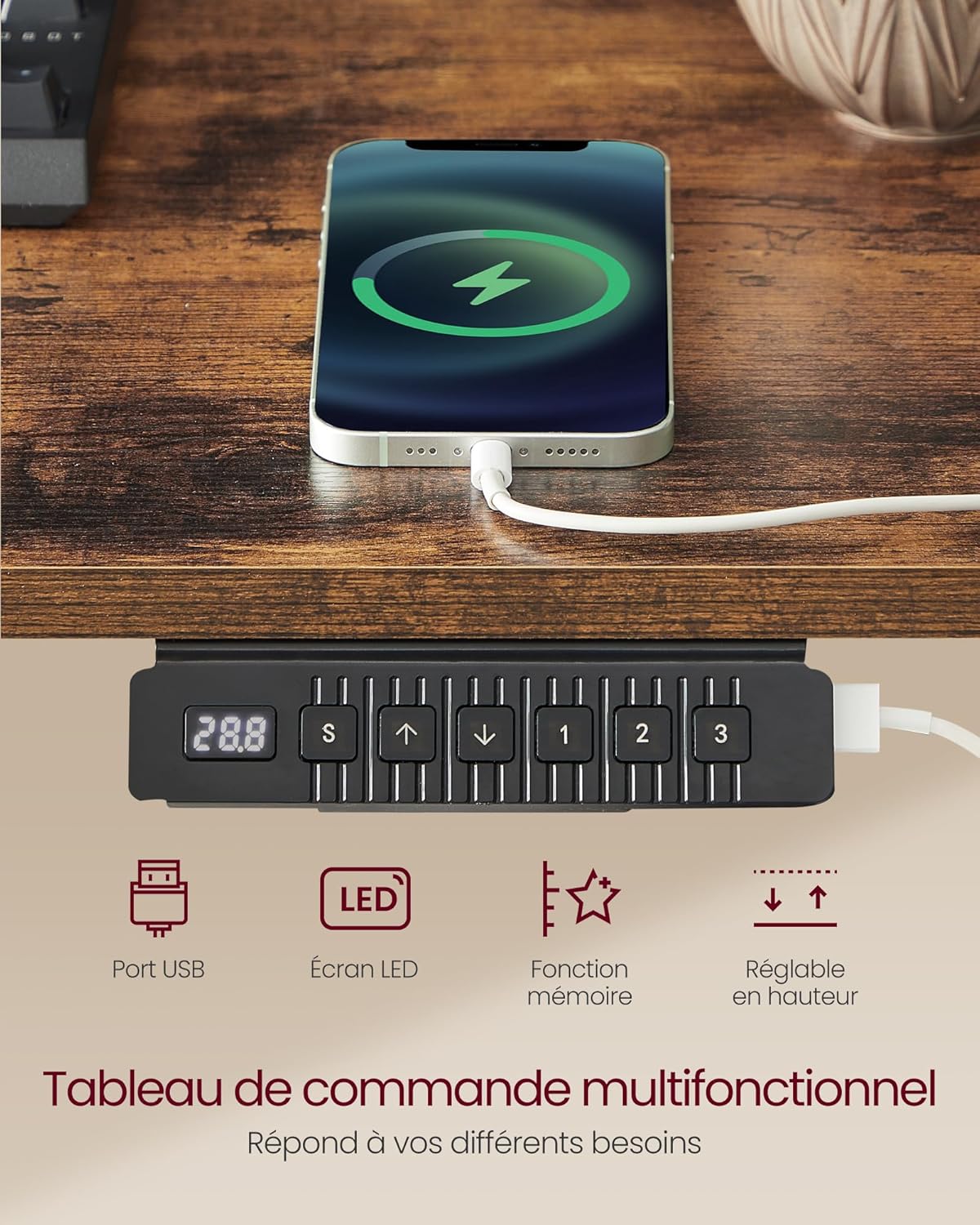
Image 5.1: The multifunctional control panel for height adjustment and memory settings.
- Gwasgwch y Saeth i Fyny botwm i godi'r ddesg.
- Gwasgwch y Saeth i Lawr botwm i ostwng y ddesg.
- The LED display will show the current height in centimeters.
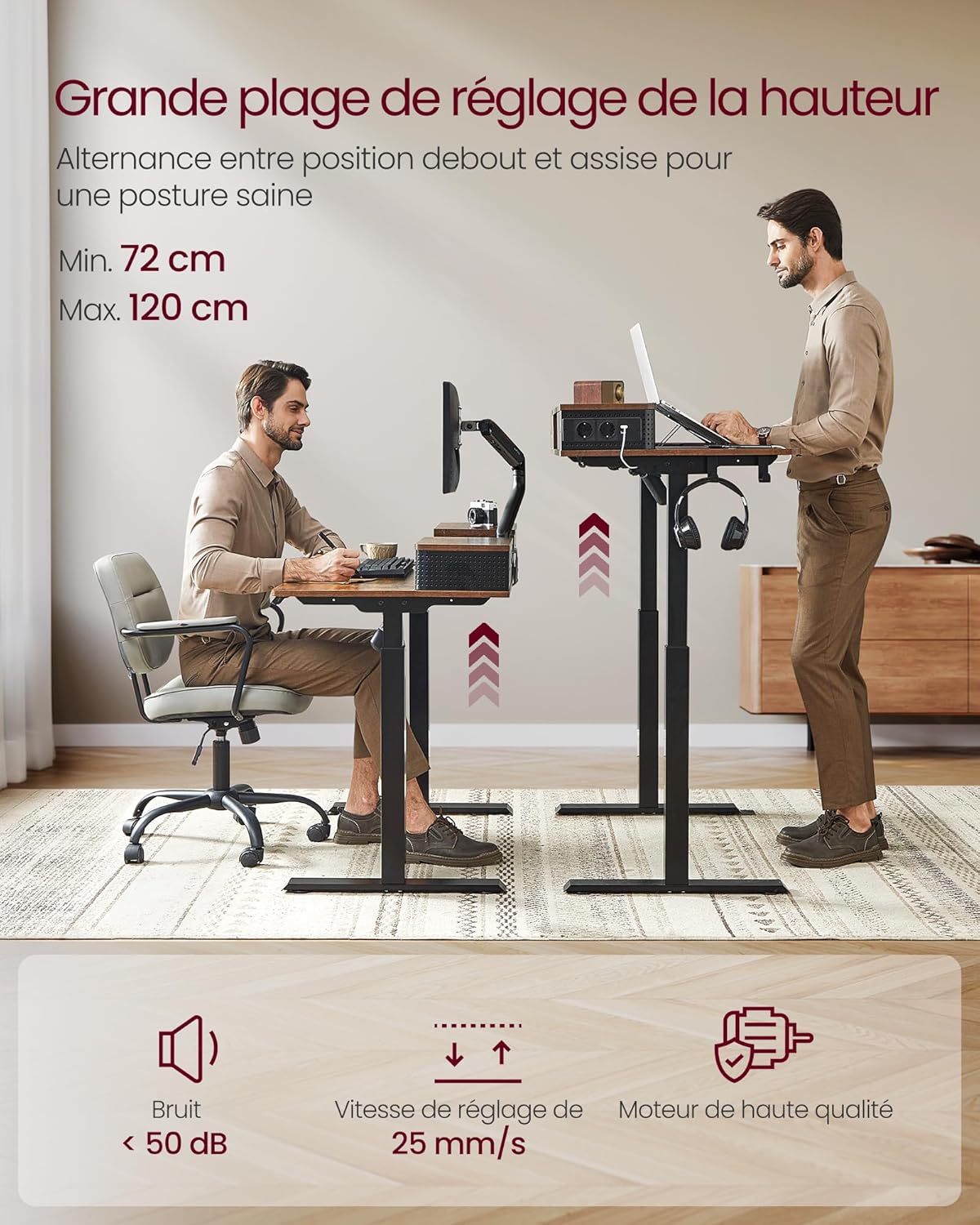
Image 5.2: The desk offers a wide height adjustment range from 72 cm to 120 cm for ergonomic flexibility.
5.2. Swyddogaeth Cof
The desk allows you to save up to three preferred height settings:
- Addaswch y ddesg i'r uchder a ddymunir.
- Gwasgwch y 'S' (Save) button. The display will flash.
- Press one of the numbered memory buttons ('1', '2', neu '3') o fewn 3 eiliad i gadw'r uchder cyfredol i'r rhagosodiad hwnnw.
- To recall a saved height, simply press the corresponding numbered memory button. The desk will automatically move to that position.
5.3. Porthladdoedd Codi Tâl
The integrated power strip provides convenient charging options:
- Defnyddiwch y Siopau AC for devices requiring standard power.
- Defnyddiwch y Porthladdoedd USB (5V/2.1A) to charge compatible electronic devices like smartphones or tablets.
5.4. LED Light (Optional)
If you have installed the optional LED light strip:
- Refer to the separate instructions provided with the LED light for specific operation and color changing functions.
6. cynnal
To ensure the longevity and optimal performance of your desk, follow these maintenance guidelines:
- Glanhau: Sychwch wyneb a choesau'r ddesg gyda lliain meddal, damp brethyn. Osgowch lanhawyr sgraffiniol neu gemegau llym a allai niweidio'r gorffeniad.
- Cydrannau Trydanol: Keep the control panel, motor, and power strip dry. Do not spray water directly onto electrical parts.
- Rheoli Ceblau: Periodically check that all cables are neatly routed and not pinched or tangled.
- Caewyr: Gwiriwch a thynhewch unrhyw sgriwiau rhydd o bryd i'w gilydd i gynnal sefydlogrwydd.
- Symudiad: If using wheels, ensure they are clean and free of debris for smooth movement. Lock the wheels when the desk is in a stationary position.
7. Datrys Problemau
Os byddwch chi'n dod ar draws unrhyw broblemau gyda'ch desg, cyfeiriwch at y problemau a'r atebion cyffredin canlynol:
| Problem | Achos Posibl | Ateb |
|---|---|---|
| Nid yw'r desg yn symud. | Cebl pŵer wedi'i ddatgysylltu; Gorlwytho modur; Problem gyda'r panel rheoli. | Check power connection. Unplug for 10 minutes and retry. Reduce load on desk. |
| Mae'r ddesg yn symud yn anwastad neu'n gwneud sŵn anarferol. | Uneven load; Loose connections; Obstruction. | Distribute weight evenly. Check all assembly connections. Clear any obstructions. |
| Swyddogaeth cof ddim yn gweithio. | Gweithdrefn arbed anghywir. | Refer to '5.2. Memory Function' section for correct saving steps. |
| Anti-collision feature triggers too often. | Sensitive setting; Obstruction. | Ensure no objects are in the path of the desk's movement. Consult customer support if issue persists. |
If the problem persists after attempting these solutions, please contact VASAGLE customer support for assistance.
8. manylebau
| Nodwedd | Manylyn |
|---|---|
| Brand | VASAGLE |
| Rhif Model | LSD182X01 |
| Lliw | Vintage Brown |
| Dimensiynau (L x W x H) | 120 x 60 x (72-120) cm (47.2 x 23.6 x (28.3-47.2) inches) |
| Pwysau | 31 kg (68.3 pwys) |
| Deunydd | Pren Peirianyddol, Dur Aloi |
| Max. Cynhwysedd Llwyth | 80 kg (176 pwys) |
| Lefel Sŵn | < 50 dB |
| Allbwn USB | 5V/2.1A |
| Allfeydd AC | 2 (230-250V/16A) |
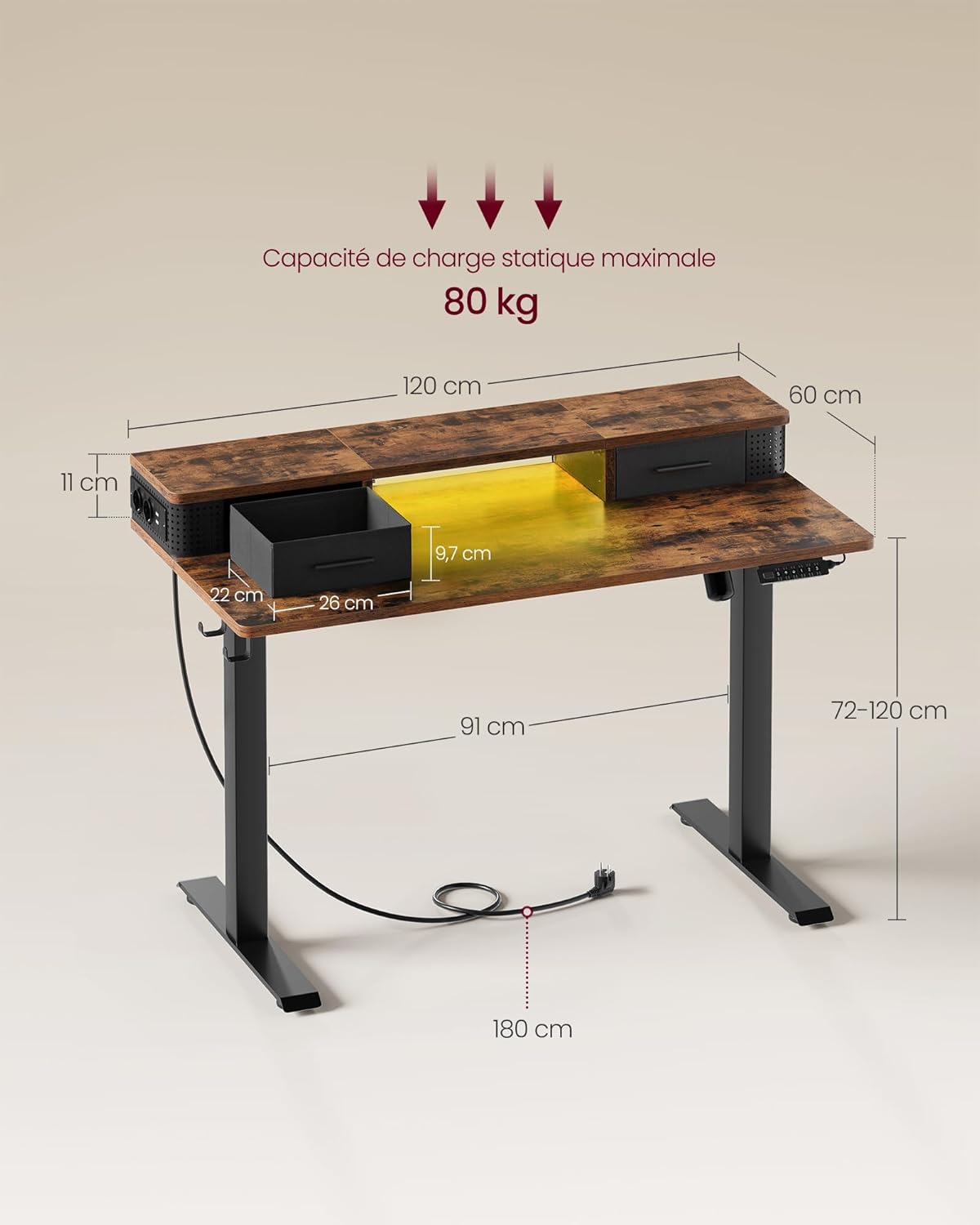
Image 8.1: Detailed dimensions and maximum static load capacity of the desk.
9. Gwarant a Chefnogaeth
For warranty information and customer support, please refer to the documentation provided with your purchase or visit the official VASAGLE website. If you have any questions or require assistance with your product, do not hesitate to contact our customer service team.


