
Rhagymadrodd
This manual provides comprehensive instructions for the Spirit Of Gamer XPERT K200 Wireless and Bluetooth RGB Gaming Keyboard. Please read this manual carefully before using the product to ensure proper operation and to maximize your experience. Keep this manual for future reference.
Cynnyrch Drosview
The XPERT K200 is an ultra-compact 60% TKL (Ten Keys Less) mechanical keyboard designed for gaming and productivity. It features 64 keys with anti-ghosting mechanical red switches, offering a responsive and precise typing experience. Its compact design provides more desk space for mouse movement.

Image: Spirit Of Gamer XPERT K200 keyboard highlighting its key features: ultra-compact TKL format, mechanical anti-ghosting switches, multi-platform compatibility (Windows, iOS, Android), and rechargeable lithium battery.

Image: The XPERT K200 keyboard showcasing its 60% ultra-compact form factor, designed to save desk space.
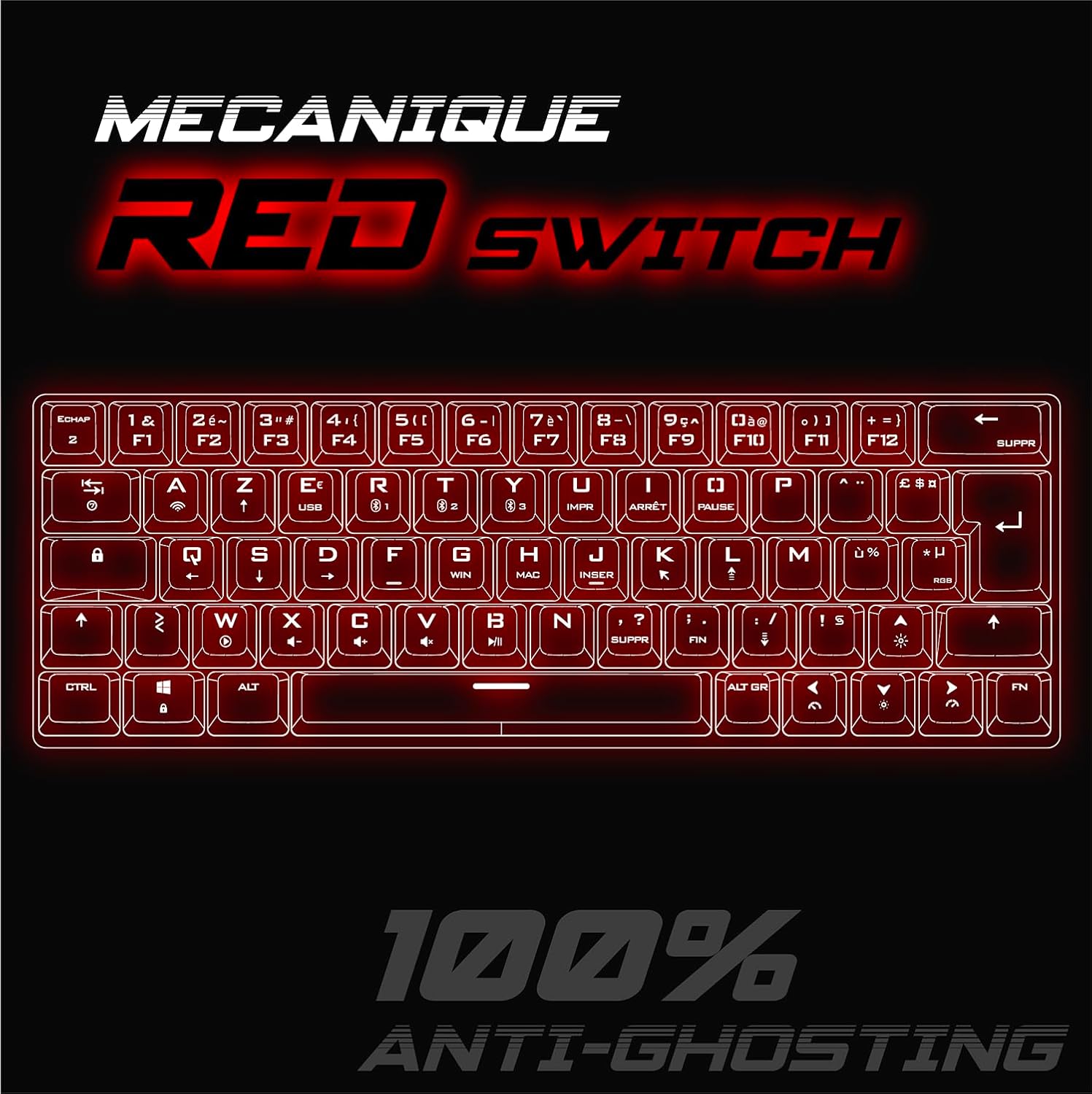
Image: Detail of the XPERT K200 keyboard emphasizing its mechanical red switches and 100% anti-ghosting capability for precise input.
Gosod
Cynnwys Pecyn
- Spirit Of Gamer XPERT K200 Keyboard
- Cebl USB-C
- Llawlyfr Defnyddiwr (y ddogfen hon)
Moddau Cysylltiad
The XPERT K200 keyboard supports three connection modes:
- Modd Wired: Connect via the included USB-C cable.
- Modd Di-wifr 2.4 GHz: Connect using the USB dongle (receiver).
- Modd Bluetooth: Connect wirelessly to up to three different devices.

Image: The XPERT K200 keyboard illustrating its three connection modes: 2.4 GHz wireless, USB wired, and Bluetooth (with three pairing slots).
Gosodiad Cychwynnol
- Codi tâl: Before first use, fully charge the keyboard using the provided USB-C cable. Connect the cable to the keyboard's USB-C port and to a powered USB port on your computer or a USB wall adapter.
- Dewis Modd: Use the switch on the keyboard to select your desired connection mode (Wired, 2.4G, or BT).
Cyfarwyddiadau Gweithredu
Cysylltu trwy 2.4 GHz Wireless
- Locate the USB 2.4 GHz receiver (dongle) usually stored in a compartment on the keyboard or in the packaging.
- Plygiwch y derbynnydd USB i mewn i borth USB sydd ar gael ar eich cyfrifiadur.
- Set the keyboard's mode switch to "2.4G".
- Dylai'r bysellfwrdd gysylltu'n awtomatig. Os na, pwyswch FN + R. i gychwyn paru.
Cysylltu trwy Bluetooth
The keyboard can store up to three Bluetooth profiles.
- Set the keyboard's mode switch to "BT".
- Pwyswch a dal FN + Q., FN + W., neu FN + E. for 3-5 seconds to enter pairing mode for the desired profile (Q, W, or E). The indicator light will flash rapidly.
- On your device (PC, smartphone, tablet), open Bluetooth settings and search for "XPERT K200" or a similar name.
- Dewiswch y bysellfwrdd i'w baru. Bydd y golau dangosydd yn rhoi'r gorau i fflachio unwaith y bydd wedi'i gysylltu.
- I newid rhwng dyfeisiau Bluetooth wedi'u paru, pwyswch FN + Q., FN + W., neu FN + E. (short press) for the corresponding device.
Cysylltiad Wired
- Connect the USB-C cable to the keyboard and the other end to a USB port on your computer.
- Set the keyboard's mode switch to "Wired" or "USB".
- The keyboard will function as a standard wired keyboard and will also charge.
Function Keys (FN Combinations)
Due to its compact 60% layout, many functions are accessed via the FN key in combination with other keys. Refer to the keycaps for secondary functions, often indicated by smaller icons or text.
- FN + F1-F12: Access multimedia controls and system functions.
- FN + Bysellau Saeth: Control lighting effects (direction, speed).
- FN + U/I/O/P: (example, check actual keycaps) Adjust volume, play/pause.
- FN + ENNILL: Lock/unlock Windows key.
- FN + MAC: Switch between Windows and Mac layouts (if supported).
Dulliau Goleuo RGB
The XPERT K200 features customizable RGB backlighting with 7 different colors and 22 effects. Lighting can be configured directly on the keyboard using key combinations.
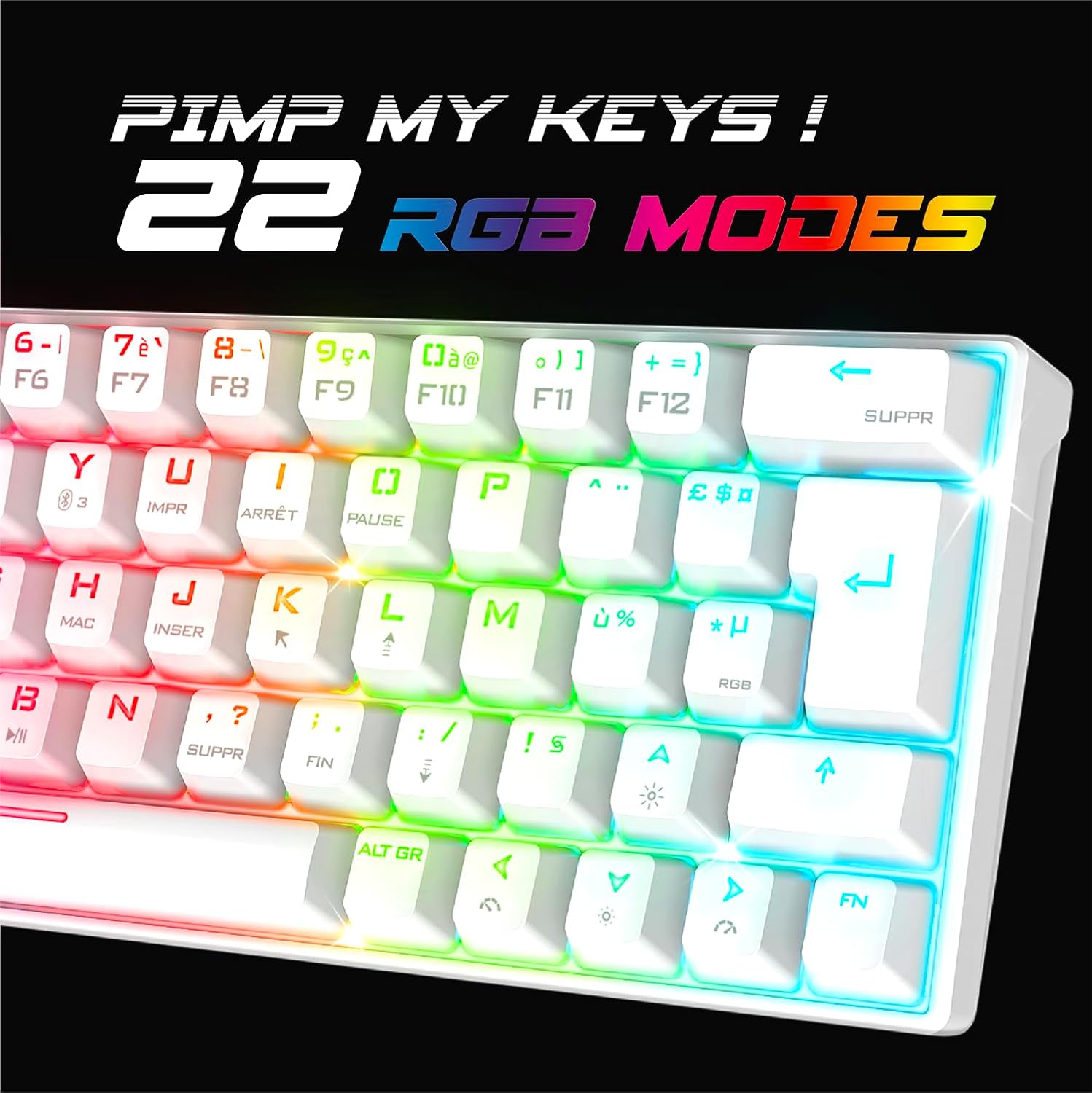
Image: The XPERT K200 keyboard displaying its vibrant RGB backlighting and highlighting the 22 available lighting modes.
Adjusting Lighting Effects
- FN + \|: Cylchdroi trwy wahanol effeithiau goleuo RGB.
- FN + ↑ (Up Arrow): Cynyddu disgleirdeb.
- FN + ↓ (Down Arrow): Gostwng disgleirdeb.
- FN + ← (Left Arrow): Decrease effect speed.
- FN + → (Right Arrow): Increase effect speed.
- FN + RGB Key: Change static RGB color (if applicable to the current mode).
Batri a Chodi Tâl
The XPERT K200 is equipped with an 1800 mAh rechargeable Lithium battery, providing up to 180 hours of autonomy (usage time may vary depending on RGB lighting intensity and usage patterns).
Codi tâl ar y bysellfwrdd
- Connect the included USB-C cable to the keyboard's USB-C port and to a powered USB port (e.g., computer, wall adapter).
- Bydd y golau dangosydd gwefru yn goleuo yn ystod gwefru ac yn diffodd pan fydd wedi'i wefru'n llawn.
- The keyboard can be used in wired mode while charging.
Statws Batri
A low battery indicator (usually a flashing light) will alert you when the battery needs recharging.
Cynnal a chadw
Glanhau
- Datgysylltwch y bysellfwrdd o bob ffynhonnell bŵer a dyfais cyn glanhau.
- Use a soft, dry cloth to wipe the surface of the keyboard.
- Ar gyfer baw ystyfnig, ychydig yn damp cloth with mild soap can be used, ensuring no liquid enters the keyboard.
- Defnyddiwch aer cywasgedig i gael gwared ar lwch a malurion o rhwng y capiau bysellau.
- Osgowch ddefnyddio cemegau llym, toddyddion, neu lanhawyr sgraffiniol.
Storio
- Storiwch y bysellfwrdd mewn lle oer, sych i ffwrdd o olau haul uniongyrchol a thymheredd eithafol.
- Os ydych chi'n storio am gyfnod hir, gwnewch yn siŵr bod y batri wedi'i wefru'n rhannol (tua 50%) i ymestyn ei oes.
Datrys problemau
| Problem | Achos Posibl | Ateb |
|---|---|---|
| Bysellfwrdd ddim yn ymateb (Gwifrog) | Loose USB-C cable connection. Incorrect mode selected. | Ensure the USB-C cable is securely connected. Set the keyboard mode switch to "Wired" or "USB". Try a different USB port or cable. |
| Keyboard not responding (2.4 GHz Wireless) | USB receiver not plugged in. Incorrect mode selected. Low battery. Pairing issue. | Ensure the USB receiver is plugged into a working USB port. Set the keyboard mode switch to "2.4G". Charge the keyboard. Re-pair by pressing FN + R.. |
| Keyboard not responding (Bluetooth) | Bluetooth not enabled on device. Incorrect mode selected. Low battery. Pairing issue. Device limit reached. | Ensure Bluetooth is enabled on your device. Set the keyboard mode switch to "BT". Charge the keyboard. Re-pair by holding FN + C/C/E. Ensure you are selecting the correct paired profile. |
| Allweddi ddim yn cofrestru neu'n cysgodi | Dust/debris under keycap. Software conflict. | Clean the keycap area with compressed air. Restart your computer. Ensure anti-ghosting is active (it is by default for mechanical switches). |
| Goleuadau RGB ddim yn gweithio neu wedi'u dal | Low battery. Incorrect lighting mode selected. | Charge the keyboard. Cycle through lighting modes using FN + ||. Adjust brightness with FN + ↑/↓. |
| Bywyd batri byr | High brightness RGB. Frequent wireless use. | Reduce RGB brightness. Consider using wired mode when possible. Ensure the keyboard is fully charged. |
Manylebau
| Nodwedd | Manylyn |
|---|---|
| Model | XPERT K200 |
| Brand | Spirit Of Gamer |
| Gosodiad | 60% TKL AZERTY |
| Newid Math | Switshis Coch Mecanyddol |
| Gwrth-Ysbrydion | 100% Gwrth-Ysbrydion |
| Cysylltedd | 2.4 GHz Wireless, Bluetooth (3 profiles), USB Wired |
| Golau cefn | RGB (7 colors, 22 effects) |
| Batri | 1800 mAh Lithium Rechargeable |
| Bywyd Batri | Up to 180 hours (without RGB) |
| Cydweddoldeb | PC (Windows), Smartphone, Tablet |
| Dimensiynau (L x W x H) | 29.1 x 10.4 x 4 cm |
| Cydrannau wedi'u Cynnwys | Cebl USB-C |

Image: Physical dimensions and weight of the XPERT K200 keyboard.
Gwarant a Chefnogaeth
The Spirit Of Gamer XPERT K200 keyboard comes with a Gwarant gwneuthurwr 2 flynedd. Mae'r warant hon yn cwmpasu diffygion mewn deunyddiau a chrefftwaith o dan ddefnydd arferol.
Hawliadau Gwarant
For warranty claims or technical support, please contact your retailer or the official Spirit Of Gamer customer service. Keep your proof of purchase for warranty validation.
Cyfyngiadau
Nid yw'r warant yn cwmpasu difrod a achosir gan gamddefnydd, damweiniau, addasiadau heb awdurdod, na thraul a rhwyg arferol.