
WONLINK WL-AP7204-USHS1-YAM
WONLINK Outdoor WiFi Extender User Manual
Model: WL-AP7204-USHS1-YAM
Rhagymadrodd
Thank you for choosing the WONLINK Outdoor WiFi Extender. This device is designed to provide robust and stable wireless internet connectivity in outdoor environments, extending your existing WiFi network to cover large areas such as backyards, farms, parks, and more. This manual will guide you through the installation, setup, and operation of your new WiFi extender.

Figure 1: WONLINK Outdoor WiFi Extender
Nodweddion Allweddol
- 1200Mbps Dual-Band WiFi: Compliant with IEEE 802.11ac/a/b/g/n standards, offering speeds up to 867Mbps on 5GHz and 300Mbps on 2.4GHz for high-definition and smooth network performance.
- Flexible Installation with PoE: Integrated Power over Ethernet (PoE) support allows for installation in locations without direct power outlets. Includes a 24V PoE adapter.
- Dual Gigabit Ethernet Ports: Equipped with two 1000Mbps LAN/WAN Ethernet ports for excellent wired network speeds.
- Dulliau Gweithredu Lluosog: Supports Repeater, AP (Access Point), Router, and Bridge modes to suit various network environments and applications.
- High Client Capacity: A single unit can handle over 40 wireless devices on 2.4GHz and 80 on 5.8GHz concurrently.
- Advanced WiFi Security: Features 128-bit encryption and WPA/WPA2/WPA-PSK/WPA2-PSK protocols to prevent unauthorized access and interference.
- Dyluniad Diddos IP66: Robust weatherproof and heat-resistant casing with a waterproof silicone ring ensures continuous operation in harsh outdoor conditions, including extreme cold (-10°C) to hot (60°C) and humid climates.

Figure 2: High-Speed AC1200 Dual Band Performance
Cynnwys Pecyn
Gwiriwch fod yr holl eitemau yn bresennol ac mewn cyflwr da wrth agor y pecyn:
- 1 x Outdoor WiFi Extender Unit
- 1 x 24V PoE Adapter
- 2 x Stainless Ties (for mounting)
- 2 x Screws (for mounting)
- 2 x Silicone Seals
- 1 x Canllaw Gosod Cyflym
Gosod a Gosod
The WONLINK Outdoor WiFi Extender supports Power over Ethernet (PoE) for simplified installation. The main unit is weatherproof, but the PoE adapter must be installed indoors.
Cysylltiad PoE
The included 24V PoE adapter provides both power and data connectivity to the extender unit via a single Ethernet cable. This allows for flexible placement of the extender up to 100 meters (approximately 328 feet) from the power source.
- Connect one end of an Ethernet cable (up to 100m) to the PoE port on the 24V PoE Adapter.
- Connect the other end of this Ethernet cable to the Ethernet port on the Outdoor WiFi Extender unit.
- Connect your router or network switch to the LAN port on the 24V PoE Adapter using another Ethernet cable.
- Plug the 24V PoE Adapter into a standard indoor power outlet.

Figure 3: Power Over Ethernet Connection
Mowntio'r Extender
The extender can be mounted on a wall or pole using the provided stainless ties and screws. Ensure the mounting location provides optimal signal coverage and is within the 100m PoE cable limit.
Initial Configuration (Recommended AP Mode for Outdoor Use)
For optimal performance in large outdoor areas, the wired AP (Access Point) mode is strongly advised. This involves connecting the extender directly to your router via an Ethernet cable through the PoE adapter.
- Connect the extender to your computer using an Ethernet cable (via the PoE adapter) for initial setup.
- Agor a web browser and navigate to the default IP address provided in the Quick Installation Guide (typically 192.168.1.1 or similar).
- Log in using the default credentials (usually admin/admin).
- Follow the on-screen wizard to configure the device. Select Modd AP ar gyfer defnydd awyr agored.
- Set your desired WiFi network name (SSID) and password.
- Save settings and restart the device if prompted.
Dulliau Gweithredu
The WONLINK Outdoor WiFi Extender supports four primary operating modes to adapt to various network requirements:
- Modd AP (Pwynt Mynediad): Converts a wired network connection into a wireless one. Ideal for creating a new WiFi hotspot or extending a wired network wirelessly. This is the recommended mode for large outdoor deployments.
- Modd Ailadrodd: Extends the coverage of an existing wireless network by receiving the WiFi signal and re-transmitting it. Best used when the extender is placed within 3-5 meters of the main router for optimal signal reception.
- Modd y Llwybrydd: Functions as a primary router, connecting to a modem and providing both wired and wireless internet access to multiple devices.
- Modd y Bont: Connects two separate wired networks wirelessly, acting as a wireless bridge between them.

Ffigur 4: Diagram o Ddulliau Gweithio Lluosog
Cynnal a chadw
The WONLINK Outdoor WiFi Extender is designed for durability and minimal maintenance due to its IP66 weatherproof enclosure.
- Gwrthsefyll Tywydd: The IP66 rating ensures protection against dust ingress and powerful water jets. It is built to withstand rain, snow, wind, and extreme temperatures (-10°C to 60°C).
- Glanhau: Sychwch du allan yr uned o bryd i'w gilydd gyda lliain meddal, damp cloth to remove any accumulated dirt or debris. Do not use harsh chemicals or abrasive cleaners.
- Diweddariadau Cadarnwedd: Check the WONLINK official website periodically for firmware updates. Keeping the firmware updated ensures optimal performance, security, and access to new features.
- Archwiliad cebl: Regularly inspect the Ethernet cable connecting the extender to the PoE adapter for any signs of wear, damage, or degradation, especially if exposed to direct sunlight or physical stress.
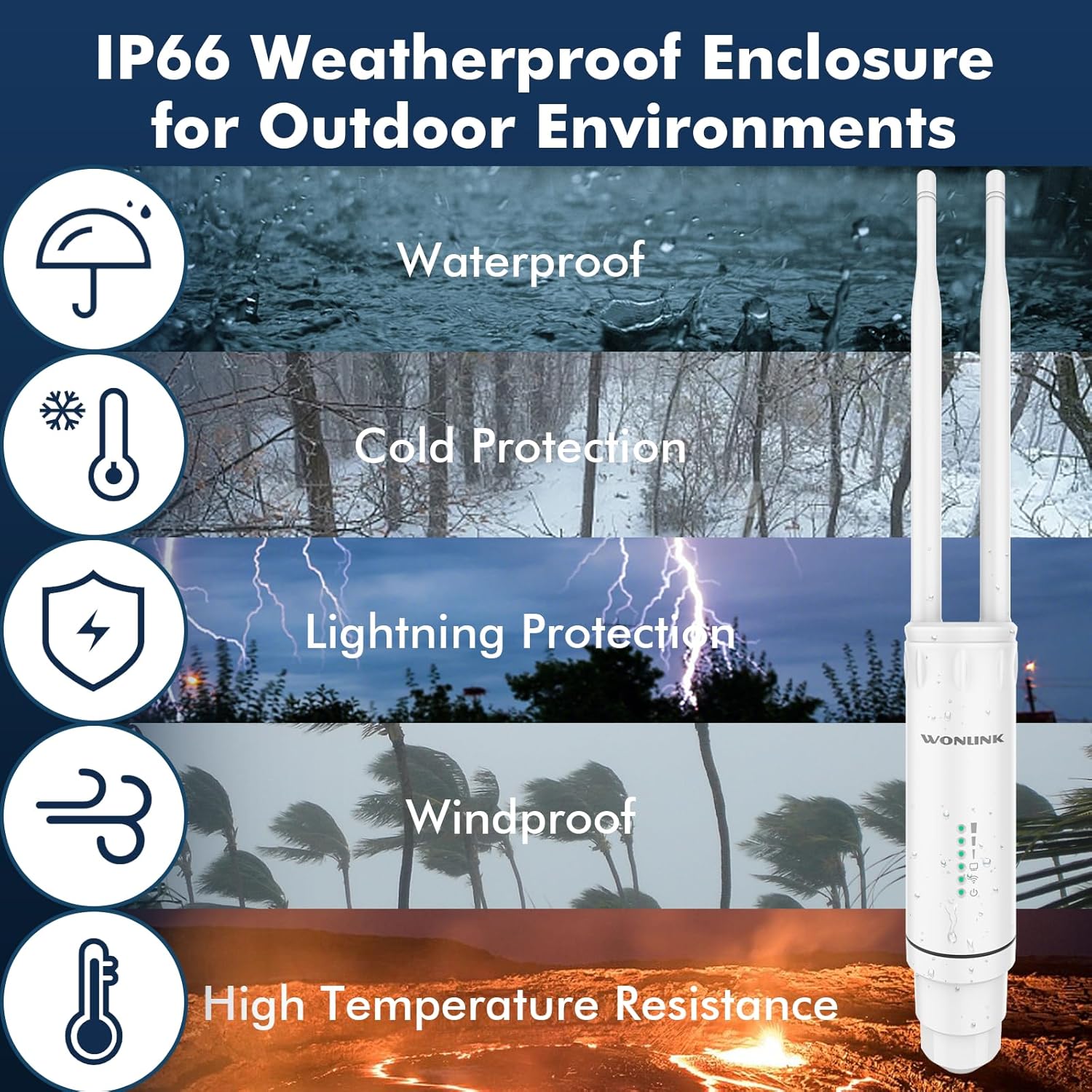
Figure 5: IP66 Weatherproof Enclosure Features
Datrys problemau
If you encounter issues with your WONLINK Outdoor WiFi Extender, try the following troubleshooting steps:
- No Power/Lights Off:
- Ensure the PoE adapter is securely plugged into a working power outlet.
- Check the Ethernet cable connection between the PoE adapter and the extender unit.
- Verify the PoE adapter is functioning correctly.
- Dim Mynediad Rhyngrwyd:
- In AP/Router mode, ensure the LAN port of the PoE adapter is connected to your main router/modem.
- Gwiriwch a oes gan eich prif lwybrydd/modem fynediad i'r rhyngrwyd.
- If in Repeater mode, ensure the extender is receiving a strong signal from your main router. Try repositioning the extender closer to the router.
- Restart both the extender and your main router.
- Weak Signal/Slow Speed:
- Ensure the extender is placed in an optimal location, away from obstructions and sources of interference (e.g., thick walls, large metal objects, microwaves).
- For Repeater mode, ensure the extender is not too far from the main router.
- Gwiriwch am ddiweddariadau firmware.
- Gwiriwch fod yr antenâu wedi'u cysylltu'n ddiogel ac wedi'u cyfeirio'n gywir.
- Methu Mynediad Web Tudalen Rheoli:
- Ensure your computer is connected to the extender (either directly via Ethernet or its WiFi network).
- Verify you are using the correct IP address (refer to the Quick Installation Guide).
- Rhowch gynnig ar glirio storfa eich porwr neu ddefnyddio porwr gwahanol.
- Analluogwch unrhyw feddalwedd wal dân neu wrthfeirws ar eich cyfrifiadur dros dro.
- Ailosod Ffatri: If issues persist, you may need to perform a factory reset. Locate the reset button (usually a small pinhole) on the device. With the device powered on, press and hold the reset button for 5-10 seconds until the lights flash, then release. The device will revert to its default factory settings.
Manylebau
| Brand | WONLINK |
| Rhif Model | WL-AP7204-USHS1-YAM |
| Safon Cyfathrebu Di-wifr | 802.11a/b/g/n/ac |
| Cyfradd Trosglwyddo Data | 1200 Megabit yr Eiliad (Mbps) |
| Dosbarth Band Amlder | Band Deuol (2.4GHz a 5GHz) |
| Cyflenwad Pŵer | Addasydd PoE 24V |
| Graddio gwrth-dywydd | IP66 |
| Tymheredd Gweithredu | -10 ° C i 60 ° C |
| Pwysau Eitem | 1.17 pwys |
| Dimensiynau Pecyn | 9.33 x 6.02 x 2.4 modfedd |
Gwybodaeth Diogelwch
Darllenwch a dilynwch y canllawiau diogelwch hyn i sicrhau bod eich dyfais yn gweithio'n ddiogel:
- Only use the provided 24V PoE adapter. Using unauthorized power adapters may damage the device and void the warranty.
- The PoE adapter is for indoor use only. Do not expose it to water, moisture, or extreme temperatures.
- Ensure proper grounding during installation to protect against lightning strikes.
- Peidiwch â cheisio dadosod na thrwsio'r ddyfais eich hun. Cyfeiriwch yr holl waith cynnal a chadw at bersonél cymwys.
- Cadwch y ddyfais i ffwrdd o ffynonellau gwres, golau haul uniongyrchol, a deunyddiau fflamadwy.
- Ensure all cable connections are secure and properly sealed to maintain the weatherproof integrity of the outdoor unit.
Gwarant a Chefnogaeth
For warranty information and technical support, please refer to the documentation included with your product or visit the official WONLINK websafle. Gallwch hefyd ymweld â'r WONLINK Store on Amazon for more product details and customer service options.
Ask a question about this manual
Ask about setup, troubleshooting, compatibility, parts, safety, or missing instructions. Manuals+ will review the question and use this page’s manual context to help answer it.