
1. Rhagymadrodd
This manual provides detailed instructions for the operation and maintenance of the LAUNCH CRP129E Plus OBD2 Scanner. Please read this manual thoroughly before using the device to ensure proper and safe operation. The CRP129E Plus is a comprehensive diagnostic tool designed for automotive professionals and enthusiasts, offering full system diagnostics and various service reset functions.
2. Cynnyrch Drosview
2.1. Cydrannau Dyfais
The LAUNCH CRP129E Plus features a user-friendly interface with a 5-inch touchscreen and physical buttons for navigation.

Delwedd 2.1: The LAUNCH CRP129E Plus OBD2 Scanner and its protective carrying case.
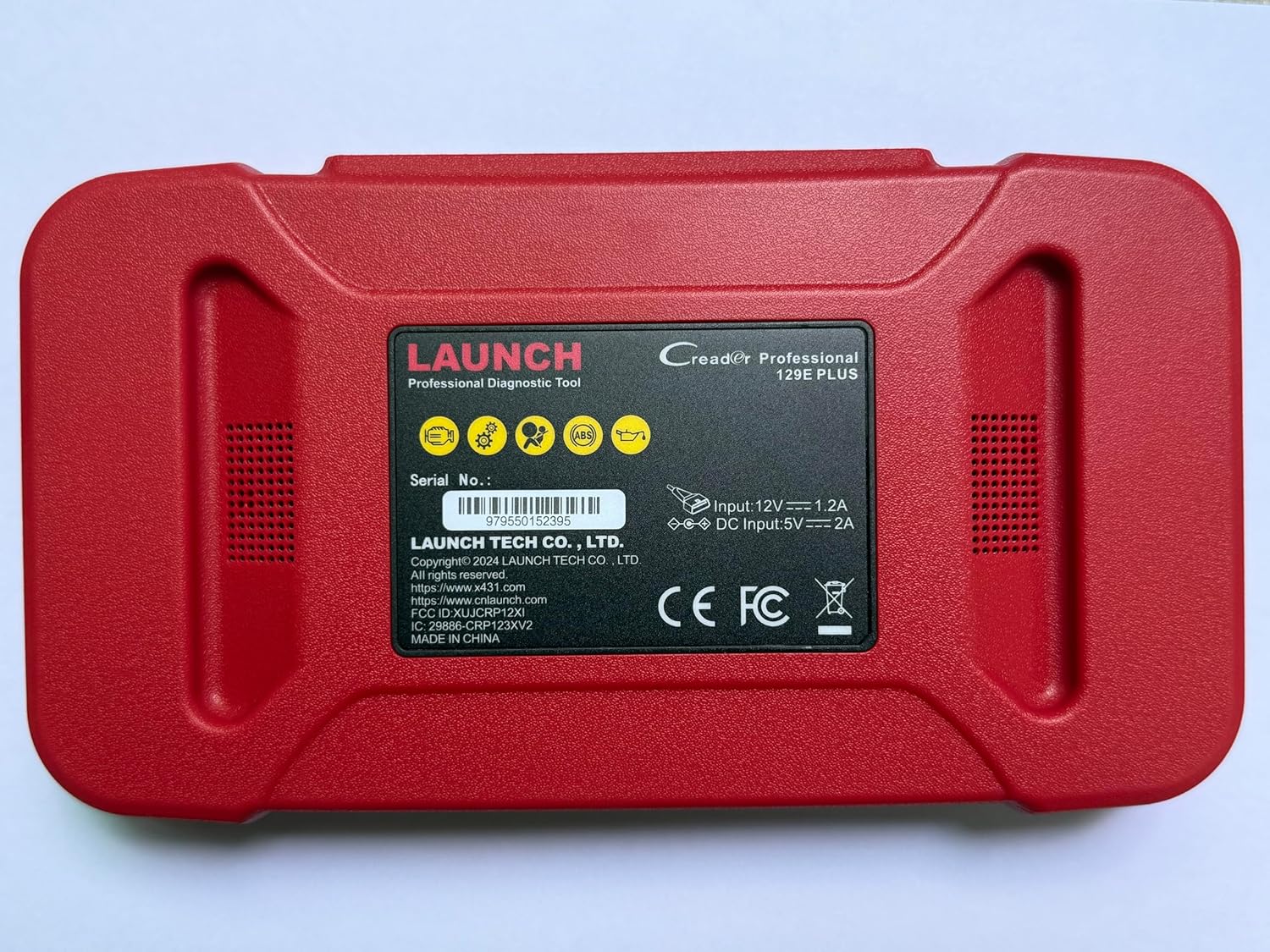
Delwedd 2.2: Cefn view of the CRP129E Plus, displaying input voltage, current specifications, and serial number (e.g., 979550152395).
2.2. Cynnwys Pecyn
Upon unboxing, verify that all items listed below are present:
- CRP129E PLUS OBD2 Scanner (x1)
- OBDII Cable (x1)
- 5V DC Charging Cable (x1)
- Llawlyfr Defnyddiwr (x1)
- Canllaw Cychwyn Cyflym (x1)
- Carrying Bag (x1)

Delwedd 2.3: Visual representation of the CRP129E Plus package contents.
3. Gosod a Defnydd Cychwynnol
3.1. Codi Tâl y Dyfais
Before first use, ensure the device is fully charged using the provided 5V DC charging cable. Connect the cable to the device and a suitable power source.
3.2. Pweru Ymlaen / I ffwrdd
- Pŵer Ymlaen: Pwyswch a daliwch y botwm pŵer nes bod y sgrin yn goleuo.
- Pwer i ffwrdd: Press and hold the power button, then select "Power Off" from the options.
3.3. Cysylltu â Cherbyd
Locate the vehicle's OBDII port, typically under the dashboard on the driver's side. Connect the provided OBDII cable from the CRP129E Plus to the vehicle's OBDII port. Ensure the vehicle's ignition is in the ON position (engine off or running, depending on the diagnostic task).
3.4. Wi-Fi Connection and Updates
The CRP129E Plus supports one-click Wi-Fi updates. Connect the device to a stable Wi-Fi network to download the latest software and vehicle data. Regular updates ensure compatibility with new vehicle models and improved diagnostic functions.
- From the main menu, tap "Settings".
- Select "WLAN" and connect to an available network.
- Return to the main menu and tap "Upgrade".
- Select the desired software updates and tap "Update".

Delwedd 3.1: The device interface showing options for updates, DTC lookup, live data stream, and battery test.
4. Cyfarwyddiadau Gweithredu
4.1. Auto VIN Scan
The device can automatically identify vehicle information. After connecting to the vehicle, select "Diagnose" and the device will attempt an Auto VIN scan to quickly identify the vehicle's make, model, and year.

Delwedd 4.1: Visual representation of the Auto VIN scan process and systems covered by diagnosis.
4.2. Diagnosteg System Llawn
The CRP129E Plus can access and diagnose all available vehicle systems. This includes, but is not limited to, Engine, ABS, SRS, SAS, TCM, TPMS, Body, Chassis, Powertrain, Fuel System, and Lighting System.
- From the main menu, select "Diagnose".
- Choose "Health Report" or select specific systems for diagnosis.
- The device will scan for Diagnostic Trouble Codes (DTCs) and display results.
- You can read fault codes, clear fault codes, and view ffrydiau data byw.

Delwedd 4.2: Drosoddview of the comprehensive system diagnostic capabilities.
4.3. OBD2 Functions
The device supports all 10 modes of OBDII testing for emissions-related issues.
- Darllen/Clirio DTCs: Retrieve and erase diagnostic trouble codes.
- Llif Data Byw: View real-time data from the vehicle's sensors.
- Parodrwydd I / M: Gwiriwch statws y monitorau sy'n gysylltiedig ag allyriadau.
- Rhewi Data Ffrâm: View a snapshot of vehicle conditions when a fault code was set.
- Prawf Synhwyrydd O2: Adalw canlyniadau profion monitor synhwyrydd O2.
- Prawf Monitro Ar y Bwrdd: Retrieve results for emission-related powertrain components.
- Prawf System EVAP: Dechrau prawf o'r system allyriadau anweddol.
- Gwybodaeth am Gerbydau: Adalw rhif adnabod y cerbyd (VIN), ID calibradu, a rhif gwirio calibradu (CVN).
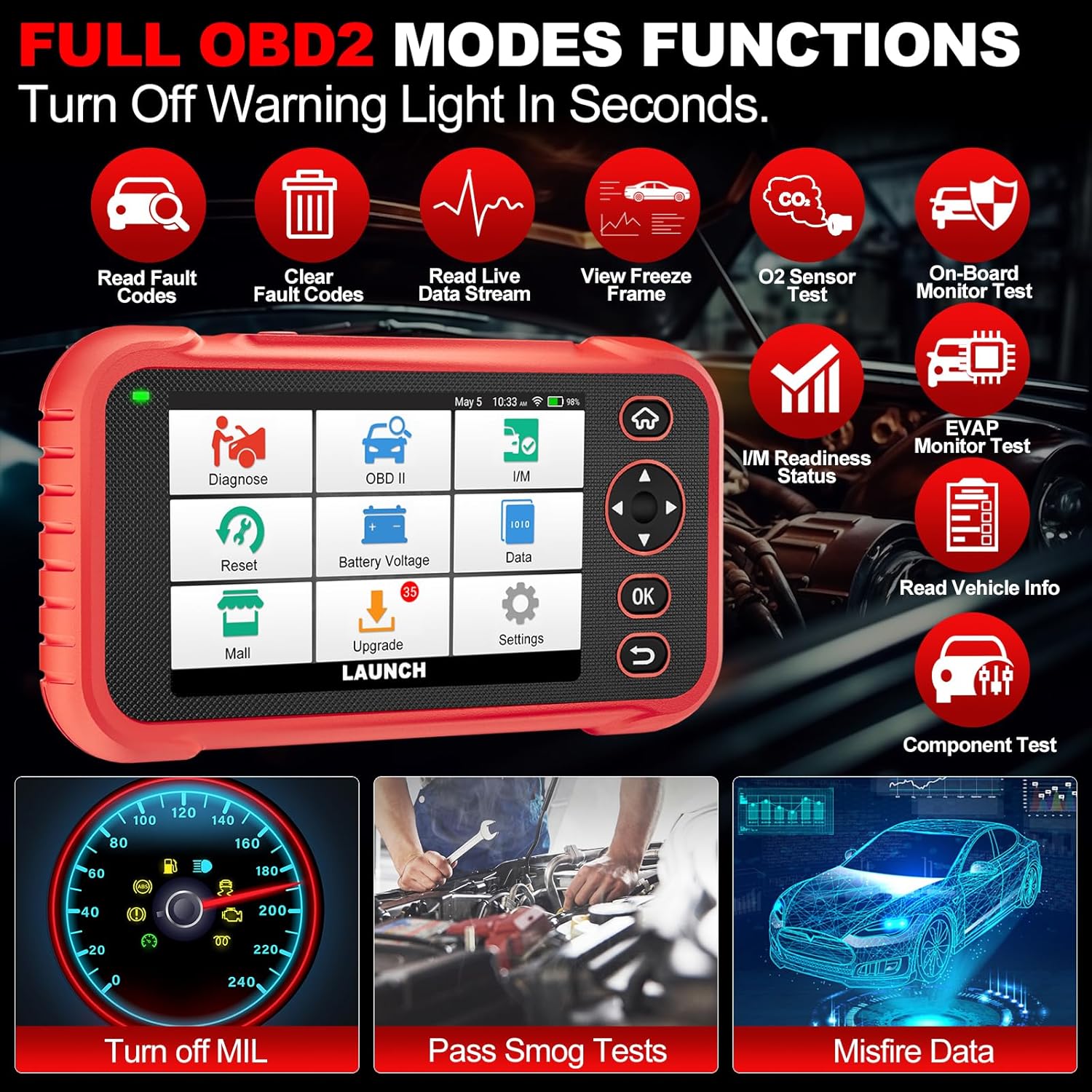
Delwedd 4.3: Main menu options for OBD2 functions.
4.4. Service Reset Functions
The CRP129E Plus offers 12+ essential service reset functions for common maintenance tasks.
- Ailosodiad Olew: Yn ailosod y system oes olew ar ôl newid olew.
- Addasiad y Throttle: Yn cychwyn yr actiwadyddion sbardun i'r cyflwr diofyn.
- Ailosod Adblue: Resets the urea after the diesel exhaust fluid (AdBlue) is replaced or refilled.
- Penllysamp Paru: Calibrates the adaptive front lighting system.
- Ailosod TPMS: Resets tire pressure monitoring system sensors.
- Ailosod SAS: Yn calibradu'r synhwyrydd ongl llywio.
- Battery Matching (BMS Reset): Registers new battery replacement.
- Ailosod A/F: Adjusts air/fuel ratio parameters.
- D-P-F Regeneration: Yn clirio gronynnau o'r hidlydd DPF.
- Codio Chwistrellwr: Yn codio rhifau chwistrellwyr newydd i'r ECU.
- Ailosodiad EPB: Resets the electronic parking brake pads after replacement.
- Gwaedu ABS: Performs bleeding of the brake system.

Delwedd 4.4: Drosoddview of available service reset functions.
4.5. Live Data Graphing and Recording
The device can display live data streams in merged quadrant graphs, allowing for comprehensive analysis of up to four parameters simultaneously. Data can also be recorded and played back for further review.

Delwedd 4.5: Example of 4-in-1 live data graphing and diagnostic report generation.
4.6. Batri Voltage Prawf
Monitor the vehicle's battery voltage in real-time to assess its status and identify potential issues.

Delwedd 4.6: Batri cyftage test interface and other diagnostic support features.
5. cynnal
- Glanhau: Defnyddiwch frethyn meddal, sych i lanhau'r ddyfais. Osgowch lanhawyr neu doddyddion sgraffiniol.
- Storio: Storiwch y ddyfais yn ei chas cario mewn lle oer, sych pan nad yw'n cael ei defnyddio.
- Diweddariadau Meddalwedd: Regularly check for and install software updates via Wi-Fi to ensure optimal performance and vehicle compatibility.
- Gofal Batri: Osgowch ollwng y batri'n llwyr yn aml. Gwefrwch y ddyfais yn rheolaidd, hyd yn oed os nad yw'n cael ei defnyddio'n weithredol, i gynnal iechyd y batri.
6. Datrys Problemau
| Problem | Achos Posibl | Ateb |
|---|---|---|
| Nid yw'r ddyfais yn pweru ymlaen. | Batri isel; botwm pŵer diffygiol. | Gwefrwch y ddyfais am o leiaf 30 munud. Os yw'r broblem yn parhau, cysylltwch â'r tîm cymorth. |
| Gwall cyfathrebu gyda'r cerbyd. | Loose OBDII connection; vehicle ignition off; incompatible vehicle protocol. | Ensure cable is securely connected. Turn ignition to ON. Verify vehicle compatibility. |
| Unable to update software. | No Wi-Fi connection; unstable internet; insufficient storage. | Check Wi-Fi connection. Ensure stable internet. Free up storage if necessary. |
| Sgrin yn anymatebol. | Gwall meddalwedd; difrod corfforol. | Ailgychwynwch y ddyfais. Os yw'r broblem yn parhau, cysylltwch â'r tîm cymorth. |
7. manylebau
- Model: CRP129E PLUS
- System Weithredu: Android 7.0
- Arddangos: Sgrin gyffwrdd 5 modfedd
- Cof: 16GB
- Batri: 6100mAh
- Cysylltedd: Wi-Fi
- Dimensiynau: 7.09 x 6.3 x 2.36 modfedd
- Pwysau Eitem: 2.27 pwys
- Protocolau â Chefnogaeth: OBDII/EOBD
- Cwmpas y Cerbyd: Over 85 brands (1996-2025)
- UPC: 884508007774

Delwedd 7.1: Summary of key hardware and software specifications.

Delwedd 7.2: Extensive vehicle brand coverage and multi-language support.
8. Gwarant a Chefnogaeth
The LAUNCH CRP129E Plus comes with a manufacturer's warranty. Please refer to the official LAUNCH websafle neu'ch dogfennaeth prynu am delerau ac amodau gwarant penodol.
- Gwarant: 5 Years (as per product information)
- Return/Replace Policy: 90 Days (as per product information)
- Cymorth Technegol: 24/7 technical support is available. For assistance, please contact LAUNCH customer service.
- Adborth Ar-lein: The device supports online feedback for quick resolution of diagnostic issues.
For further assistance or to provide feedback, please visit the official LAUNCH support channels.