
Spirit Of Gamer XPERT H700
Spirit Of Gamer XPERT H700 Gaming Headset User Manual
Model: XPERT H700 (MIC-XH700WT)
Rhagymadrodd
Thank you for choosing the Spirit Of Gamer XPERT H700 Gaming Headset. This manual provides essential information for setting up, operating, and maintaining your headset to ensure optimal performance and longevity. Please read this manual thoroughly before use.
Cynnyrch Drosview
The XPERT H700 is a versatile gaming headset designed for an immersive audio experience across multiple platforms. Key features include:
- Sain Amgylchynol Rhithwir 7.1: Delivers a 360-degree audio experience for enhanced spatial awareness in games.
- Cydnawsedd Aml-lwyfan: Works with PlayStation (PS4/PS5), Nintendo Switch, Xbox (Series X/One), and PC/Mac.
- Detachable Noise-Reduction Microphone: Ensures clear communication with teammates by minimizing background noise.
- Adjustable Aluminum Headband: Provides a comfortable and secure fit for various head sizes.
- Protein Leather Earcups: Offers superior comfort and durability compared to synthetic leather.
- RGB Rainbow Breathing Backlight: Features dynamic RGB lighting on the earcups, controllable via the inline remote.
- PC Software Support: Advanced audio customization options available for PC users.
Cynnwys y Pecyn:
- Spirit Of Gamer XPERT H700 Gaming Headset
- Meicroffon datodadwy
- Llawlyfr Defnyddiwr

Image: The adjustable aluminum headband of the XPERT H700 headset.
Gosod
Follow these steps to set up your XPERT H700 headset:
- Atodwch y Meicroffon: Insert the detachable microphone into the designated port on the left earcup until it clicks into place.
- Cysylltu â Dyfais:
- Ar gyfer cyfrifiadur personol/Mac: Plug the USB-A connector of the headset into an available USB port on your computer. The system should automatically detect and install the necessary drivers.
- For PlayStation (PS4/PS5), Xbox (Series X/One), Nintendo Switch: Plug the USB-A connector into an available USB port on your console. Ensure your console's audio output settings are configured to use the connected USB headset.
- Addasu Ffit: Adjust the aluminum headband to comfortably fit your head. The earcups are designed to pivot vertically for an optimal fit.
- PC Software (Optional): For advanced audio settings and customization on PC, download the dedicated software from the official Spirit Of Gamer website. This software allows access to features like equalizer, 7.1 virtual surround sound, and Xear SingFX.

Image: The XPERT H700 headset highlighting its compatibility with various gaming platforms.
Cyfarwyddiadau Gweithredu
The XPERT H700 headset features an inline remote for convenient control:
- Rheoli cyfaint: Use the volume wheel on the inline remote to adjust the audio output level.
- Tewi meicroffon: Press the microphone button on the inline remote to mute or unmute the microphone.
- Rheoli Goleuadau RGB: Use the dedicated button on the inline remote to turn the RGB rainbow breathing backlight on or off.
7.1 Virtual Surround Sound (PC Only):
To enable and customize the 7.1 virtual surround sound, you must install the Spirit Of Gamer XPERT H700 software on your PC. Once installed, launch the software and activate the 7.1 Virtual Speaker Shifter feature for an immersive audio experience.

Image: Visual representation of the 7.1 Virtual Surround Sound feature.

Image: The RGB Rainbow Breathing Backlight feature on the headset's earcups.

Image: The downloadable PC software interface for advanced audio settings.
Cynnal a chadw
Proper maintenance ensures the longevity of your headset:
- Glanhau: Use a soft, dry cloth to wipe the earcups and headband. For the protein leather, a slightly damp gellir defnyddio brethyn, ond osgoi lleithder gormodol.
- Storio: Store the headset in a clean, dry place away from direct sunlight and extreme temperatures.
- Gofal Cebl: Osgowch blygiadau miniog neu dynnu gormodol ar y cebl i atal difrod.
- Gofal meicroffon: Handle the detachable microphone gently when attaching or detaching.

Image: The protein leather material used for the earcups, emphasizing comfort and durability.
Datrys problemau
If you encounter issues with your XPERT H700 headset, refer to the following common solutions:
- Dim Sain:
- Ensure the USB connector is fully inserted into the device.
- Check the volume control on the inline remote and your device's system volume.
- Verify that the headset is selected as the default audio output device in your operating system or console settings.
- Meicroffon Ddim yn Gweithio:
- Gwnewch yn siŵr bod y meicroffon wedi'i gysylltu'n ddiogel â'r clustffon.
- Check if the microphone mute button on the inline remote is active (unmuted).
- Verify that the headset microphone is selected as the default input device in your operating system or console settings.
- For PC, check microphone settings within the Spirit Of Gamer software.
- Goleuadau RGB Ddim yn Gweithio:
- Gwnewch yn siŵr bod y clustffon wedi'i gysylltu'n iawn trwy USB.
- Press the RGB lighting control button on the inline remote to toggle the lighting.
- 7.1 Virtual Surround Sound Not Active (PC):
- Ensure the Spirit Of Gamer software is installed and running.
- Verify that the 7.1 Virtual Speaker Shifter option is enabled within the software.
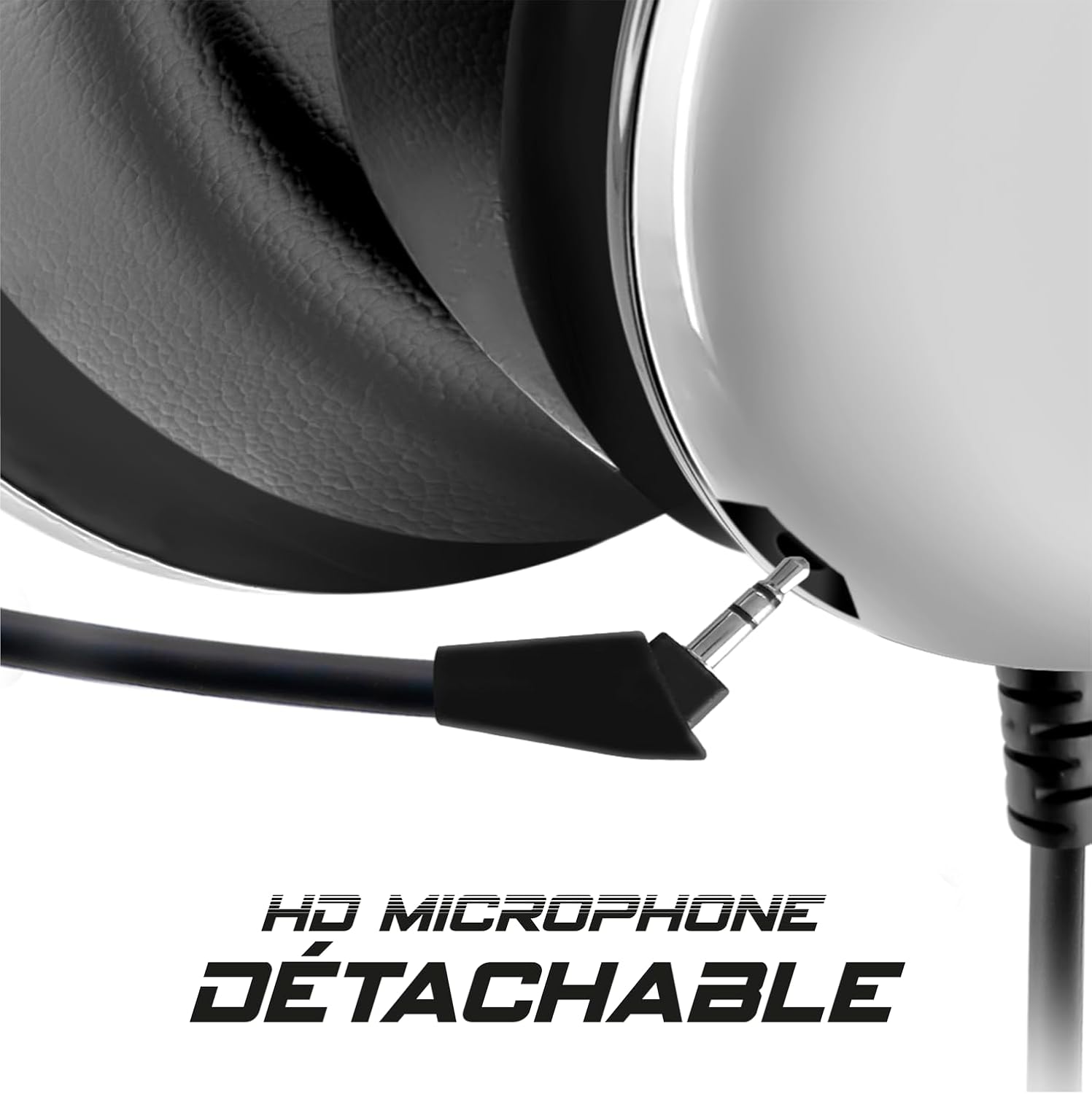
Image: The detachable microphone, a key component for clear communication.
Manylebau
| Enw Model | XPERT H700 |
| Rhif Model | MIC-XH700WT |
| Technoleg Cysylltedd | Gwifredig (USB-A) |
| Dyfeisiau Cydnaws | PlayStation (PS4/PS5), Nintendo Switch, Xbox (Series X/One), PC (Windows & MacOS) |
| Nodweddion Sain | 7.1 Virtual Surround Sound (PC via software) |
| Meicroffon | Detachable, Omnidirectional, Noise-Reduction |
| Goleuo | RGB Rainbow Breathing Backlight |
| Headband Material | Aluminum, Adjustable |
| Earcup Material | Lledr Protein |
| Dull Rheoli | Inline Remote (Volume, Mic Mute, RGB On/Off) |
| Math o Gynnyrch | Over-ear (Circum-aural) |
Gwarant a Chefnogaeth
Gwarant: The Spirit Of Gamer XPERT H700 Gaming Headset comes with a Gwarant gwneuthurwr 2 flynedd o ddyddiad y pryniant. Cadwch eich prawf prynu ar gyfer hawliadau gwarant.
Cefnogaeth: For further assistance, technical support, or to download the latest PC software and drivers, please visit the official Spirit Of Gamer websafle: www.spiritofgamer.com (Note: Actual website link may vary, please refer to product packaging or official brand information).
Dogfennau Cysylltiedig - XPERT H700
 |
Canllaw Defnyddiwr Clustffon Hapchwarae Diwifr Spirit of Gamer XPERT-H900 User manual for the Spirit of Gamer XPERT-H900 Wireless Gaming Headset (Model: MIC-XH900). This guide details package contents, headset features, compatibility with PC, PlayStation, Nintendo Switch, and Xbox One, LED indicators, battery information, safety precautions, warranty, and recycling instructions. |
 |
Canllaw Defnyddiwr Bysellfwrdd Mecanyddol Spirit of Gamer XPERT K200 Dysgwch sut i gysylltu a defnyddio eich Bysellfwrdd Mecanyddol Ailwefradwy Di-wifr Spirit of Gamer XPERT K200 RGB trwy gysylltiadau di-wifr â gwifrau, Bluetooth, a 2.4 GHz. Yn cynnwys gosodiadau bysellfwrdd, rheolyddion RGB, llwybrau byr amlgyfrwng, a dangosyddion LED. |
 |
Spirit of Gamer Pro-M8 Gaming Muis Gebruikershandleiding - 3500 DPI, 7 Knoppen Swyddi swyddogol ar gyfer gemau hapchwarae Spirit of Gamer Pro-M8. Gyda mwy na 3500 o synhwyrydd DPI, 7 pen rhaglennu'n noeth, a chyfnewidfa LED wedi'i gosod a gosod plug-and-play ar gyfer gosodiadau gêm arferol. |
 |
Llawlyfr ar gyfer Headset Gamer Razer BlackShark V2 X a Especificações Guia oficial do usuário especificações técnicas para o headset gamer Razer BlackShark V2 X, cobrindo conteúdo da embalagem, requisitos, uso, segurança and informações legais. |
 |
FLIT Gaming Headset User Manual - LIBERTY GAMER Comprehensive user manual for the LIBERTY GAMER FLIT Gaming Headset. Includes features, specifications, connection guides for PC, Mac, PS4, Xbox One, operation instructions, maintenance, safety precautions, and warranty information. |