
Rhagymadrodd
Diolch am brynuasing the Emerson EPD-1001 Portable 10-inch DVD Player. This manual provides essential information for setting up, operating, and maintaining your device. Please read these instructions carefully before use to ensure proper functionality and to maximize your viewing profiad.
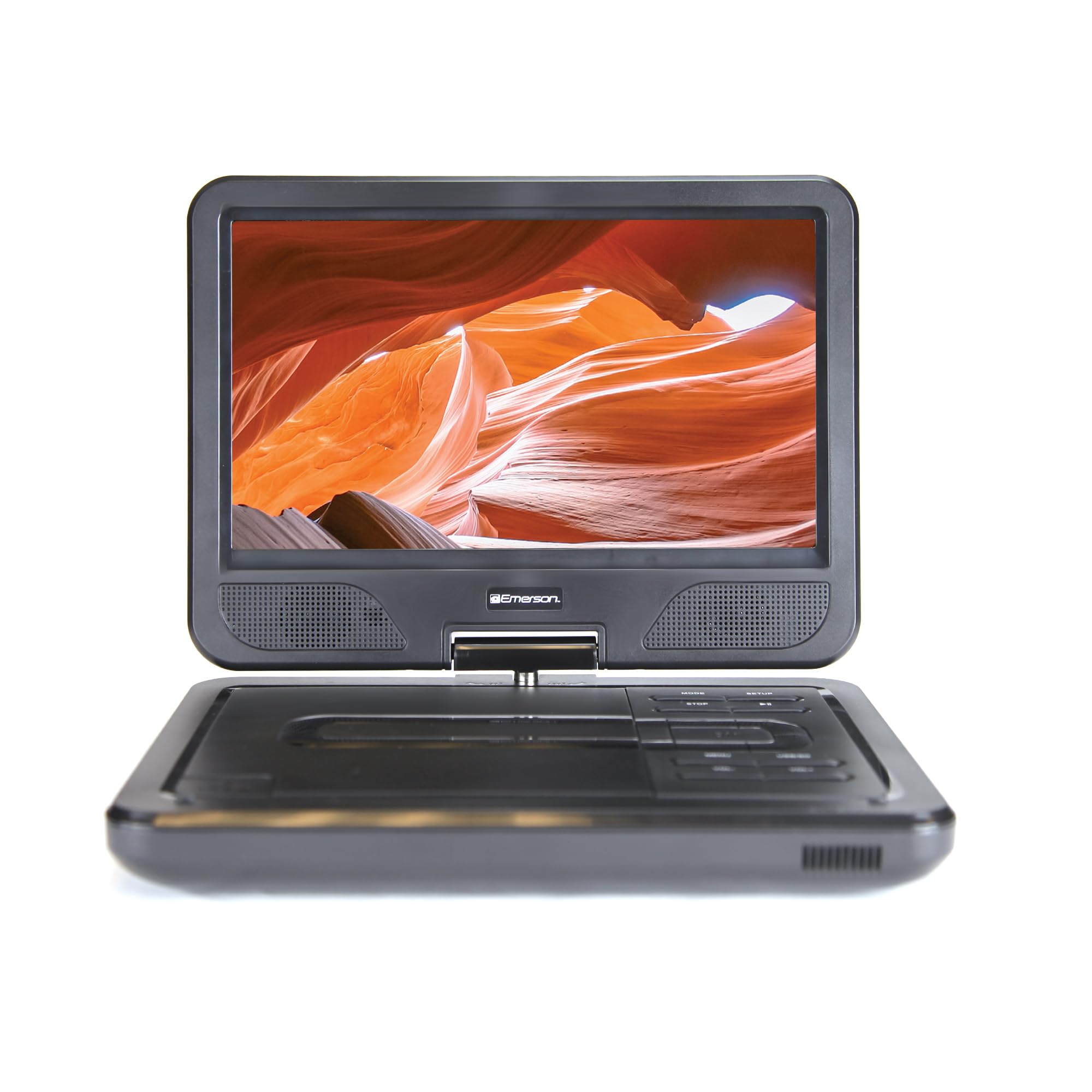
Image: The Emerson EPD-1001 Portable 10-inch DVD Player shown with its screen open, displaying a vibrant image.
Beth Sydd yn y Bocs
Gwiriwch fod yr holl eitemau yn bresennol yn y pecynnu:
- Emerson EPD-1001 Portable 10-inch DVD Player
- Rheolaeth Anghysbell
- Addasydd Pwer AC
- DC Car Cord
- Cable AV
- Llawlyfr Defnyddiwr (y ddogfen hon)
- Cerdyn Gwarant

Image: The Emerson EPD-1001 Portable 10-inch DVD Player displayed alongside its remote control.
Nodweddion Cynnyrch
- 10-inch Swivel Screen: The large 10-inch screen swivels 180 degrees, allowing for flexible viewing onglau.
- Siaradwr adeiledig: Integrated speaker provides clear audio for an immersive experience.
- Batri y gellir ei ailwefru: Enjoy portable viewing with the built-in rechargeable battery, offering hours of playback.
- Rheolaeth Anghysbell: Navigate menus and control playback effortlessly with the included remote.
- Dyluniad Compact: Lightweight and compact for easy transport during travel.
- Cydnawsedd Aml-Fformat: Supports a wide range of DVD formats, as well as media from USB flash drives and SD cards.
Video: A 360-degree product overview of the Emerson EPD-1001 Portable DVD Player, showcasing ei ddyluniad a'i nodweddion o wahanol onglau.
Gosod
- Dadbacio: Tynnwch yr holl gydrannau o'r pecynnu yn ofalus. Cadwch y pecynnu ar gyfer storio neu gludo yn y dyfodol.
- Codi'r Batri: Before first use, fully charge the internal rechargeable battery. Connect the AC power adapter to the DC IN 9-12V port on the DVD player and plug it into a standard wall outlet. The charging indicator light will illuminate. A full charge typically takes several hours.
- Car Power (Optional): For in-car use, connect the DC car cord to the DC IN 9-12V port and plug the other end into your vehicle's 12V accessory socket.
- External Display Connection (Optional): To connect to an external display (e.g., TV), use the provided AV cable. Connect the AV OUT port on the DVD player to the corresponding AV IN ports on your television.

Image: A hand plugging a 12V car adapter into a vehicle's power outlet, demonstrating how to power the DVD player on the go.
Cyfarwyddiadau Gweithredu
Pweru Ymlaen/Diffodd
- I bweru ymlaen, pwyswch a dal y GRYM botwm nes bod y sgrin yn goleuo.
- I bweru i ffwrdd, pwyswch a dal y GRYM botwm eto nes bod y sgrin yn diffodd.
Inserting and Playing a DVD
- Open the disc cover by gently lifting the AGORED clicied.
- Place a DVD disc onto the spindle with the label side facing up. Gently press the center of the disc to secure it.
- Caewch y clawr disg.
- The player will automatically detect the disc and begin playback. If not, press the CHWARAE/SEIBIANT botwm.
Using the Swivel Screen
The screen can be rotated up to 180 degrees. Gently swivel the screen to your desired viewing angle. You can also fold the screen flat against the base for a tablet-like viewing profiad.

Image: A woman using the Emerson EPD-1001 Portable DVD Player, demonstrating the swivel screen feature for comfortable viewing.
Media Playback (USB/SD Card)
- Mewnosod gyriant fflach USB yn y USB porthladd neu gerdyn SD i mewn i'r CERDYN SD slot.
- Defnyddiwch y MODD button on the player or remote to select the appropriate input (USB or SD).
- Llywio drwy eich cyfryngau files using the arrow buttons and press ENWCH i chwarae.

Image: A hand inserting a USB flash drive into the side port of the portable DVD player, illustrating media playback from external storage.
Defnyddio'r Rheolaeth Anghysbell
Point the remote control directly at the infrared sensor on the DVD player. The remote allows access to functions such as Play, Pause, Stop, Fast Forward, Rewind, Chapter Skip, Volume Control, Menu Navigation, and Input Selection.
Allbwn Sain
- Siaradwyr Adeiledig: Audio will play automatically through the integrated speakers. Adjust volume using the VOL+ a VOL- botymau.
- Jack Clustffon: For private listening, plug standard 3.5mm headphones into the PENNILL jack. This will mute the built-in speakers.
Cynnal a chadw
- Glanhau: Use a soft, dry cloth to clean the exterior of the DVD player. For the screen, use a soft, lint-free cloth specifically designed for electronics screens. Do not use liquid cleaners or abrasive materials.
- Gofal disg: Handle discs by their edges. Keep discs clean and free of scratches. Use a soft, lint-free cloth to wipe discs from the center outwards if cleaning is necessary.
- Gofal Batri: To prolong battery life, avoid fully discharging the battery frequently. If storing the device for an extended period, charge the battery to approximately 50% and store in a cool, dry place. Recharge every few months to prevent deep discharge.
- Storio: Store the DVD player in a cool, dry environment away from direct sunlight, extreme temperatures, and excessive dust.
Datrys problemau
| Problem | Achos Posibl | Ateb |
|---|---|---|
| Nid yw'r chwaraewr yn troi ymlaen. | Battery is depleted or power adapter is not connected. | Connect the AC power adapter and allow the battery to charge. Ensure the power button is pressed and held. |
| Dim llun ar y sgrin. | Disc is dirty/scratched, incorrect input selected, or screen is folded incorrectly. | Clean the disc. Ensure the screen is properly opened and swiveled. If connected to an external display, verify AV cable connections and TV input selection. |
| Dim sain. | Volume is too low, headphones are connected, or disc has no audio track. | Increase the volume. Disconnect headphones if using built-in speakers. Check disc for audio content. |
| Nid yw'r ddisg yn chwarae neu'n hepgor. | Mae'r ddisg yn fudr, wedi'i chrafu, neu mewn fformat anghydnaws. | Clean the disc thoroughly. Try a different disc. Ensure the disc format is supported by the player. |
| Rheoli o bell ddim yn gweithio. | Batteries are dead or remote is not pointed at sensor. | Replace remote control batteries. Ensure direct line of sight to the player's IR sensor. |
Manylebau
| Nodwedd | Manylyn |
|---|---|
| Brand | Emerson |
| Rhif Model | DPC-1001 |
| Maint Sgrin | 10 modfedd |
| Math Arddangos | LCD |
| Datrysiad Brodorol | 1280x720 |
| Technoleg Cysylltedd | USB |
| Dyfeisiau Cydnaws | Mobile Phone, Television (via AV out) |
| Math Cyfryngau | DVD, CD, MP3, USB, SD Card |
| Dimensiynau Eitem (L x W x H) | 10"H x 1.8"L x 7.35"U |
| Pwysau Eitem | 2.2 Bunt |
| Lliw | Du |
| Opsiynau Pŵer | Built-in rechargeable battery, AC adapter, 12V car adapter |

Image: A diagram illustrating the dimensions (length, width, height) and weight of the Emerson EPD-1001 Portable DVD Player.
Gwarant a Chefnogaeth
The Emerson EPD-1001 Portable 10-inch DVD Player comes with a warranty covering 1 Year for Parts a 90 Days for Labor o'r dyddiad prynu.
For technical support, warranty claims, or service inquiries, please contact the manufacturer, Naxa Electronics, Inc. Refer to the warranty card included in your product packaging for specific contact details and procedures.
Cadwch eich prawf prynu i ddilysu'r warant.