
1. Rhagymadrodd
This manual provides detailed instructions for the assembly, operation, and maintenance of your Barska Winbest Pursuit-200 Metal Detector Field Kit. Please read this manual thoroughly before using the product to ensure proper function and longevity.
The Pursuit-200 Metal Detector Field Kit is designed for detecting various metals and includes a main metal detector with an LCD display, a handheld wand detector, headphones, a folding shovel, and a soft carrying case.
2. Cynnwys Pecyn
Gwiriwch fod yr holl eitemau a restrir isod yn bresennol yn eich pecyn:
- Barska Winbest Pursuit-200 Metal Detector (Main Unit)
- Surveyor-100 Handheld Wand Metal Detector
- Clustffonau
- Folding Shovel with Compass
- Achos Cario Meddal
- Llawlyfr Defnyddiwr (y ddogfen hon)
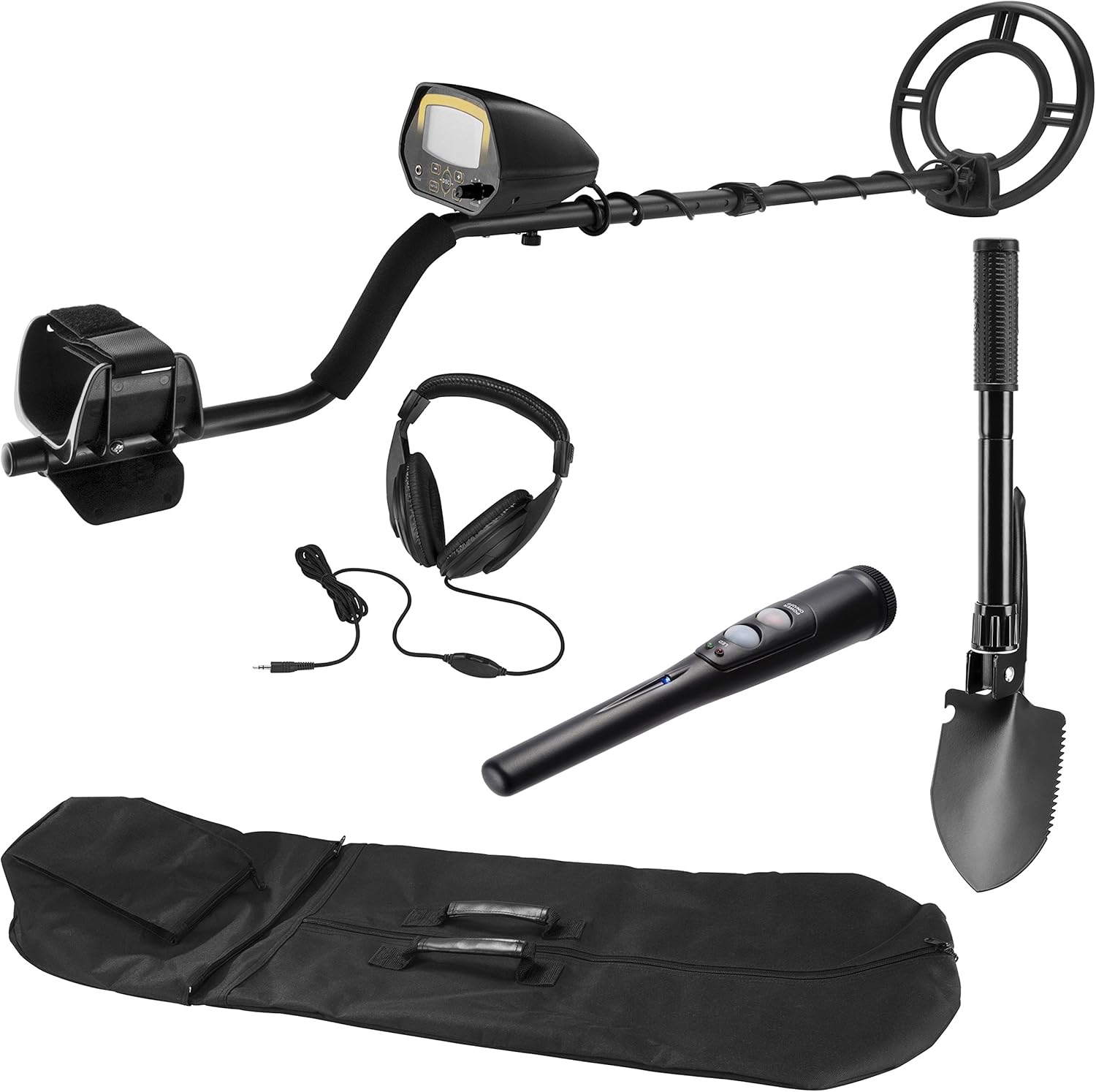
Delwedd 2.1: All components of the Barska Winbest Pursuit-200 Metal Detector Field Kit, including the main detector, wand detector, headphones, shovel, and carrying case.
3. Gosod
3.1. Assembling the Main Metal Detector
- Atodwch y Coil Chwilio: Secure the search coil to the lower stem using the provided bolt and nut. Ensure it is firmly attached but allows for slight angle adjustment.
- Connect the Lower and Middle Stems: Insert the lower stem into the middle stem and secure it with the spring clip or locking mechanism.
- Attach the Control Housing: Slide the control housing onto the upper stem. Adjust the armrest for comfort and secure the control housing in place.
- Lapio'r Cebl: Carefully wrap the search coil cable around the stem, ensuring it is not too tight or loose, and plug the connector into the control housing.
- Gosod Batris: Open the battery compartment on the control housing and insert the required batteries (refer to specifications for battery type).

Delwedd 3.1: The main metal detector fully assembled, showing the search coil, stem, armrest, and control housing.
3.2. Preparing the Wand Detector
The Surveyor-100 Wand Metal Detector typically requires battery installation. Open the battery compartment, insert the correct batteries, and close the compartment securely.
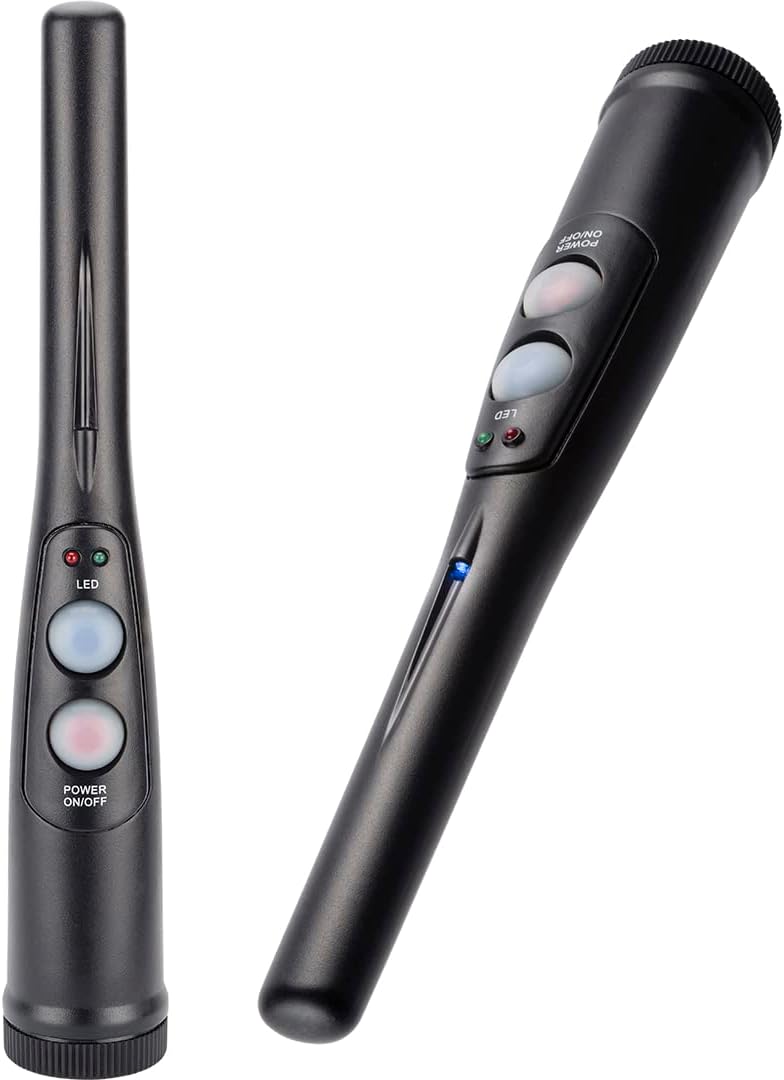
Delwedd 3.2: The handheld wand metal detector, showing its compact design and control buttons.
3.3. Preparing the Folding Shovel
Unfold the shovel and secure its locking mechanisms to ensure it is rigid for use. The shovel can be configured as a shovel or a pick. The compass is integrated into the handle.

Delwedd 3.3: The multi-use folding shovel, shown in both shovel and pick configurations.
4. Cyfarwyddiadau Gweithredu
4.1. Main Metal Detector Operation

Delwedd 4.1: Close-up of the Pursuit-200 metal detector's LCD display and control panel, showing buttons for DISC, NOTCH, SENS, and volume knob.
- Pŵer Ymlaen: Turn the VOLUME knob clockwise to power on the detector.
- Adjust Sensitivity (SENS): Press the SENS button and use the '+' and '-' buttons to adjust the sensitivity level. Higher sensitivity increases detection depth but may also increase false signals.
- Discrimination (DISC): Press the DISC button and use '+' and '-' to set the discrimination level. This feature allows the detector to ignore certain types of metal (e.g., iron). The LCD will show the target ID.
- Rhic: Use the NOTCH function to selectively eliminate specific metal categories from detection.
- Clustffonau: Plug the included headphones into the 'PHONE' jack for private listening and clearer audio signals.
- Ysgubo: Hold the detector with the search coil parallel to the ground, about 1-2 inches above the surface. Sweep the coil slowly from side to side in overlapping arcs.
- Target Indication: When a metal object is detected, the detector will emit an audible tone, and the LCD display will show a target ID and signal strength.
- Coil Chwilio Diddos: The 10-inch search coil is weather-sealed and can be submerged in shallow water for detection. Ensure the control housing is not submerged.
4.2. Wand Detector Operation

Delwedd 4.2: A hand holding the Surveyor-100 wand detector, demonstrating its ergonomic design for pinpointing targets.
- Pŵer Ymlaen: Press the Power ON/OFF button to activate the wand detector.
- Pinbwyntio: After locating a general area with the main detector, use the wand detector to precisely pinpoint the target's location in the soil.
- Arwydd: The wand detector will typically use audible alerts and/or vibration, along with LED indicators, to signal the presence of metal.
4.3. Shovel Usage
Use the folding shovel to excavate detected targets. Its compact design and pick function are useful for breaking up tough ground. The integrated compass can assist with navigation.
5. cynnal
- Glanhau: Wipe down the detector and accessories with a damp lliain ar ôl pob defnydd. Osgowch lanhawyr sgraffiniol.
- Storio: Store the kit in the provided soft carrying case in a dry, cool place when not in use.
- Gofal Batri: Remove batteries from both detectors if they will not be used for an extended period to prevent leakage.
- Archwiliad cebl: Regularly check the search coil cable for any signs of wear or damage.
6. Datrys Problemau
| Problem | Achos Posibl | Ateb |
|---|---|---|
| No power to main detector/wand detector | Batris marw neu wedi'u gosod yn anghywir | Amnewidiwch y batris gyda rhai newydd, gan sicrhau'r polaredd cywir. |
| Erratic signals or false positives | High sensitivity, electromagnetic interference, mineralized ground | Reduce sensitivity. Move away from power lines or other electronic devices. Use discrimination settings. |
| Detector not finding metal | Low sensitivity, incorrect discrimination settings, search coil not parallel to ground | Increase sensitivity. Adjust discrimination settings. Ensure search coil is swept correctly. |
| Dim sain o glustffonau | Headphones not plugged in correctly, volume too low, faulty headphones | Ensure headphones are fully plugged in. Increase volume. Test with another pair of headphones if available. |
7. manylebau
- Model: Pursuit-200 (BE12748)
- Brand: Barska
- Maint y Coil Chwilio: 10 inches (Waterproof)
- Arddangos: LCD
- Ffynhonnell Pwer: Battery Powered (Batteries Required: Yes)
- Hyd Addasadwy: Yes, up to 47 inches
- Deunydd: Metel
- Pwysau Eitem: Tua 0.4 cilogram (14.1 owns)
- Dimensiynau Cynnyrch: 10"H x 9.5"L x 48.42"U (wedi'i gydosod)
- Sgôr Diogelu Rhyngwladol: IP541 (for search coil)
- Ategolion wedi'u cynnwys: Surveyor-100 Wand Detector, Headphones, Folding Shovel with Compass, Soft Carrying Case
8. Gwybodaeth Diogelwch
- Ceisiwch ganiatâd bob amser cyn chwilio ar eiddo preifat.
- Byddwch yn ymwybodol o reoliadau lleol ynghylch canfod metel.
- Exercise caution when digging to avoid damaging underground utilities or historical artifacts.
- Do not use the metal detector near live electrical wires or in hazardous environments.
- Cadwch fatris i ffwrdd o blant a'u gwaredu'n iawn.
9. Gwarant a Chefnogaeth
For warranty information and customer support, please refer to the official Barska websafle neu cysylltwch â'u hadran gwasanaeth cwsmeriaid. Cadwch eich derbynneb prynu fel prawf o brynu.
Barska Official Websafle: www.barska.com