
Rhagymadrodd
Thank you for choosing the ROCAM Digital Projection Alarm Clock, Model CR1024. This device combines a digital alarm clock with a 270° rotatable projection feature, FM radio, dual alarm settings, and a USB charging port. Please read this manual carefully to ensure proper use and to fully enjoy all its features.

Image: The ROCAM Digital Projection Alarm Clock displaying time, date, temperature, and humidity, positioned on a bedside table next to a cup of coffee and a notebook.
Nodweddion Cynnyrch
- 270° Rotatable Projection: Project time onto your wall or ceiling with adjustable angle and focus.
- 5-Level Dimmable LED Display: Adjust the brightness of the main display to your preference.
- Radio FM ac Amserydd Cysgu: Enjoy your favorite radio stations and set a sleep timer for automatic shutdown.
- Dual Alarm with Weekend/Weekday Mode: Set two independent alarms with customizable schedules (Mon-Sun, Mon-Fri, Sat-Sun, One-Time).
- USB-C Power Input & USB-A Charging Output: Power the clock via USB-C and charge external devices like smartphones via USB-A.
- Gwneud copi wrth gefn o'r batri: Yn cynnal gosodiadau amser a larwm yn ystod diffodd pŵertages (batris heb eu cynnwys).
- Arddangosfa Tymheredd a Lleithder: Shows indoor temperature (°C/°F) and humidity.
- Swyddogaeth Golau Nos: Integrated night light for soft illumination.
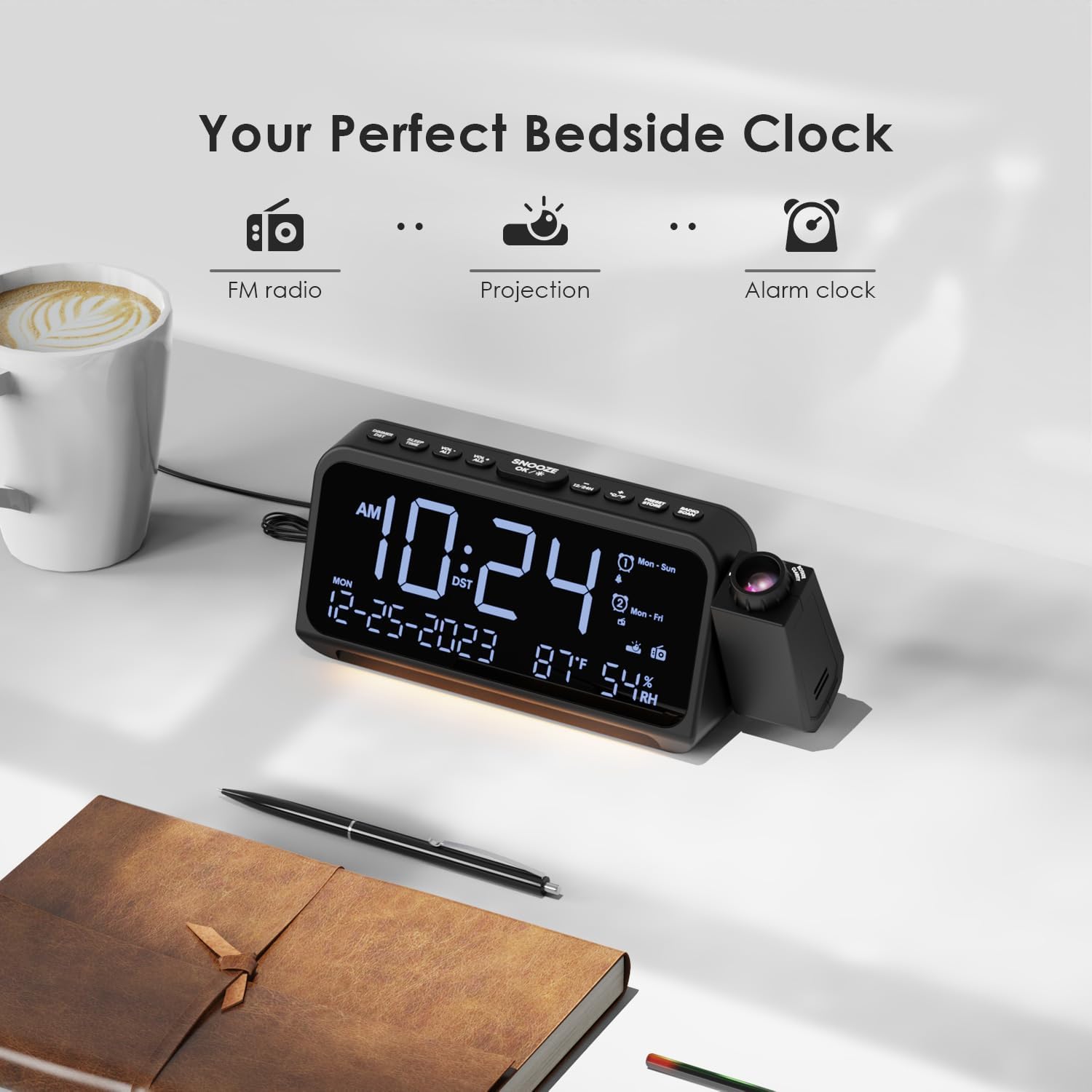
Image: Visual representation of the clock's main functions: FM radio, projection, and alarm clock.
Cynnwys Pecyn
Gwiriwch y pecyn am yr eitemau canlynol:
- ROCAM Digital Projection Alarm Clock (CR1024)
- Cebl pŵer USB Math-C
- Addasydd Pŵer
- Llawlyfr Defnyddiwr
Note: 1 CR2 battery is required for backup functionality and is not included in the package.

Image: The alarm clock, USB-C cable, power adapter, and user manual laid out, with product dimensions (20cm x 8.7cm x 3.81cm) and weight (240g) indicated.
Cynnyrch Drosview
Botymau Panel Uchaf:
- SNOOZE/OK/*: Snooze alarm, confirm settings, or activate night light.
- VOL-/AL1: Decrease volume, set Alarm 1.
- VOL+/AL2: Increase volume, set Alarm 2.
- 12/24H: Newid rhwng fformat amser 12 awr a 24 awr.
- ° C / ° F: Newid rhwng arddangosfa tymheredd Celsius a Fahrenheit.
- PRESET/STORE: Save FM radio presets.
- RADIO/SCAN: Turn FM radio on/off, scan for stations.
- SET AMSER: Enter time setting mode.
- SET ALARM: Rhowch y modd gosod larwm.
Side Panel & Rear:
- Lens Tafluniad: Projects time onto a surface.
- Olwyn Ffocws: Yn addasu eglurder y ddelwedd a daflunnir.
- Cylchdro Tafluniad: Allows 270° adjustment of the projection angle.
- Botwm DIM: Adjusts projection brightness.
- Botwm Pŵer: Turns the projection on/off.
- Type-C Input (5V-2A): Main power connection.
- USB-A Output (5V-1A): Ar gyfer gwefru dyfeisiau allanol.
- Antena FM: Extend for better radio reception.
- Adran Batri: For CR2 backup batteries.

Delwedd: Manwl view of the top control buttons and the projection unit, highlighting the dual alarm settings.

Image: The back of the alarm clock, illustrating the Type-C power input and the USB-A output port for charging other devices.
Gosod
1. Cysylltiad Pwer:
- Connect the provided USB Type-C cable to the Type-C input port on the back of the alarm clock.
- Plygiwch ben arall y cebl USB i'r addasydd pŵer, yna plygiwch yr addasydd i mewn i soced wal safonol.
- Bydd yr arddangosfa'n goleuo, gan ddangos bod y cloc wedi'i droi ymlaen.

Image: The alarm clock is shown connected to a wall outlet via its USB-C power cable and adapter.
2. Battery Backup Installation:
- Lleolwch yr adran batri ar waelod y cloc.
- Agorwch y clawr compartment.
- Insert 1 CR2 battery (not included) according to the polarity markings (+/-).
- Close the battery compartment cover. This battery will preserve time and alarm settings during a power outage.

Image: The bottom of the alarm clock with the battery compartment open, showing where to insert CR2 batteries.
Cyfarwyddiadau Gweithredu
1. Gosod Amser a Dyddiad:
- Pwyswch a dal y SET AMSER button. The hour digits will start flashing.
- Defnydd VOL+ or VOL- botymau i addasu'r awr. Pwyswch SET AMSER eto i gadarnhau.
- Repeat the process for minutes, year, month, and day.
- Gwasgwch 12/24H to switch between 12-hour and 24-hour format.
- Gwasgwch ° C / ° F. to switch between Celsius and Fahrenheit for temperature display.
2. Setting Alarms (Alarm 1 & Alarm 2):
- Pwyswch a dal y SET ALARM button. The Alarm 1 icon and hour digits will flash.
- Defnydd VOL+ or VOL- to set the desired alarm hour. Press SET ALARM i gadarnhau.
- Ailadroddwch am funudau.
- Select alarm mode (Mon-Sun, Mon-Fri, Sat-Sun, One-Time) using VOL+ or VOL-. Gwasgwch SET ALARM i gadarnhau.
- Choose alarm sound: buzzer or FM radio. Use VOL+ or VOL- i ddewis. Gwasgwch SET ALARM i gadarnhau.
- To set Alarm 2, briefly press SET ALARM again and repeat the steps.
- I actifadu/dadactifadu larwm, pwyswch yn fyr AL1 or AL2. The alarm icon will appear/disappear on the display.
Image: The clock display showing options for setting two alarms with different ringtone choices and day modes (Mon-Sun, Mon-Fri, Sat-Sun, One-Time).
3. Swyddogaeth Snooze:
Pan fydd larwm yn seinio, pwyswch y SNOOZE/OK/* button to temporarily silence it for 9 minutes. The alarm will sound again after the snooze period.
4. Display Brightness (Dimmer):
Gwasgwch y SNOOZE/OK/* button repeatedly to cycle through 5 levels of display brightness (L-1 to L-5) or turn the display off.

Image: The clock display showing five different brightness levels (L-1 to L-5) for the main LED screen.
5. Projection Settings:
- Troi ymlaen / i ffwrdd: Gwasgwch y Botwm Pŵer on the side of the projection unit to turn the projection on or off.
- Addasu Disgleirdeb: Gwasgwch y DIM button on the side of the projection unit to cycle through 5 levels of projection brightness.
- Addasu Ongl: Rotate the projection unit up to 270° to direct the time onto your desired surface (wall or ceiling).
- Addasu Ffocws: Cylchdroi y Olwyn Ffocws on the projection unit to sharpen the projected image.

Image: The digital time '10:24' projected in red onto a dark wall, demonstrating the projection feature.

Image: The projection unit rotating 270 degrees, showing how the projected time can be adjusted for optimal viewing.

Image: The projected time showing five distinct brightness levels, from level 1 (dimmest) to level 5 (brightest).
6. Gweithrediad Radio FM:
- Estynnwch yr antena FM i gael derbyniad gwell.
- Gwasgwch y RADIO/SCAN button to turn the FM radio on.
- Pwyswch a dal RADIO/SCAN to automatically scan and save available stations.
- Defnydd VOL+ or VOL- to manually tune to a station or cycle through saved presets.
- Gwasgwch PRESET/STORE to save the current station as a preset.
- Gwasgwch RADIO/SCAN again to turn the FM radio off.

Image: The clock displaying an FM radio frequency (108.0 MHz) and options for a sleep timer (OFF, 15, 30, 60, 90 minutes).
7. Amserydd Cwsg:
When the FM radio is on, press the SNOOZE/OK/* button repeatedly to set a sleep timer (15, 30, 60, 90 minutes, or OFF). The radio will automatically turn off after the selected duration.

Image: A hand pressing a button on the clock, with sleep timer options (P01, P06, P12, P15, P20) displayed, indicating timed radio playback.
8. USB Charging Output:
Connect your smartphone or other USB-powered device to the USB-A output port (5V-1A) on the back of the clock to charge it. Ensure the alarm clock is powered via its USB-C input.
Cynnal a chadw
- Glanhau: Sychwch y cloc gyda lliain meddal, sych. Peidiwch â defnyddio glanhawyr sgraffiniol na thoddyddion.
- Amnewid Batri: Os bydd y cloc yn colli amser yn ystod toriad pŵertage, replace the CR2 backup battery.
- Lleoliad: Avoid placing the clock in direct sunlight, high temperatures, or high humidity.
Datrys problemau
| Problem | Ateb |
|---|---|
| Mae arddangosfa'r cloc yn wag. | Ensure the USB-C power cable is securely connected to both the clock and a working power outlet. Check if the display brightness is set to OFF. |
| Nid yw'r larwm yn canu. | Verify that the alarm is activated (alarm icon visible). Check the alarm volume. Ensure the alarm mode (Mon-Sun, Mon-Fri, etc.) is correctly set for the current day. |
| Mae'r tafluniad yn aneglur. | Cylchdroi y Olwyn Ffocws on the projection unit until the image is clear. Ensure the projection surface is within optimal range. |
| Derbyniad radio FM gwael. | Fully extend the FM antenna. Try repositioning the clock to improve signal. Perform an auto-scan to find stronger stations. |
| Nid yw porthladd gwefru USB yn gweithio. | Ensure the alarm clock is powered by the USB-C input. Check the charging cable and the device being charged. |
Manylebau
- Rhif Model: CR1024
- Dimensiynau: 20 x 3.81 x 8.7 cm (L x W x H)
- Pwysau: 240 g
- Mewnbwn pŵer: USB Math-C, 5V-2A
- Allbwn USB: USB Type-A, 5V-1A
- Gwneud copi wrth gefn o'r batri: 1 x batri CR2 (heb ei gynnwys)
- Ystod Amledd FM: 87.5 - 108 MHz
Gwarant a Chefnogaeth
ROCAM products are designed for reliability and performance. This product comes with a standard manufacturer's warranty. For specific warranty details, please refer to the warranty card included in your package or contact ROCAM customer support.
If you encounter any issues or have questions regarding your ROCAM Digital Projection Alarm Clock, please contact our customer support team. Contact information can typically be found on our official websafle neu ar becynnu'r cynnyrch.