
Arlo VMC2050
Arlo Essential 2K Outdoor Camera User Manual
Model: VMC2050
Rhagymadrodd
Welcome to the comprehensive user manual for your Arlo Essential 2K Outdoor Camera. This guide provides detailed instructions on setting up, operating, maintaining, and troubleshooting your wireless security camera system. Designed for both indoor and outdoor use, the Arlo Essential 2K Camera offers crystal-clear 2K video, two-way audio, color night vision, and motion-activated alerts to help you monitor your home and property effectively.
Cynnyrch Drosview
The Arlo Essential 2K Outdoor Camera is a versatile security solution equipped with advanced features for reliable surveillance.

Image: Two Arlo Essential 2K Outdoor Cameras, showcasing eu dyluniad cryno.
Mae nodweddion allweddol yn cynnwys:
- Ansawdd Fideo 2K: Capture clear, detailed footage with 2K resolution, allowing for 12x digital zoom without significant loss of clarity.
- Sain Dwyffordd: Communicate with visitors or deter intruders using the integrated speaker and microphone with noise-canceling audio.
- Gweledigaeth Nos Lliw: See full-color video even in low-light conditions, providing better identification than traditional black and white night vision.
- Sbotolau integredig: Illuminate your property with a motion-activated spotlight, enhancing visibility and acting as a deterrent.
- Canfod Cynnig a Rhybuddion: Receive real-time notifications on your smartphone when motion is detected, with customizable activity zones.
- Wireless & Weather-Resistant: Enjoy flexible placement options with a wire-free design and IP65 weather resistance for outdoor durability.

Image: Visual representation of the camera's core features.
Canllaw Gosod
Beth Sydd yn y Bocs
Your Arlo Essential 2K Outdoor Camera package includes the following components:
- 2x Arlo Essential Outdoor Camera (2nd Generation)
- 2x Wall mount and Screw Kits
- Cebl Gwefru (USB-C)
- Canllaw Cychwyn Cyflym 1x
- 1x Security Decal
Codi Tâl ar y Camera
Before initial setup, ensure your Arlo Essential 2K Outdoor Camera is fully charged. Connect the provided USB-C charging cable to the charging port located on the bottom of the camera. A full charge can take several hours. The LED indicator on the camera will provide charging status.
Mowntio'r Camera
The Arlo Essential 2K Outdoor Camera can be easily mounted using the included wall mounts and screw kits. Follow these steps for secure installation:
- Step 1: Install. Anchor the mounting plate to your desired location using the provided hardware.
- Step 2: Attach. Screw the camera securely onto the mounting plate.
- Step 3: Slide. Align the camera with the mounting plate and slide it downward until it locks into place.
- Step 4: Adjust. Position the camera angle to capture the perfect view.
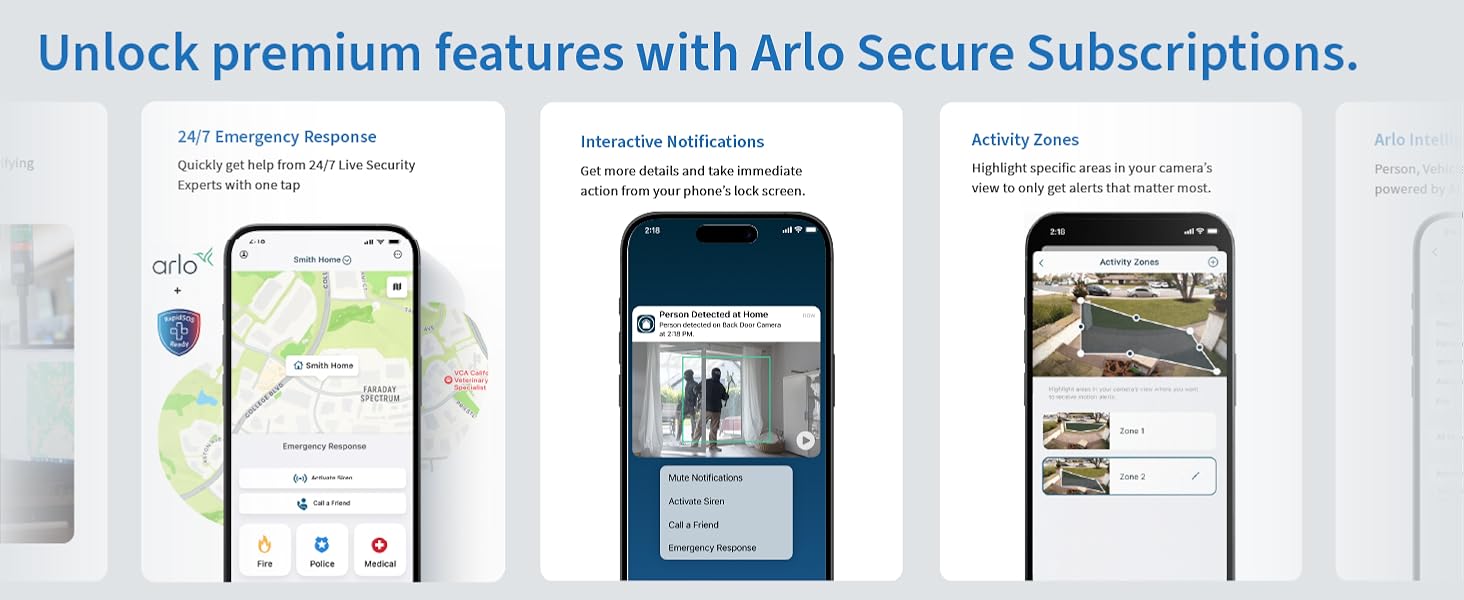
Image: Step-by-step guide for mounting the camera.
Cysylltu â Wi-Fi
Download the Arlo Secure App from your device's app store. Follow the in-app instructions to add your new camera. The camera connects directly to your 2.4GHz Wi-Fi network. If you have a dual-band router, ensure your device is connected to the 2.4GHz band during setup.
Cyfarwyddiadau Gweithredu
Nodweddion Ap Arlo Secure
The Arlo Secure App is your central control hub for managing your camera. It allows you to view live feeds, receive alerts, and customize settings.

Image: Arlo Secure App interface for alerts and communication.
Ffrydio a Recordio Byw
Access live 2K video streams from your camera anytime, anywhere via the Arlo Secure App. The camera automatically records video clips when motion is detected, which can be stored in the cloud (subscription may be required for extended storage).
Fideo: Dros benview of the Arlo Essential Outdoor Camera (2nd Generation) features and capabilities.
Sain Dwy Ffordd
Utilize the two-way audio feature to speak and listen through the camera. This is ideal for communicating with delivery personnel, family members, or to verbally warn off unwanted visitors. The noise-canceling audio ensures clear communication.
Canfod Cynnig a Rhybuddion
The camera's advanced motion detection triggers immediate alerts to your phone. You can customize activity zones to focus on specific areas and reduce false alarms. Alerts can be personalized to identify people, vehicles, animals, or packages (with an Arlo Secure plan).
Integrated Spotlight and Siren
The built-in spotlight can be activated manually or automatically upon motion detection to illuminate the area. For enhanced security, the integrated siren can be triggered remotely from the app or set to activate automatically to deter intruders.

Image: Demonstrating the integrated spotlight and color night vision at night.
Gweledigaeth Nos Lliw
Unlike traditional security cameras that offer only black and white night vision, the Arlo Essential 2K Outdoor Camera provides full-color night vision, allowing you to see more details and colors in low-light conditions for better identification.

Image: Comparison of color night vision and black & white night vision.
Cynnal a chadw
Rheoli Batri
The Arlo Essential 2K Outdoor Camera is powered by a rechargeable Lithium Ion battery. Battery life varies based on usage, video quality settings, and environmental factors. Monitor battery levels through the Arlo Secure App and recharge as needed using the provided USB-C cable. For optimal battery performance, avoid extreme temperatures.
Glanhau'r Camera
To ensure clear video quality, periodically clean the camera lens and the surrounding housing. Use a soft, damp cloth to gently wipe away dust, dirt, or smudges. Avoid using harsh chemicals or abrasive materials that could damage the lens or camera body.
Datrys problemau
If you encounter issues with your Arlo Essential 2K Outdoor Camera, refer to the common troubleshooting tips below:
| Problem | Ateb Posibl |
|---|---|
| Camera ddim yn cysylltu â Wi-Fi | Ensure your router is broadcasting a 2.4GHz network. Move the camera closer to the router. Restart your router and camera. |
| Ansawdd fideo gwael | Check your Wi-Fi signal strength. Clean the camera lens. Ensure there are no obstructions in the camera's field of view. |
| Batri yn draenio'n gyflym | Reduce video recording length or quality. Adjust motion detection sensitivity. Ensure the camera is not in an area with excessive motion. |
| Dim rhybuddion cynnig | Verify motion detection is enabled in the app. Check activity zone settings. Ensure the camera's view yn cael ei rwystro. |
Manylebau
| Nodwedd | Manylyn |
|---|---|
| Rhif Model | VMC2050 |
| Defnydd Dan Do / Awyr Agored | Awyr Agored |
| Datrysiad Dal Fideo | 2K |
| Ffynhonnell Pwer | Wedi'i bweru gan fatri (2 fatri lithiwm-ion wedi'u cynnwys) |
| Protocol Cysylltedd | Wi-Fi (2.4GHz) |
| Maes Of View | 130 Gradd |
| Chwyddo Optegol | 12x |
| Lefel Gwrthsefyll Dŵr | IP65 (Gwrthsefyll Dŵr) |
| Dimensiynau Eitem (L x W x H) | 2.08 x 2.34 x 3.67 modfedd |
| Pwysau Eitem | 7.2 owns |
| Compatible Smart Home Partners | Amazon Alexa, Google Home |
Gwybodaeth Gwarant
Your Arlo Essential 2K Outdoor Camera is covered by a standard manufacturer's warranty. For detailed information regarding warranty terms, conditions, and registration, please visit the official Arlo websafle neu cyfeiriwch at y cerdyn gwarant sydd wedi'i gynnwys ym mhecynnu eich cynnyrch.
Cefnogaeth
For additional assistance, technical support, or to explore advanced features and subscription plans, please utilize the following resources:
- Ap Diogel Arlo: Access help, FAQs, and community forums directly within the app.
- Arlo Websafle: Ymwelwch www.arlo.com for comprehensive support articles, product registration, and contact options.
- 24/7 Chat Support: Available via the Arlo app or websafle am gymorth ar unwaith.
Ask a question about this manual
Ask about setup, troubleshooting, compatibility, parts, safety, or missing instructions. Manuals+ will review the question and use this page’s manual context to help answer it.