
Rhagymadrodd
Thank you for choosing the Spirit Of Gamer Ultimate 600 Wireless Gaming Keyboard and Mouse Set. This manual provides essential information for the proper setup, operation, maintenance, and troubleshooting of your new gaming peripherals. Please read these instructions carefully before use to ensure optimal performance and longevity of your product.

Image: The Spirit Of Gamer Ultimate 600 wireless gaming keyboard and mouse set, showcasing its white design and RGB lighting.
Cynnwys Pecyn
- Spirit Of Gamer Ultimate 600 Wireless Gaming Keyboard
- Spirit Of Gamer Ultimate 600 Wireless Gaming Mouse
- Nano USB Receiver (for 2.4 GHz wireless connection)
- USB-C to USB-A Charging Cables (1.5m)
Gosod
- Gwefru'r Dyfeisiau: Before first use, fully charge both the keyboard and mouse using the provided USB-C to USB-A charging cables. Connect the USB-C end to the devices and the USB-A end to a powered USB port (e.g., computer, USB wall adapter). The keyboard takes approximately 5 hours to charge, and the mouse takes approximately 2 hours.
- Mewnosod Derbynnydd USB: Locate the Nano USB receiver. Plug it into an available USB port on your PC or compatible console (PS4, PS5, Xbox).
- Pŵer Ymlaen: Turn on the keyboard and mouse using their respective On/Off switches. The switches are typically located on the underside of the devices.
- Cysylltiad Awtomatig: The keyboard and mouse should automatically connect to the USB receiver. If connection is not established, ensure the devices are charged and the receiver is properly inserted.
- System Configuration (PC): For PC users, ensure your operating system (Windows XP to Windows 10) recognizes the devices. The QWERTZ German layout is standard; you may need to adjust your operating system's keyboard language settings if you prefer a different layout for character input.
- Console Compatibility: For PS4, PS5, and Xbox, verify that the specific game you intend to play supports keyboard and mouse input. Not all console games are compatible with external keyboard and mouse peripherals.
Cyfarwyddiadau Gweithredu
Swyddogaethau Allweddell
- Allweddi: The keyboard features 104 semi-mechanical keys with a QWERTZ German layout, designed for responsive feedback.
- Llwybrau Byr Amlgyfrwng: Access 12 dedicated multimedia shortcuts for quick control of audio, video, and other functions. These are typically accessed via the 'Fn' key combined with the F-keys (F1-F12).
- RGB Rainbow Backlighting: The keyboard features RGB Rainbow backlighting. Use the dedicated lighting control keys (often near the arrow keys or 'Fn' combinations) to cycle through lighting modes or turn the lighting on/off. Turning off the RGB lighting extends battery life.
- Addasiad Uchder: The keyboard includes a 1-position height adjustment mechanism on the underside for ergonomic comfort.
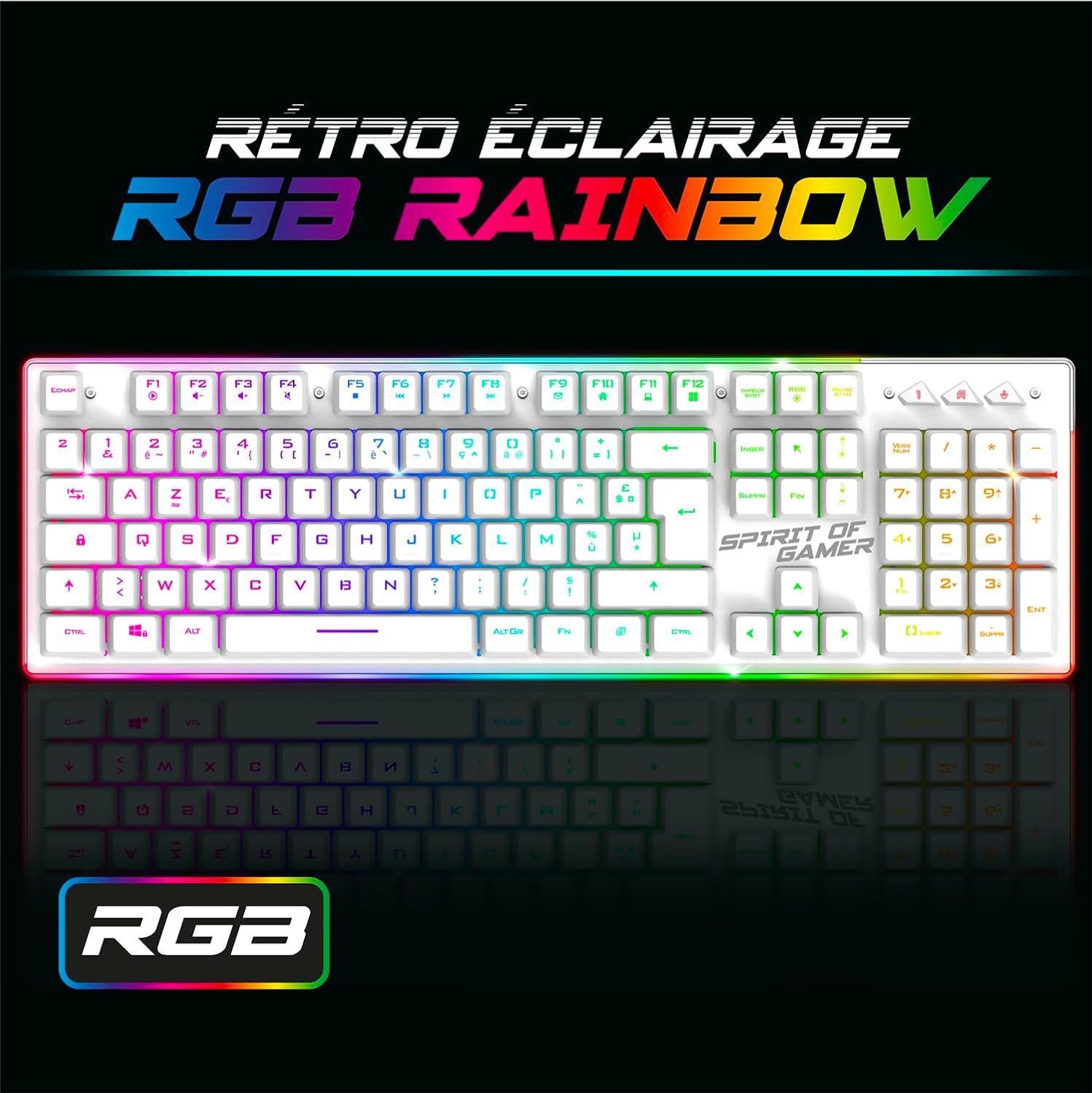
Image: Close-up of the Spirit Of Gamer Ultimate 600 keyboard showcasing its RGB Rainbow backlighting.

Image: Detail of the keyboard's metal design, highlighting its robust construction.
Swyddogaethau Llygoden
- Botymau: The mouse is equipped with 8 buttons, including a dedicated RapidFire button for quick, repeated actions.
- Addasiad DPI: Adjust the mouse resolution (DPI) to three levels: 1200, 2400, and 4800 DPI. Use the DPI button (typically located near the scroll wheel) to cycle through these settings to match your preference and game requirements.
- RGB Rainbow Backlighting: The mouse also features RGB Rainbow backlighting. This lighting can often be controlled via a dedicated button or software (if available). Turning off the RGB lighting extends battery life.
- Dyluniad ergonomig: Designed for right-handed users, the mouse features a comfortable thumb rest for extended gaming sessions.

Image: Close-up of the Spirit Of Gamer Ultimate 600 mouse, highlighting its 4800 DPI instant sensor.

Image: Detail of the mouse's RapidFire button, designed for quick, repetitive actions.

Image: The Spirit Of Gamer Ultimate 600 mouse displaying its RGB Rainbow backlighting.
Rheoli Bywyd Batri
- Keyboard Autonomy: Up to 50 hours with RGB lighting, up to 120 hours without RGB lighting.
- Mouse Autonomy: Up to 40 hours with RGB lighting, up to 120 hours without RGB lighting.
- Codi tâl: Recharge both devices when battery levels are low to avoid interruptions during use.

Image: Illustration indicating the long battery life of the rechargeable lithium batteries in the Ultimate 600 set.
Cynnal a chadw
- Glanhau: Use a soft, dry cloth to clean the surfaces of the keyboard and mouse. For deeper cleaning, a slightly damp cloth with mild soap can be used, ensuring no liquid enters the device. Avoid abrasive cleaners or solvents.
- Gofal Batri: To prolong battery life, avoid fully discharging the devices frequently. Recharge them regularly. Store the devices in a cool, dry place when not in use for extended periods.
- Storio: When not in use, store the Nano USB receiver in a safe place to prevent loss.
Datrys problemau
| Problem | Achos Posibl | Ateb |
|---|---|---|
| Dyfeisiau nad ydynt yn cysylltu | Low battery, receiver not plugged in, out of range | Ensure devices are charged. Plug the Nano USB receiver firmly into a USB port. Ensure devices are within 6-10 meters of the receiver. |
| Keyboard/Mouse unresponsive | Battery depleted, device turned off, software conflict | Recharge devices. Check On/Off switch. Restart your computer/console. |
| Goleuadau RGB ddim yn gweithio | Lighting turned off, low battery | Press the RGB control button(s) to activate or change modes. Recharge the device. |
| Incorrect character input (PC) | Operating system keyboard layout mismatch | Adjust your operating system's keyboard language settings to QWERTZ German or your preferred layout. |
| Not working on console | Game does not support keyboard/mouse input | Verify if the specific game you are playing supports keyboard and mouse peripherals. |
Manylebau
Bysellfwrdd
- Cysylltiad: Di-wifr RF 2.4 GHz
- Pellter Gweithredu: 6 i 10 metr
- Allweddi: 104 semi-mechanical keys
- Cynllun: QWERTZ Almaeneg
- Llwybrau Byr Amlgyfrwng: 12
- Golau cefn: RGB Rainbow
- Batri: Lithiwm 1850 mAh
- Ymreolaeth: 50 hours (with RGB), 120 hours (without RGB)
- Amser codi tâl: 5 awr
- Dimensiynau: 44 x 13.5 x 3.8 cm
- Pwysau: 620 g
Llygoden
- Cysylltiad: Di-wifr RF 2.4 GHz
- Pellter Gweithredu: 6 i 10 metr
- Datrysiad (DPI): 3 levels (1200, 2400, 4800 DPI)
- Synhwyrydd: PixArt 3312
- Botymau: 8 (including 1 RapidFire)
- Cyflymiad: 10 G
- Cyflymder: 4000 fps
- Amlder: 250 Hz
- Golau cefn: RGB Rainbow 7 colors
- Batri: Lithiwm 600 mAh
- Ymreolaeth: 40 hours (with RGB), 120 hours (without RGB)
- Amser codi tâl: 2 awr
- Dimensiynau: 12.5 x 8.4 x 4.6 cm
- Pwysau: 120 g
- Cyfeiriadedd Llaw: Iawn

Image: Technical drawing showing the dimensions of the Spirit Of Gamer Ultimate 600 keyboard and mouse.
Gofynion y System
- System Weithredu: Windows XP to Windows 10
- Porthladd: 1 porthladd USB ar gael
Gwarant a Chefnogaeth
The Spirit Of Gamer Ultimate 600 Wireless Gaming Keyboard and Mouse Set comes with a Gwarant cynnyrch 24 mis. In case of any issues or for customer support, please refer to the contact information provided with your purchase or visit the official Spirit Of Gamer website. Spare parts availability is guaranteed for 2 years.