
1. Rhagymadrodd
This manual provides comprehensive instructions for the installation, operation, and maintenance of your Lian Li Galahad II Trinity Performance 360mm All-in-One (AIO) CPU Liquid Cooler. This product is designed to efficiently cool your computer's central processing unit (CPU), ensuring stable performance under various workloads. Please read this manual thoroughly before installation and use to ensure proper functionality and longevity of the product.
2. Cynnwys Pecyn
Verify that all components are present in the package before proceeding with installation. If any items are missing or damaged, contact your retailer or Lian Li support.
- 360mm Radiator with Integrated Pump/Cold Plate
- Three 120mm Performance Fans
- Mounting Hardware for Intel Sockets (LGA 1700, 1200, 115X)
- Mounting Hardware for AMD Sockets (AM5, AM4)
- Gludo Thermol
- Fan and RGB Controller/Cables
- Llawlyfr Defnyddiwr

Delwedd 2.1: Drosoddview of the Lian Li Galahad II Trinity Performance 360mm AIO Liquid Cooler, showing the radiator, three fans, and pump block with tubing.
3. Gwybodaeth Diogelwch
Dilynwch y rhagofalon diogelwch canlynol i atal difrod i'r cynnyrch neu anaf i chi'ch hun:
- Gwnewch yn siŵr bod eich cyfrifiadur wedi'i ddiffodd a'i ddatgysylltu o'r soced wal cyn ei osod.
- Trin cydrannau yn ofalus i osgoi difrod.
- Do not open the radiator or pump unit; it contains liquid coolant that is not user-serviceable.
- Avoid touching fan blades while they are in operation.
- Keep the product away from water and excessive humidity.
- Consult a qualified technician if you are unsure about any installation steps.
4. Gosod a Gosod
This section outlines the general steps for installing the liquid cooler. Refer to the detailed instruction sheet included in your package for specific socket mounting procedures.
4.1 Prepare the Radiator and Fans
- Attach the three 120mm fans to the radiator using the provided screws. Ensure the fan airflow direction is appropriate for your case's cooling configuration (intake or exhaust).
- Connect the fan cables and RGB cables to the included controller or directly to your motherboard, following the wiring diagram in the separate instruction sheet.

Delwedd 4.1: O'r brig i lawr view of the radiator with three fans mounted, illustrating the fan placement.
4.2 Mount the Radiator
Install the radiator assembly into an available 360mm mounting location in your PC case (e.g., top, front). Secure it with the appropriate screws.
4.3 Prepare the CPU and Pump Block
- Clean the CPU surface with isopropyl alcohol to remove any old thermal paste or residue.
- Apply a small amount of thermal paste to the center of the CPU's integrated heat spreader (IHS). Alternatively, if the cooler comes with pre-applied thermal paste, ensure it is intact.
- Attach the correct mounting brackets for your CPU socket (Intel or AMD) to the pump block.
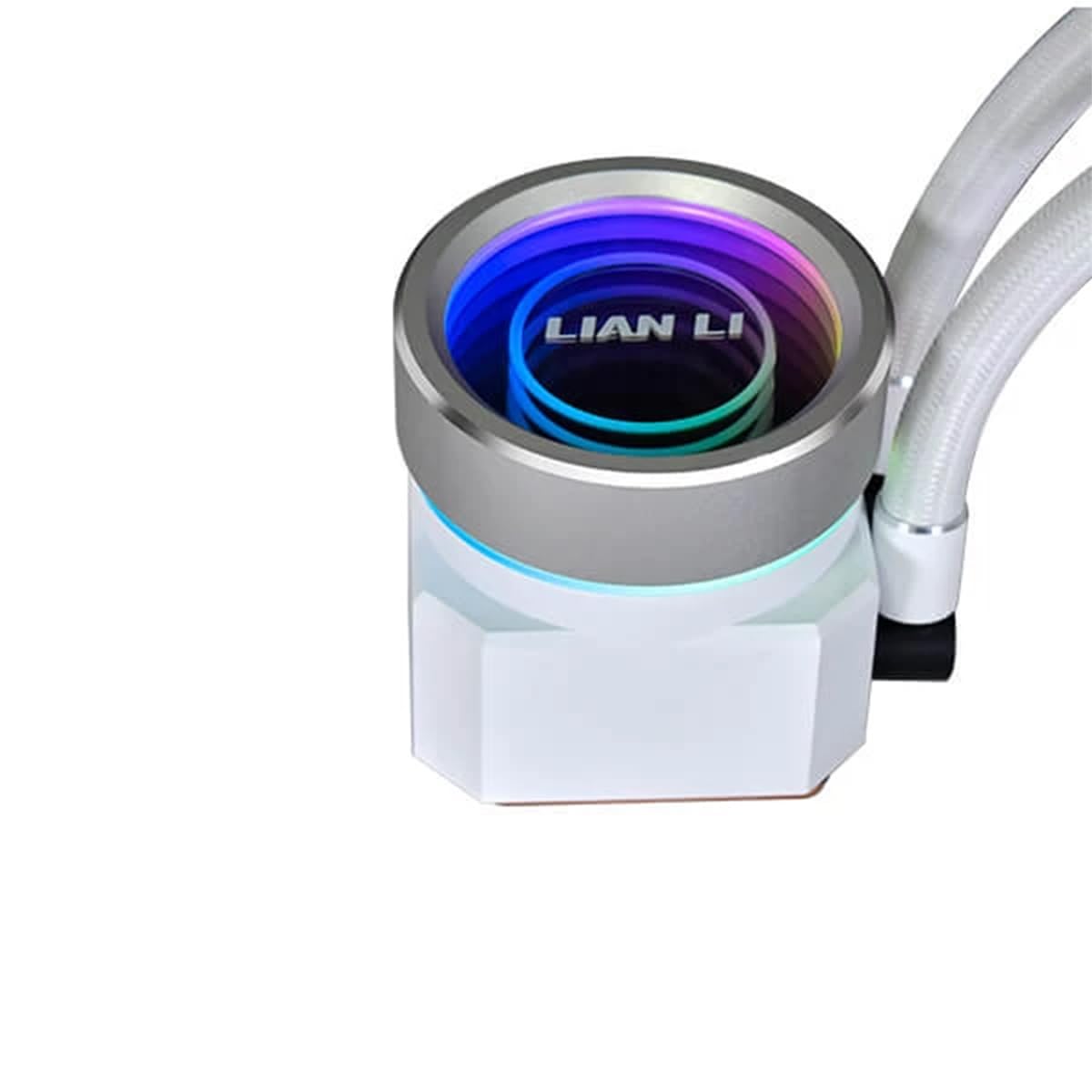
Delwedd 4.2: Manwl view of the pump block, showcasing its design and RGB lighting capabilities.
4.4 Install the Pump Block
- Carefully place the pump block onto the CPU, aligning the mounting holes.
- Secure the pump block with the provided thumb screws or nuts, tightening them in a cross pattern until snug. Do not overtighten.
- Connect the pump's power cable to the designated CPU_FAN or AIO_PUMP header on your motherboard. Connect the RGB cable to the controller or motherboard RGB header.

Image 4.3: Detail of the tubing clip, used for managing and securing the cooler's hoses.
5. Cyfarwyddiadau Gweithredu
Once installed, the Lian Li Galahad II Trinity Performance cooler operates automatically. For advanced control and monitoring, use the Lian Li L-Connect 3 software (available for download from the official Lian Li websafle).
- Rheoli Cyflymder Fan: Adjust fan curves based on CPU temperature for optimal balance between cooling performance and noise levels.
- Pump Speed Control: The pump typically runs at a constant high speed for maximum cooling. Some motherboards or software may allow adjustment, but it's generally recommended to keep it at full speed.
- Addasu Goleuadau RGB: Personalize the pump head and fan RGB lighting effects and colors through the L-Connect 3 software.

Image 5.1: The pump head displaying a vibrant, multi-color RGB lighting effect, customizable via software.
6. cynnal
Regular maintenance ensures optimal performance and extends the lifespan of your cooler.
- Glanhau Llwch: Periodically clean dust from the radiator fins and fan blades using compressed air. Ensure fans are not spinning during cleaning.
- Archwiliad gweledol: Regularly check the tubing and connections for any signs of leaks or damage.
- Oerydd: The AIO cooler is a closed-loop system and does not require coolant refills. Do not attempt to open the unit.
7. Datrys Problemau
Os byddwch chi'n dod ar draws problemau, cyfeiriwch at y problemau a'r atebion cyffredin canlynol:
| Problem | Achos Posibl | Ateb |
|---|---|---|
| Tymheredd CPU Uchel |
|
|
| Pump Noise / Gurgling Sound |
|
|
| Goleuadau RGB Ddim yn Gweithio |
|
|
8. manylebau
Key technical specifications for the Lian Li Galahad II Trinity Performance 360mm AIO Liquid Cooler:
- Model: Galahad II Trinity Performance 360mm
- Dimensiynau'r Cynnyrch (Cyffredinol): 18"L x 9"W x 7"H (Note: These dimensions typically refer to the product packaging or the entire unit including tubing, not solely the radiator.)
- Deunydd: Aluminum (radiator), Copper (cold plate)
- Maint y gefnogwr: 120mm
- Pump Maximum Rotational Speed: 4200 RPM
- Fan Air Flow Capacity: 108.29 Traed Ciwbig y Munud (CFM)
- Lefel Sŵn: 39.9 Decibels (dB)
- Dull Oeri: Hylif (Dŵr)
- Dyfeisiau Cydnaws: Penbwrdd
- Math o gysylltydd pŵer: SATA/Molex (for controller/pump)
- Cyftage: 5 Volts (for RGB/controller)
- Socedi CPU â Chymorth: Intel LGA 1700/1200/115X, AMD AM5/AM4
9. Gwarant a Chefnogaeth
Lian Li products are covered by a manufacturer's warranty. For specific warranty terms and conditions, please refer to the warranty card included with your product or visit the official Lian Li website. In case of technical issues, missing parts, or warranty claims, contact Lian Li customer support directly.
Lian Li Support: https://www.lian-li.com/contact-us/
Please have your product model number (Galahad II Trinity Performance 360mm) and proof of purchase ready when contacting support.