
Delwedd Sharper 1213014311
Sharper Image Toy Remote Control Xtreme Airwave Drone User Manual
Brand: Sharper Image | Model: 1213014311
Rhagymadrodd
Discover the thrill of drone flying with the Sharper Image X-Treme Airwave Drone. This high-performance remote control drone is designed for both beginners and advanced users, offering easy control and exciting stunt capabilities. This manual provides essential information for setup, operation, maintenance, and troubleshooting to ensure a safe and enjoyable flying experience.
Gwybodaeth Ddiogelwch Bwysig
Choking Hazard - Small Part. Not for Children under 3 years. Colors and styles may vary. Adult supervision required.
- Defnyddiwch y drôn bob amser mewn mannau agored, clir, i ffwrdd o bobl, anifeiliaid a rhwystrau.
- Do not fly near power lines, trees, or water.
- Ensure the drone's battery is fully charged before each flight.
- Never attempt to modify or repair the drone or its components.
- Cadwch fysedd, gwallt a dillad rhydd i ffwrdd o bropellorau sy'n cylchdroi.
- Storiwch y drôn a'r teclyn rheoli o bell mewn lle oer, sych pan nad ydynt yn cael eu defnyddio.
Cynnwys Pecyn

The package includes all necessary components for immediate use, except for the remote control batteries. Please verify that all items listed below are present and in good condition upon unboxing.
- 1x Sharper Image X-Treme Airwave Drone
- 1x Rheolaeth Anghysbell Di-wifr
- 4x Replacement Rotor Blades
- 1x Cebl Codi Tâl USB-C
- 1x Built-in 3.7V 200mAh Li-Po Rechargeable Battery (non-replaceable)
Nodyn: Mae angen 3 batris AAA 1.5V ar y teclyn rheoli o bell (heb eu cynnwys).
This image illustrates the drone, its remote, and the included accessories, along with a note about the required AAA batteries for the remote control.
Canllaw Gosod
1. Gwefru Batri'r Drôn
The drone is equipped with a built-in rechargeable Li-Po battery. Before first use, fully charge the drone.
- Connect the small end of the included USB-C charging cable to the drone's charging port.
- Connect the large end of the USB-C charging cable to a USB power source (e.g., computer USB port, USB wall adapter).
- The charging indicator light on the cable will illuminate during charging and turn off when charging is complete.
- Mae gwefru fel arfer yn cymryd tua 60-90 munud. Peidiwch â gorwefru.
Pwysig: Disconnect the charging cable once the battery is fully charged to prevent damage.
2. Gosod Batris Rheoli Anghysbell
Mae angen 3 batris AAA 1.5V ar y teclyn rheoli o bell (heb eu cynnwys).
- Lleolwch y compartment batri ar gefn y teclyn rheoli o bell.
- Using a small Phillips head screwdriver, open the battery compartment cover.
- Insert 3 AAA batteries, ensuring correct polarity (+ and -).
- Amnewid gorchudd adran y batri a'i ddiogelu gyda'r sgriw.
3. Paru'r Drôn a'r Rheolydd o Bell
Dilynwch y camau hyn i sefydlu cysylltiad rhwng y drôn a'i reolaeth o bell:
- Rhowch y drôn ar arwyneb gwastad, gwastad.
- Turn on the drone by sliding the power switch (usually located on the underside or side of the drone). The drone's LED lights will begin to flash.
- Turn on the remote control by pressing the power button. The remote's indicator light will flash.
- Push the left joystick (throttle) all the way up, then pull it all the way down.
- The drone's LED lights and the remote's indicator light will turn solid, indicating successful pairing.
- Mae'r drôn bellach yn barod i hedfan.
Cyfarwyddiadau Gweithredu
Rheolaethau Sylfaenol

The remote control features a 2.4 GHz frequency for long-range flights and intuitive controls.
- Joystick Chwith (Throttel): Yn rheoli uchder (i fyny/i lawr) a chylchdro (chwith/dde).
- Joystick Dde (Cyfeiriadol): Yn rheoli symudiad ymlaen/yn ôl a chwith/dde.
- One-Button Take-Off/Landing: Yn cychwyn esgyn neu lanio awtomatig.
- Botwm Cyflymder: Toggles between beginner and expert flight modes.
- Stunt Button: Activates stunt maneuvers.
- Botymau Trimio: Used to fine-tune drone stability if it drifts.
This image displays the drone alongside its remote control, highlighting the ergonomic design and button layout for easy understanding of the basic controls.
One-Button Take-Off and Landing
The X-Treme Airwave Drone features an easy one-button operation for take-off and landing.
- To Take-Off: After pairing, press the One-Button Take-Off/Landing button. The drone will automatically ascend to a stable hovering height.
- I Lanio: During flight, press the One-Button Take-Off/Landing button again. The drone will slowly descend and land automatically.
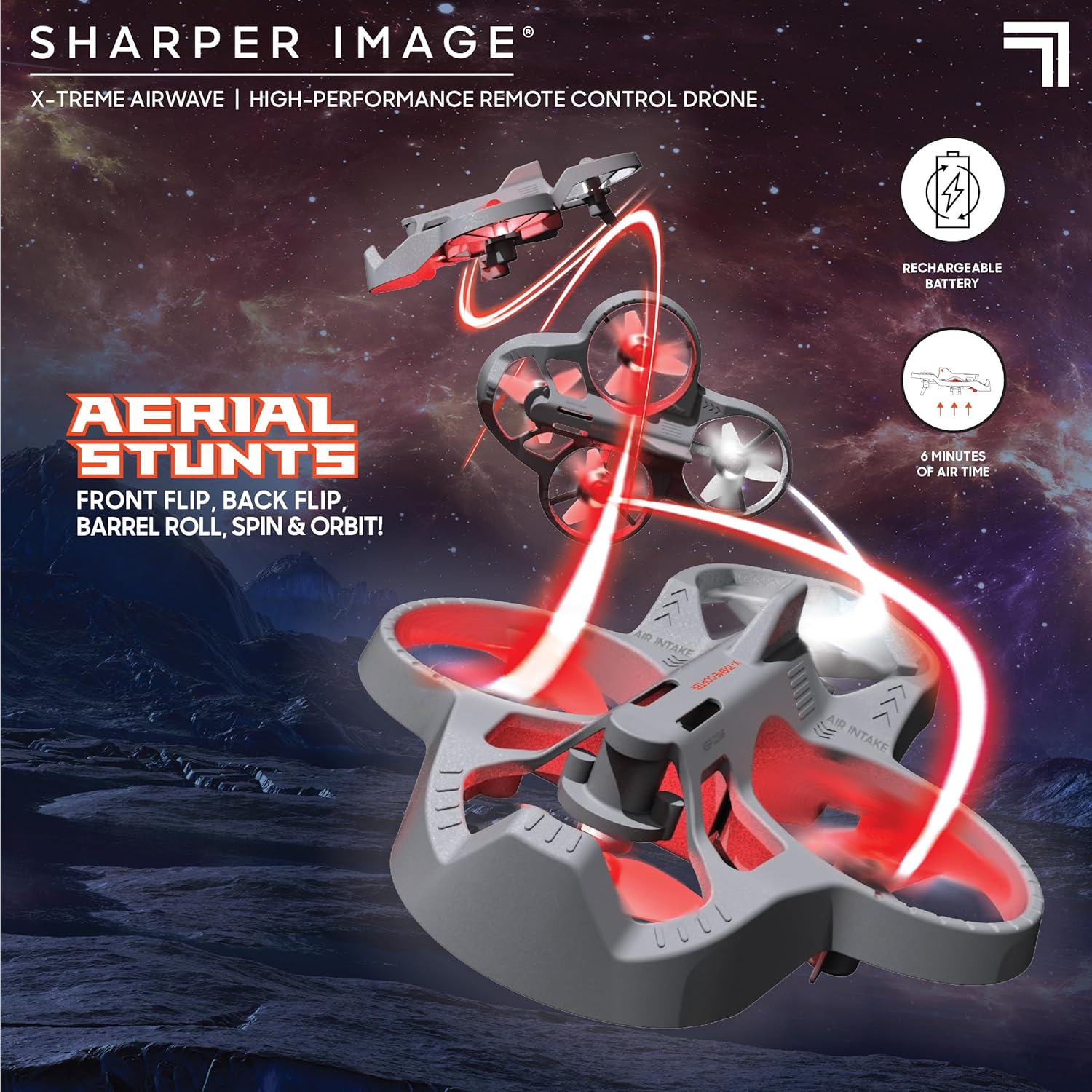
This image demonstrates the drone's agility, showcasing it in mid-air performing various aerial maneuvers, emphasizing its stunt capabilities.
Flight Modes (Beginner & Expert)
The drone offers two distinct flight modes to accommodate different skill levels:
- Modd Dechreuwr: Ideal for new pilots, offering more stable and less responsive controls for easier learning.
- Modd Arbenigol: Provides increased responsiveness and agility for experienced pilots to perform more dynamic maneuvers.
Gwasgwch y Botwm Cyflymder on the remote control to switch between these modes. The remote will typically indicate the current mode (e.g., with a beep or light change).
Performing Stunts
Elevate your piloting skills with impressive stunts:
- Flips (Front, Back, Left, Right): While flying, press the Botwm Stunt once, then quickly push the right joystick in the desired flip direction (forward, backward, left, or right).
- Barrel Rolls: Similar to flips, but often involves a more continuous rotation. Consult the specific instructions for your model if it has a dedicated barrel roll function.
- Spins and Orbits: These advanced maneuvers may require specific joystick combinations or dedicated buttons. Practice in an open area.
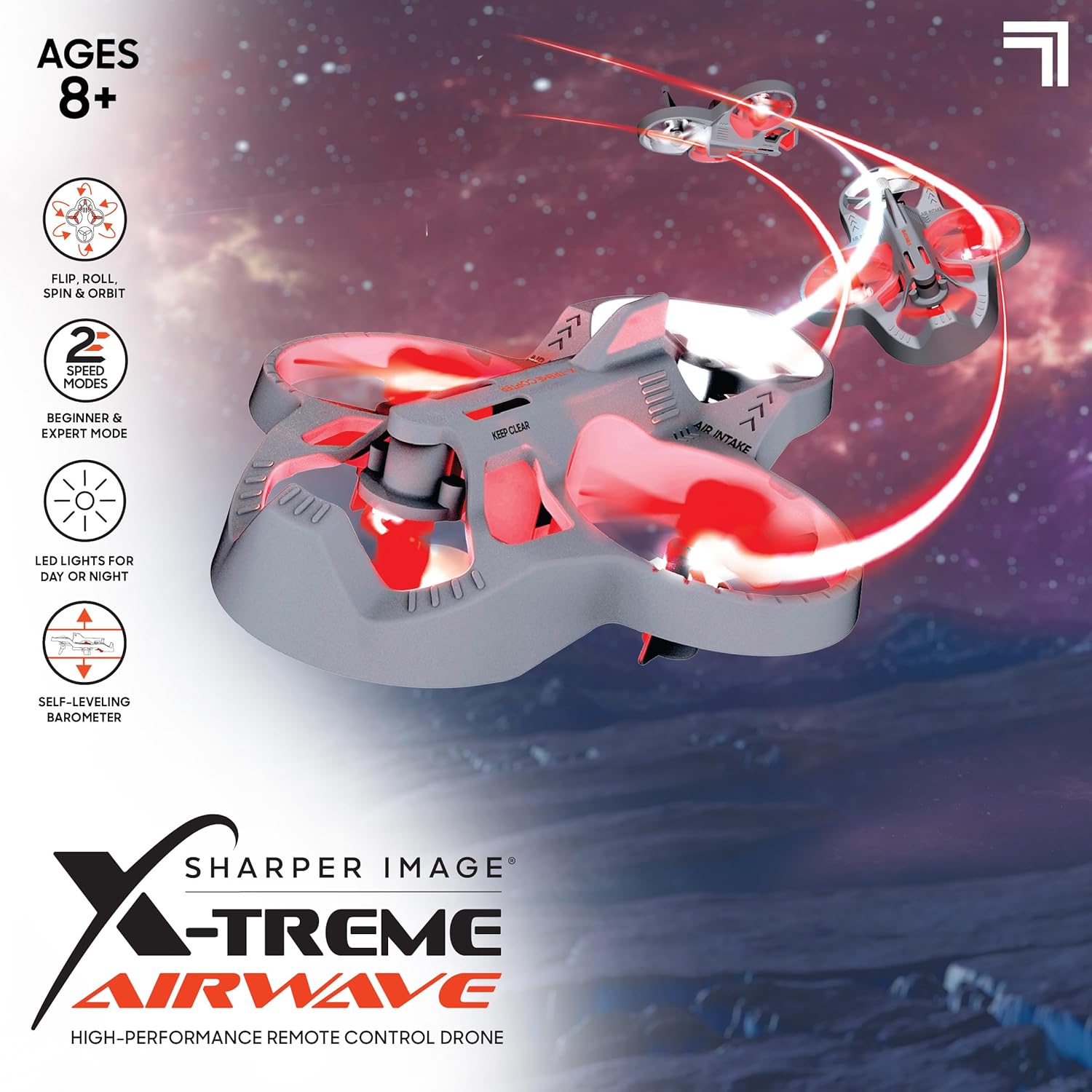
This image visually details the drone's key features, such as its ability to perform flips, rolls, spins, and orbits, along with its two speed modes and LED lights for enhanced visibility.
Prif oleuadau LED
The drone is equipped with bright LED headlights, allowing for exciting nighttime play and enhanced visibility during flight. These lights typically activate automatically when the drone is powered on.
Cynnal a chadw
Glanhau
- Gently wipe the drone's body with a clean, dry cloth to remove dust and debris.
- Avoid using water or liquid cleaners, as they can damage electronic components.
- Ensure propellers are free of hair, dust, or other obstructions.
Amnewid Propeller
If a propeller is damaged, replace it with one of the included spare blades.
- Carefully remove the damaged propeller by gently pulling it upwards from its motor shaft.
- Note the orientation of the propeller (some may be marked 'A' or 'B' and correspond to specific motor positions).
- Press the new propeller firmly onto the motor shaft until it is secure.
- Ensure the new propeller spins freely without obstruction.
Gofal a Storio Batri
- Always fully charge the drone battery before each flight.
- Peidiwch â gadael y batri'n gwefru heb oruchwyliaeth am gyfnodau hir.
- If the drone will not be used for a long time, store the battery with a partial charge (around 50%) to prolong its lifespan.
- Store the drone and remote control in a cool, dry environment, away from direct sunlight and extreme temperatures.
Datrys problemau
| Problem | Achos Posibl | Ateb |
|---|---|---|
| Nid yw'r drôn yn ymateb i'r teclyn rheoli o bell. | Not paired; Remote batteries low; Drone battery low. | Re-pair drone and remote; Replace remote batteries; Charge drone battery. |
| Mae drôn yn symud yn ystod hedfan. | Needs calibration; Uneven surface at take-off; Propeller damage. | Perform calibration (refer to specific remote instructions); Take off from a level surface; Check and replace damaged propellers. |
| Drone has short flight time. | Batri heb ei wefru'n llawn; Batri hen. | Ensure full charge before flight; Battery lifespan decreases over time. |
| Propellers are not spinning. | Obstruction; Motor issue; Not powered on. | Check for obstructions; Ensure drone is powered on and paired. |
Manylebau
| Enw Model | Xtreme Airwave |
| Rhif Model | 1213014311 |
| Dimensiynau Cynnyrch | 26.67 x 14.22 x 7.11cm; 340g |
| Math o Ddeunydd | Plastig |
| Batri Drôn | Built-in 3.7V 200mAh Li-Po (Rechargeable) |
| Batri Rheolaeth Anghysbell | 3 batris AAA 1.5V (heb eu cynnwys) |
| Math o Reoli Anghysbell | Rheolaeth Radio 2.4 GHz |
| Oedran a Argymhellir | 8 - 15 mlynedd (Argymhellir gan y gwneuthurwr) |
| Nodweddion Arbennig | Weather resistant, shock resistant, LED lights, One-button take-off/landing, Self-leveling barometer |

This image provides a visual reference for the drone's compact size, specifically highlighting its approximate 4-inch width.
Gwarant a Chefnogaeth
For warranty information and customer support, please refer to the official Sharper Image websafle neu cysylltwch â'u hadran gwasanaeth cwsmeriaid. Cadwch eich derbynneb prynu fel prawf o brynu.
- Gwneuthurwr: THREE SIXTY GROUP
- Siop Brand: Visit the Sharper Image Store on Amazon
- For further assistance, please contact the retailer or manufacturer directly.
Dogfennau Cysylltiedig - 1213014311
 |
Llawlyfr Defnyddiwr a Chyfarwyddiadau Drôn Delwedd Miniach Lyra 6.68-modfedd Llawlyfr defnyddiwr cynhwysfawr ar gyfer y Drôn Delweddu Sharper Lyra 6.68 modfedd. Yn cynnwys cyfarwyddiadau ar gyfer gosod batri, pŵer a pharu, rheolyddion hedfan, rhagofalon diogelwch, addasu sticeri, a gwybodaeth cydymffurfio â'r FCC. |
 |
Llawlyfr Defnyddiwr Drôn Ffrydio Fideo Delwedd Sharper - Gosod, Gweithredu a Datrys Problemau Llawlyfr defnyddiwr cynhwysfawr ar gyfer y Drôn Ffrydio Fideo Delwedd Sharper. Dysgwch sut i sefydlu, gwefru, paru, gweithredu a datrys problemau eich drôn ar gyfer hedfan a ffrydio fideo gorau posibl. |
 |
Llawlyfr Cyfarwyddiadau Drôn Camera Deuol LED Sharper Image 2411S Mae'r llawlyfr cyfarwyddiadau hwn yn rhoi canllawiau manwl ar gyfer gweithredu'r Drôn Camera Deuol LED Sharper Image 2411S. Mae'n ymdrin â nodweddion y cynnyrch, gweithdrefnau gosod, rheolyddion hedfan, dulliau hedfan deallus, defnyddio apiau, datrys problemau, a rhagofalon diogelwch. |
 |
Llawlyfr Cyfarwyddiadau Drôn Styntiau Rheoli o Bell Thunderbolt Delwedd Mwy Miniach Llawlyfr cyfarwyddiadau cynhwysfawr ar gyfer y Drôn Styntiau Rheoli o Bell Thunderbolt Sharper Image, yn ymdrin â gweithrediad, diogelwch, gwefru, datrys problemau, a chydosod. Dysgwch sut i hedfan, cynnal a chadw a datrys problemau eich drôn styntiau. |
 |
Sharper Image X-Treme Airwave Drone User Manual User manual for the Sharper Image X-Treme Airwave Drone, including setup, controls, flight operations, safety warnings, and battery information. |
 |
Drone Gamma 6.9 Inch User Manual and Instructions Comprehensive user manual and instructions for the Sharper Image Drone Gamma 6.9 Inch, covering setup, battery installation, controls, safety precautions, and troubleshooting. Model 1018500. |