
Rhagymadrodd
The PPLEE CR1021 Portable White Noise Machine is designed to create a peaceful and soothing environment, aiding in sleep, relaxation, and focus. It features 42 non-looping sounds, a rechargeable battery, night light, and timer functions, making it suitable for home, office, and travel use.
This manual provides detailed instructions for the safe and effective use of your device. Please read it thoroughly before operation and retain it for future reference.
Gwybodaeth Diogelwch
Please observe the following safety precautions to prevent damage to the device or injury to yourself or others:
- Peidiwch ag amlygu'r ddyfais i ddŵr na lleithder gormodol.
- Cadwch y ddyfais i ffwrdd o ffynonellau gwres a golau haul uniongyrchol.
- Peidiwch â cheisio dadosod na thrwsio'r ddyfais eich hun. Cysylltwch â phersonél gwasanaeth cymwys.
- Use only the provided Type-C charging cable and a compatible power adapter (DC 5V/1A).
- Keep out of reach of small children when not in use, especially the charging cable.
- Ensure proper ventilation; do not cover the speaker grille during operation.
Cynnwys Pecyn
Gwiriwch fod yr holl eitemau yn bresennol yn y pecyn:
- 1x PPLEE CR1021 Portable White Noise Machine
- 1x Type-C Power Cable
- 1x Hanging Loop
- 1x Llawlyfr Defnyddiwr (y ddogfen hon)
Gosod
Codi Tâl ar y Dyfais
Before first use, fully charge the white noise machine. The device features a built-in 2200mAh rechargeable battery.
- Connect the provided Type-C charging cable to the charging port on the device.
- Connect the other end of the cable to a compatible USB power adapter (DC 5V/1A) or a computer's USB port.
- Bydd y golau dangosydd gwefru yn goleuo yn ystod gwefru ac yn diffodd pan fydd wedi'i wefru'n llawn.
A full charge provides approximately 33-58 hours of playtime, depending on volume level and night light usage.
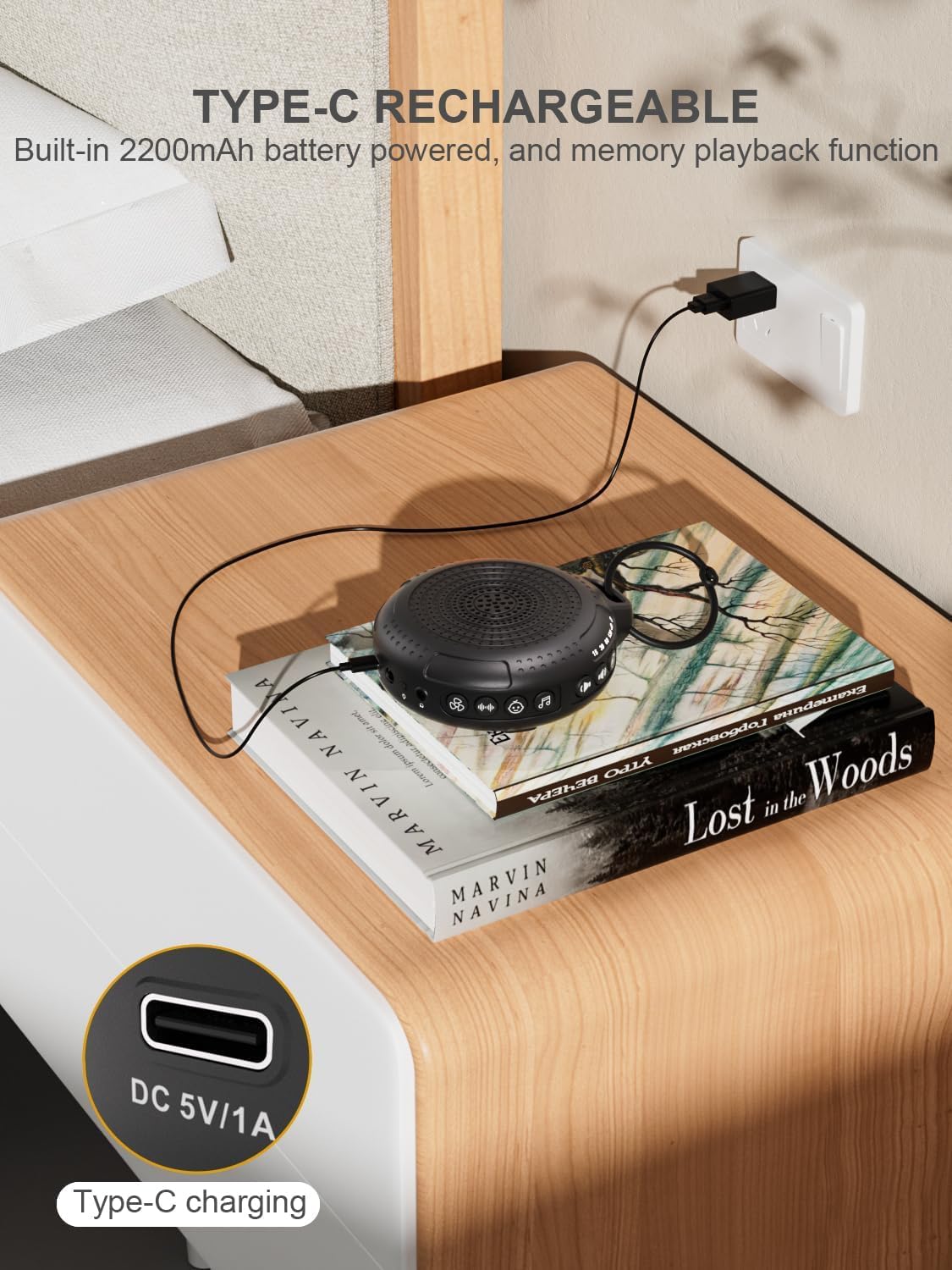
Image: The PPLEE CR1021 White Noise Machine connected to a Type-C charger, demonstrating how to charge the device.
Lleoliad
Place the device on a stable, flat surface or use the included hanging loop to attach it to a stroller, car seat, or crib. Ensure the speaker is not obstructed for optimal sound projection.

Image: The PPLEE CR1021 White Noise Machine hanging from a stroller, highlighting its compact and portable design for travel.
Cyfarwyddiadau Gweithredu
Rheolaethau Drosview

Delwedd: Manwl view of the PPLEE CR1021 White Noise Machine, illustrating the location of its various control buttons and features.
Pŵer Ymlaen / Diffodd
- Pwyswch a dal y botwm Power (⏻) for 2 seconds to turn the device ON or OFF.
- The device will remember your last sound, volume, and timer settings upon powering on.
Dewis Sain
The device offers 42 non-looping soothing sounds across four categories:
- Sŵn Gwyn: 5 o seiniau
- Seiniau Fan: 6 o seiniau
- hwiangerddi: 15 o seiniau
- Seiniau Naturiol: 16 o seiniau
- Press the Sound Category buttons (e.g., White Noise, Fan, Lullaby, Nature) to switch between sound categories.
- Once a category is selected, press the Sound Selection button (♫) to cycle through the sounds within that category.
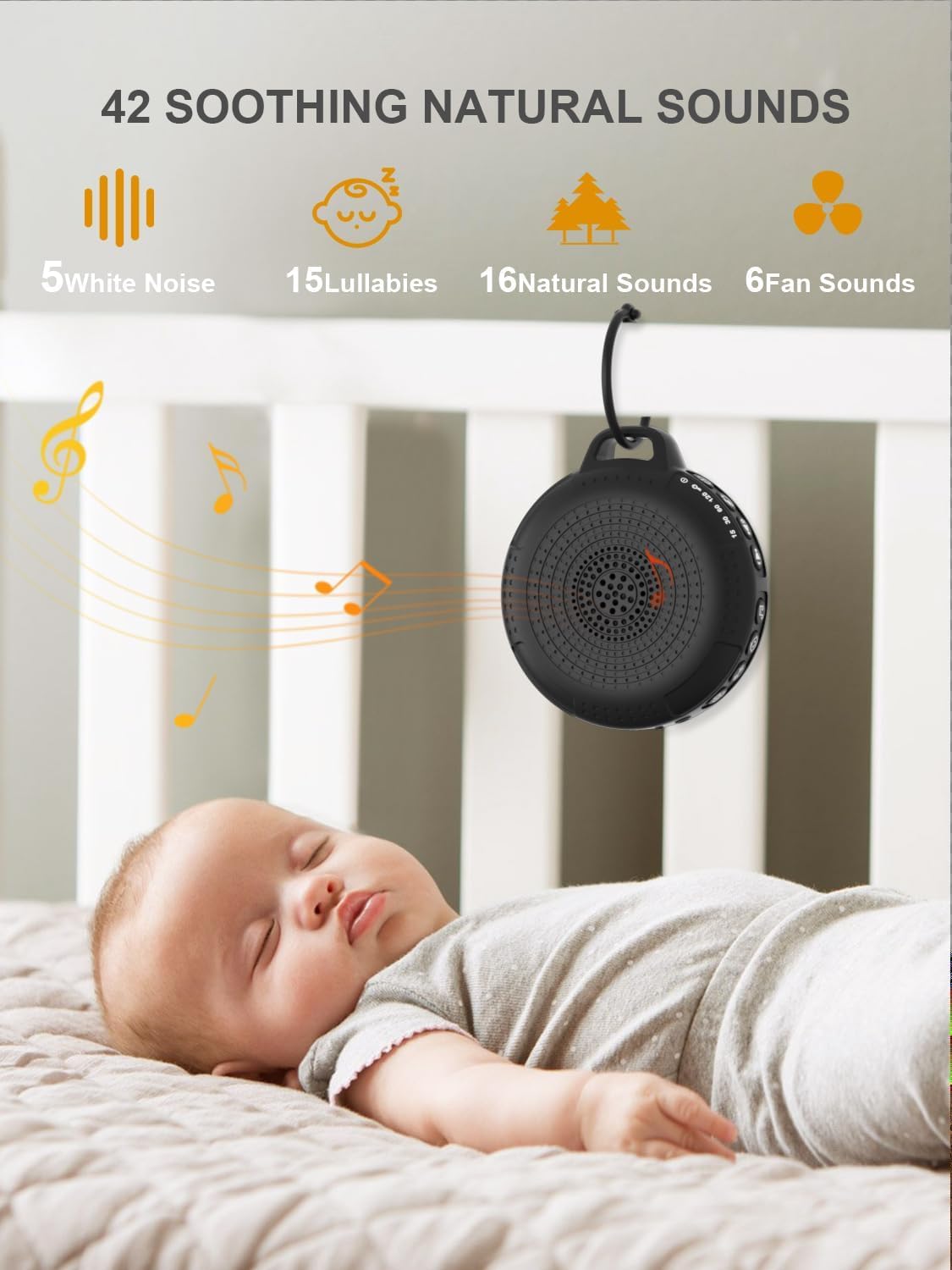
Image: The PPLEE CR1021 White Noise Machine displaying the variety of 42 soothing sounds available, categorized for easy selection.
Rheoli Cyfaint
Adjust the sound volume using the dedicated volume buttons:
- Pwyswch y botwm Cyfaint i Fyny (+) to increase the volume.
- Pwyswch y botwm Cyfaint i Lawr (-) to decrease the volume.
- There are 8 distinct volume levels.

Image: The PPLEE CR1021 White Noise Machine highlighting its volume adjustment and timer functions, showing options for 15, 30, 60, and 120 minutes.
Swyddogaeth Amserydd
The device can play continuously or automatically turn off after a set period:
- Pwyswch y botwm Amserydd (⏱) to cycle through the available timer settings: 15 minutes, 30 minutes, 60 minutes, 120 minutes, or continuous play.
- An indicator light will show the selected timer duration.
Golau Nos
The integrated night light offers two brightness levels:
- Press the Night Light button (💡) once for the first brightness level.
- Press it again for the second, brighter level.
- Press a third time to turn the night light off.
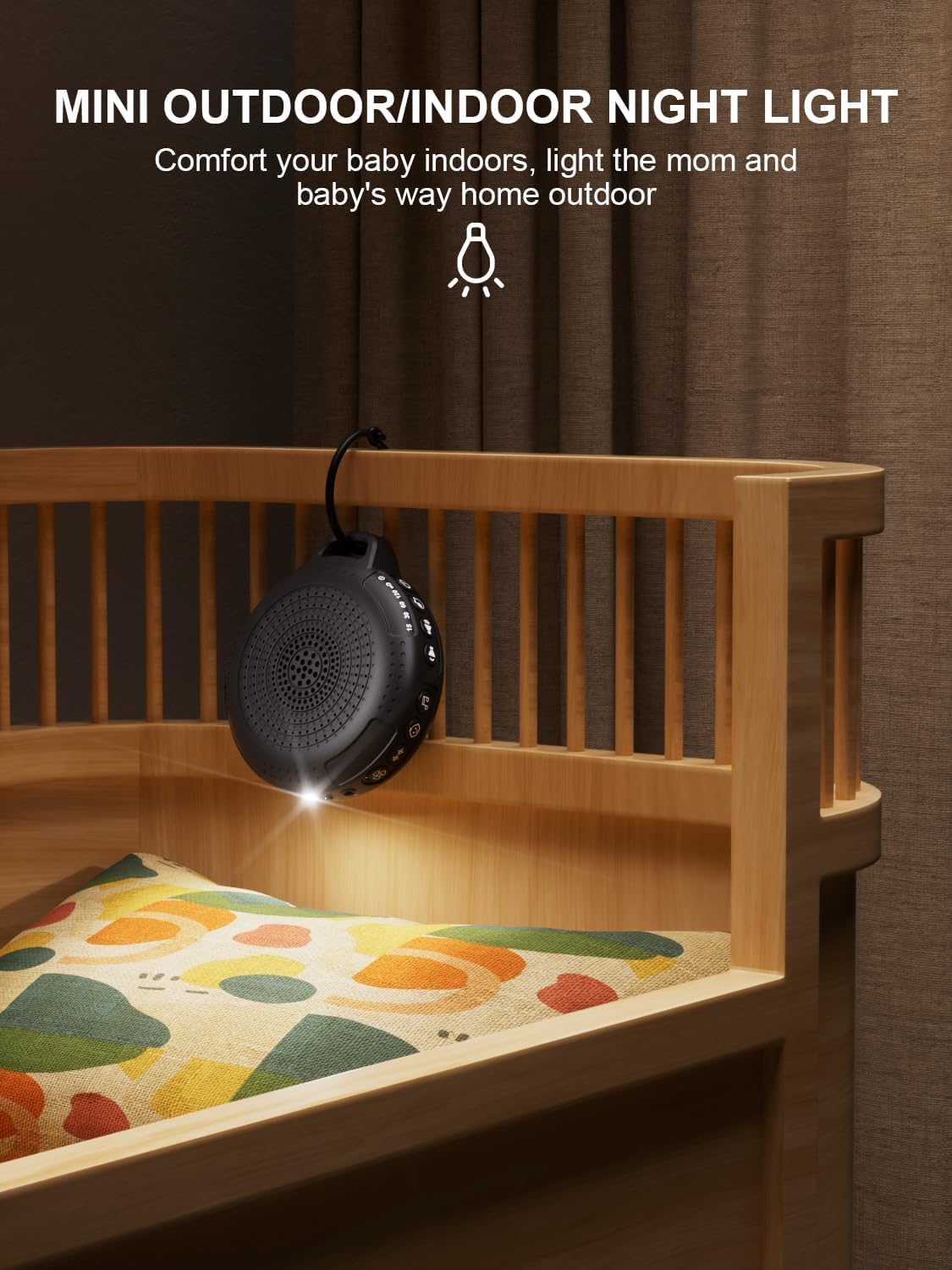
Image: The PPLEE CR1021 White Noise Machine with its night light illuminated, shown hanging on a crib, providing gentle illumination.
Swyddogaeth Clo Plant
To prevent accidental changes to settings, activate the child lock:
- Pwyswch a dal y botwm Cloi Plant (🔒) for 2 seconds to activate or deactivate the child lock.
- When activated, all other buttons will be unresponsive until the child lock is deactivated.
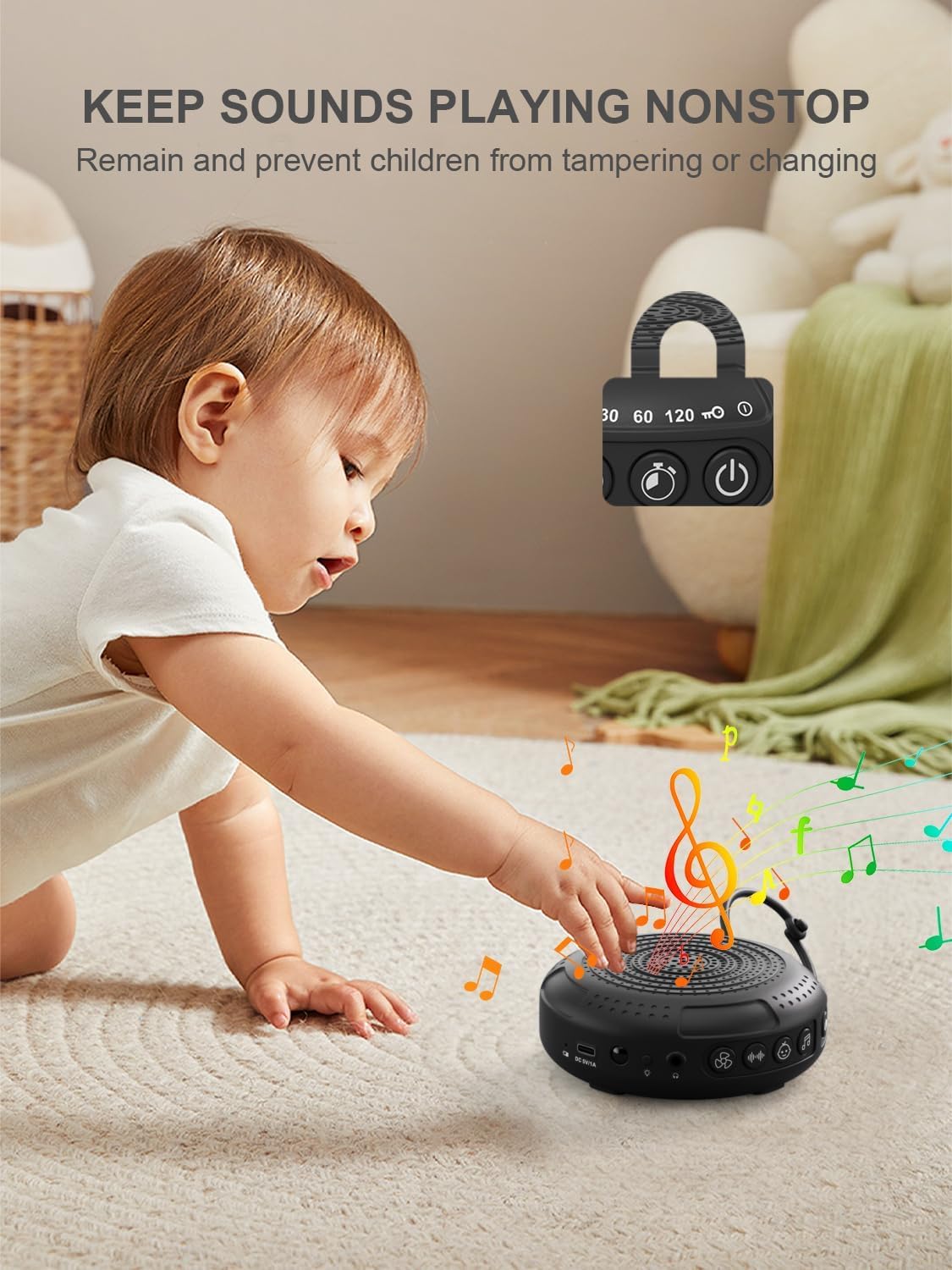
Image: The PPLEE CR1021 White Noise Machine with a visual representation of its child lock feature, designed to maintain settings and prevent tampering.
Jack clustffon
For private listening, connect standard 3.5mm headphones to the headphone jack located on the side of the device. The speaker will automatically mute when headphones are connected.
Cynnal a chadw
Glanhau
- Sicrhewch fod y ddyfais wedi'i diffodd a'i datgysylltu cyn glanhau.
- Wipe the exterior with a soft, dry, or slightly damp brethyn.
- Peidiwch â defnyddio glanhawyr sgraffiniol, toddyddion na chemegau llym.
Storio
- Storiwch y ddyfais mewn lle oer, sych i ffwrdd o olau haul uniongyrchol a thymheredd eithafol.
- Os ydych chi'n storio am gyfnod hir, gwefrwch y batri o bryd i'w gilydd i gynnal ei oes.
Datrys problemau
| Problem | Achos Posibl | Ateb |
|---|---|---|
| Nid yw dyfais yn troi ymlaen. | Mae batri wedi'i ddisbyddu. | Charge the device using the provided Type-C cable. |
| Dim sain. | Mae'r sain yn rhy isel neu wedi'i mudo. Mae clustffonau wedi'u cysylltu. | Increase the volume. Disconnect headphones if not needed. |
| Nid yw botymau yn ymateb. | Mae Clo Plant wedi'i actifadu. | Deactivate the Child Lock by pressing and holding the Child Lock button for 2 seconds. |
| Mae oes y batri yn fyrrach na'r disgwyl. | High volume level or continuous night light use. Battery degradation over time. | Reduce volume or night light usage. Ensure full charge. |
| Charging is slow or not working. | Faulty cable or power adapter. Charging port issue. | Try a different Type-C cable and a known working 5V/1A USB power adapter. |
Manylebau
| Nodwedd | Manylyn |
|---|---|
| Enw Model | CR1021 |
| Brand | PPLEE |
| Ffynhonnell Pwer | Battery Powered (2200mAh rechargeable) |
| Porthladd Codi Tâl | Math-C (DC 5V/1A) |
| Nifer y Seiniau | 42 (5 White Noise, 6 Fan, 15 Lullabies, 16 Natural) |
| Lefelau Cyfrol | 8 |
| Opsiynau Amserydd | 15, 30, 60, 120 minutes, Continuous |
| Golau Nos | 2 Lefel Disgleirdeb |
| Dimensiynau (L x W x H) | 12.5 x 11 x 4.3 cm (4.92 x 4.3 x 1.69 modfedd) |
| Pwysau | 177 g (0.39 pwys) |
| Cydrannau wedi'u Cynnwys | Device, Type-C Cable, Hanging Loop, User Manual |
Gwarant a Chefnogaeth
For warranty information or technical support, please refer to the contact details provided with your purchase or visit the official PPLEE websafle. Cadwch eich derbynneb prynu fel prawf o brynu.