
Rhagymadrodd
Thank you for choosing the HOCO W40 Bluetooth Headphones. These wireless headphones are designed to provide a high-quality audio experience with deep bass, clear calls, and comfortable wear. This manual will guide you through the setup, operation, and maintenance of your new headphones.
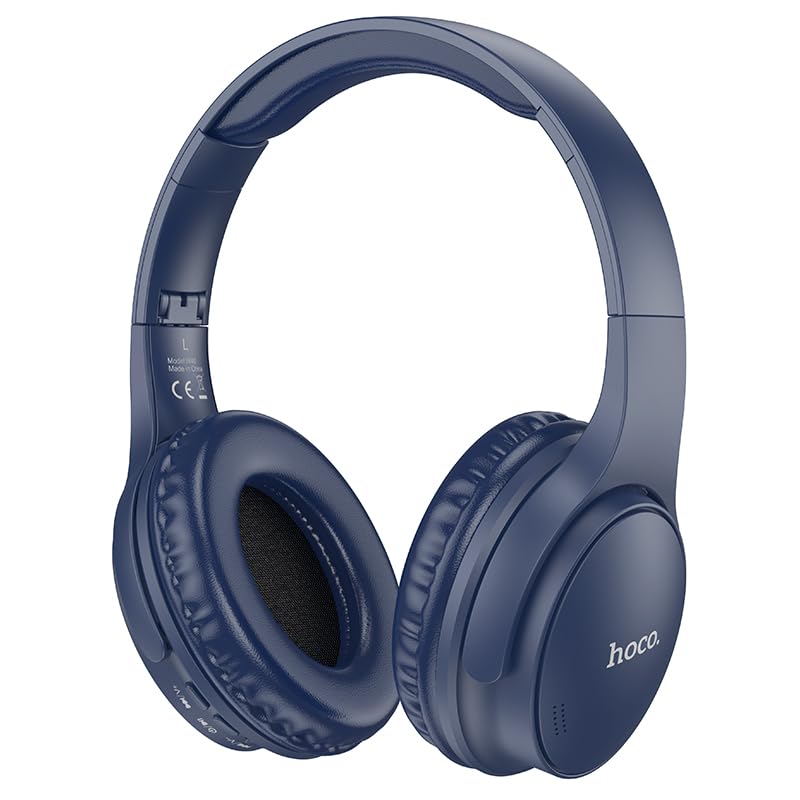
Image: HOCO W40 Bluetooth Headphones in a folded position, showcasing the earcups and headband. The headphones are blue.
Beth Sydd yn y Bocs
Gwiriwch gynnwys eich pecyn i sicrhau bod yr holl eitemau yn bresennol:
- HOCO W40 Bluetooth Headphones
- Clustogau Clust
- Headband (integrated with headphones)
The package includes the HOCO W40 Bluetooth Headphones, along with ear cushions and the integrated headband for comfortable use.
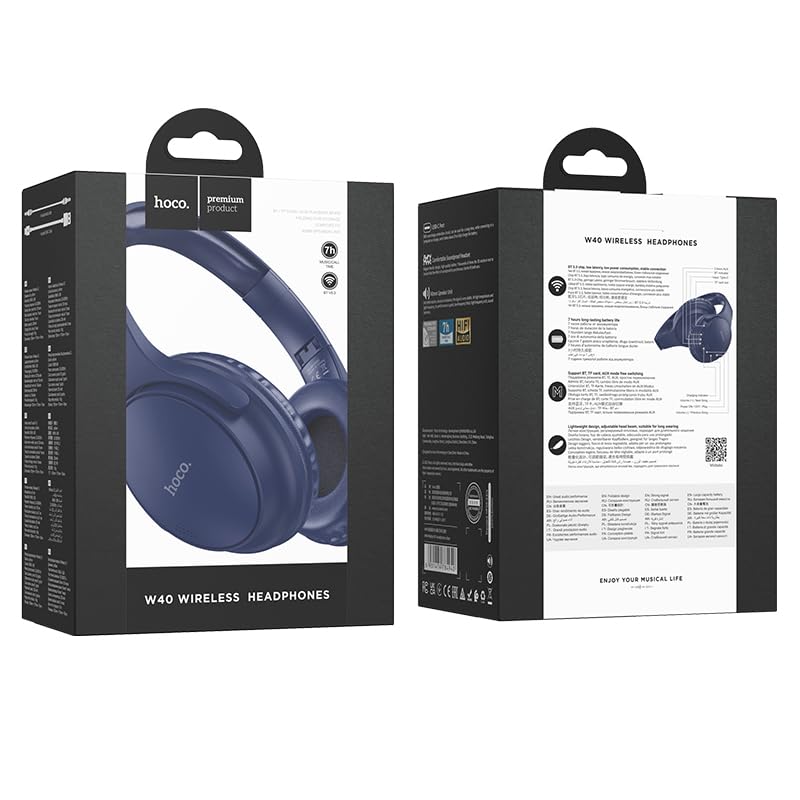
Image: Retail packaging for the HOCO W40 Wireless Headphones, showing the product image and some features on the box.
Cynnyrch Drosview
Familiarize yourself with the various parts and controls of your HOCO W40 headphones.
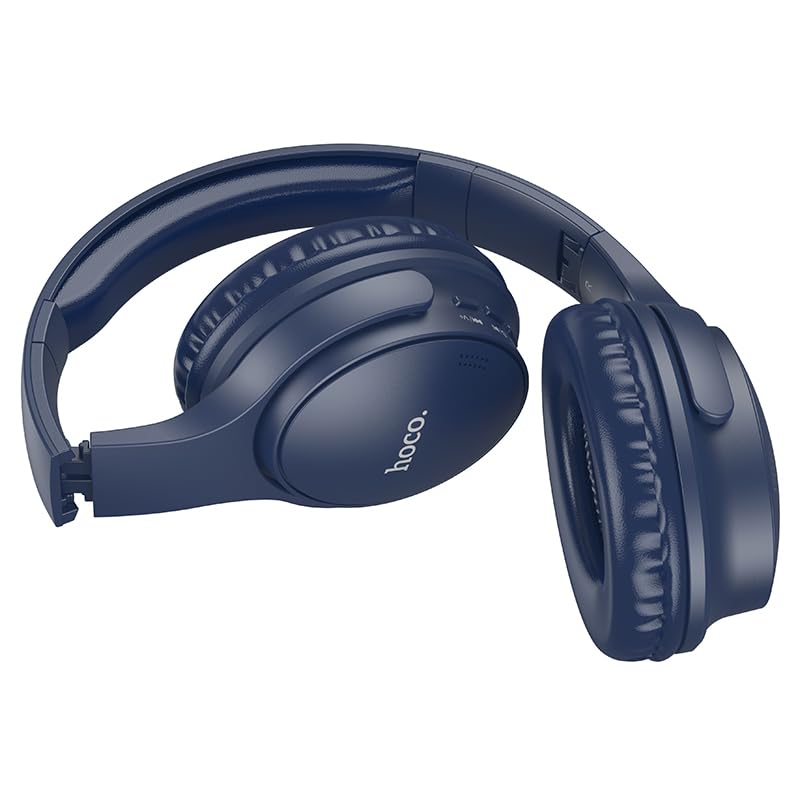
Delwedd: Ochr view of the HOCO W40 Bluetooth Headphones, highlighting the earcup and headband design. The controls are visible on the right earcup.
Rheolaethau a Dangosyddion:
- Botwm Pŵer: Used to power the headphones on/off and initiate pairing.
- Rheoli cyfaint: Adjusts the listening volume using touch controls.
- Botwm Aml-swyddogaeth (MFB): Ar gyfer chwarae/saib, ateb/dod i ben galwadau.
- Meicroffon: Wedi'i gynnwys ar gyfer galwadau di-dwylo.
- Porth Codi Tâl: Ar gyfer cysylltu'r cebl gwefru.
- Dangosydd LED: Yn dangos statws pŵer, modd paru, a statws gwefru.
The headphones feature touch controls for volume adjustment and other functions, along with a built-in microphone for clear communication.
Gosod
1. Codi Tâl y Clustffonau
Before first use, fully charge your headphones. A full charge takes approximately 1 awr.
- Connect the charging cable (not included in the JSON's 'whats_in_the_box' but typically provided) to the charging port on the headphones.
- Cysylltwch ben arall y cebl â ffynhonnell pŵer USB (ee, cyfrifiadur, addasydd wal).
- The LED indicator will show the charging status (e.g., red while charging, blue/off when fully charged).
Once fully charged, the headphones provide up to 12 awr of continuous playtime.
2. Paru gyda Dyfais Bluetooth
The HOCO W40 headphones use Bluetooth 5.3 for stable and seamless connectivity. They are compatible with smartphones, tablets, laptops, and other Bluetooth-enabled devices (iOS, Android).
- Sicrhewch fod y clustffonau wedi'u diffodd.
- Press and hold the Power Button until the LED indicator flashes rapidly (usually blue and red alternately), indicating pairing mode.
- Ar eich dyfais, galluogwch Bluetooth a chwiliwch am y dyfeisiau sydd ar gael.
- Select "HOCO W40" from the list of found devices.
- Once paired, the LED indicator will stop flashing and may turn solid blue or off, depending on the model.
- The headphones have a wireless range of up to 10 metr.
If pairing is unsuccessful, turn off both devices, wait a few seconds, and repeat the steps.
Cyfarwyddiadau Gweithredu
Pŵer Ymlaen / Diffodd
- Pŵer Ymlaen: Pwyswch a daliwch y Botwm Pŵer am tua 3 eiliad nes bod y dangosydd LED yn goleuo.
- Pwer i ffwrdd: Pwyswch a daliwch y Botwm Pŵer am tua 5 eiliad nes bod y dangosydd LED yn diffodd.
Rheoli Cerddoriaeth
- Chwarae/Seibiant: Short press the Multi-function Button (MFB).
- Cyfrol i Fyny: Tap the designated touch control area for volume up.
- Cyfrol i Lawr: Tap the designated touch control area for volume down.
- Trac Nesaf: Double-tap the MFB or use the designated touch control.
- Trac Blaenorol: Triple-tap the MFB or use the designated touch control.
Note: Specific touch control gestures may vary slightly. Refer to the quick start guide included with your product for precise details.
Rheoli Galwadau
- Ateb / Diwedd Galwad: Short press the Multi-function Button (MFB).
- Gwrthod Galwad: Pwyswch a dal y MMB am 2 eiliad.
- Ail-redeg Rhif Diwethaf: Double-press the MFB when not on a call.
Cynnal a chadw
Proper care will extend the life of your HOCO W40 headphones.
- Glanhau: Defnyddiwch frethyn meddal, sych i lanhau'r clustffonau. Peidiwch â defnyddio glanhawyr sgraffiniol na thoddyddion.
- Storio: Storiwch y clustffonau mewn lle oer, sych i ffwrdd o olau haul uniongyrchol a thymheredd eithafol.
- Gwrthiant Dŵr: The headphones are water resistant, making them suitable for workouts and outdoor activities. However, they are not designed for submersion in water. Avoid prolonged exposure to heavy rain or direct water jets.
- Gofal Batri: Er mwyn cynnal oes y batri, gwefrwch y clustffonau'n rheolaidd, hyd yn oed os nad ydynt yn cael eu defnyddio'n aml. Osgowch ollwng y batri'n llwyr am gyfnodau hir.
Datrys problemau
| Problem | Ateb Posibl |
|---|---|
| Nid yw clustffonau'n troi ymlaen. | Ensure the headphones are charged. Connect them to a power source and try again after a few minutes. |
| Methu paru â dyfais. |
|
| Dim sain na chyfaint isel. |
|
| Mae ansawdd yr alwad yn wael. |
|
Manylebau
| Model | W40 |
| Brand | HOCO |
| Technoleg Cysylltedd | Di-wifr (Bluetooth 5.3) |
| Amrediad Bluetooth | 10 Metr |
| Bywyd Batri | Hyd at 12 awr |
| Amser Codi Tâl | Oddeutu 1 Awr |
| Math Gyrrwr Sain | Gyrrwr Dynamig |
| Rheoli Sŵn | Unigedd Sain |
| Lefel Gwrthsefyll Dŵr | Gwrth-ddŵr |
| Math o Reoli | Volume Control (Touch) |
| Meicroffon adeiledig | Yes, for Hands-Free Calls |
| Dyfeisiau Cydnaws | Smartphones, Tablets, Laptops (Universal Compatibility) |
| Deunydd | Plastig |
| Pwysau Eitem | 180 g |
Fideo Cynnyrch Swyddogol
Gwyliwch y fideo cynnyrch swyddogol am drosolwg gweledolview of the HOCO W40 Bluetooth Headphones and their key features.
Fideo: Cynnyrch swyddogol drosoddview of the HOCO W40 Bluetooth Headphones, demonstrating its features, battery life, design, and device compatibility.
Gwarant a Chefnogaeth
For warranty information and customer support, please refer to the documentation included with your purchase or visit the official HOCO websafle. Cadwch eich prawf prynu ar gyfer unrhyw hawliadau gwarant.
Am gymorth pellach, gallwch hefyd gysylltu â'r manwerthwr lle prynwyd y cynnyrch.


