
1. Rhagymadrodd
Thank you for choosing the ieGeek 5MP Solar WiFi Outdoor PTZ Security Camera. This manual provides essential information for the proper installation, operation, and maintenance of your device. Please read it thoroughly before use and retain it for future reference.
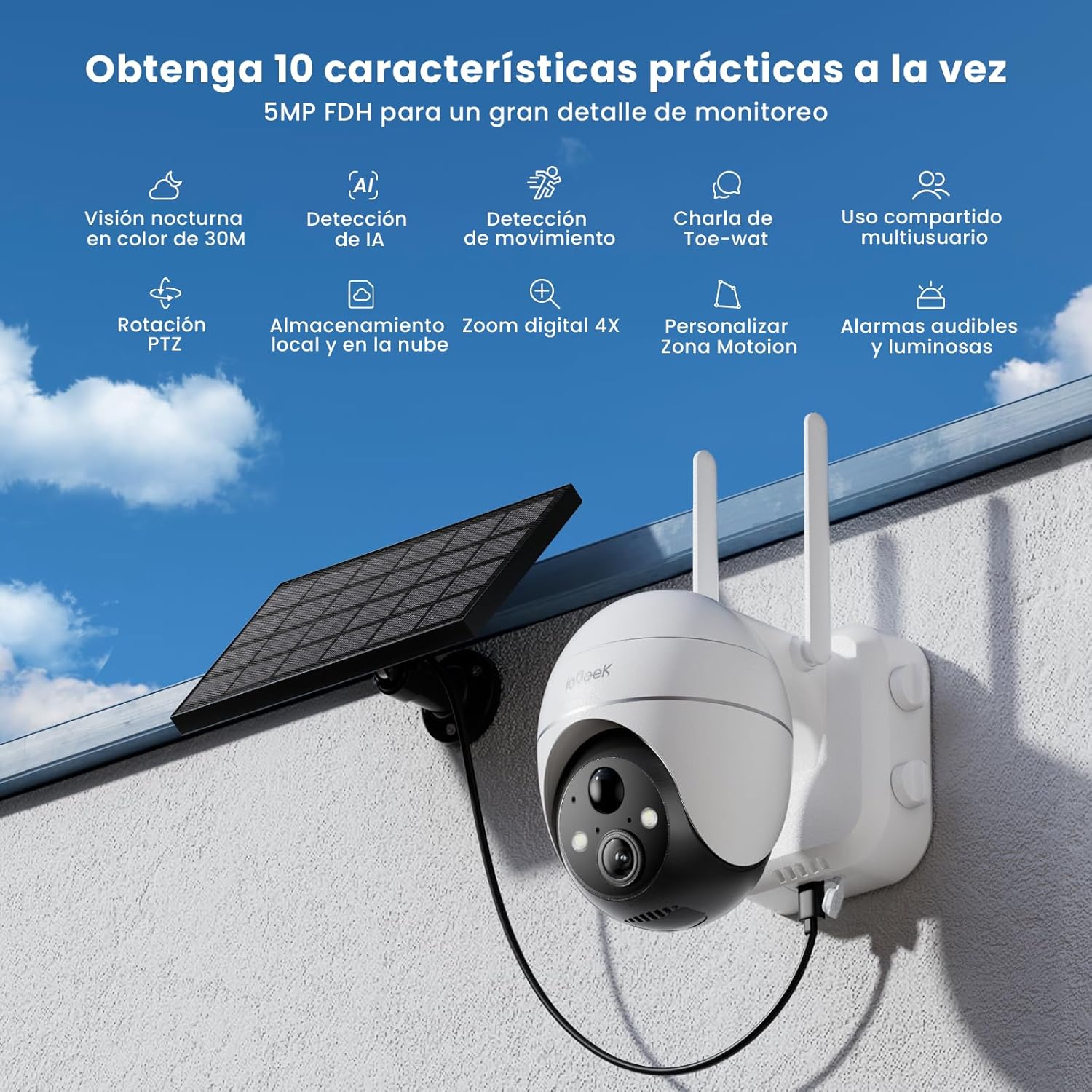
Figure 1: ieGeek 5MP Solar WiFi Outdoor PTZ Security Camera with solar panel, highlighting key features.
2. Cynnyrch Drosview
2.1 Nodweddion Allweddol
- 5MP Ultra-Clear Resolution: Provides superior visual images with 4x digital zoom for detailed viewing.
- Solar Power & Long-Lasting Battery: Operates using solar panels, eliminating power cables. The rechargeable battery lasts up to 60 days on a single charge.
- Tremio 355° a Chwyddo 120°: Yn cynnig maes eang o view, ensuring comprehensive surveillance without blind spots.
- PIR Human Detection & Instant Alarms: Detects human shapes and sends alarm notifications within 2 seconds.
- Gweledigaeth Nos Lliw: Equipped with motion-activated spotlights for full-color details day and night.
- Sain Dwyffordd: Enables real-time listening and speaking through the camera via the app.
- Storio Lleol a Chwmwl: Supports up to 128GB Micro SD card and offers 7 days of free cloud service.
- Alexa Smart Function: Control the camera and view footage using Alexa Smart Voice.
- IP65 Gwrth-dywydd: Designed for outdoor use, resistant to rain, snow, and varying temperatures (-20°C to 50°C).
2.2 Cynnwys Pecyn

Figure 2: Product dimensions and package contents.
- ieGeek 5MP PTZ Security Camera x 1
- Solar Panel with Bracket x 1
- Llawlyfr Defnyddiwr x 1
- Solar Panel User Manual x 1
- Mounting Screws and Expansion Screws x 7 sets
3. Canllaw Gosod
3.1 Codi Tâl ar y Batri
Before initial use, fully charge the camera's internal battery using the provided USB cable. The solar panel will maintain the charge during outdoor operation.
3.2 Lawrlwytho Ap a Chreu Cyfrif
Download the 'ieGeek Cam' app from the Google Play Store or Apple App Store. Follow the in-app instructions to create an account and log in.

Figure 3: Download the 'ieGeek Cam' app.
3.3 Paru Camera
- Pŵer ar y camera.
- Open the 'ieGeek Cam' app and tap 'Add Device'.
- Follow the on-screen prompts to connect the camera to your 2.4GHz Wi-Fi network.
- Sganiwch y cod QR a ddangosir ar eich ffôn gyda lens y camera.
- Once connected, name your camera and complete the setup.
3.4 Gosod
Choose a location with good Wi-Fi signal and direct sunlight exposure for the solar panel. Use the provided screws and bracket to securely mount the camera and solar panel.

Figure 4: Flexible disassembly and easy installation.

Figure 5: Wireless setup with solar panel connection.
4. Cyfarwyddiadau Gweithredu
4.1 Byw View a Rheoli PTZ
Access the live feed through the 'ieGeek Cam' app. Use the on-screen controls to pan 355° horizontally and tilt 120° vertically, adjusting the camera's view yn ôl yr angen.

Figure 6: Remote PTZ control via smartphone app.
4.2 Canfod Symudiad a Rhybuddion
The camera features PIR human detection. When motion is detected, you will receive an instant alarm notification on your smartphone. Customize motion detection zones and sensitivity settings within the app to reduce false alerts.

Figure 7: Customizable motion detection zones.
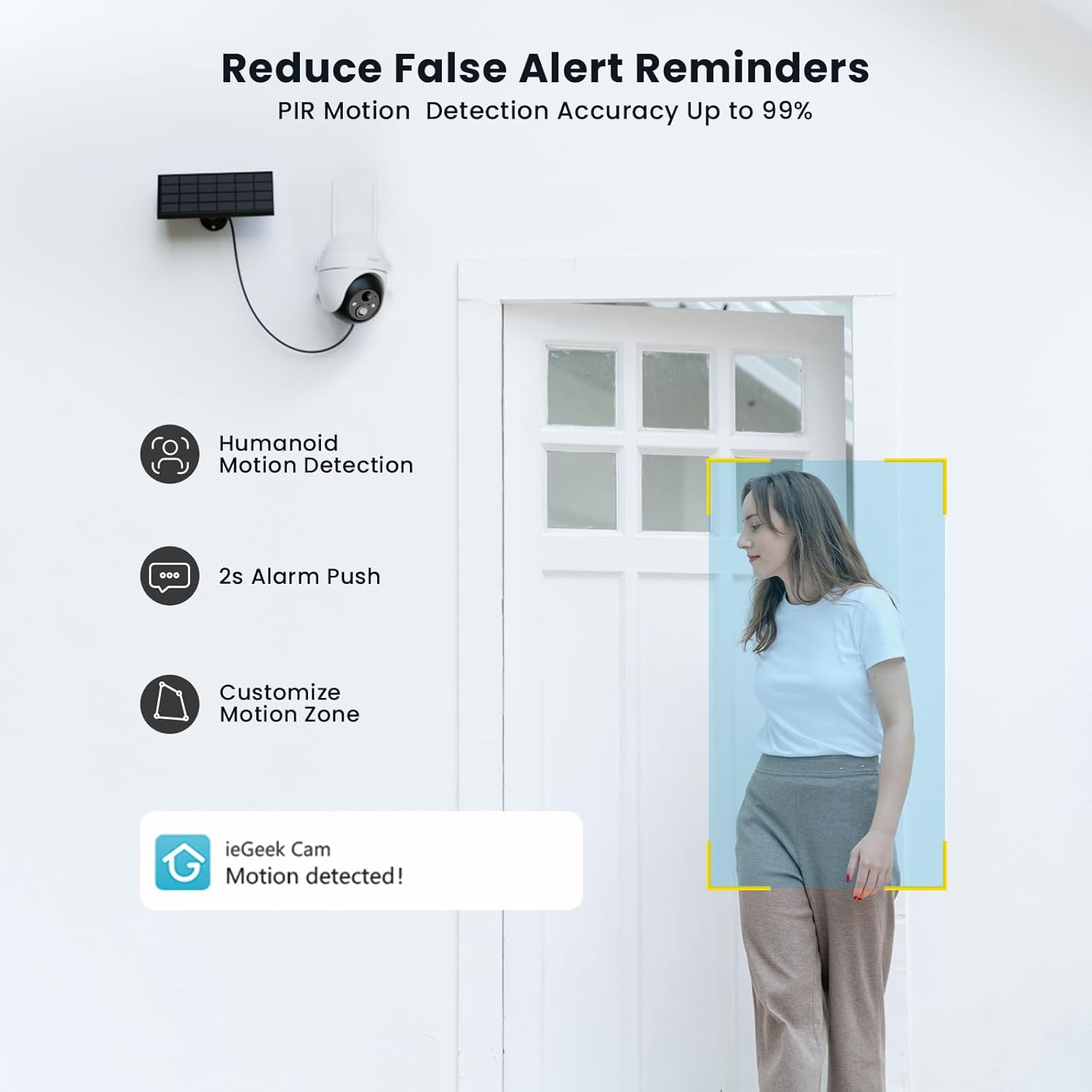
Figure 8: PIR Humanoid Motion Detection.
4.3 Sain Dwyffordd
Utilize the two-way audio feature to communicate with visitors or deter intruders. Tap the microphone icon in the app to speak, and listen through the camera's speaker.

Ffigur 9: Cyfathrebu sain dwyffordd.
4.4 Dewisiadau Storio
The camera supports local storage via a Micro SD card (up to 128GB, purchased separately) and offers 7 days of free cloud storage. Recorded events can be accessed and reviewed drwy'r ap.

Figure 10: Micro SD card slot for local storage.

Figure 11: Cloud storage options.
5. cynnal
- Glanhewch y lens: Regularly wipe the camera lens with a soft, dry cloth to ensure clear image quality.
- Panel Solar Glân: Cadwch y panel solar yn rhydd o lwch, baw a malurion i wneud y mwyaf o effeithlonrwydd gwefru.
- Gwiriwch lefel y batri: Monitor the battery status via the app and ensure the solar panel receives adequate sunlight.
- Diweddariadau Cadarnwedd: Keep the camera firmware updated through the app for optimal performance and security.
6. Datrys Problemau
| Problem | Achos Posibl | Ateb |
|---|---|---|
| Camera ddim yn cysylltu â Wi-Fi | Incorrect Wi-Fi password; Camera too far from router; Only supports 2.4GHz Wi-Fi. | Verify password; Move camera closer to router or use a Wi-Fi extender; Ensure your router is set to 2.4GHz. |
| Ansawdd delwedd wael | Dirty lens; Low light conditions; Network issues. | Clean the lens; Ensure adequate lighting or rely on color night vision; Check Wi-Fi signal strength. |
| Batri ddim yn codi tâl | Solar panel obstructed or dirty; Insufficient sunlight; Faulty cable. | Clear obstructions and clean solar panel; Relocate panel to receive more direct sunlight; Check cable connections. |
| Dim rhybuddion canfod symudiadau | Motion detection disabled; Incorrect sensitivity settings; App notifications blocked. | Enable motion detection in app; Adjust sensitivity; Check phone notification settings for the 'ieGeek Cam' app. |
7. manylebau
| Nodwedd | Manylyn |
|---|---|
| Enw Model | ieGeek ZS-GX4S |
| Datrysiad | 5 AS |
| Cysylltedd | Di-wifr (Wi-Fi 2.4GHz) |
| Ffynhonnell Pwer | Battery, Solar Power |
| Gallu Batri | 2000 mAh |
| Ystod Tremio/Tilt | Pan 355°, gogwydd 120° |
| Chwyddo Digidol | 4x |
| Gweledigaeth y Nos | Color Night Vision (Infrared) |
| Canfod Cynnig | PIR Canfod Dynol |
| Sain | Sain Dwy Ffordd |
| Storio | Micro SD (hyd at 128GB), Storio Cwmwl |
| Graddio gwrth-dywydd | IP65 |
| Tymheredd Gweithredu | -20 ° C i 50 ° C |
| Dimensiynau | 18 x 17 x 12 centimetr |
| Deunydd | Plastig |
| Cyd-fynd â | Amazon Alexa |
8. Gwarant a Chefnogaeth
ieGeek is committed to providing reliable products and excellent customer service.
- Gwarant 2 Flwyddyn: Your ieGeek camera is covered by a 2-year warranty from the date of purchase.
- Gwarant Arian yn Ôl 30 Diwrnod: Os nad ydych chi'n fodlon â'ch pryniant, gallwch ei ddychwelyd o fewn 30 diwrnod am ad-daliad llawn.
- Cymorth Technegol Oes: ieGeek offers lifetime technical assistance for all its products.
For support, please contact us via email. Our customer service team is available 24/7 to assist you.

Figure 12: ieGeek Customer Support.