
Rhagymadrodd
This manual provides essential instructions for the proper use, setup, and maintenance of your HOCO X89 Type-C to Lightning Charging Data Cable. Please read this manual thoroughly before using the product to ensure optimal performance and safety.
Cynnyrch Drosview
The HOCO X89 is a high-quality Type-C to Lightning cable designed for efficient charging and data transfer between compatible devices. It features a durable braided wire exterior and aluminum alloy joints for enhanced longevity.
Nodweddion Allweddol:
- Hyd: 1 metr (3.2 troedfedd)
- Pwysau: 26 gram
- Deunydd Allanol: Braided wire for durability and tangle resistance.
- Joint Material: Aluminum alloy for robust connections.
- Cymorth Codi Tâl: Supports Power Delivery (PD) 20W fast charging for compatible Apple devices.
- Cysylltedd: Type-C to Lightning connectors.
Beth sydd yn y blwch:
- 1 x HOCO X89 Type-C to Lightning Charging Data Cable
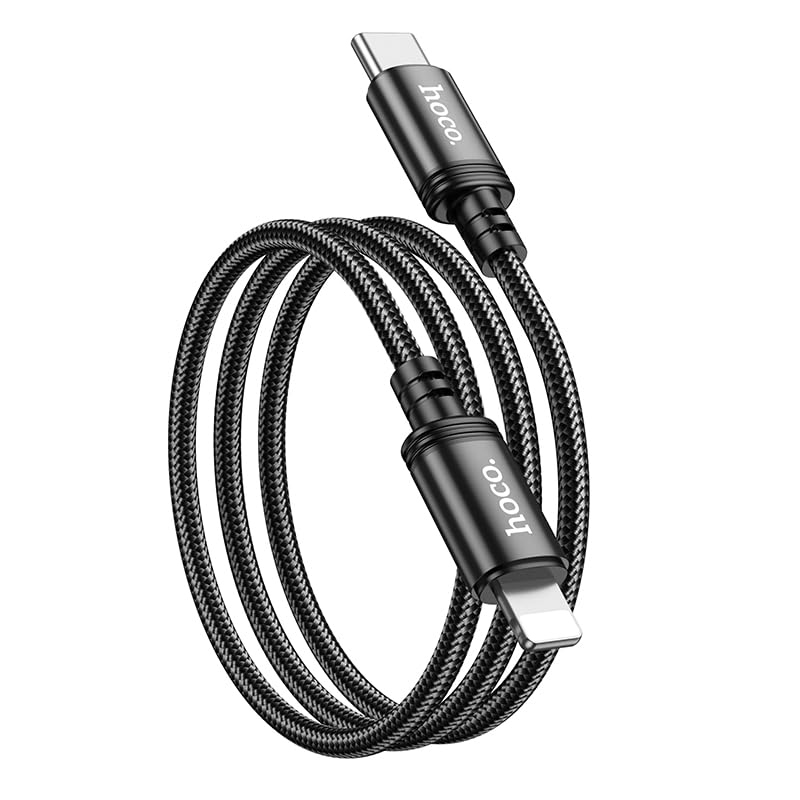
Image: The HOCO X89 cable, coiled, displaying both the Type-C connector and the Lightning connector.
Gosod
The HOCO X89 cable is designed for plug-and-play functionality. No software installation is required.
- Adnabod Cysylltwyr: The cable has two distinct ends: a USB Type-C connector and a Lightning connector.
- Connect to Power Source/Data Port: Insert the USB Type-C end of the cable into a compatible power adapter (e.g., a PD-enabled wall charger) or a device with a Type-C port (e.g., a laptop, power bank).
- Cysylltu â Dyfais: Insert the Lightning end of the cable into the charging/data port of your compatible Apple device (e.g., iPhone, iPad).
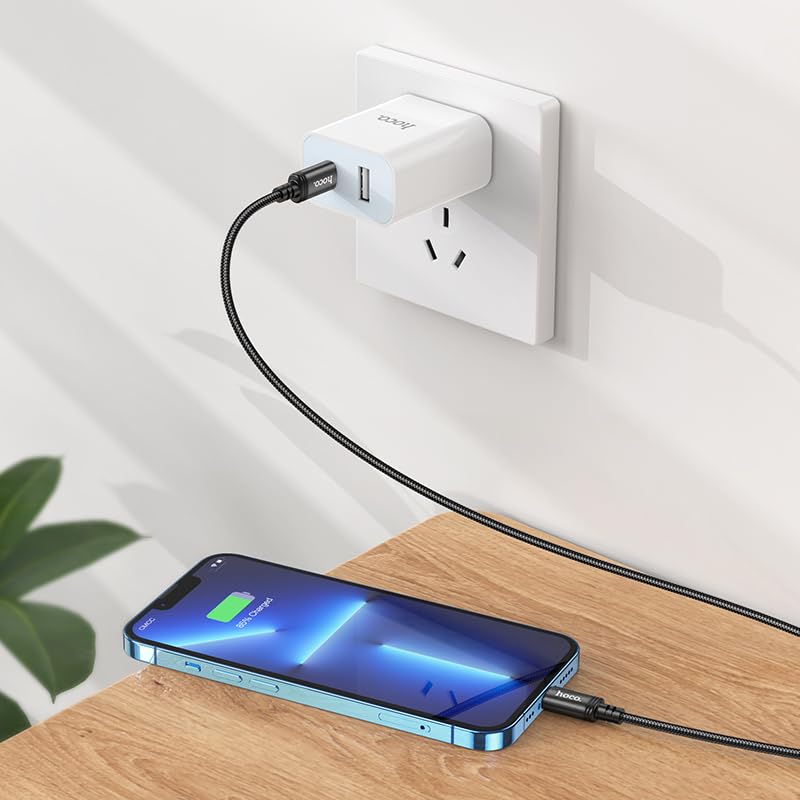
Image: The HOCO X89 cable in use, connecting an iPhone to a wall charger for charging.
Cyfarwyddiadau Gweithredu
Codi Tâl Eich Dyfais:
- Ensure the Type-C end is connected to a power source (wall adapter, power bank, computer). For fast charging, use a Power Delivery (PD) compatible adapter.
- Connect the Lightning end to your Apple device.
- The device should indicate that it is charging. The HOCO X89 supports up to 20W PD charging, allowing for faster charging times on compatible devices.
Trosglwyddo Data:
- Connect the Type-C end to a computer or laptop.
- Connect the Lightning end to your Apple device.
- Your computer should recognize the connected device, allowing you to transfer files, sync data, or perform backups. Follow your device's operating system instructions for data management.
Cynnal a Chadw a Gofal
- Glanhau: Use a soft, dry cloth to wipe the cable and connectors. Avoid using liquids or abrasive cleaners.
- Storio: Storiwch y cebl mewn lle oer, sych i ffwrdd o olau haul uniongyrchol a thymheredd eithafol. Osgowch goilio'r cebl yn dynn neu ei blygu ar onglau miniog i atal difrod mewnol.
- Trin: Always grasp the connector head when plugging or unplugging the cable, rather than pulling on the cable itself.
- Osgoi Difrod: Do not expose the cable to water, excessive force, or sharp objects.
Datrys problemau
- Dyfais Ddim yn Codi Tâl:
- Sicrhewch fod dau ben y cebl wedi'u cysylltu'n ddiogel.
- Verify that the power adapter is functioning correctly and plugged into a live outlet.
- Rhowch gynnig ar addasydd pŵer gwahanol neu borthladd USB.
- Gwiriwch a yw porthladd gwefru eich dyfais yn lân ac yn rhydd o falurion.
- Codi Tâl Araf:
- Ensure you are using a Power Delivery (PD) compatible wall adapter for fast charging.
- Close unnecessary applications on your device.
- Avoid using your device heavily while charging.
- Materion Trosglwyddo Data:
- Ensure the Type-C end is connected to a data-enabled USB port on your computer.
- Restart both your computer and your Apple device.
- Check your device's settings for data transfer permissions.
- Rhowch gynnig ar borth USB gwahanol ar eich cyfrifiadur.
Manylebau
| Enw Model | X89_C To I |
| Brand | HOCO |
| Math o Gysylltydd | USB Type-C to Lightning |
| Math Cebl | Cebl Codi Tâl a Data |
| Hyd | 1 metr (3.2 troedfedd) |
| Pwysau | 26g |
| Deunydd Allanol | Gwifren Plethedig |
| Joint Material | Aloi Alwminiwm |
| Protocol Codi Tâl | Supports Power Delivery (PD) 20W |
| Dyfeisiau Cydnaws | iPhones (6/6S/7/7+/8/8+/10/11/12/13), iPads, and other Apple devices with Lightning port; Laptops and power adapters with Type-C port. |
| Lliw | Du |
Gwybodaeth Diogelwch
- Peidiwch â cheisio dadosod na newid y cebl.
- Cadwch allan o gyrraedd plant.
- Avoid extreme temperatures, humidity, and corrosive environments.
- If the cable appears damaged, discontinue use immediately.
- Use only with compatible and certified power adapters.
Gwarant a Chefnogaeth
For warranty information and customer support, please refer to the product packaging or contact your retailer. HOCO products are designed for reliability and performance.