
Rhagymadrodd
Thank you for choosing the BOROFONE BW41 Wireless Bluetooth Earbuds. These open-ear design earbuds provide a comfortable listening experience with advanced Bluetooth 5.3 technology, touch controls, and a long-lasting battery. This manual will guide you through the setup, operation, and maintenance of your new earbuds.
Cynnwys Pecyn
- BOROFONE BW41 Wireless Bluetooth Earbuds (Left and Right)
- Achos Codi Tâl
- Cebl Codi Tâl USB
- Llawlyfr Defnyddiwr
Cynnyrch Drosview
Familiarize yourself with the components of your BOROFONE BW41 earbuds and charging case.

Delwedd: BOROFONE BW41 Wireless Earbuds in their charging case, showing the LED battery display.
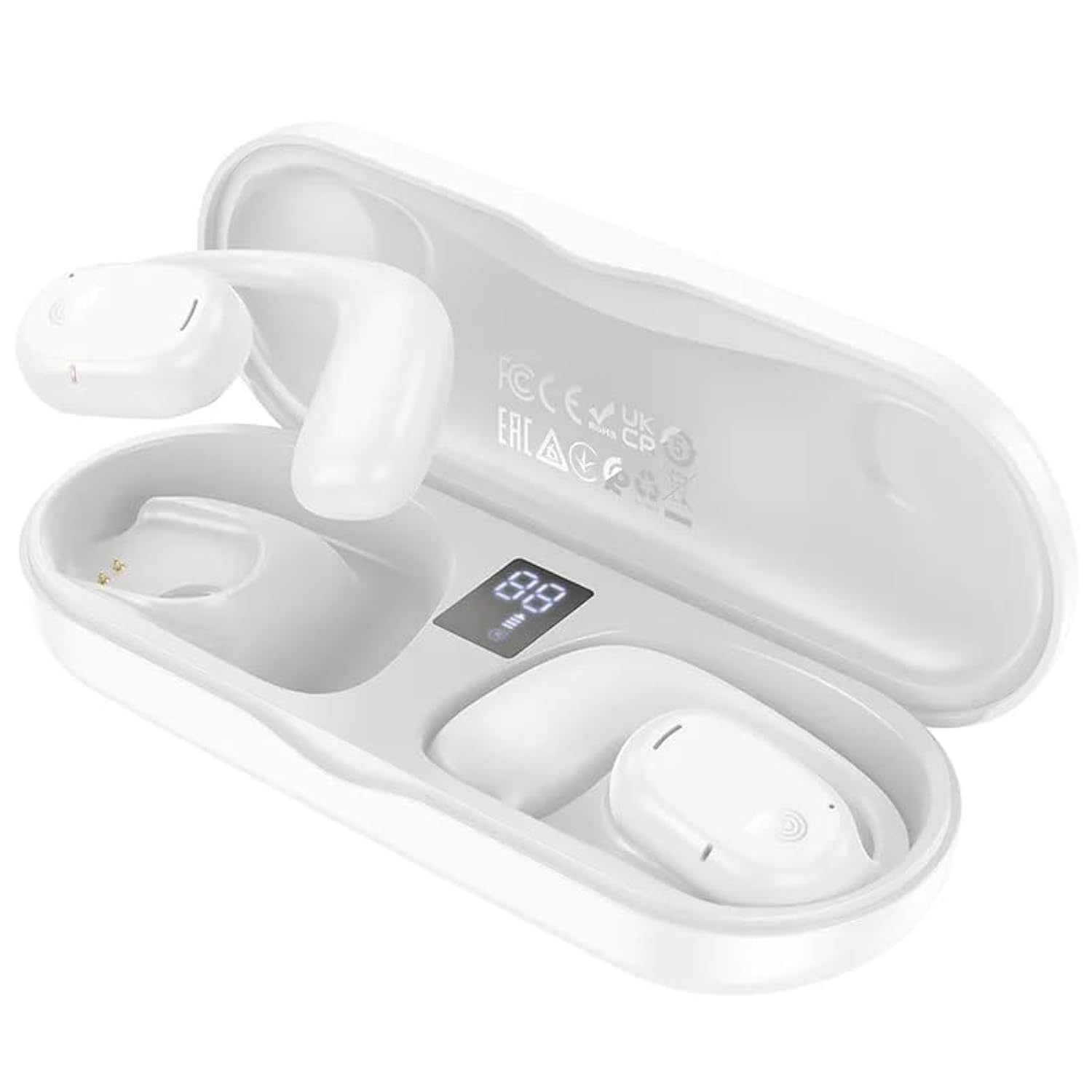
Delwedd: BOROFONE BW41 Wireless Earbud in use, demonstrating the open-ear design.
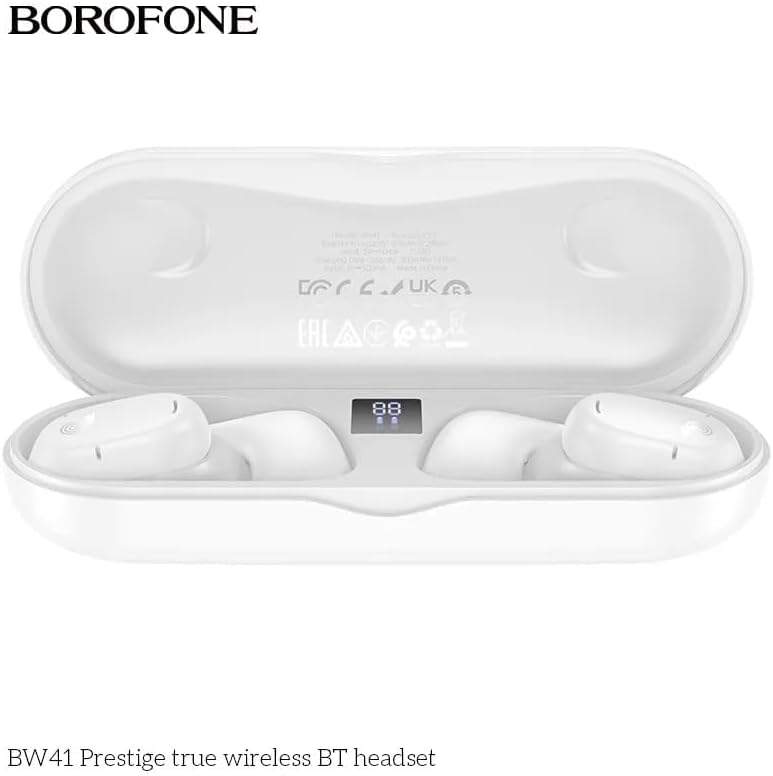
Delwedd: BOROFONE BW41 charging case with earbuds, displaying the LED battery indicator.
Gosod
1. Gwefru'r Clustffonau a'r Cas
Cyn ei ddefnyddio gyntaf, gwefrwch y clustffonau a'r cas gwefru yn llawn.
- Rhowch y clustffonau yn y cas gwefru. Gwnewch yn siŵr eu bod wedi'u gosod yn gywir.
- Connect the USB charging cable to the charging port on the case and to a DC 5V power source (e.g., a USB wall adapter or computer USB port).
- The LED display on the charging case will indicate the charging status. A full charge for both the earbuds and case takes approximately 1.5 hours.
2. Paru gyda Dyfais Bluetooth
I gysylltu eich clustffonau â'ch ffôn clyfar neu ddyfais arall sydd â Bluetooth:
- Agorwch y cas gwefru. Bydd y clustffonau'n troi ymlaen yn awtomatig ac yn mynd i mewn i'r modd paru.
- Ar eich dyfais, ewch i osodiadau Bluetooth a gwnewch yn siŵr bod Bluetooth wedi'i alluogi.
- Chwiliwch am available devices and select "BW41" from the list.
- Ar ôl cysylltu, byddwch yn clywed tôn cadarnhau, a bydd y clustffonau'n barod i'w defnyddio.
- The earbuds support master-slave switching, allowing either earbud to be used independently.
Cyfarwyddiadau Gweithredu
Pŵer Ymlaen / Diffodd
- Pŵer Ymlaen: Open the charging case, or press and hold the touch area on both earbuds for 3 seconds.
- Pwer i ffwrdd: Place the earbuds back into the charging case and close the lid, or press and hold the touch area on both earbuds for 5 seconds.
Rheoli Galwadau
- Ateb / Diwedd Galwad: Tapiwch yr ardal gyffwrdd ar y naill glustffon neu'r llall unwaith.
- Gwrthod Galwad: Pwyswch a daliwch yr ardal gyffwrdd ar y naill glustffon neu'r llall am 2 eiliad.
Chwarae Cerdd
- Chwarae/Seibiant: Tapiwch yr ardal gyffwrdd ar y naill glustffon neu'r llall unwaith.
- Trac Nesaf: Tapiwch driphlyg yr ardal gyffwrdd ar y earbud dde.
- Trac Blaenorol: Tapiwch driphlyg yr ardal gyffwrdd ar y earbud chwith.
- Cyfrol i Fyny: Tapiwch ddwywaith yr ardal gyffwrdd ar y glustffon dde.
- Cyfrol i Lawr: Tapiwch ddwywaith yr ardal gyffwrdd ar y glustffon chwith.
Cynorthwyydd Llais (Siri/Cynorthwyydd Google)
- Ysgogi: Pwyswch a daliwch yr ardal gyffwrdd ar y naill glustffon neu'r llall am 2 eiliad (pan nad ydych ar alwad).
Dangosyddion LED
The charging case features an LED display that shows the battery level of the case and individual earbuds.
Cynnal a chadw
Er mwyn sicrhau hirhoedledd a pherfformiad gorau posibl eich clustffonau:
- Glanhewch y clustffonau a'r cas gwefru yn rheolaidd gyda lliain meddal, sych.
- Ceisiwch osgoi defnyddio glanhawyr neu doddyddion sgraffiniol.
- Cadwch y cysylltiadau gwefru ar y clustffonau a thu mewn i'r cas yn lân ac yn rhydd o falurion.
- Storiwch y clustffonau yn eu cas gwefru pan nad ydynt yn cael eu defnyddio i'w hamddiffyn a chadwch wefr arnynt.
- Osgowch amlygu'r clustffonau i dymheredd, lleithder neu hylifau eithafol.
Datrys problemau
| Mater | Ateb Posibl |
|---|---|
| Clustffonau ddim yn paru | Ensure earbuds are charged. Turn off and on your device's Bluetooth. Forget "BW41" from your device's Bluetooth list and re-pair. |
| Dim sain o glustffonau | Check device volume. Ensure earbuds are connected. Try restarting both earbuds and your device. |
| Achos codi tâl nid codi tâl | Check the charging cable and power adapter. Ensure the cable is securely connected. Try a different cable or power source. |
| Nid yw'r clustffonau'n gwefru rhag ofn | Ensure earbuds are properly seated in the case. Clean the charging contacts on both the earbuds and the case. Ensure the charging case itself has power. |
Manylebau
- Fersiwn Bluetooth: V5.3 (Jerry AC6973 chip)
- Protocolau â Chefnogaeth: Headset, Hands-Free, A2DP, Avrcp
- Ystod Trosglwyddo: Hyd at 10 metr
- Amlder Trosglwyddo: 2.4GHz
- Maint Siaradwr: 16mm
- rhwystriant: 20Ω ± 15%
- Ymateb Amlder: 20Hz - 20000Hz
- Sensitifrwydd: 98dB ±3dB
- Codi Tâl Voltage: DC 5V
- Amser Codi Tâl Earbud: Tua 1.5 awr
- Amser Codi Tâl Achos Codi Tâl: Tua 1.5 awr
- Cynhwysedd Batri Earbud: 80mAh (yr un)
- Capasiti Batri Achos Codi Tâl: 300mAh
- Amser Siarad: Hyd at 10 awr
- Amser Chwarae Cerddoriaeth: Hyd at 10 awr
- Amser wrth gefn: Hyd at 200 awr
- Dimensiynau Cynnyrch: 134 x 50 x 30 mm
- Pwysau Net Cynnyrch: 95g
- Single Earbud Net Weight: 10.5g
Gwarant a Chefnogaeth
BOROFONE products are designed and manufactured to the highest quality standards. For warranty information or technical support, please refer to the warranty card included in your package or visit the official BOROFONE websafle. Cadwch eich prawf prynu ar gyfer unrhyw hawliadau gwarant.