
1. Rhagymadrodd
This manual provides essential information for the proper setup, operation, and maintenance of your HAYEAR HY-900B USB3.0 Digital Microscope Camera. This 8-megapixel camera is designed for various applications including industrial vision, visual inspection, and integration with microscopes and astronomical telescopes. It offers high-speed video transmission and compatibility with multiple operating systems.
2. Cynnwys Pecyn
Gwiriwch fod yr holl eitemau a restrir isod wedi'u cynnwys yn eich pecyn:
- 1 x HAYEAR HY-900B USB3.0 Digital Microscope Camera
- 1 x Cebl USB3.0
- 1 x Software Disk
3. Cynnyrch Drosview
The HAYEAR HY-900B is a compact and versatile digital microscope camera. Familiarize yourself with its components:
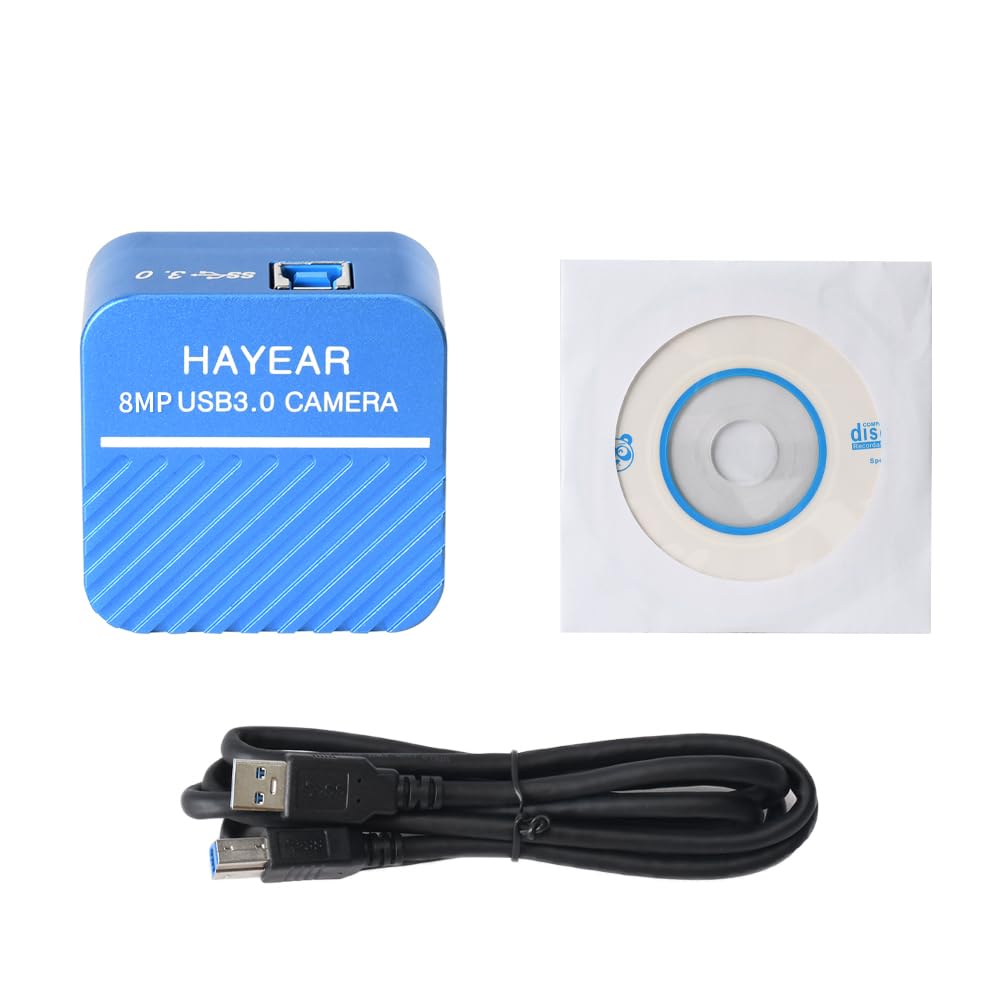
Ffigur 3.1: Blaen view of the HAYEAR HY-900B camera, showing the brand and 8MP USB3.0 Camera label.
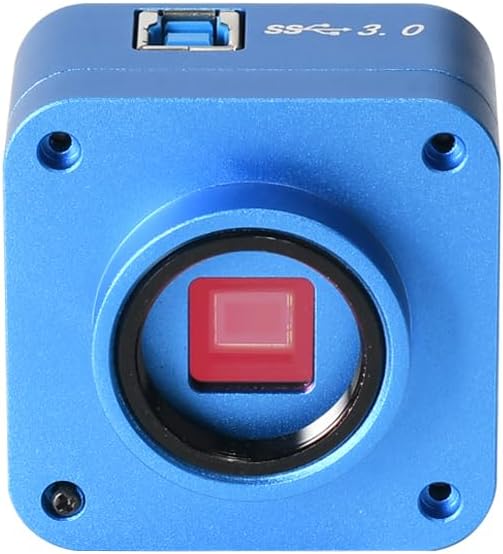
Ffigur 3.2: Blaen view of the camera, highlighting the C-mount lens interface and the sensor.

Ffigur 3.3: Brig view of the camera, showing the USB 3.0 port for high-speed data transfer.

Ffigur 3.4: Ongl view of the camera with the USB 3.0 cable connected, demonstrating its compact form factor.
4. Cyfarwyddiadau Gosod
Follow these steps to set up your HAYEAR HY-900B camera:
- Cysylltwch y Camera: Connect the HAYEAR HY-900B camera to your computer using the provided USB3.0 cable. Ensure it is connected to a USB3.0 port on your PC or laptop for optimal performance and to prevent low power issues.
- Gosod Meddalwedd: Insert the included software disk into your computer's optical drive. Follow the on-screen instructions to install the HAYEAR measurement software. This software is compatible with Windows, Linux, and Mac OS (UVC compatible).
- Gosod Gyrrwr: The camera supports USB Video Class (UVC) protocols, meaning it is generally plug-and-play and does not require separate driver installation on most modern operating systems (WinXP/Win7/Win10/Win11, Linux, Android, MAC-OS X10.4.8 or later).
- Mowntio (Dewisol): The camera features a standard C-mount. It can be directly attached to compatible monocular zoom lenses or, with a CS ring adapter, to stereo trinocular microscopes, FA machine vision lenses, or other 2D/3D monocular lenses.
5. Gweithredu'r Camera
Once the camera is connected and software is installed, you can begin operation:
- Lansio Meddalwedd: Open the HAYEAR measurement software on your computer. The camera's live feed should appear in the software interface.
- Addasu Gosodiadau: The software provides controls for various image parameters, including Exposure, Gamma, Color, Gain, Contrast, and Brightness. Adjust these settings to achieve optimal image quality for your specific application.
- Canolbwyntio: If using with a microscope or lens, adjust the focus mechanism of your optical equipment to bring the specimen into sharp view.
- Ceisiadau: The HY-900B camera is suitable for a wide range of applications, including detailed visual inspection of circuit boards, biological samples, and other microscopic subjects.
Fideo 5.1: Demonstration of the HAYEAR 4K Microscope Camera (HY-900B) in use, showcasing its capabilities for inspecting circuit boards and biological samples under magnification.
6. cynnal
To ensure the longevity and optimal performance of your camera:
- Glanhau: Use a soft, dry cloth to clean the camera body. For the lens and sensor, use specialized optical cleaning solutions and cloths to avoid scratches or damage.
- Storio: Storiwch y camera mewn lle oer, sych i ffwrdd o olau haul uniongyrchol a thymheredd eithafol.
- Trin: Osgowch ollwng y camera neu ei rhoi dan effaith gref.
7. Datrys Problemau
If you encounter issues with your HAYEAR HY-900B camera, refer to the following common solutions:
- Camera Not Detected/Low Power: Ensure the camera is connected to a USB3.0 port on your PC or laptop. USB2.0 ports may not provide sufficient power or data bandwidth, leading to detection issues or poor performance.
- Dim Delwedd/Sgrin Ddu: Verify that the software is correctly installed and launched. Check all cable connections. Ensure the lens cap (if applicable) is removed and any connected microscope or lens is properly configured.
- Ansawdd Delwedd Gwael: Adjust the focus of your optical equipment. Use the software's image settings (Exposure, Gain, Brightness, Contrast) to optimize the image. Ensure adequate lighting for your specimen.
- Meddalwedd Ddim yn Ymateb: Close and restart the software. If the issue persists, restart your computer.
8. manylebau
Technical specifications for the HAYEAR HY-900B USB3.0 Digital Microscope Camera:
| Nodwedd | Manylyn |
|---|---|
| Model | HY-900B USB3.0 Color CMOS USB camera |
| Synhwyrydd | 1/2.5" Color CMOS IMX317 |
| Maint Synhwyrydd | 8.365mm(H) x 6.615mm(V) |
| Maint picsel | 1.62µm(H) x 1.62µm(V) |
| Ymateb Sbectrol | 400nm ~ 700nm |
| Datrysiad | 3840x2160; 2560x1440; 1920x1080 |
| Fformat Delwedd | MJPEG / YUV422 |
| Datrysiad Fideo | 3840x2160 @30fps; 2560x1440 @30fps; 1920x1080 @30fps; 1280x720 @30fps; 1024x576 @30fps; 640x480 @30fps; 640x360 @30fps |
| Ystod Deinamig | dB (Linear) - dB (HDR) |
| Balans Gwyn | Auto/Llawlyfr |
| Allbwn Delwedd | USB3.0, 5Gbit/s |
| Swyddogaethau | Exposure, Gamma, Color, Gain, Contrast, Brightness |
| Protocolau | Dosbarth Fideo USB (UVC) |
| Cymorth System | WinXP/Win7/Win10/Win11; Linux / Android (compatible UVC), MAC-OS X10.4.8 or latest (compatible UVC) |
| Dulliau Saethu | Awtomatig |
| Math o Reoli Amlygiad | Llawlyfr, Awtomatig |
| Datrysiad Dal Fideo | 2160p |
| Math Cyfryngau | USB |
| Lefel Gwrthsefyll Dŵr | Ddim yn Wrthsefyll Dŵr |
| Fformat Dal Fideo | MJPEG |
| Datrysiad llonydd effeithiol | 8294400 picsel |
| Viewdarganfyddwr Math | LCD screen (via connected device) |
| Dyfeisiau Cydnaws | Gliniadur, Cyfrifiadur Personol |
| Ystod ISO | 100-3200 |
| Recordio Sain | Nac ydw |
| Cymhareb Agwedd | 16:9 |
| Math o Ffocws | Autofocus or Manual Focus (depending on connected lens) |
| Ffocws awtomatig | Yes (depending on connected lens) |
| Math Flash | Internal (if applicable, typically for illumination) |
| Gwneuthurwr | HAYEAR |
| Pwysau Eitem | 1 Cilogram |
9. Gwarant a Chefnogaeth
Gwarant: The HAYEAR HY-900B USB3.0 Digital Microscope Camera comes with a 1-year manufacturer's warranty.
Cefnogaeth: For any questions, feedback, or technical assistance, please contact HAYEAR customer support. Your inquiries are welcome.