
Rhagymadrodd
This user manual provides comprehensive instructions for the HETP 5200mAh PD USB C Portable Power Bank. This compact and convenient power bank is designed to provide emergency power for your USB-C compatible devices, including iPhone 15/16 series, Samsung Galaxy, Google Pixel, LG, and Moto phones, as well as other USB-C charging port devices like the Nintendo Switch.

Image: Two HETP 5200mAh portable power banks, one pink and one blue, featuring their built-in USB-C connectors and digital percentage arddangosfeydd.
Beth Sydd yn y Bocs
Wrth agor eich pecyn, gwiriwch fod yr holl gydrannau yn bresennol:
- 2 x HETP USB-C Portable Power Bank (5200mAh)
- 2 x Cebl Codi Tâl USB-C
- 1 x Llawlyfr Defnyddiwr (y ddogfen hon)

Image: The contents of the product package, including two portable power banks, two USB-C charging cables, and the user manual.
Gosod
1. Gwefru Cychwynnol y Banc Pŵer
Before first use, it is recommended to fully charge your HETP Portable Power Bank. Use the provided USB-C charging cable and connect it to the power bank's USB-C input port. Connect the other end of the cable to a compatible USB power adapter (not included).
- The Smart LCD digital display will show the charging progress.
- A full recharge typically takes approximately 2.5-3 hours.

Image: A pink HETP power bank connected to a wall charger via a USB-C cable, illustrating the fast recharging capability. A smartphone in the background shows a full charge.
2. Cysylltu â'ch Dyfais
The HETP Portable Power Bank features a built-in USB-C connector for direct plug-and-play charging. Simply plug the power bank's integrated USB-C connector directly into your compatible device's USB-C charging port.
Important Note on Phone Cases:
This portable USB-C charger is compatible with phone cases that have a thickness of less than 1.7 inches (approximately 4mm) around the charging port. If your phone case exceeds this thickness, you may need to remove your phone case for the USB-C connector to properly plug into the charging slot.

Image: A visual guide demonstrating the maximum phone case thickness (less than 4mm) for proper connection of the power bank's built-in USB-C plug.
Cyfarwyddiadau Gweithredu
1. Checking Battery Percentage
To check the remaining battery percentage of your power bank, simply press the small button located next to the digital display. The LCD screen will illuminate and show the current charge level.
2. Codi Tâl ar Eich Dyfais
Once the power bank is securely connected to your device, charging will typically begin automatically. The power bank's 5200mAh capacity is sufficient to provide at least one full charge for most Android phones, making it ideal for emergency backup power.
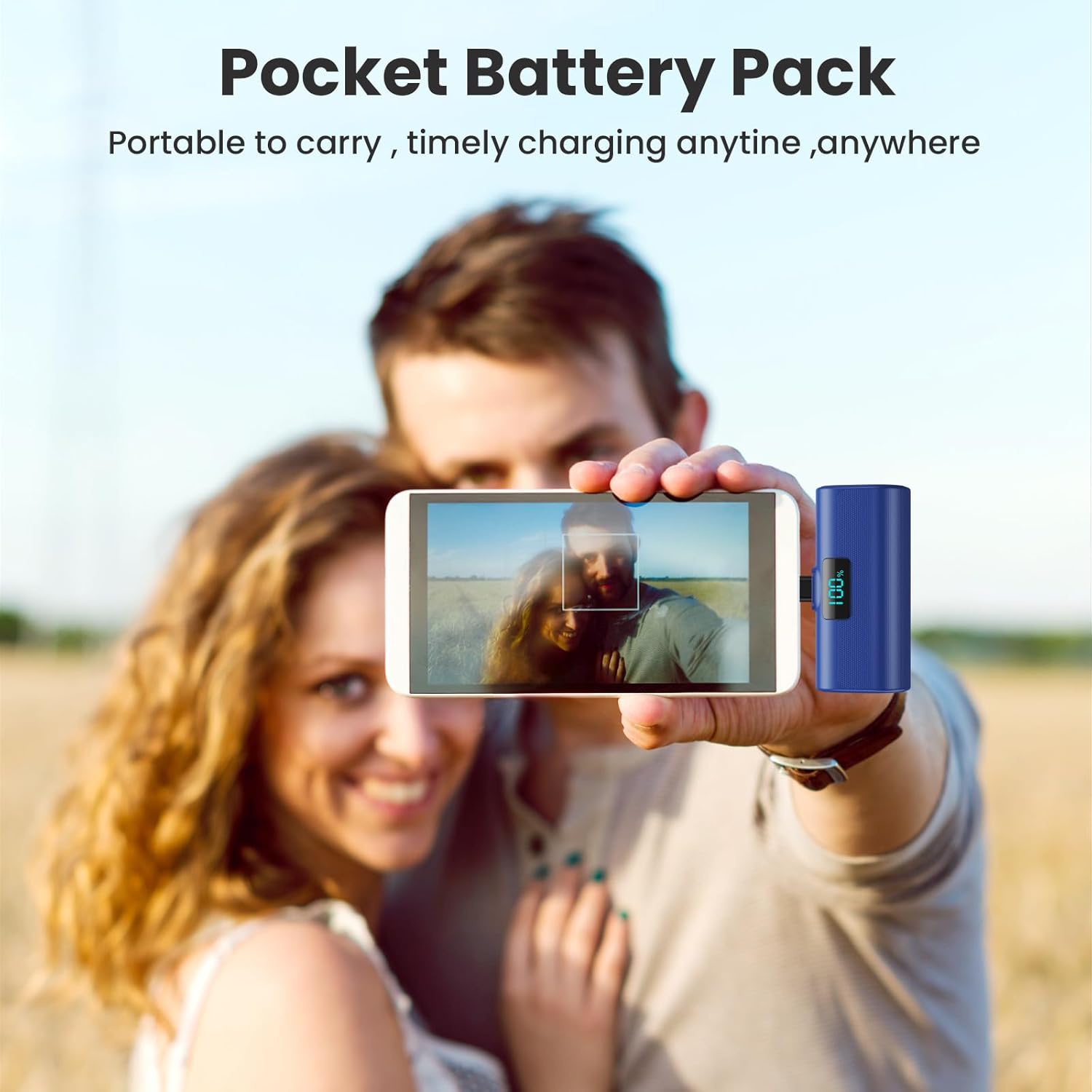
Image: A user holding a blue HETP power bank connected to their smartphone, highlighting its compact size and ease of use for on-the-go charging.
3. Pasio Trwy Dalu
The HETP Portable Power Bank supports pass-through charging. This means you can charge your phone while simultaneously recharging the power bank itself. Connect the power bank to your phone, and then connect the power bank to a power source using a USB-C cable.
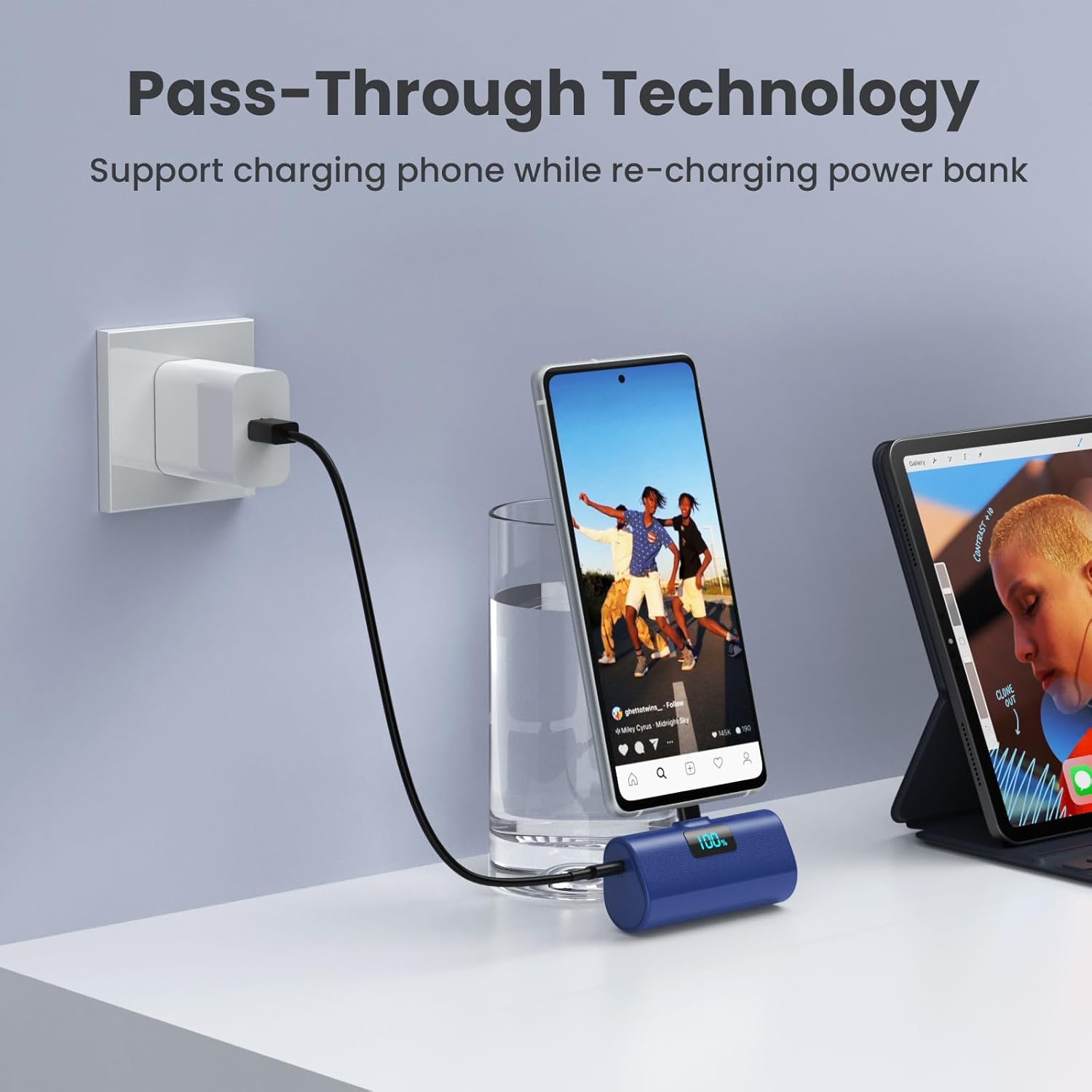
Image: A blue HETP power bank connected to a smartphone, which is simultaneously being charged by a wall adapter, illustrating the pass-through charging feature.
Cynnal a chadw
- Cadwch y banc pŵer i ffwrdd o dymheredd eithafol, golau haul uniongyrchol a lleithder.
- Peidiwch â dadosod na cheisio atgyweirio'r ddyfais eich hun.
- Glanhewch y tu allan gyda lliain meddal, sych. Osgowch ddefnyddio cemegau llym neu ddeunyddiau sgraffiniol.
- Storio mewn lle oer, sych pan nad yw'n cael ei ddefnyddio am gyfnodau estynedig.
Datrys problemau
Banc Pŵer Ddim yn Codi Tâl
- Ensure the USB-C charging cable is securely connected to both the power bank and the power adapter.
- Verify that the power adapter is functioning correctly and connected to a live power outlet.
- Try using a different USB-C charging cable or power adapter.
Dyfais Ddim yn Gwefru o'r Banc Pŵer
- Ensure the power bank's built-in USB-C connector is fully and securely inserted into your device's charging port.
- Check the power bank's battery percentage. If it's low, recharge the power bank.
- If you are using a phone case, ensure its thickness around the charging port is less than 1.7 inches (approx. 4mm). Remove the case if it's too thick.
- Restart your device and try connecting the power bank again.
Codi Tâl Araf
- Ensure both the power bank and your device support PD (Power Delivery) fast charging for optimal speeds.
- Check if the charging cable used for recharging the power bank is a high-quality USB-C cable.

Delwedd: Delwedd fewnol view diagram of the power bank highlighting its multiple safety features, such as temperature protection, short circuit protection, and overcharge protection.
Manylebau
| Nodwedd | Manylyn |
|---|---|
| Rhif Model | HX45X9 |
| Gallu Batri | 5200 Miliamp Oriau (mAh) |
| Math o Gysylltydd | USB Math C (Wedi'i gynnwys) |
| Dimensiynau Cynnyrch | 3 x 1.5 x 1.02 modfedd |
| Pwysau Eitem | 3.49 owns |
| Lliw | Pink+Blue (as per product variant) |
| Nodweddion Arbennig | 2-Pack, Lipstick Size, PD USB C Fast Charging, Pocket Size, Airline Approved Safety Travel |
Gwarant a Chefnogaeth
Your HETP Portable Power Bank comes with a 365-Days replacement warranty and lifetime technical support. For any questions or assistance, please contact our customer support team. Contact information can typically be found on the product packaging or through your purchase platform.