
1. Rhagymadrodd
Diolch am brynuasing the SURFOU Wireless Doorbell. This manual provides detailed instructions for the installation, operation, and maintenance of your new doorbell system. Please read this manual carefully before use and keep it for future reference.

Image 1.1: The SURFOU Wireless Doorbell system, featuring a round plug-in receiver and a rectangular push-button transmitter.
2. Gwybodaeth Diogelwch
- Do not expose the receiver to water or high humidity. The transmitter is IP55 waterproof, but avoid prolonged submersion.
- Peidiwch â cheisio dadosod na thrwsio'r ddyfais eich hun. Cyfeiriwch yr holl waith cynnal a chadw at bersonél cymwys.
- Cadwch y ddyfais i ffwrdd o olau haul uniongyrchol, ffynonellau gwres, a fflam agored.
- Ensure the power outlet for the receiver is easily accessible.
- Gwaredu batris yn iawn yn unol â rheoliadau lleol.
3. Cynnwys Pecyn
Gwiriwch y pecyn am yr eitemau canlynol:
- 1 x Derbynnydd Cloch Drws Di-wifr
- 1 x Wireless Doorbell Transmitter (Push Button)
- 1 x 12V 23A Alkaline Battery (for Transmitter)
- Mounting Hardware (Screws and Wall Plugs)
- Double-sided Adhesive Tape
- Llawlyfr Defnyddiwr
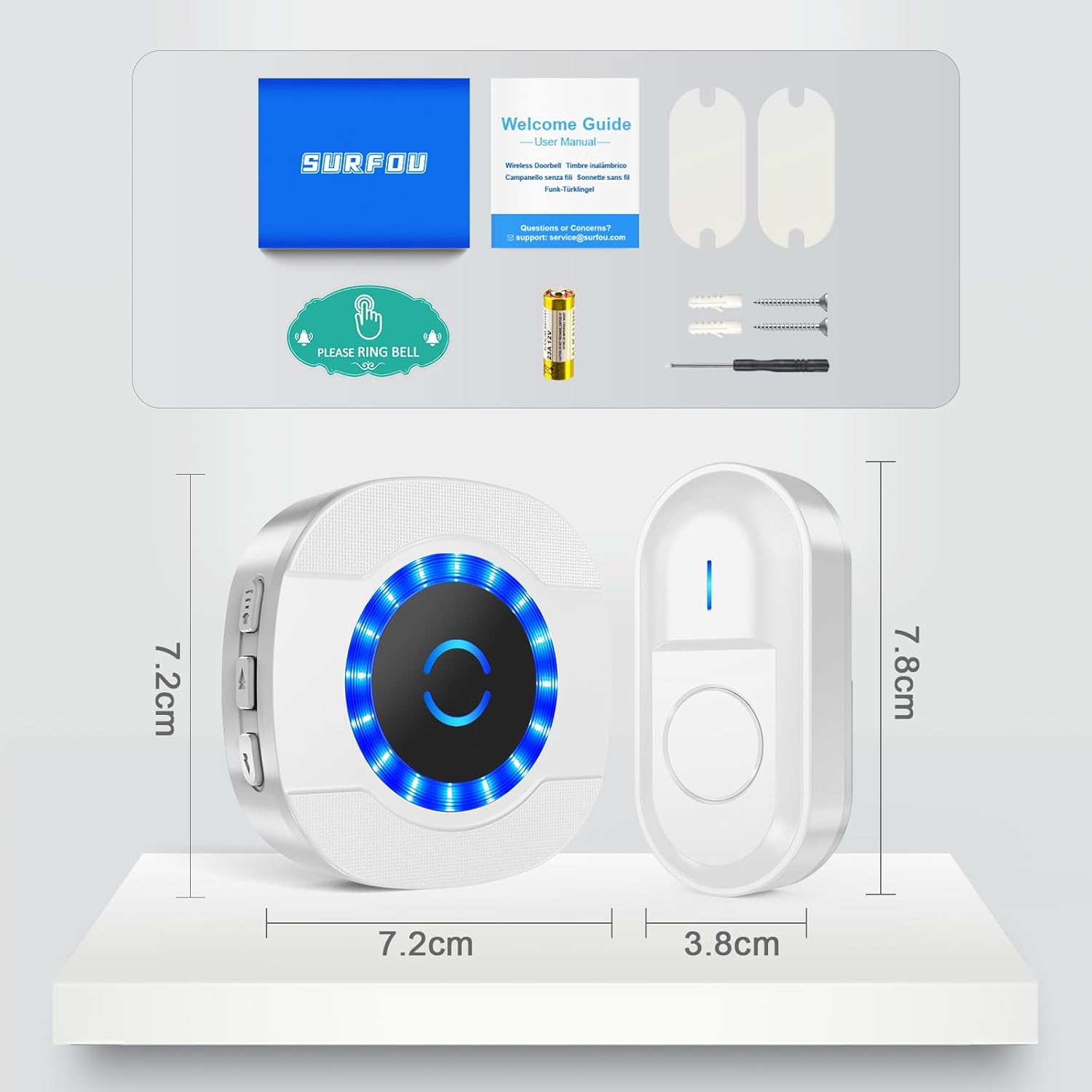
Image 3.1: Contents of the SURFOU Wireless Doorbell package, including the receiver, transmitter, battery, mounting hardware, and user manual.
4. Gosod
4.1. Gosod y Trosglwyddydd
The transmitter can be installed using either the provided screws or double-sided adhesive tape.
- Option 1: Adhesive Tape Installation
- Clean the desired mounting surface thoroughly to ensure it is free of dust and moisture.
- Peel off one side of the double-sided adhesive tape and firmly attach it to the back of the transmitter.
- Peel off the other side of the tape and press the transmitter firmly onto the wall or door frame for at least 30 seconds.
- Option 2: Screw Installation
- Open the back cover of the transmitter.
- Mark the positions for drilling holes on the wall using the transmitter's screw holes as a guide.
- Drill two holes at the marked positions and insert the wall plugs.
- Secure the transmitter's back cover to the wall using the provided screws.
- Snap the front part of the transmitter onto the secured back cover.
4.2. Gosod Derbynnydd
Simply plug the receiver into any standard electrical outlet within range of the transmitter. The receiver will power on and be ready for use.
5. Cyfarwyddiadau Gweithredu
5.1. Newid Melodïau
The doorbell offers 55 different melodies. To change the melody:
- Press the "Music" button (usually indicated by a musical note icon) on the side of the receiver to cycle through the available melodies.
- The receiver will play each melody as you press the button. Stop pressing when you find your desired melody. The system will automatically save your selection.

Image 5.1: Features of the plug-in receiver, highlighting the 55 ringtones, LED indicator, memory function, and 5 volume levels.
5.2. Addasu Cyfrol
The doorbell has 5 adjustable volume levels, up to 110 dB. To adjust the volume:
- Press the "Volume" button (usually indicated by a speaker icon) on the side of the receiver to cycle through the volume levels.
- Each press will decrease or increase the volume. The system will automatically save your preferred volume setting.
5.3. Silent Mode / LED Only Mode
To activate silent mode where only the LED indicator flashes without sound:
- Continue pressing the "Volume" button until the volume reaches its lowest level (0 dB). In this mode, the receiver will only flash its LED light when the doorbell is pressed.
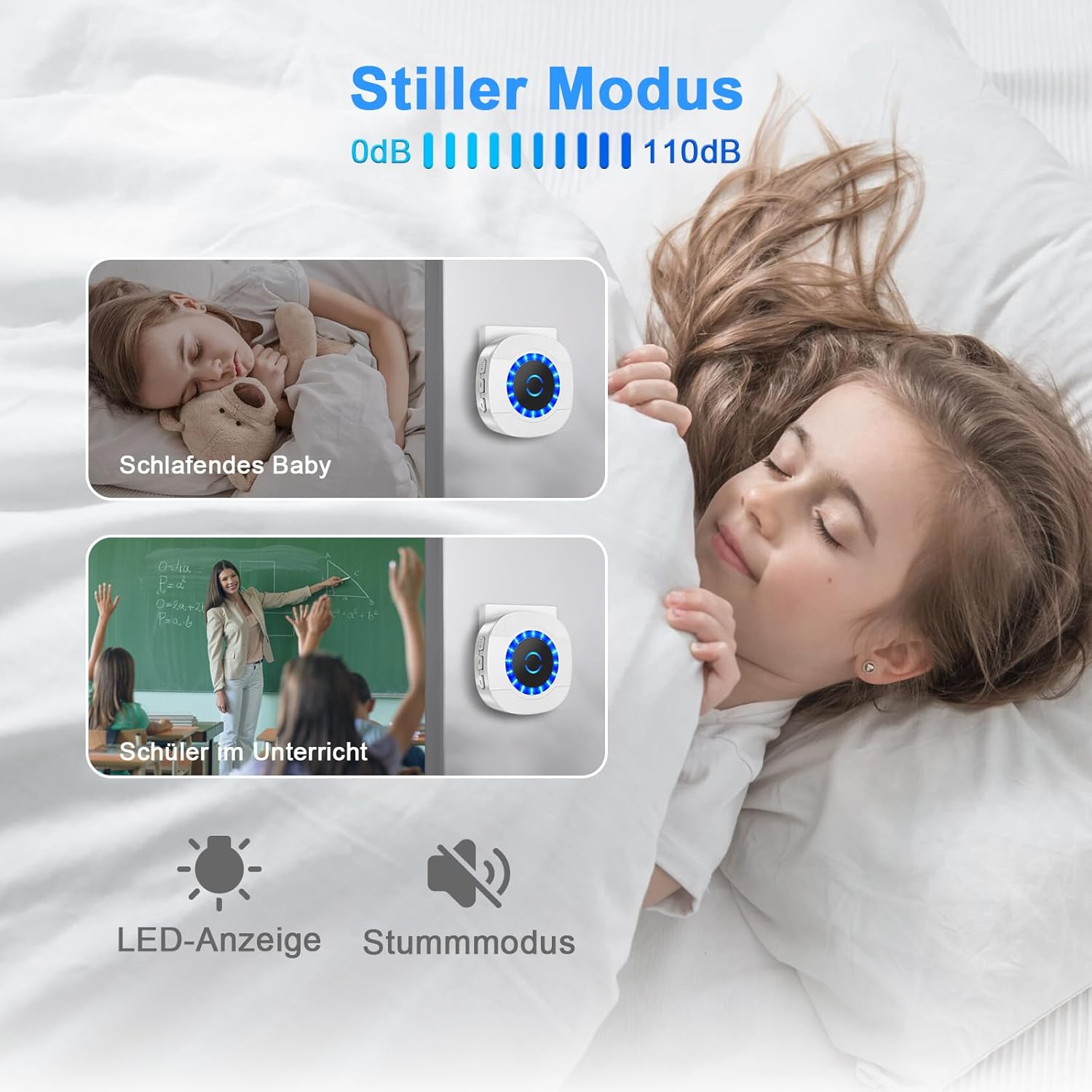
Image 5.2: The silent mode feature, ideal for environments requiring quiet, such as nurseries or study areas, where the LED indicator provides a visual alert.
5.4. Swyddogaeth Cof
The doorbell receiver is equipped with a memory function. Your last selected melody and volume level will be automatically saved, even if the receiver is unplugged or experiences a power outage.
6. cynnal
6.1. Glanhau
Wipe the doorbell units with a soft, dry cloth. Do not use abrasive cleaners or solvents.
6.2. Amnewid Batri (Trosglwyddydd)
The transmitter is powered by a 12V 23A alkaline battery, which typically lasts 1 to 3 years. When the transmitter's LED indicator no longer lights up or the signal becomes weak, it's time to replace the battery.
- Open the back cover of the transmitter.
- Tynnwch yr hen batri.
- Insert a new 12V 23A alkaline battery, ensuring correct polarity (+/-).
- Caewch y clawr cefn yn ddiogel.

Image 6.1: The long battery life of the transmitter, typically lasting 1 to 3 years, minimizing the need for frequent battery changes.
7. Datrys Problemau
| Problem | Achos Posibl | Ateb |
|---|---|---|
| Nid yw'r gloch drws yn canu. | Receiver unplugged or no power. | Ensure receiver is plugged into a working outlet. |
| Mae batri trosglwyddydd wedi marw. | Replace the 12V 23A battery in the transmitter. | |
| Transmitter and receiver are out of range. | Move receiver closer to the transmitter or remove obstructions. | |
| Short range or intermittent signal. | Interference from other wireless devices or thick walls. | Relocate the receiver or transmitter to minimize interference. Avoid placing near large metal objects. |
| Volume is too low or silent. | Volume setting is too low or in silent mode. | Press the "Volume" button on the receiver to increase the volume. |
8. manylebau
- Model: N12
- Brand: SYRFFYDD
- Ystod Diwifr: Hyd at 300m (1000 troedfedd) mewn mannau agored
- Alawon: 55 tonau ffôn y gellir eu dewis
- Lefelau cyfaint: 5 lefel (0dB i 110dB)
- Sgôr dal dŵr trosglwyddydd: IP55
- Tymheredd Gweithredu: -30°C i 70°C (-22°F i 158°F)
- Batri trosglwyddydd: 1 x 12V 23A Alkaline Battery (included)
- Pŵer Derbynnydd: AC 110-240V (Plug-in)
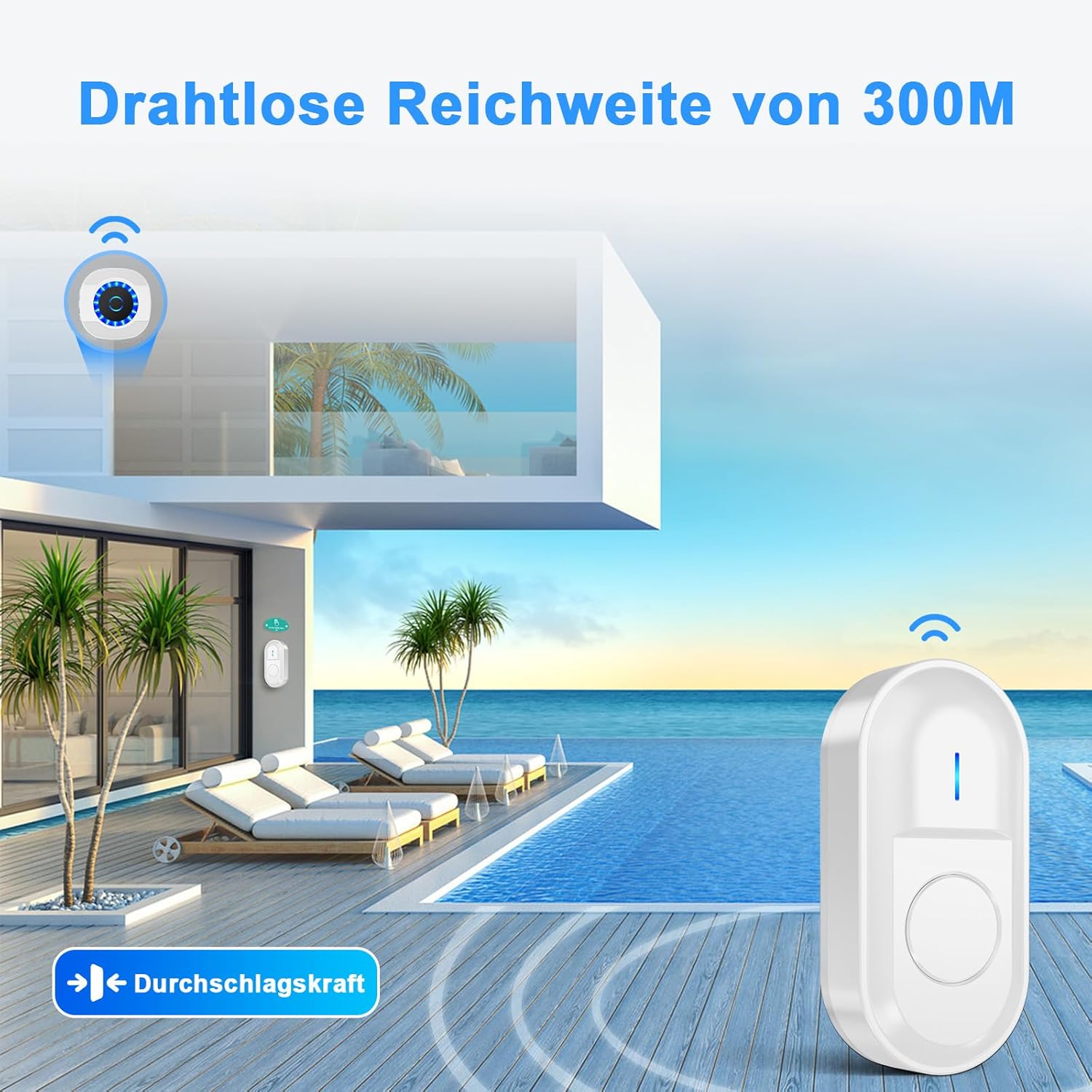
Image 8.1: Illustration of the doorbell's impressive 300-meter wireless range in open spaces.
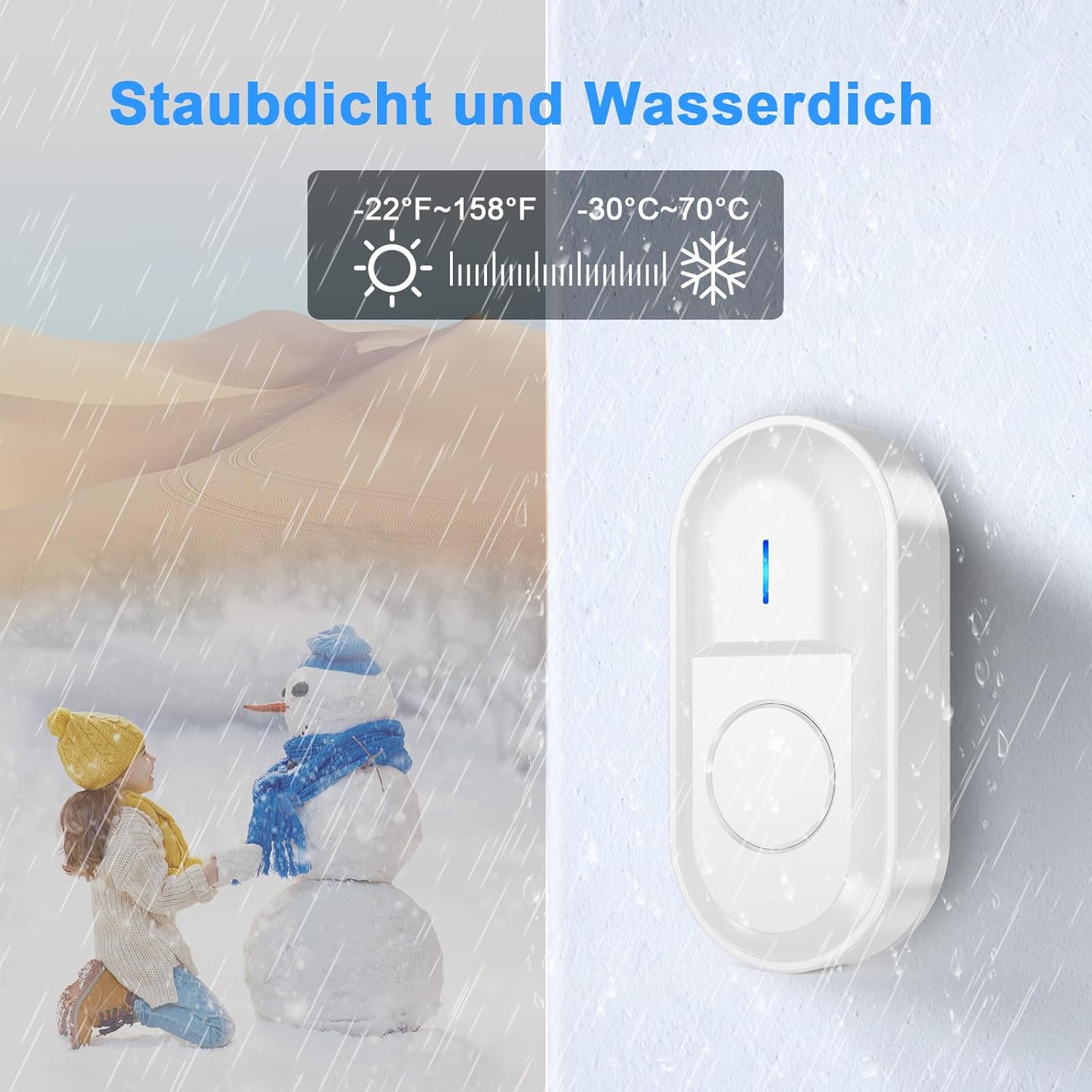
Image 8.2: The doorbell's robust design ensures performance in various weather conditions, being dustproof and waterproof with a wide operating temperature range.
9. Gwarant a Chefnogaeth
SURFOU products come with a standard manufacturer's warranty. For specific warranty details, please refer to the warranty card included in your package or contact SURFOU customer support.
If you encounter any issues or have questions regarding your SURFOU Wireless Doorbell, please contact our customer support team. We are available 24/7 to assist you.
E-bost Cymorth i Gwsmeriaid: support-service@surfou.com


