
1. Rhagymadrodd a Throsoddview
The Buffbee Sound Machine & Alarm Clock is a versatile 2-in-1 device designed to enhance your sleep and wake-up experience. It combines a high-quality sound machine with a precise digital alarm clock, offering a range of features to create a peaceful environment and ensure timely waking.

Image 1.1: The Buffbee device highlighting its dual functionality as a sound machine and an alarm clock.
Nodweddion Allweddol:
- Ymarferoldeb 2-mewn-1: Combines a sound machine and a digital alarm clock in one compact unit.
- 18 Seiniau Lleddfol: Includes 5 white noises, 3 fan sounds, and 10 nature sounds (ocean, lullaby, waves, rain, thunderstorm, stream, croaks, bird chirps, summer night, campfire) to aid sleep and relaxation.
- Disgleirdeb Arddangos Addasadwy: Clock face brightness can be dimmed from 0% to 100% to suit your preference.
- Rheoli Cyfaint Union: Offers 30 levels of volume adjustment for optimal sound output.
- Amserydd Cwsg: Set the sound machine to automatically turn off after 15, 30, 60, 90, or 120 minutes, or allow continuous play.
- Golau Nos 7-Lliw: Features a soothing colored light at the base with 7 color options and ON/OFF functionality.
- Siaradwr o Ansawdd Uchel: Equipped with a 5W speaker for rich, detailed sound.

Delwedd 1.2: Blaen view of the Buffbee Sound Machine & Alarm Clock, displaying the time and the top control panel.
2. Gosod
2.1 Dadbocsio a Chynnwys
Carefully remove the Buffbee Sound Machine & Alarm Clock from its packaging. Verify that all components are present:
- Buffbee Sound Machine & Alarm Clock unit
- Power Adapter (USB cable and wall adapter)
- Llawlyfr Defnyddiwr (y ddogfen hon)
2.2 Cysylltiad Pwer
The device is powered by an electrical cable.
- Insert the small end of the USB power cable into the DC IN port on the back of the Buffbee unit.
- Plug the larger end of the USB cable into the provided wall adapter.
- Plygiwch yr addasydd wal i mewn i soced drydanol safonol.
The device will power on automatically, and the digital display will illuminate.
2.3 Gosod yr Amser
Ar ôl ei droi ymlaen am y tro cyntaf neu ar ôl i'r pŵer ddiffoddtage, you may need to set the correct time.
- Pwyswch a dal y Gosod Amser button (usually indicated by a clock icon) on the top panel until the hour digits begin to flash.
- Defnyddiwch y +/- buttons (or arrow buttons) to adjust the hour.
- Gwasgwch y Gosod Amser button again to switch to minute adjustment.
- Defnyddiwch y +/- botymau i addasu'r cofnodion.
- Gwasgwch y Gosod Amser botwm unwaith eto i gadarnhau ac ymadael â'r modd gosod amser.
3. Cyfarwyddiadau Gweithredu
3.1 Sound Machine Function
The Buffbee Sound Machine offers 18 soothing sounds to help you relax and sleep.

Delwedd 3.1: Mewnol view illustrating the upward-firing speaker for enhanced sound quality.
Chwarae Seiniau:
- Gwasgwch y Modd Sain button (often a music note icon) to cycle through the available sound categories (White Noise, Fan Sounds, Nature Sounds).
- Defnyddiwch y Next/Previous Sound buttons (arrow icons) to select a specific sound within the chosen category.
- The sound will begin playing automatically.
Addasu cyfaint:
The device features 30 levels of precise volume control.
- Gwasgwch y Cyfrol i Fyny (+) or Cyfrol Down (-) buttons to increase or decrease the sound volume.

Image 3.2: Illustration of the auto-off timer and 30-level precise volume control features.
Gosod yr Amserydd Cwsg:
The sleep timer allows the sound machine to turn off automatically after a set duration.
- Gwasgwch y Amserydd button (often an hourglass icon) repeatedly to cycle through the available timer options: 15 minutes, 30 minutes, 60 minutes, 90 minutes, 120 minutes, or continuous play (indicated by 'ON' or no timer display).
- The selected timer duration will be displayed briefly on the screen.
3.2 Swyddogaeth Cloc Larwm
The Buffbee device functions as a digital alarm clock with customizable wake-up sounds.
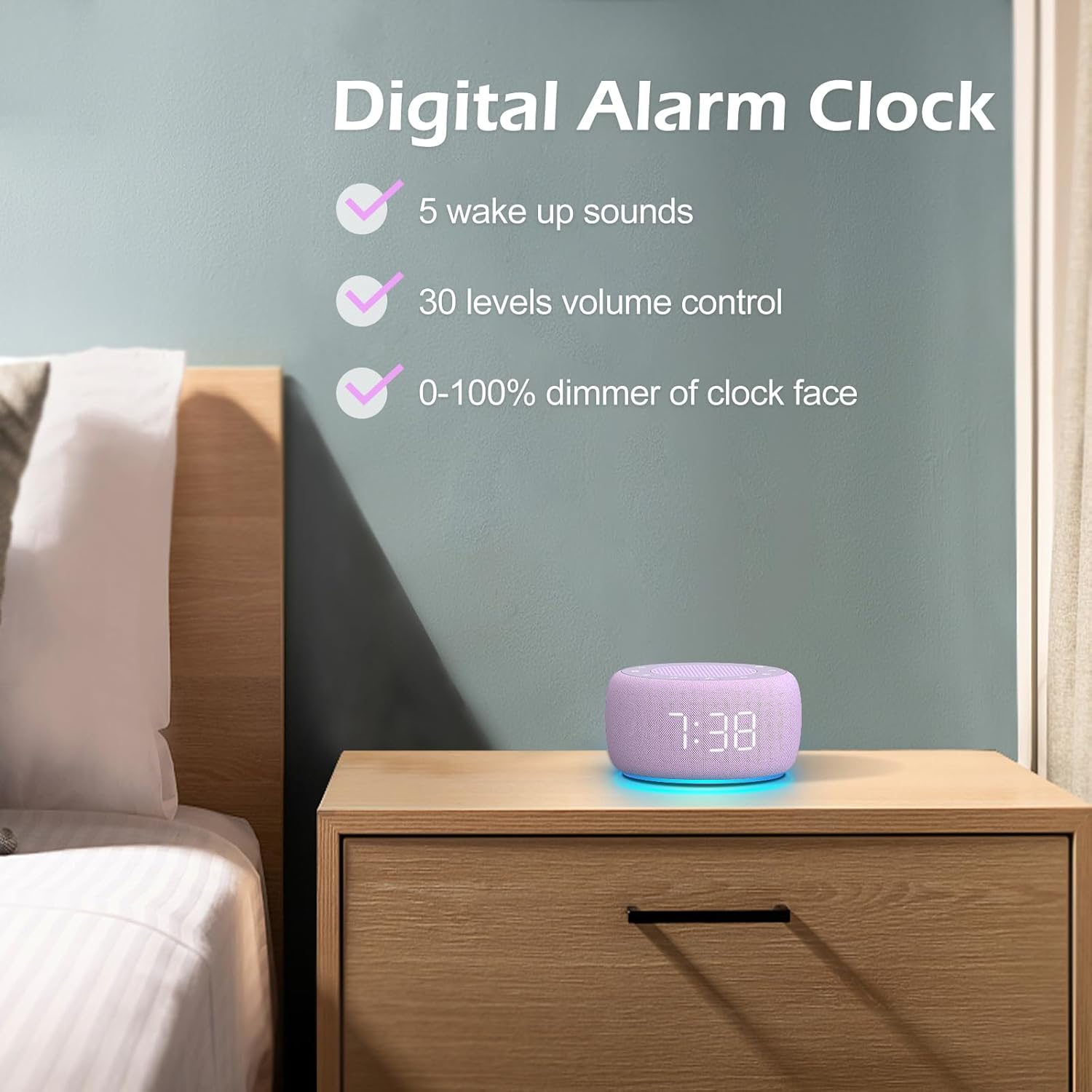
Delwedd 3.3: Drosoddview of the digital alarm clock features, including wake-up sounds, volume control, and display dimmer.
Gosod larwm:
- Pwyswch a dal y Set Larwm button (often an alarm clock icon) until the alarm hour digits begin to flash.
- Defnyddiwch y +/- botymau i addasu'r awr larwm.
- Gwasgwch y Set Larwm button again to switch to minute adjustment.
- Defnyddiwch y +/- botymau i addasu munudau'r larwm.
- Gwasgwch y Set Larwm button one more time to confirm the alarm time.
- After setting the time, you can select the wake-up sound by pressing the Dewis Sain button (if available, or use +/- buttons while alarm sound is flashing). There are 5 wake-up sounds available.
- Gwasgwch y Set Larwm button again to activate the alarm. An alarm icon will appear on the display.
Swyddogaeth Snooze:
Pan fydd y larwm yn swnio, pwyswch y Ailatgoffa button (usually a large button on top or a dedicated snooze icon) to temporarily silence the alarm for a few minutes (typically 9 minutes). The alarm will sound again after the snooze period.
Diffodd y Larwm:
I ddiffodd y larwm yn llwyr, pwyswch y Larwm Ymlaen / Diffodd button (often the same as the Alarm Set button, or a dedicated toggle). The alarm icon will disappear from the display.
3.3 Display & Light Functions
Addasu Disgleirdeb Arddangos:
The digital display brightness can be adjusted from 0% (completely dark) to 100% (brightest).

Image 3.4: Demonstration of the 0-100% display dimmer feature, showing various brightness levels.
- Gwasgwch y pylu button (often a sun icon) repeatedly to cycle through different brightness levels.
- Daliwch y pylu button to smoothly adjust the brightness from 0% to 100% and vice versa. Release the button at your desired brightness.
Defnyddio'r Golau Nos:
The device features a colored night light at its base with 7 color options.

Image 3.5: The Buffbee device showcasing its 7-color night light feature in a bedroom setting.
- Gwasgwch y Ysgafn button (often a light bulb icon) to turn the night light ON.
- Gwasgwch y Ysgafn button repeatedly to cycle through the 7 available colors.
- Gwasgwch y Ysgafn button one more time after cycling through all colors to turn the night light OFF.
4. cynnal
4.1 Glanhau
To maintain the appearance and functionality of your Buffbee device:
- Tynnwch y plwg bob amser o'r ddyfais o'r allfa bŵer cyn glanhau.
- Defnyddiwch frethyn meddal, sych, heb lint i sychu'r arwynebau allanol.
- Peidiwch â defnyddio glanhawyr sgraffiniol, cwyrau na thoddyddion, gan y gall y rhain niweidio'r gorffeniad.
- Osgowch gael lleithder i mewn i unrhyw agoriadau.
4.2 Storio
Pan nad yw'n cael ei ddefnyddio am gyfnodau hir, storiwch y ddyfais mewn lle oer, sych, i ffwrdd o olau haul uniongyrchol a thymheredd eithafol.
4.3 Rhybuddion Diogelwch
Cofiwch gadw at y rhagofalon diogelwch canlynol:
- Nid tegan yw'r cynnyrch hwn. Cadwch allan o gyrraedd plant.
- Handle with care to avoid electric shock. Do not expose the device to water or excessive moisture.
- Use within recommended noise exposure limits to prevent hearing damage.
- Peidiwch â cheisio dadosod na thrwsio'r ddyfais eich hun. Cyfeiriwch yr holl waith cynnal a chadw at bersonél cymwys.
5. Datrys Problemau
If you encounter issues with your Buffbee Sound Machine & Alarm Clock, please refer to the following common problems and solutions:
| Problem | Achos Posibl | Ateb |
|---|---|---|
| Nid yw'r ddyfais yn pweru ymlaen. | Dim cysylltiad pŵer neu addasydd diffygiol. | Ensure the power cable is securely plugged into the device and the wall outlet. Try a different outlet. |
| Dim sain gan y siaradwr. | Mae'r sain yn rhy isel neu wedi'i mudo. Dewiswyd y sain anghywir. | Cynyddwch y cyfaint gan ddefnyddio'r Cyfrol i Fyny (+) button. Ensure a sound is selected and not paused. |
| Nid yw'r larwm yn canu. | Alarm is not set or not activated. Alarm volume is too low. | Verify that the alarm time is set correctly and the alarm icon is displayed. Increase the alarm volume (if separate from main volume). |
| Mae'r arddangosfa'n rhy dywyll neu'n rhy llachar. | Display dimmer setting is incorrect. | Pwyswch neu ddal y pylu button to adjust the brightness to your preference. |
| Nid yw'r golau nos yn gweithio. | Mae golau nos wedi'i ddiffodd. | Gwasgwch y Ysgafn button to turn on and cycle through colors. |
6. manylebau
Detailed technical specifications for the Buffbee Sound Machine & Alarm Clock (Model BK11):
| Nodwedd | Manyleb |
|---|---|
| Brand | BUFFBEE |
| Rhif Model | BK11 |
| Lliw | Fioled |
| Deunydd | Plastig |
| Ffynhonnell Pwer | Trydan Corded |
| Dimensiynau Cynnyrch | 14.3 x 11.2 x 7.7 cm (5.6 x 4.4 x 3.0 modfedd) |
| Pwysau Eitem | 322 gram (0.71 pwys) |
| Allbwn Siaradwr | 5W |
| Dewisiadau Sain | 18 Soothing Sounds (5 White Noise, 3 Fan, 10 Nature) |
| Lefelau Cyfrol | 30 Precise Levels |
| Arddangos Dimmer | 0-100% Adjustable Brightness |
| Lliwiau Golau Nos | 7 Lliw |
| Opsiynau Amserydd Cwsg | 15, 30, 60, 90, 120 minutes, or Continuous Play |
| Wake-up Sounds | 5 Alarm Sounds |
7. Gwarant a Chefnogaeth
7.1 Gwybodaeth Gwarant
This product comes with a standard manufacturer's warranty. Please refer to the product packaging or the seller's website for specific warranty terms and conditions, including duration and coverage details.
7.2 Cefnogaeth i Gwsmeriaid
For any questions, technical assistance, or warranty claims, please contact Buffbee customer support through the retailer's platform or the official Buffbee website. Have your product model number (BK11) and purchase details ready when contacting support.