
Rhagymadrodd
This manual provides instructions for the setup, operation, maintenance, and troubleshooting of your AWOW AiBook 10 detachable 2-in-1 laptop. The AiBook 10 functions as both a tablet and a laptop, featuring a 10.1-inch touchscreen display and running Windows 11. It is equipped with an Intel Celeron N4120 processor, 8GB RAM, and 256GB SSD storage.
Beth Sydd yn y Bocs
Wrth ddadbacio, gwiriwch fod yr holl eitemau yn bresennol:
- AWOW AiBook 10 Detachable 2-in-1 Laptop
- Bysellfwrdd datodadwy
- Power Adapter (AC adapter)
Cynnyrch Drosview
The AWOW AiBook 10 is designed for versatility, allowing seamless transition between tablet and laptop modes. Familiarize yourself with the device's components and ports.

Image: The AWOW AiBook 10 in laptop configuration, showcasing the main unit and attached keyboard.

Delwedd: Manwl view of the AiBook 10, highlighting its dimensions and port locations.
Porthladdoedd a Chysylltwyr:
- Porth USB 3.0: For connecting USB devices such as external storage, mice, or printers.
- Micro HDMI Port: Ar gyfer cysylltu ag arddangosfeydd neu daflunyddion allanol.
- Slot Cerdyn TF: For expanding storage with a microSD card (up to 512GB).
- Jack clustffon (3.5mm): Ar gyfer cysylltu clustffonau neu siaradwyr allanol.
- DC 12V/3A Jack: For connecting the power adapter to charge the device.
Camerâu:
- Camera blaen: 2.0MP, suitable for video calls.
- Camera Cefn: 5.0MP, for capturing photos and videos.

Image: Illustration of the 2MP front camera and 5MP rear camera on the AiBook 10.
Gosod
1. Gwefru Cychwynnol
Before first use, fully charge the AiBook 10. Connect the provided power adapter to the DC 12V/3A jack on the device and plug it into a power outlet. The charging indicator will illuminate.
2. Attaching the Keyboard
Align the magnetic connector of the detachable keyboard with the corresponding port at the bottom edge of the tablet. The keyboard will snap into place magnetically.

Image: The detachable keyboard being connected to the AiBook 10 tablet.
3. Pŵer Ar
Press and hold the power button located on the side of the tablet until the screen illuminates. The device will boot into Windows 11.
4. Initial Windows Setup
Follow the on-screen prompts to complete the Windows 11 setup process. This includes selecting your language, region, connecting to a Wi-Fi network, and creating a user account.
Gweithredu
Switching Between Tablet and Laptop Modes
The AiBook 10 automatically detects the presence of the detachable keyboard. When the keyboard is attached, it functions as a laptop. When detached, it operates as a tablet, and Windows 11 will adjust its interface accordingly.
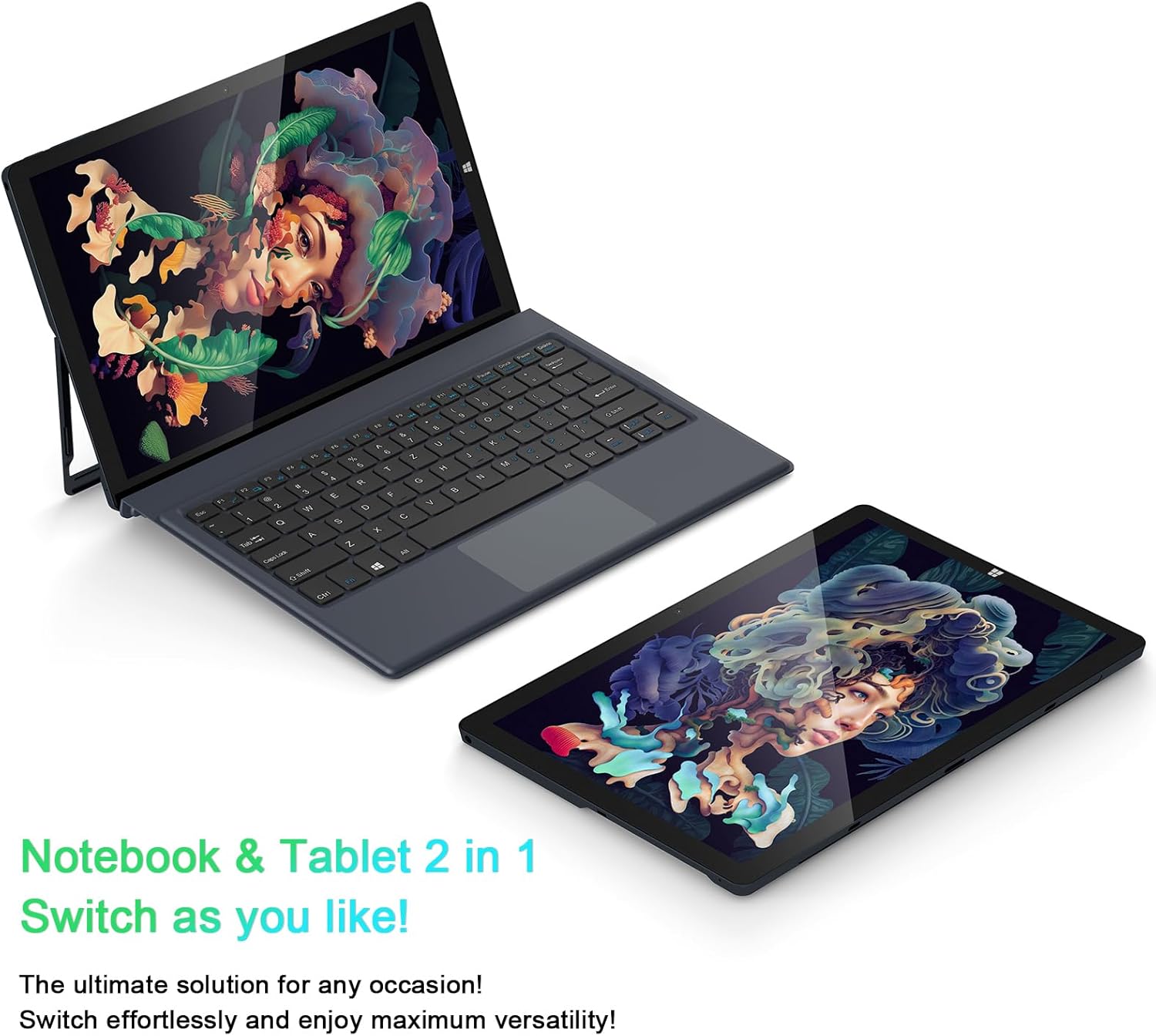
Image: The AiBook 10 displayed in both its laptop and tablet configurations.
Defnyddio'r sgrin gyffwrdd
The 10.1-inch IPS display supports multi-touch gestures. Use your fingers to navigate, tap, swipe, and pinch-to-zoom.
Cysylltu Perifferolion
- Bluetooth: Enable Bluetooth in Windows settings to pair with compatible devices such as headphones, mice, or keyboards. The device supports Bluetooth 4.2.
- Dyfeisiau USB: Plug USB devices into the USB 3.0 port.
- Arddangosfa Allanol: Connect an external monitor using the Micro HDMI port. An appropriate adapter or cable may be required.
Addasu'r Stondin
The integrated stand bracket allows you to adjust the viewing angle of the tablet up to 145 degrees. Carefully extend the stand from the back of the tablet to your desired position.
Cynnal a chadw
Glanhau'r Dyfais
Defnyddiwch frethyn meddal, di-flwff i lanhau'r sgrin a'r arwynebau allanol. Ar gyfer marciau ystyfnig, rhwbiwch ychydigampgolchwch y lliain gyda dŵr neu doddiant glanhau sgrin. Osgowch gemegau llym neu ddeunyddiau sgraffiniol.
Gofal Batri
To prolong battery life, avoid fully discharging the battery frequently. Store the device in a cool, dry place when not in use for extended periods. The device features a 6500mAh Lithium Polymer battery.

Image: Visual representation of the 6500mAh battery capacity.
Diweddariadau Meddalwedd
Regularly check for and install Windows updates to ensure optimal performance and security. Access Windows Update through the Settings menu.
Datrys problemau
This section addresses common issues you might encounter with your AiBook 10.
Nid yw'r Dyfais yn Troi Ymlaen
- Ensure the device is charged. Connect the power adapter and wait a few minutes before attempting to power on again.
- Pwyswch a daliwch y botwm pŵer am 10-15 eiliad i berfformio ailosodiad caled.
Screen Flickering or Display Issues
- Ailgychwyn y ddyfais.
- Check for updated display drivers through Windows Update or the device manufacturer's websafle.
- If connected to an external display, ensure the cable is securely connected.
Keyboard or Touchpad Not Responding
- Ensure the detachable keyboard is securely attached to the tablet.
- Ailgychwyn y ddyfais.
- Check Windows settings for keyboard and touchpad functionality.
Wi-Fi or Bluetooth Connectivity Problems
- Ensure Wi-Fi or Bluetooth is enabled in Windows settings.
- Restart your router/modem for Wi-Fi issues.
- Ar gyfer Bluetooth, ceisiwch ddadbaru ac ail-baru'r ddyfais.
- Check for updated network drivers.
Perfformiad Araf
- Cau cymwysiadau diangen sy'n rhedeg yn y cefndir.
- Sicrhewch fod digon o le storio rhydd ar yr SSD.
- Run a disk cleanup and optimize drives in Windows.
- Chwiliwch am unrhyw ddiweddariadau Windows sydd ar ddod a'u gosod.
Manylebau
| Brand | AWOW |
| Enw Model | AiBook 10 |
| Maint Sgrin | 10.1 modfedd |
| Cydraniad Arddangos | 1280 x 800 Pixels (Full HD IPS) |
| System Weithredu | Windows 11 |
| Model CPU | Intel Celeron N4120 (up to 2.6 GHz) |
| Cof RAM | 8 GB LPDDR4 |
| Maint y ddisg galed | SSD 256 GB (eMMC) |
| Cerdyn Graffeg | Graffeg integredig Intel UHD 600 |
| Cysylltedd | 2.4G+5G WiFi, Bluetooth 4.2, USB 3.0, Micro HDMI |
| Camerâu | Blaen 2.0MP, Cefn 5.0MP |
| Batri | Polymer Lithiwm 6500mAh |
| Pwysau Eitem | 1.4 Pounds (tablet only) |
| Dimensions (L x W x Thickness) | 10.1" x 6.8" x 0.38" (tablet only) |
Gwarant a Chefnogaeth
Gwybodaeth Gwarant
The AWOW AiBook 10 comes with a Gwarant Cyfyngedig 1 FlwyddynCadwch eich prawf prynu ar gyfer hawliadau gwarant. Mae'r warant yn cwmpasu diffygion gweithgynhyrchu o dan amodau defnydd arferol.
Cefnogaeth i Gwsmeriaid
For technical assistance, troubleshooting beyond this manual, or warranty inquiries, please contact AWOW customer support. Refer to the product packaging or the official AWOW websafle am y wybodaeth gyswllt ddiweddaraf.


