
1. Rhagymadrodd
This manual provides detailed instructions for the operation and maintenance of your fojep K9 Pro Bone Conduction Headphones. Please read this manual thoroughly before using the product to ensure proper function and longevity.
The fojep K9 Pro is a versatile audio device featuring bone conduction technology, IP68 waterproofing, Bluetooth connectivity, and an integrated 32GB MP3 player. It is designed for various activities including swimming, running, cycling, and general fitness.
2. Cynnyrch Drosview
The fojep K9 Pro headphones utilize bone conduction to deliver sound, keeping your ears open to ambient sounds. They are designed for comfort and durability in various environments.

Image 2.1: fojep K9 Pro Bone Conduction Headphones. This image shows the headphones partially submerged in water, highlighting their waterproof design. The control buttons are visible on the left side.
2.1 Nodweddion Allweddol
- Technoleg Dargludo Esgyrn: Delivers sound through cheekbones, leaving ear canals open.
- Sgôr gwrth-ddŵr IP68: Suitable for swimming and submersion up to two meters for two hours.
- Built-in 32GB MP3 Player: Store music directly on the device for use without a phone, especially useful for swimming.
- Cysylltedd Bluetooth: Ffrydio sain diwifr o ddyfeisiau cydnaws.
- 7 awr o amser chwarae: Bywyd batri estynedig ar gyfer defnydd hirfaith.
- ENC Noise Canceling Microphone: Yn gwella eglurder galwadau trwy leihau sŵn amgylchynol.
- Dyluniad Cyfforddus a Ysgafn: Ergonomic fit for extended wear during physical activities.
3. Gosod a Defnydd Cychwynnol
3.1 Cynnwys Pecyn
Gwiriwch fod yr holl eitemau yn bresennol yn y pecyn:
- fojep K9 Pro Bone Conduction Headphones
- Cebl Codi Tâl
- Llawlyfr Defnyddiwr (y ddogfen hon)
- Ear Plugs (for use in noisy environments)
3.2 Gwefru'r Clustffonau
- Cysylltwch y cebl gwefru â'r porthladd gwefru ar y clustffonau.
- Cysylltwch ben arall y cebl ag addasydd pŵer USB (heb ei gynnwys) neu borthladd USB cyfrifiadur.
- Bydd y dangosydd LED yn dangos statws gwefru. Mae gwefr lawn fel arfer yn cymryd tua 2 awr.
- Ar ôl ei wefru'n llawn, datgysylltwch y cebl gwefru.
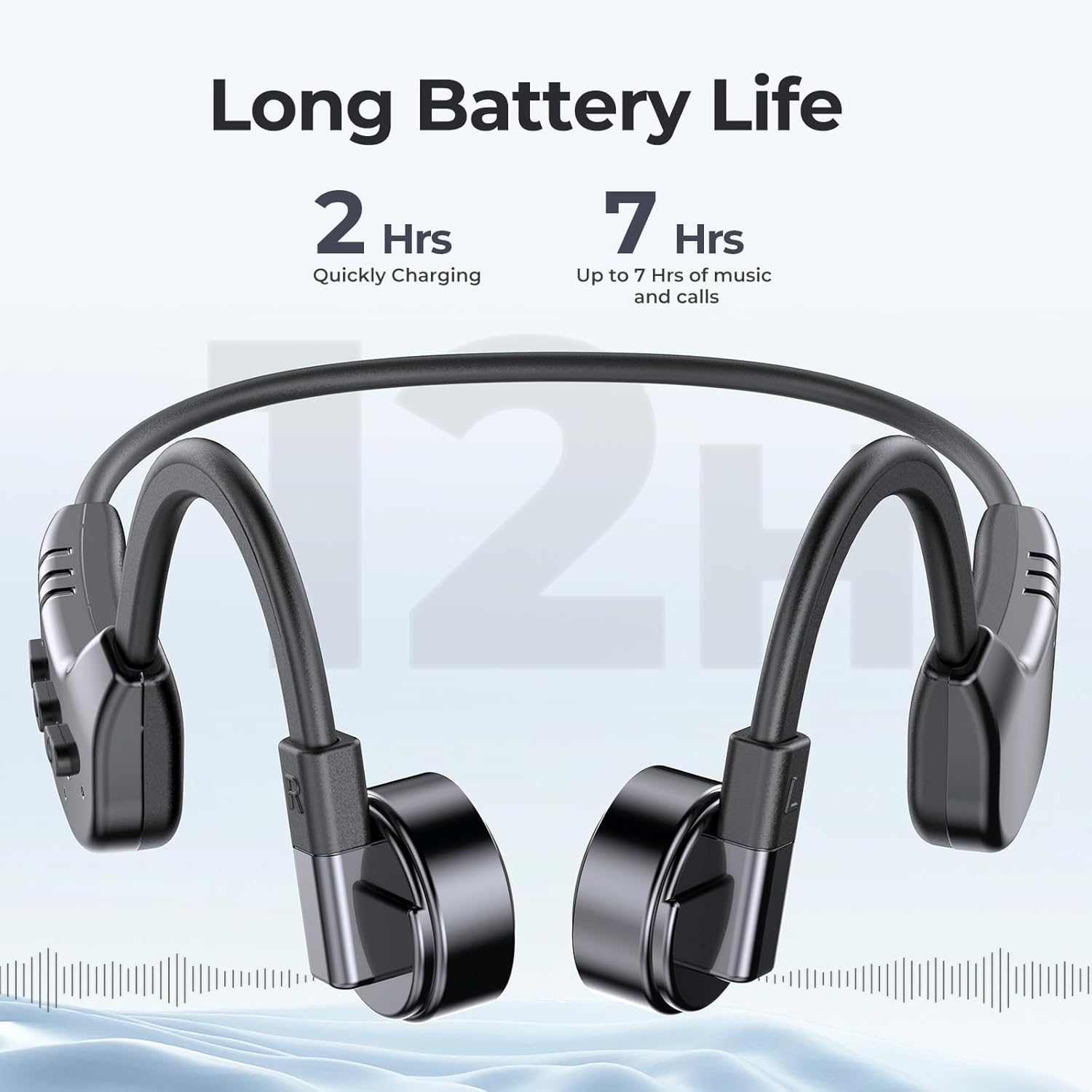
Image 3.1: fojep K9 Pro headphones with battery life indication. This image illustrates the headphones and highlights their quick charging time (2 hours) and extended playtime (7 hours).
3.3 Pweru Ymlaen/Diffodd
- Pŵer Ymlaen: Pwyswch a daliwch y botwm Pŵer nes bod y dangosydd LED yn goleuo.
- Pwer i ffwrdd: Pwyswch a daliwch y botwm Pŵer nes bod y dangosydd LED yn diffodd.
4. Cyfarwyddiadau Gweithredu
4.1 Gwisgo'r Clustffonau
Place the headphones with the transducers resting on your cheekbones, just in front of your ears. The band should wrap around the back of your head.
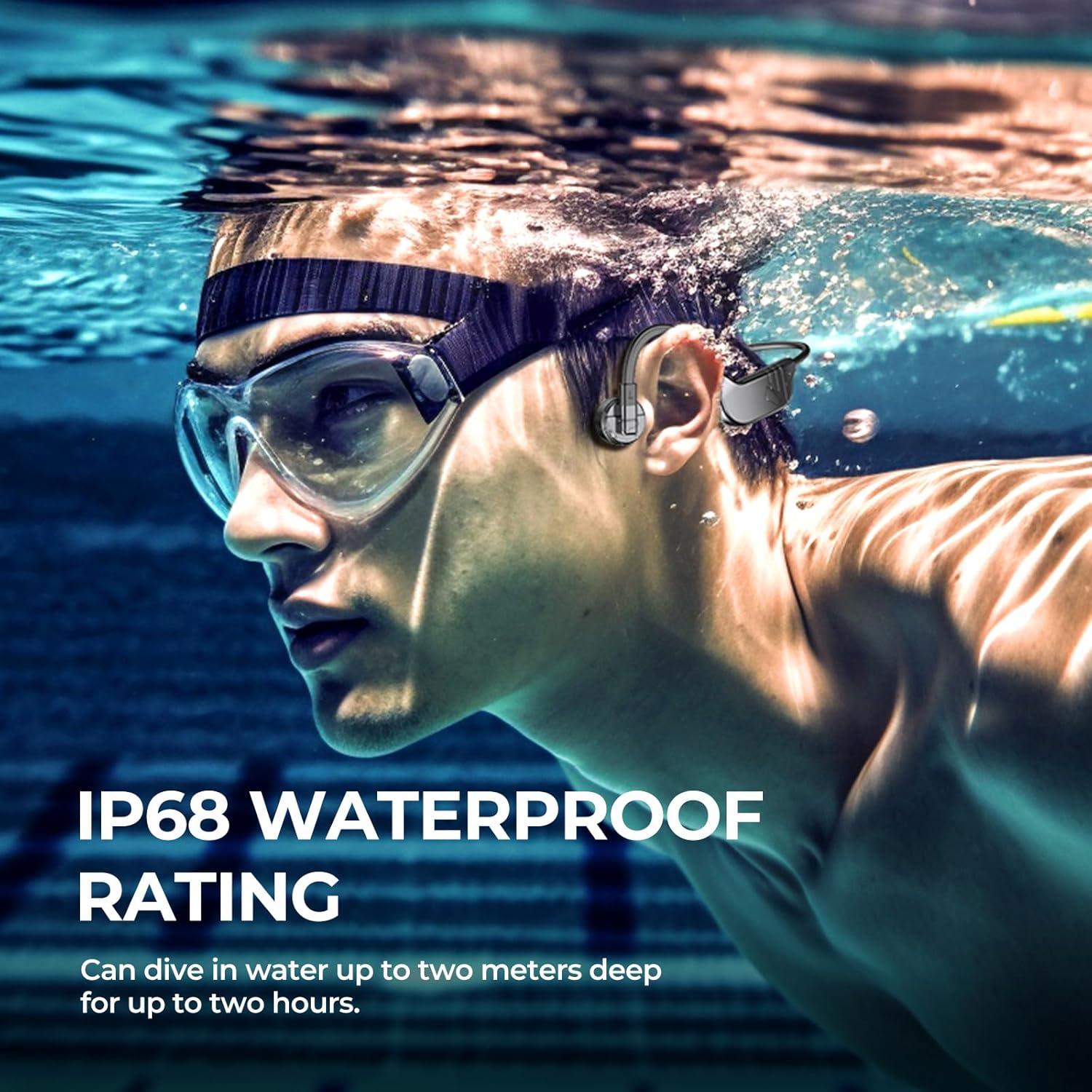
Image 4.1: User wearing fojep K9 Pro headphones during swimming. This image demonstrates the proper placement of the headphones on the head, with the transducers resting on the cheekbones, and highlights the IP68 waterproof rating.
4.2 Modd Bluetooth
- Paru: With the headphones powered off, press and hold the Power button for approximately 5-7 seconds until the LED indicator flashes red and blue, indicating pairing mode.
- On your device (smartphone, tablet, etc.), enable Bluetooth and search for "fojep K9 Pro" (or similar name).
- Select the headphones to connect. The LED indicator will turn solid blue once connected.
- Nodyn: Bluetooth signals may be affected underwater. For swimming, use MP3 mode.
4.3 MP3 Player Mode (Built-in 32GB Memory)
The headphones have a built-in 32GB memory for storing audio files, ideal for activities where Bluetooth connectivity is limited, such as swimming.
- Trosglwyddo Files: Connect the headphones to a computer using the charging cable. The headphones will appear as a removable drive.
- Llusgwch a gollwng eich sain files (e.g., MP3 format) into the headphones' storage folder.
- Safely eject the headphones from your computer.
- Moddau Newid: Refer to the control buttons section for switching between Bluetooth and MP3 modes.

Image 4.2: User enjoying music with fojep K9 Pro headphones, highlighting the 32GB internal storage. This image shows a woman wearing the headphones, emphasizing the convenience of storing music directly on the device.
4.4 Botwm Rheoli
The headphones feature intuitive control buttons for managing playback, volume, and calls.
- Botwm Pŵer: Pŵer ymlaen/diffodd, mynd i mewn i'r modd paru.
- Cyfrol i Fyny (+): Cynyddu'r gyfrol, y trac nesaf (pwyso'n hir).
- Cyfrol i Lawr (-): Gostwng y gyfrol, trac blaenorol (pwyso hir).
- Multi-function Button (often integrated with Power or a dedicated button): Play/Pause, Answer/End Call, Switch between Bluetooth/MP3 mode (specific press sequence may vary, refer to quick start guide if provided separately).

Image 4.3: Close-up of fojep K9 Pro headphone control buttons. This image details the physical buttons on the headphone unit, including power, volume, and potentially a multi-function button.
4.5 Gwneud a Derbyn Galwadau
Pan fyddwch wedi'i gysylltu trwy Bluetooth â ffôn clyfar:
- Ateb Galwad: Pwyswch y botwm Aml-swyddogaeth unwaith.
- Galwad Diwedd: Pwyswch y botwm Aml-swyddogaeth unwaith yn ystod galwad.
- Gwrthod Galwad: Pwyswch a dal y botwm Aml-swyddogaeth am 2 eiliad.
- Cynorthwyydd Llais: Pwyswch y botwm Aml-swyddogaeth ddwywaith (os yw eich dyfais yn ei gefnogi).
5. Cynnal a Chadw a Gofal
- Glanhau: Sychwch y clustffonau gyda meddal, damp brethyn. Peidiwch â defnyddio cemegau llym na glanhawyr sgraffiniol.
- Storio: Storiwch y clustffonau mewn lle oer, sych i ffwrdd o olau haul uniongyrchol a thymheredd eithafol.
- Amlygiad Dŵr: While IP68 rated, it is recommended to rinse the headphones with fresh water after use in chlorinated or saltwater and allow them to dry completely before charging.
- Porth Codi Tâl: Ensure the charging port is dry before connecting the charging cable to prevent damage.
6. Datrys Problemau
| Problem | Ateb Posibl |
|---|---|
| Nid yw clustffonau'n troi ymlaen. | Gwnewch yn siŵr bod y clustffonau wedi'u gwefru'n llawn. Cysylltwch â ffynhonnell bŵer a gwiriwch y dangosydd gwefru. |
| Methu paru drwy Bluetooth. |
|
| Dim sain na chyfaint isel. |
|
| Bluetooth signal drops underwater. | This is expected behavior. Use the built-in MP3 player mode for underwater listening. |
| Cannot transfer MP3 files. |
|
7. manylebau
| Nodwedd | Manylyn |
|---|---|
| Enw Model | K9 Pro |
| Brand | fojep |
| Technoleg Cysylltedd | Diwifr (Bluetooth) |
| Technoleg Cyfathrebu Di-wifr | Bluetooth |
| Lefel Gwrthsefyll Dŵr | IP68 dal dŵr |
| Cof Adeiledig | Chwaraewr MP32 3GB |
| Bywyd Batri | Hyd at 7 awr |
| Amser Codi Tâl | Tua 2 Awr |
| Dull Rheoli | Cyffwrdd, Rheoli Llais |
| Fformat Meicroffon | Built-In with ENC Noise Canceling |
| Lleoliad Clust | Clust Agored |
| Pwysau Eitem | 200 g |
| Deunydd | Plastig |
8. Gwarant a Chefnogaeth
For warranty information and customer support, please refer to the product packaging or contact fojep customer service through their official websafle neu'r manwerthwr lle prynwyd y cynnyrch. Cadwch eich prawf prynu ar gyfer hawliadau gwarant.
Adnoddau Ar-lein: For additional support, FAQs, and product updates, visit the official fojep websafle.
9. Gwybodaeth Diogelwch
- Peidiwch â cheisio dadosod na haddasu'r clustffonau.
- Avoid exposing the headphones to extreme temperatures or direct flame.
- Cadwch allan o gyrraedd plant.
- Defnyddiwch geblau ac addaswyr gwefru cymeradwy yn unig.
- Be aware of your surroundings when using the headphones, especially during outdoor activities, due to the open-ear design.