
1. Cynnyrch Drosview
The HOU Slim Bluetooth Keyboard Case is designed to enhance the functionality and protection of your iPad. It features a minimalist, ultra-thin, and lightweight design, making it ideal for portability. The case is constructed from silicon-containing tech leather, offering wear-resistant and stain-resistant properties. Its magnetic stand provides two ergonomic tilt angles for comfortable typing and viewing.

Image 1.1: HOU Slim Bluetooth Keyboard Case with iPad in open position, showcasing the keyboard and screen.
Nodweddion Allweddol:
- Ultra-Slim & Lightweight: Weighing approximately 434 grams and 0.6 cm thin, designed for easy transport.
- Deunydd Gwydn: Made from PU (with silicon) + synthetic leather for enhanced durability and easy cleaning.
- Magnetic Stand: Offers 115° for typing and 125° for viewing, providing stable support.
- Magnetic Separation: Keyboard and iPad can be easily separated due to dual magnetic points.
- Batri Oes Hir: Yn darparu amser defnydd estynedig.
- Ffit Cywir: Specifically designed for iPad 10th and 11th Generation models.
2. Beth sydd yn y Bocs
Please check the contents of your package upon receipt:
- HOU Slim Bluetooth Keyboard Case
- Cebl Codi Tâl Magnetig
- Llawlyfr Defnyddiwr (y ddogfen hon)
3. Cydweddoldeb
This HOU Slim Bluetooth Keyboard Case is compatible with the following iPad models:
- iPad 10th Generation 10.9 inch (2022 models: A2696/A2757/A2777/A3162)
- iPad 11th Generation 11 inch A16 (2025 models: A3354/A3355/A3356)

Image 3.1: Diagram illustrating the compatible iPad models for the HOU keyboard case.
4. Cyfarwyddiadau Gosod
4.1 Attaching Your iPad to the Case
- Align your compatible iPad with the backplate of the keyboard case.
- The iPad will securely attach to the case via strong magnets. No force or snapping is required.

Image 4.1: A user attaching an iPad to the HOU keyboard case using magnetic attraction.
4.2 Pâr Bluetooth
- Ensure your iPad's Bluetooth is turned on.
- Turn on the HOU keyboard case. The Bluetooth indicator light on the keyboard will begin to flash.
- Ar eich iPad, ewch i Gosodiadau > Bluetooth.
- Select the HOU keyboard from the list of available devices.
- Once paired, the indicator light will stop flashing, and your iPad will show the keyboard as connected.

Image 4.2: An iPad screen displaying the Bluetooth connection status and battery level of the connected keyboard.
4.3 Gwefru'r Bysellfwrdd
Use the provided magnetic charging cable to charge the keyboard. Connect the magnetic end to the keyboard's charging port and the other end to a USB power source. The iPad can display the keyboard's battery level in real-time.

Delwedd 4.3: Llun agos view of the magnetic charging port on the HOU keyboard case.
5. Cyfarwyddiadau Gweithredu
5.1 Addasu'r Viewongl ing
The magnetic stand allows for two primary ergonomic tilt angles:
- Ongl 115°: Suitable for typing and productivity tasks.
- Ongl 125°: Ideal for media consumption, such as watching videos or reading.

Image 5.1: Illustration of the two adjustable viewing angles (115° and 125°) provided by the magnetic stand.
5.2 Using Shortcut Keys
The keyboard features dedicated shortcut keys for quick access to various iPad functions, including:
- Rheoli cyfaint
- Addasiad disgleirdeb
- Swyddogaeth chwilio
- Mynediad sgrin gartref
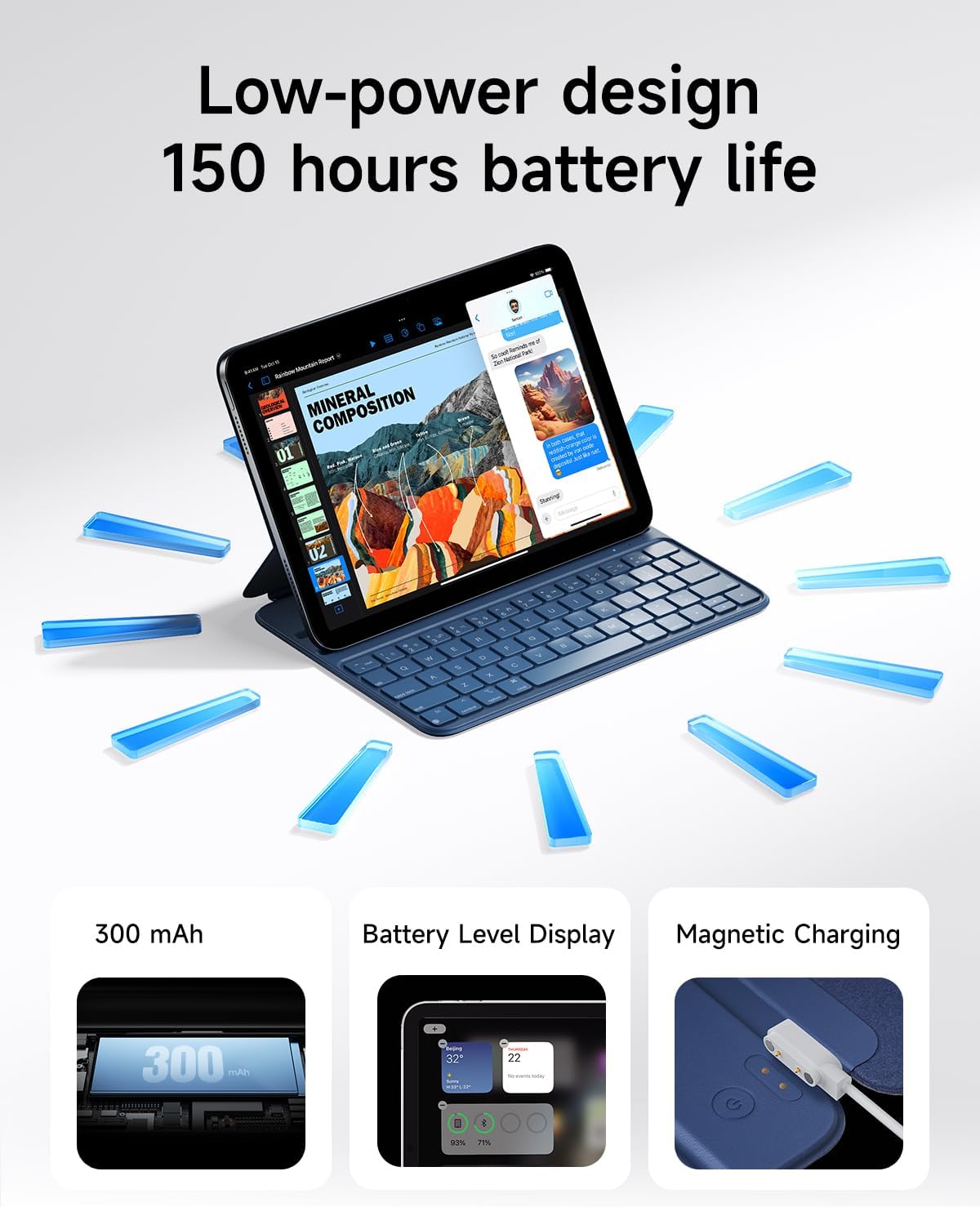
Image 5.2: A close-up of the HOU keyboard highlighting the layout and various shortcut keys.
5.3 Profiad Teipio
The keyboard is designed with flat keycaps and a scissor-switch structure to provide smooth input, quiet operation, and responsive feedback, reducing fatigue during extended typing sessions.
Video 5.3: This video demonstrates the HOU Keyboard Case for iPad, showing its magnetic attachment, comfortable typing experience, and shortcut key functionality.
6. cynnal
6.1 Glanhau'r Cas
The silicon-containing tech leather material is designed to be wear-resistant and stain-resistant. To clean, gently wipe the surface with a soft, damp cloth. For stubborn stains like coffee or ink, a mild soap solution can be used, followed by wiping with a clean, damp brethyn a sychu yn yr awyr.
6.2 Gofal Batri
Er mwyn ymestyn oes y batri, osgoi rhyddhau'r bysellfwrdd yn llwyr yn aml. Gwefrwch y bysellfwrdd yn rheolaidd, yn enwedig os bydd yn cael ei storio am gyfnod hir.
7. Datrys Problemau
7.1 Bysellfwrdd Ddim yn Cysylltu drwy Bluetooth
- Gwirio pŵer: Gwnewch yn siŵr bod y bysellfwrdd wedi'i droi ymlaen a bod ganddo ddigon o wefr batri.
- Atgyweirio Dyfais: On your iPad, forget the device in Bluetooth settings and attempt to pair again.
- Ailgychwyn Dyfeisiau: Turn off and restart both your iPad and the keyboard.
- Agosrwydd: Ensure the keyboard and iPad are within close range during pairing.
7.2 Typing Delay or Unresponsive Keys
- Cysylltiad Bluetooth: Verify a stable Bluetooth connection. Disconnect and reconnect if necessary.
- Lefel Batri: A low battery can affect performance. Charge the keyboard fully.
- Ymyrraeth: Symud i ffwrdd o ddyfeisiau diwifr eraill a allai achosi ymyrraeth.
8. manylebau
| Nodwedd | Manylyn |
|---|---|
| Dimensiynau Cynnyrch | 9.8 x 3.3 x 0.3 modfedd |
| Pwysau Eitem | 1.59 pwys (tua 721 gram) |
| Gwneuthurwr | HOU |
| Rhif Model yr Eitem | A2696/A2777/A2757 |
| Batris | 1 batri Lithiwm Polymer (wedi'i gynnwys) |
| Dyfeisiau Cydnaws | iPad 10th Generation 10.9 inch 2022 & iPad 11th Generation 11 inch A16 2025 |
| Technoleg Cysylltedd | Bluetooth |
| Nodweddion Arbennig | Ergonomic, Hotkeys and Media Keys, Lightweight, PU+ABS, Rechargeable |
| Lliw | Glas |
| Deunydd | Styren Biwtadïen Acrylonitrile (ABS) |
9. Gwarant a Chefnogaeth
HOU provides a 12-month extended after-sales service for this product. For any inquiries or support needs, please contact HOU Store Customer Service. 24/7 online support is available.

Image 9.1: HOU Customer Service information, highlighting 24/7 online support and a 12-month extended after-sales service.
Additionally, a 30-day refund/replacement return policy is available through the retailer.