
1. Rhagymadrodd
The KKnoon TOOLTOP ET618 is a versatile handheld portable cable tester designed for network and electrical professionals. It integrates multiple functions including cable tracing, cable length measurement, Power over Ethernet (PoE) testing, and a full-featured digital multimeter. This manual provides detailed instructions for the safe and effective use of your ET618 device.
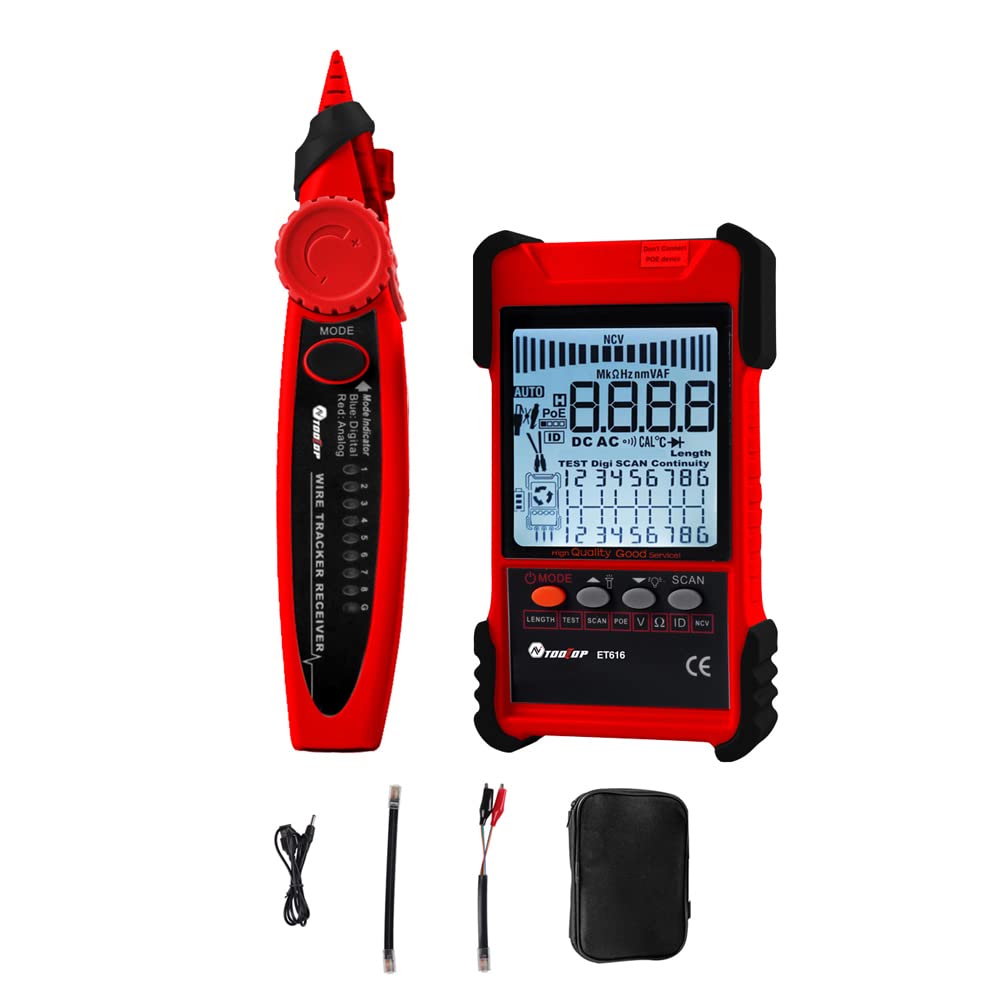
Figure 1: KKnoon TOOLTOP ET618 Handheld Portable Cable Tester (Main Unit and Receiver)
2. Gwybodaeth Diogelwch
Please read and understand all safety warnings and operating instructions before using this product. Failure to follow these instructions may result in electric shock, fire, or serious injury.
- Peidiwch â defnyddio'r ddyfais os yw'n ymddangos ei bod wedi'i difrodi neu os nad yw'n gweithredu'n gywir.
- Always ensure the device is powered off before connecting or disconnecting cables.
- Peidiwch â gwneud y ddyfais yn agored i leithder neu dymheredd eithafol.
- Use only the specified charging cable and accessories.
- Do not attempt to open or repair the device; refer all servicing to qualified personnel.
- Be cautious when working with live circuits, especially during multimeter functions.
3. Cynnwys Pecyn
Gwiriwch fod yr holl eitemau a restrir isod wedi'u cynnwys yn eich pecyn:
- 1 x ET618 Host (Main Unit)
- 1 x Derbynnydd
- 1 x Llawlyfr Defnyddiwr (y ddogfen hon)
- 1 x Clip Line
- 1 x Cebl Rhwydwaith
- 1 x Recharging Line (USB cable)
- 1 x Bag Storio
- 1 x Temperature Probes
- 1 x Multimeter Probes
4. Cynnyrch Drosview
The ET618 combines a cable tester and a digital multimeter into one compact device. It features an LCD display for clear readings and a built-in flashlight for use in low-light conditions.

Figure 2: ET618 Main Unit and Receiver with Dual Flashlight
Nodweddion Allweddol:
- Olrhain cebl: Quickly locate target cables in bundles.
- Cable Length Test: Measure the length of various metal cables up to 500 meters.
- Prawf PoE: Check cable mapping polarity and voltage of PoE network switches.
- Swyddogaethau Amlfesurydd: Measure DC/AC voltage, DC/AC current, resistance, continuity, diode, and temperature.
- Arddangosfa LCD: Large screen for clear data visualization.
- Flashlight: Integrated light for improved visibility in dark environments.
- Sensitifrwydd Addasadwy: Digital tracing sensitivity can be adjusted.
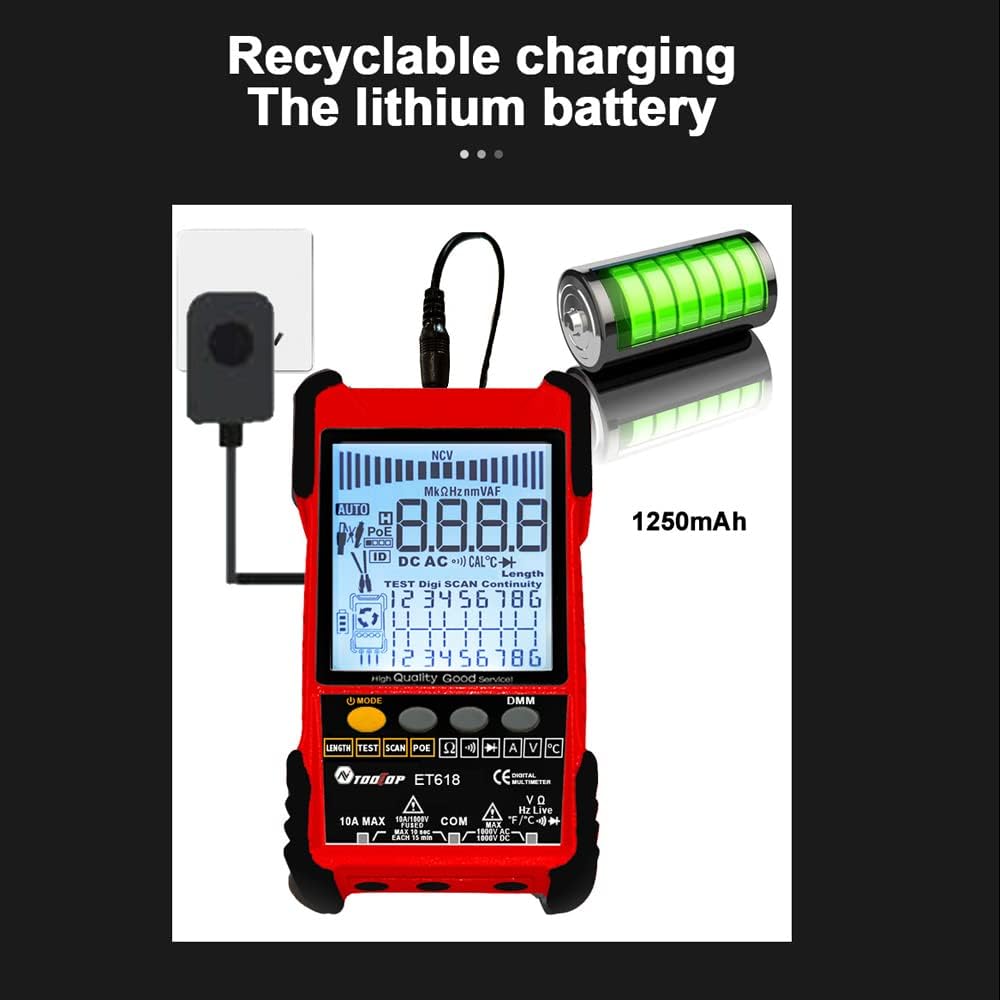
Figure 3: Product Differentiation (ET616 vs. ET618)
The ET618 model includes all features of the ET616, plus a comprehensive multimeter function and an extended cable length measurement range of up to 500 meters.
5. Gosod
5.1 Codi Tâl ar y Batri
The ET618 main unit is powered by a rechargeable lithium battery. Before first use, fully charge the device.
- Connect the provided recharging line (USB cable) to the charging port on the ET618 main unit.
- Cysylltwch ben arall y cebl USB ag addasydd pŵer USB safonol (heb ei gynnwys) neu borthladd USB cyfrifiadur.
- The charging indicator on the device will show the charging status. Once fully charged, disconnect the cable.

Figure 4: Charging the ET618 Lithium Battery
5.2 Pweru Ymlaen/Diffodd
Press and hold the power button on the main unit to turn the device on or off. The LCD display will illuminate upon power-on.
6. Cyfarwyddiadau Gweithredu
6.1 Cable Tracing Function
This function helps locate a specific cable among many, useful for telephone systems, computer networks, and BNC cables.
- Connect the cable to be traced to the appropriate port on the ET618 main unit (e.g., RJ45 for network cables).
- Select the "Trace" mode on the main unit.
- Use the receiver to scan the cables. The receiver will emit an audible tone or visual indication when it detects the signal from the target cable.
- Adjust the sensitivity on the receiver for precise tracing.
6.2 Cable Length Test
Measure the length of various metal cables with at least two cores, including network cables, telephone lines, and BNC cables.
- Ensure the cable is disconnected from any active network or power source.
- Connect one end of the cable to the main unit's appropriate port.
- Select the "Length" test mode. The device will display the measured cable length on the LCD.
6.3 POE Test
Test Power over Ethernet (PoE) network switches to check cable mapping polarity and voltage.
- Connect the network cable from the PoE switch to the main unit's RJ45 port.
- Select the "POE" test mode.
- The LCD will display information regarding PoE voltage and cable mapping.
6.4 Multimeter Function (ET618 Only)
The ET618 includes a full-featured multimeter for various electrical measurements. Use the provided multimeter probes for these tests.
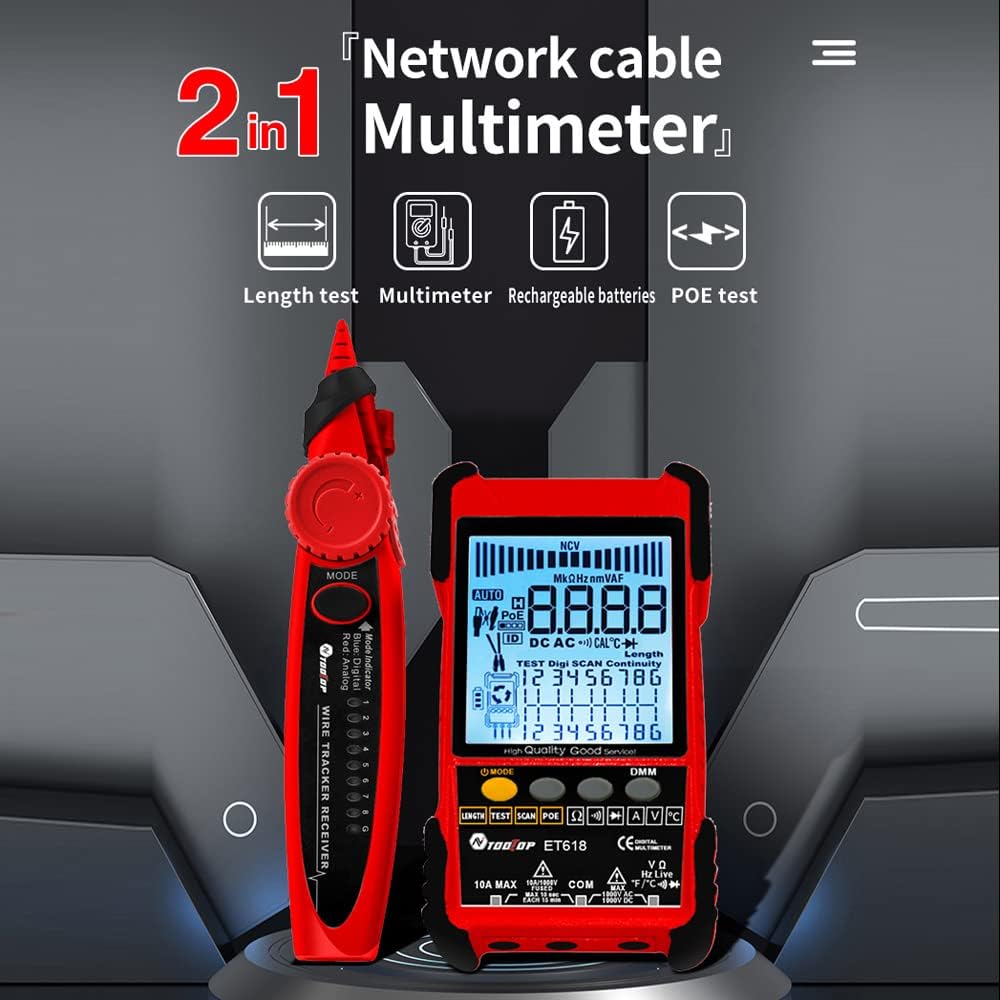
Figure 5: ET618 Multimeter Functions in Use
- DC Cyftage Mesur: Connect probes to the circuit, select DCV mode.
- AC Cyftage Mesur: Connect probes to the circuit, select ACV mode.
- Mesuriad Cyfredol DC: Connect probes in series with the circuit, select DCA mode.
- Mesuriad Cyfredol AC: Connect probes in series with the circuit, select ACA mode.
- Mesur Gwrthiant: Connect probes across the component, select Ω mode.
- Prawf Parhad: Connect probes across the circuit; a beep indicates continuity.
- Prawf Deuod: Connect probes across the diode; the forward voltagBydd e drop yn cael ei arddangos.
- Mesur Tymheredd: Connect the temperature probe to the device and place the sensor at the measurement point.
Always ensure the correct function is selected and probes are connected properly to avoid damage to the device or circuit.
6.5 Defnyddio'r Flashlight
The ET618 main unit and receiver are equipped with flashlights. Press the dedicated flashlight button (if available) or refer to the device interface for activation in low-light conditions.
7. cynnal
7.1 Glanhau
Wipe the device with a soft, dry cloth. Do not use abrasive cleaners or solvents. Ensure no liquids enter the device.
7.2 Gofal Batri
Er mwyn ymestyn oes y batri, osgoi rhyddhau'r batri'n llwyr yn aml. Os ydych chi'n storio'r ddyfais am gyfnod hir, gwefrwch hi i tua 50% ac ailwefrwch hi bob ychydig fisoedd.
8. Datrys Problemau
- Nid yw'r ddyfais yn troi ymlaen: Ensure the battery is charged. Connect the recharging line and try again.
- Darlleniadau anghywir: Check cable connections. Ensure the correct mode is selected for the measurement. For multimeter functions, verify probe connections and component integrity.
- No signal during cable tracing: Ensure the main unit is in trace mode and the cable is properly connected. Adjust receiver sensitivity.
- LCD display is dim: Efallai bod y batri'n isel. Ail-wefrwch y ddyfais.
9. manylebau
The following table outlines the technical specifications for the ET618 model:

Ffigur 6: Manylebau Technegol Drosoddview
| Nodwedd | ET618 Specification |
|---|---|
| Olrhain Analog | Oes |
| Parhad | Oes |
| Olrhain Switsh (w/ PoE) | Trwy swyddogaeth Multimeter |
| Mapio Ceblau | Oes |
| Newid dangosyddion yn fflachio | Oes |
| Olrhain Digidol Swnllyd Rhad Ac Am Ddim | Digidol / Dirgryniad |
| Cyftage Profi | Trwy swyddogaeth Multimeter |
| PoE Cyftage Mesur | Cyftage / Polaredd |
| Mapio ID o Bell | Dewisol |
| Bargraff Analog | Oes |
| Main Body Flashlight | Oes |
| Multimeter Input Jack Indicator | Oes |
| Arddangosfa LCD | Oes |
| Flashlight Gwyn | Oes |
| Analogue Tracing Sound Adjustable | Oes |
| Dangosydd Batri Isel | Oes |
| Golau Gwyn | Oes |
| Dangosydd Arbed Ynni | Oes |
| 3km Analogue Tracing Signal Selectable | Oes |
| Multimeter Functions (ET618 Only) | |
| DC Cyftage | 400mV~1000V ±(0.8%+3) |
| AC Cyftage | 4V~400V ±(1.5%+5) |
| DC Cyfredol | 1.0A~10.0A ±(1.2%+4) |
| AC Cyfredol | 1.0A~10.0A ±(2.0%+5) |
| Gwrthsafiad | 200 Ω~20 MΩ ±(2%+6) |
| Parhad | < 50 Ω buzzer beeps |
| Deuod | Oes |
| Tymheredd (math K) | -20~1000°C / -4~1832°F ±(2.0%+15) |
| Mesur Hyd Cebl Rhwydwaith | 500M |
| Mesur Hyd Cebl BNC | Oes |
| Cable Rhwydwaith Prawf Cylchdaith Byr / Agored | Oes |
| Main Body Power | Batri Lithiwm y gellir ei ailwefru 1250mAh |
| Pwer Derbynnydd | Batri 9V |
10. Gwarant a Chefnogaeth
This product comes with a standard manufacturer's warranty. For specific warranty terms, technical support, or service inquiries, please refer to the contact information provided with your purchase or visit the official KKnoon websafle.