
LXJTHT Wireless Android Auto Car Adapter
Llawlyfr Defnyddiwr Addasydd Di-wifr LXJTHT Android Auto
Model: Wireless Android Auto Car Adapter
Brand: LXJTHT
1. Cynnyrch Drosview
The LXJTHT Android Auto Wireless Adapter is designed to convert your car's existing wired Android Auto system into a wireless one. This allows for a more convenient and clutter-free driving experience, enabling you to access your Android Auto features such as navigation, music, and calls without needing to physically connect your phone via a USB cable.
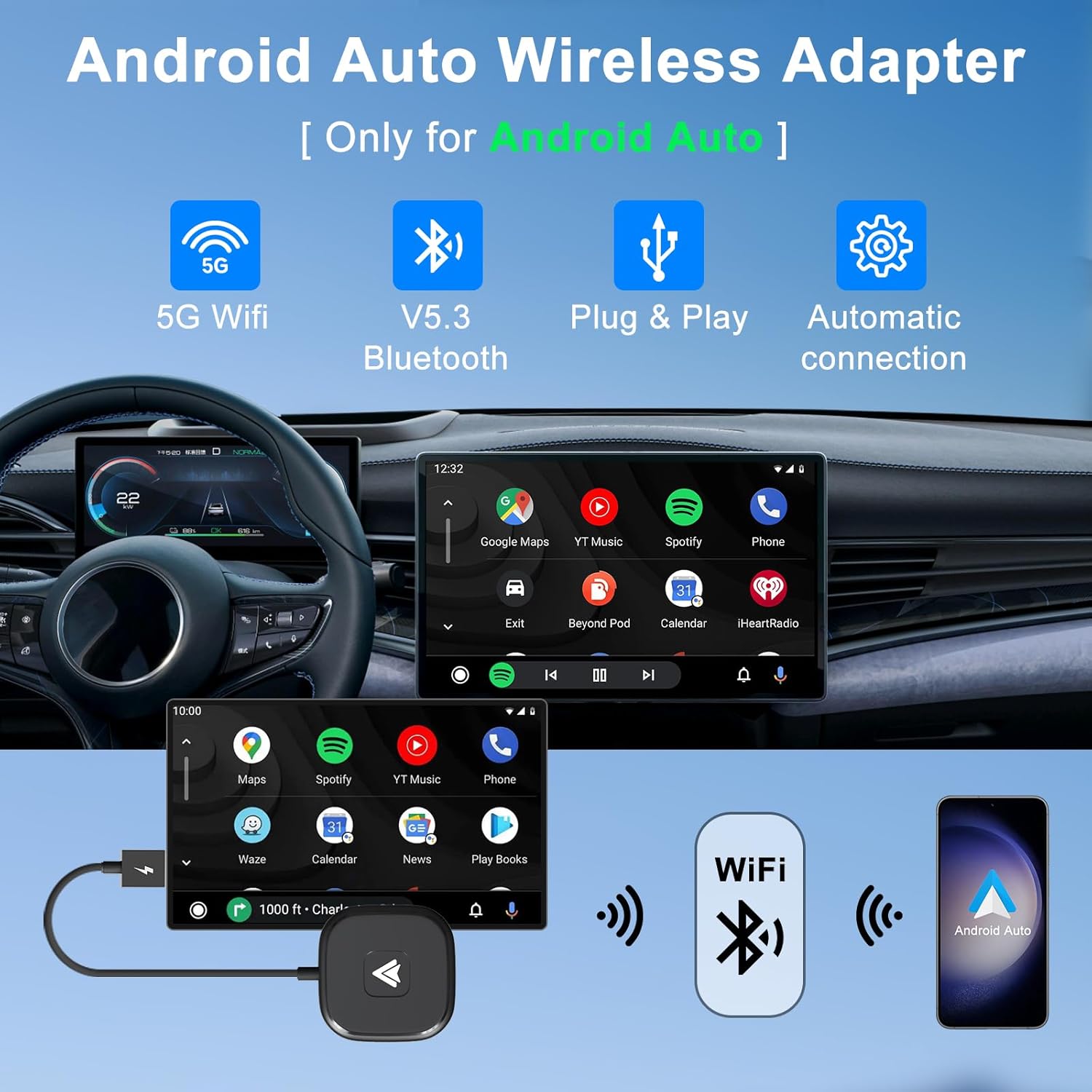
Image: The LXJTHT Android Auto Wireless Adapter highlighting its key features: 5G WiFi, Bluetooth 5.3, Plug & Play functionality, and automatic connection.
2. Nodweddion Allweddol
- Cysylltedd Di-wifr: Say goodbye to annoying wired connections with our easy-to-use Wireless Android Car Adapter, the official latest version in 2025.
- Full Android Auto Functionality: Enjoy complete Android Auto functions while maintaining your car's original operations such as navigation planning, music playing, news updates, and more.
- Perfformiad Sefydlog: The Android Auto wireless adapter has a built-in 5.8Ghz chip, which provides fast and stable connections for your Android phone and car through Bluetooth and 5GHz WiFi modules, speeding up heat dissipation and making it more durable and stable.
- Plygiwch a Chwarae: Our wireless Android Auto dongle is Plug and Play, simply plug it into your car's USB or Type C port and connect to your phone's Bluetooth and Wi-Fi for an instant upgrade to your infotainment system.
- Cydnawsedd Cyffredinol: Android Auto wireless adapter is compatible with more than 1000+ car models and supports various functions such as voice control, Google Assistant, phone calls, maps, music apps and messages.

Image: Depiction of the adapter's advanced 5G technology ensuring stable, fast, and lag-free connections.
3. Cynnwys Pecyn
Your LXJTHT Android Auto Wireless Adapter package includes the following items:
- LXJTHT Android Auto Wireless Adapter
- Addasydd USB-A i USB-C

Image: The LXJTHT Android Auto Wireless Adapter with its included USB-C adapter.
4. Cydweddoldeb
Cydnawsedd Car
This adapter is compatible with over 1000+ car models that come with factory-wired Android Auto. Please ensure your vehicle supports wired Android Auto before purchase. For a detailed list of compatible vehicles, please refer to the official Android Auto compatibility websafle: https://www.android.com/auto/compatibility
Cydnawsedd Ffôn
The adapter supports Android phones running Android 11.0 and above. Please note that Huawei phones are currently not supported.

Image: Visual guide for checking car and phone compatibility with the adapter.
5. Canllaw Gosod
Follow these simple steps to set up your LXJTHT Android Auto Wireless Adapter:
- Plygiwch i mewn: Connect the wireless adapter to your car's USB or Type C port. Use the provided USB-A to USB-C adapter if your car has a Type C port.
- Pâr Bluetooth: On your Android phone, enable Bluetooth and Wi-Fi. Chwiliwch am available Bluetooth devices and select the adapter (e.g., "smartBox-XXXX"). Confirm the pairing request on your phone. Ensure your phone's Wi-Fi is not occupied by another network during this process.
- Use Android Auto: Once paired, your phone will automatically connect to the adapter, and Android Auto will launch on your car's infotainment screen within 5-15 seconds.

Image: A visual representation of the three-step easy setup process for the wireless adapter.
Fideo Arddangos Gosod
Video: An official demonstration of the wireless car dongle, showing its compact size and simple plug-and-play setup process in a vehicle.
6. Cyfarwyddiadau Gweithredu
Once connected, the LXJTHT Android Auto Wireless Adapter allows you to fully utilize your car's infotainment system with Android Auto wirelessly. All standard Android Auto features are accessible.
Accessing Android Auto Functions
- Llywio: Use Google Maps, Waze, or other supported navigation apps directly on your car's screen.
- Music & Media: Stream music from Spotify, YouTube Music, or other audio apps.
- Calls & Messages: Make and receive calls, and send/read messages using voice commands or the car's controls.
- Rheoli llais: Activate Google Assistant by saying "Hey Google" or pressing the voice command button on your steering wheel to control functions hands-free.

Image: The Android Auto interface displaying various supported applications for music, calls, maps, and Google Assistant.
Maintaining Original Car Controls
The adapter is designed to seamlessly integrate with your car's existing control mechanisms:
- Rheoli Olwyn Llywio: Use your car's steering wheel buttons to manage calls, adjust volume, and navigate menus.
- OEM Knob Control: Utilize your car's original equipment manufacturer (OEM) control knob for precise navigation within the Android Auto interface.
- Rheolaeth Sgrin Gyffwrdd: If your car has a touchscreen, you can interact with Android Auto directly by touch.

Image: Demonstrates how the adapter allows retention of original car controls including voice assistant, steering wheel, OEM knob, and touchscreen.
7. Gofal a Chynnal a Chadw
To ensure the longevity and optimal performance of your LXJTHT Android Auto Wireless Adapter, please follow these care guidelines:
- Cadw'n Sych: Avoid exposing the adapter to water or excessive moisture.
- Glanhewch yn ysgafn: Use a soft, dry cloth to clean the adapter. Do not use harsh chemicals or abrasive cleaners.
- Osgoi Tymheredd Eithafol: Do not expose the device to extremely high or low temperatures, as this can affect its performance and lifespan.
- Ymdrin â Gofal: Osgowch ollwng yr addasydd neu ei roi dan effeithiau cryf.
8. Datrys Problemau
If you encounter any issues with your LXJTHT Android Auto Wireless Adapter, please refer to the following common troubleshooting steps:
| Problem | Ateb |
|---|---|
| Adapter does not connect to car/phone. |
|
| Problemau oedi neu berfformiad. |
|
| Datgysylltiadau aml. |
|
For more detailed troubleshooting or specific issues, please refer to the comprehensive Llawlyfr Defnyddiwr (PDF).
9. Manylebau Cynnyrch
| Manyleb | Manylyn |
|---|---|
| Brand | LXJTHT |
| Rhif Model | Di-wifr Android Auto Car Adapter |
| Dimensiynau Pecyn | 6 x 3 x 0.7 modfedd |
| Pwysau Eitem | 1.44 owns |
| System Weithredu (OS) | Android |
| Nodweddion Arbennig | Bluetooth |
| Nodweddion Arddangos Eraill | Di-wifr |
| Gwneuthurwr | XinCeng |
| Dyddiad Ar Gael Cyntaf | Mehefin 14, 2023 |
| Dyfeisiau Cydnaws | Ffôn clyfar |
| Defnydd Penodol Ar Gyfer Cynnyrch | Streaming, Travel, Work, Gaming |
| Math o Gysylltydd | USB Math C |
| Nifer y Porthladdoedd | 1 |
10. Gwarant a Chefnogaeth
LXJTHT is committed to providing excellent customer service and product support:
- Cefnogaeth Broffesiynol: Enjoy 7x24H professional support for any queries or assistance you may need.
- Dychwelyd a Chyfnewid: We offer a 30-day return and exchange service.
- Gwasanaeth Gwarant: Your product is covered by a 365-day warranty service.
Am gymorth pellach, ewch i'r LXJTHT Store on Amazon.
Ask a question about this manual
Ask about setup, troubleshooting, compatibility, parts, safety, or missing instructions. Manuals+ will review the question and use this page’s manual context to help answer it.