
HOCO HC5
Hoco HC5 Cool Enjoy Sports Wireless Speaker User Manual
Model: HC5
Rhagymadrodd
Diolch am brynuasing the Hoco HC5 Cool Enjoy Sports Wireless Speaker. This manual provides important information regarding the setup, operation, and maintenance of your new speaker. Please read this manual thoroughly before using the product to ensure proper function and to extend its lifespan.
Gwybodaeth Diogelwch
- Peidiwch ag amlygu'r siaradwr i dymheredd eithafol, golau haul uniongyrchol, na lleithder uchel.
- Osgoi gollwng neu orfodi'r siaradwr i effeithiau cryf.
- Peidiwch â dadosod, atgyweirio na newid y siaradwr eich hun. Cyfeiriwch at bersonél gwasanaeth cymwys.
- Cadwch y siaradwr i ffwrdd o ddŵr a hylifau eraill.
- Use only the specified charging cable and adapter.
- Clean the speaker with a soft, dry cloth. Do not use harsh chemicals or abrasive cleaners.
Cynnwys Pecyn

Image: Hoco HC5 speaker in its retail packaging, showing the speaker and its accessories.
Gwiriwch gynnwys y pecyn yn ofalus. Os oes unrhyw eitemau ar goll neu wedi'u difrodi, cysylltwch â'ch manwerthwr.
- Hoco HC5 Wireless Speaker
- Cebl Codi Tâl USB
- Cebl AUX
- Strap Ysgwydd
- Llawlyfr Defnyddiwr (y ddogfen hon)
Cynnyrch Drosview
Familiarize yourself with the various parts and controls of your Hoco HC5 speaker.

Delwedd: Blaen view of the Hoco HC5 speaker, showcasing its cylindrical design, speaker grilles, and attached shoulder strap.

Delwedd: Llun agos view of one end of the Hoco HC5 speaker, highlighting the speaker driver and the robust casing.
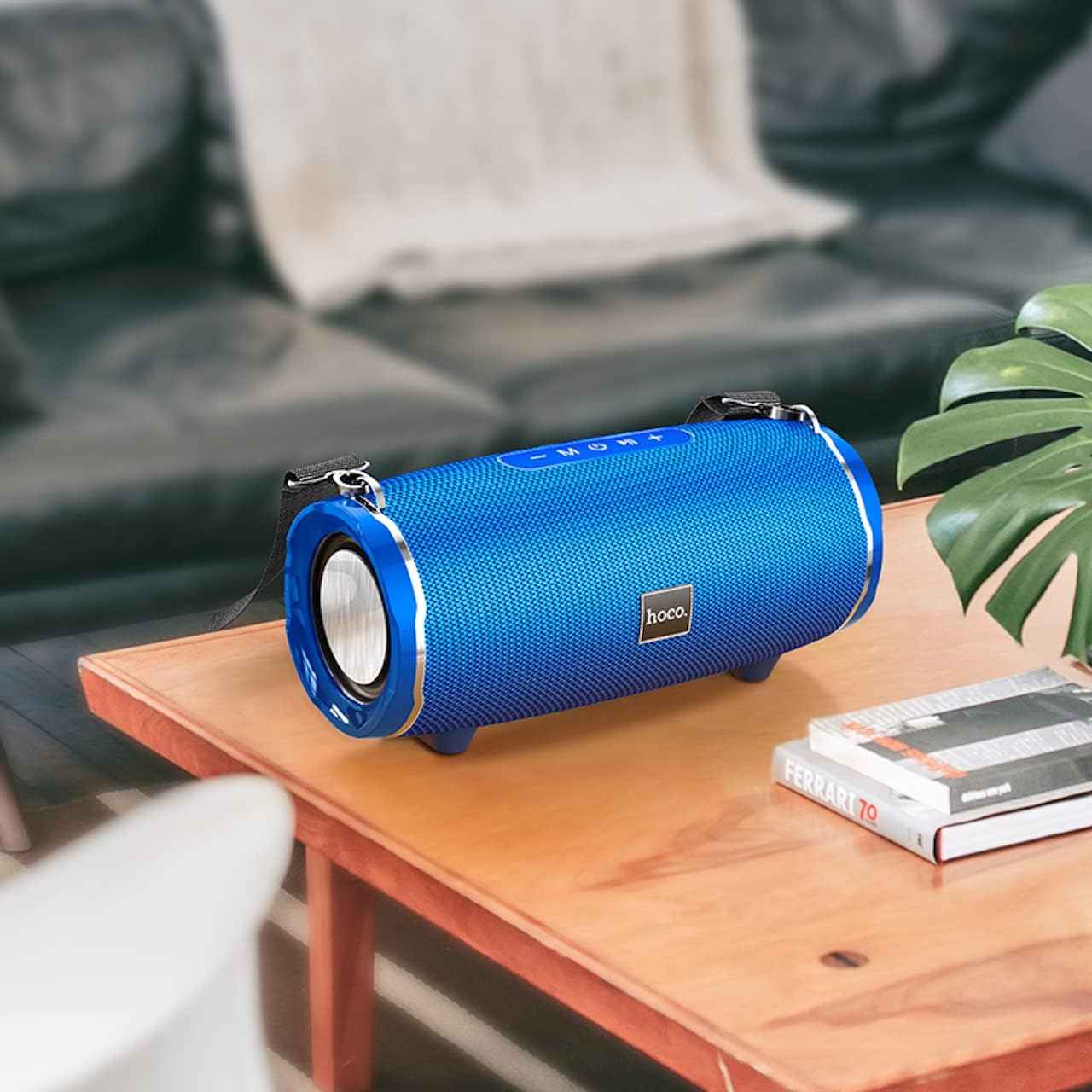
Image: The Hoco HC5 speaker placed on a wooden table, demonstrating its size and how it might appear in a home setting.
Control Panel (Top/Rear)
- Botwm Pŵer: Pwyswch a dal i droi ymlaen / i ffwrdd.
- Botwm Modd (M): Short press to switch between Bluetooth, TF Card, USB, AUX, and FM modes.
- Play/Pause Button (▶⏸): Short press to play or pause music. In FM mode, short press to auto-scan and save stations.
- Cyfaint i Lawr / Trac Blaenorol (-): Pwyswch yn fyr am y trac blaenorol. Pwyswch yn hir i ostwng y sain.
- Cyfaint i Fyny / Trac Nesaf (+): Pwyswch yn fyr am y trac nesaf. Pwyswch yn hir i gynyddu'r sain.
Ports (Rear/Side)
- Porth USB: Ar gyfer chwarae gyriant fflach USB.
- Slot Cerdyn TF: Ar gyfer chwarae cerdyn TF (MicroSD).
- Porthladd AUX: For connecting external audio devices via 3.5mm audio cable.
- Porth Codi Tâl: Ar gyfer gwefru batri mewnol y siaradwr.
Gosod
Cyhuddo y Llefarydd
- Connect the USB charging cable to the speaker's charging port.
- Cysylltwch ben arall y cebl USB ag addasydd pŵer USB (argymhellir 5V/1A) neu borthladd USB cyfrifiadur.
- Bydd y golau dangosydd gwefru yn goleuo yn ystod gwefru ac yn diffodd pan fydd wedi'i wefru'n llawn.
- Mae tâl llawn yn cymryd tua 3.5 awr.
Pŵer Ymlaen / Diffodd
- I Bweru Ymlaen: Press and hold the Power button for a few seconds until you hear a power-on prompt.
- I Bweru i ffwrdd: Press and hold the Power button again for a few seconds until you hear a power-off prompt.
Cyfarwyddiadau Gweithredu
Modd Bluetooth
- Trowch y siaradwr ymlaen. Bydd yn mynd i mewn i'r modd paru Bluetooth yn awtomatig, a nodir gan olau LED sy'n fflachio.
- Galluogwch Bluetooth ar eich dyfais (ffôn clyfar, tabled, ac ati).
- Chwiliwch am "HC5" in the list of available Bluetooth devices and select it to connect.
- Once connected, the LED indicator will stop flashing, and you will hear a connection tone.
- Gallwch nawr chwarae sain o'ch dyfais drwy'r siaradwr.
- Use the Play/Pause, Volume Up/Down, and Previous/Next Track buttons on the speaker or your device to control playback.
TF Card / USB Mode
- Insert a TF (MicroSD) card or USB flash drive into the corresponding slot on the speaker.
- The speaker will automatically switch to TF Card or USB mode and begin playing audio files. If not, short press the "M" (Mode) button to switch.
- Sicrhewch eich sain filemae s mewn fformat cydnaws (e.e., MP3).
- Use the Play/Pause, Volume Up/Down, and Previous/Next Track buttons to control playback.
Modd AUX
- Cysylltwch un pen y cebl AUX 3.5mm â phorthladd AUX y siaradwr.
- Cysylltwch y pen arall â jac allbwn sain eich dyfais allanol (e.e., chwaraewr MP3, cyfrifiadur).
- The speaker will automatically switch to AUX mode. If not, short press the "M" (Mode) button to switch.
- Audio will now play through the speaker. Control playback from your external device.
Modd Radio FM
- Short press the "M" (Mode) button until you enter FM radio mode.
- To auto-scan and save available FM stations, short press the Play/Pause button. The speaker will scan and store stations automatically.
- Use the Previous/Next Track buttons to navigate between saved stations.
TWS (True Wireless Stereo) Function (If Supported)
The Hoco HC5 speaker supports TWS function, allowing you to pair two HC5 speakers together for a true stereo sound experience.
- Ensure both HC5 speakers are powered on and not connected to any Bluetooth device.
- On one of the speakers (this will be the primary speaker), long press the Play/Pause button until you hear a prompt indicating TWS pairing mode.
- Bydd y ddau siaradwr yn chwilio am ei gilydd ac yn cysylltu â'i gilydd yn awtomatig. Ar ôl cysylltu, byddwch yn clywed tôn cadarnhau.
- Now, connect your device to the primary speaker via Bluetooth as described in the "Bluetooth Mode" section.
- Bydd sain nawr yn chwarae mewn stereo drwy'r ddau siaradwr.
Cynnal a chadw
- Glanhau: Use a soft, dry, lint-free cloth to wipe the surface of the speaker. Do not use liquid cleaners, aerosols, or solvents.
- Storio: Pan nad yw'n cael ei ddefnyddio am gyfnodau hir, storiwch y siaradwr mewn lle oer, sych i ffwrdd o olau haul uniongyrchol a thymheredd eithafol.
- Gofal Batri: Er mwyn ymestyn oes y batri, osgoi rhyddhau'r batri'n llwyr yn aml. Gwefrwch y siaradwr yn rheolaidd, hyd yn oed os nad yw'n cael ei ddefnyddio.
Datrys problemau
| Problem | Achos Posibl | Ateb |
|---|---|---|
| Nid yw'r siaradwr yn troi ymlaen. | Mae'r batri'n isel neu wedi'i wagio. | Gwefrwch y siaradwr yn llawn. |
| Methu paru gyda dyfais Bluetooth. | Nid yw'r siaradwr mewn modd paru; mae Bluetooth y ddyfais i ffwrdd; mae'r siaradwr eisoes wedi'i gysylltu â dyfais arall. | Ensure speaker is in pairing mode (flashing LED). Turn off and on Bluetooth on your device. Disconnect from other devices. |
| Dim sain o'r siaradwr. | Mae'r sain yn rhy isel; y modd anghywir wedi'i ddewis; problem gyda'r ffynhonnell sain. | Increase speaker and device volume. Press "M" button to select correct mode. Check audio source. |
| Mae derbyniad radio FM yn wael. | Signal gwan; ymyrraeth amgylcheddol. | Relocate the speaker. Re-scan for stations. |
Manylebau
| Nodwedd | Manylyn |
|---|---|
| Model | HC5 |
| Fersiwn Bluetooth | 5.0 (JL chip) |
| Maint Siaradwr | 76mm*2 |
| Allbwn Pwer Llefarydd | 15W * 2 (Total 30W) |
| Gallu Batri | 3600mAh |
| Amser Codi Tâl | Tua 3.5 awr |
| Amser Cerddoriaeth / Sgwrs | Hyd at 4 awr |
| Opsiynau Cysylltedd | Bluetooth, TF card, USB, AUX, FM, TWS |
| Dimensiynau Cynnyrch | 292 x 139 x 132 mm |
| Pwysau Cynnyrch | 1.5 kg |
| Modd Allbwn Sain | Amgylchynu |
| Math Mowntio | Pen bwrdd |
Gwarant a Chefnogaeth
The Hoco HC5 speaker comes with a standard manufacturer's warranty. Please refer to the warranty card included in your package for specific terms and conditions. For technical support, troubleshooting assistance, or warranty claims, please contact the retailer where you purchased the product or visit the official HOCO websafle ar gyfer gwybodaeth cyswllt.
Gwneuthurwr: Hoco
Gwlad Tarddiad: Tsieina
Ask a question about this manual
Ask about setup, troubleshooting, compatibility, parts, safety, or missing instructions. Manuals+ will review the question and use this page’s manual context to help answer it.