
1. Rhagymadrodd
Thank you for choosing the Insoma WiFi Garden Watering Timer. This smart device allows you to control your garden irrigation system remotely via an app, voice commands, and offers flexible watering schedules to ensure your plants receive optimal hydration. Please read this manual carefully before use to ensure proper installation and operation.
2. Cynnwys Pecyn
- Insoma WiFi Watering Timer
- WiFi Hub (Gateway)
- Llawlyfr Defnyddiwr
- (Note: 2*AA batteries for the timer are not included)
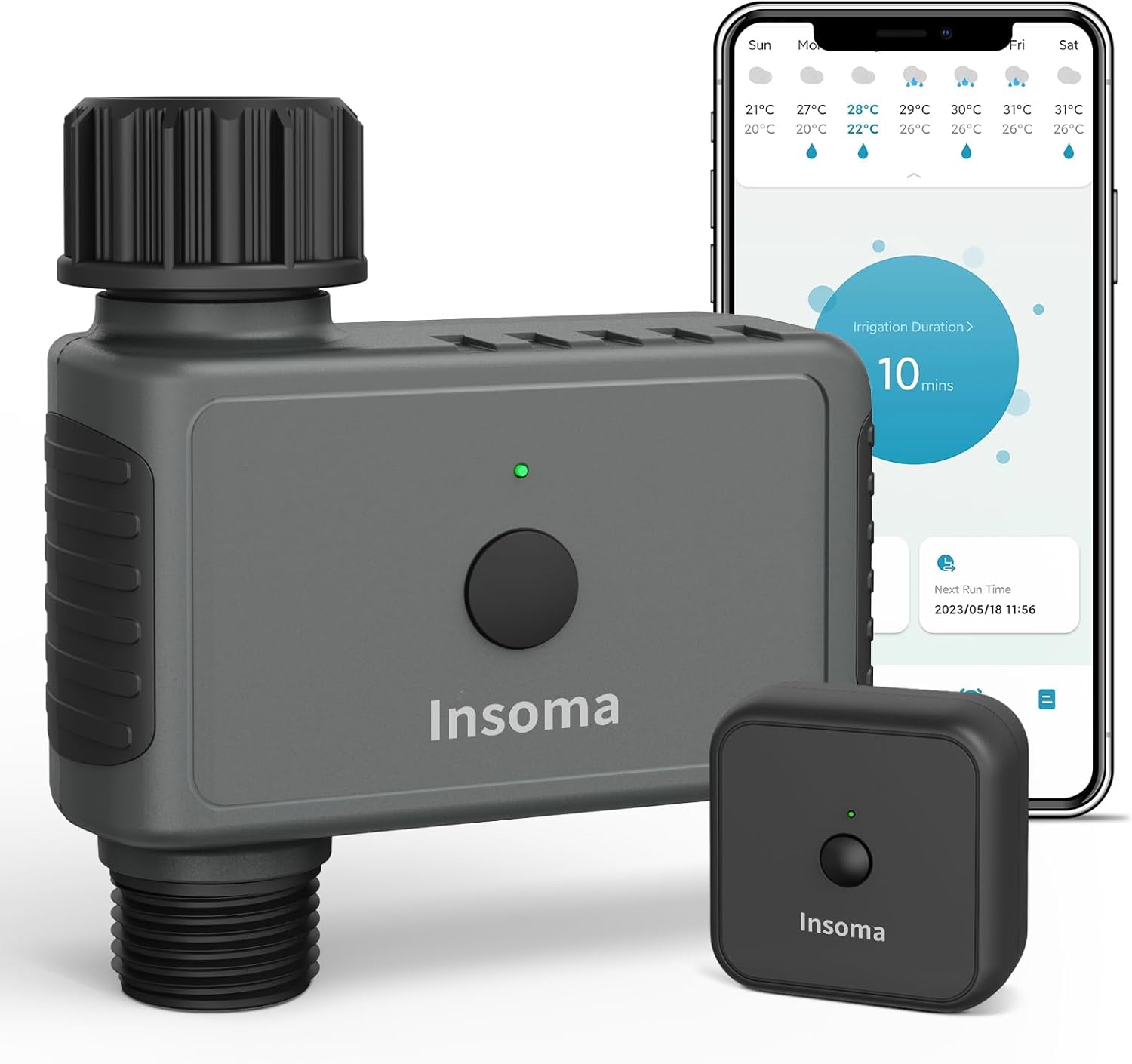
Image: The Insoma WiFi Garden Watering Timer unit, its WiFi hub, and a smartphone displaying the control app interface.
3. Canllaw Gosod
3.1 Gosodiad Cychwynnol
- Gosod Batris: Open the battery compartment of the watering timer and insert 2 AA batteries (not included).
- Power On WiFi Hub: Plug the WiFi Hub into a power outlet. Ensure it is within 3-10 meters of your WiFi router and the watering timer for optimal signal.
- Download Smart Life App: Scan the QR code in the manual or search for "Smart Life" in your mobile app store (iOS/Android) and download the application.
- Cofrestru/Mewngofnodi: Open the Smart Life app and register a new account or log in if you already have one.
- Connect WiFi Hub: In the Smart Life app, follow the instructions to add a new device. Select the WiFi Hub (Gateway) and connect it to your 2.4GHz WiFi network. Note: The smart watering timer only connects to 2.4GHz WiFi. If you have a dual-band router, ensure the 2.4GHz band is enabled and named differently from the 5GHz band.
- Add Watering Timer: Once the WiFi Hub is connected, add the watering timer within the app. The app will guide you through the pairing process.
- Install Timer to Faucet: Screw the watering timer onto an outdoor hose faucet. Ensure the connection is secure to prevent leaks. Keep the water faucet always on.

Image: Visual guide showing the four steps to connect the Insoma WiFi Watering Timer to a mobile device: inserting batteries, downloading the app and pairing the hub, adding the timer, and connecting it to a faucet.
4. Cyfarwyddiadau Gweithredu
4.1 Rheoli o Bell drwy Ap
Use the Smart Life app to create and manage watering schedules from anywhere at any time. The timer connects to the gateway via RFID technology, providing a stable signal up to 60 meters.

Image: Illustration of the Insoma WiFi Hub plugged into a wall outlet, connecting wirelessly to the watering timer, and a smartphone displaying the Smart Life app for remote control.
4.2 Rheoli Llais Clyfar
The smart timer is compatible with Alexa and Google Assistant. You can turn the watering timer on or off with simple voice commands when your phone is not accessible.

Image: A person interacting with an Amazon Echo device, demonstrating voice control for the Insoma WiFi Watering Timer, with logos for Alexa, Google Assistant, and Smart Life App.
4.3 Bluetooth Control
In addition to WiFi control, the timer can also be controlled via Bluetooth through the Smart Life app. This is useful if there's a power outage and the WiFi hub is not functioning. The maximum Bluetooth range is 15 meters in an open area without obstacles.
4.4 Watering Modes
The outdoor watering timer offers two distinct irrigation modes:
- Timed Irrigation: Set specific start times, durations, and days of the week for watering.
- Cyclical Irrigation: Define a cycle with a watering duration and a closing (off) duration, repeating over specific days.
You can configure up to 20 different irrigation programs and adjust them as needed.

Image: A split image showing two watering modes: Timed Irrigation with a schedule set for 8:00 AM for 20 minutes on Mon, Wed, Fri; and Cyclical Irrigation set for 6:40 PM - 7:00 PM with a 20-minute watering duration and 3-hour closing duration on Sun, Tue, Thur, Sat.
4.5 Rain Delay and Manual Watering
- Oedi Glaw: Postpone watering for 24, 48, or 72 hours to avoid overwatering during rainy periods and conserve water.
- Dyfrio â Llaw: Initiate watering instantly without affecting your programmed schedules. This can be done via the timer's button (1-10 minutes) or the app (1-23 hours 59 minutes).

Image: The Insoma WiFi Watering Timer connected to a faucet during rain, with icons indicating IP55 water resistance and rain delay options for 24h, 48h, and 72h.
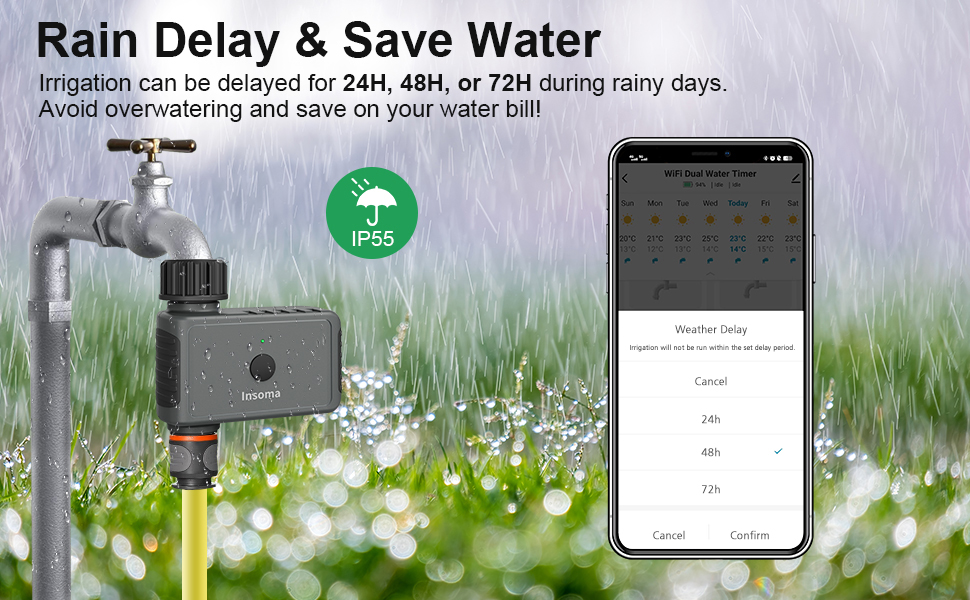
Image: A person manually watering a garden with the Insoma WiFi Watering Timer connected to the faucet, showing options to activate manual watering via the timer button or the app.
4.6 Scalable System
With a single WiFi Hub, you can connect up to 32 WiFi timers, allowing you to build a comprehensive smart irrigation system for larger gardens or multiple zones. You can also share management access with family members through the app.

Image: An illustration of a house with a large garden, showing the Insoma WiFi Hub centrally located and connecting wirelessly to multiple watering timers across different areas of the garden, all controlled via a smartphone app.

Image: A collage showing various applications of the Insoma WiFi Watering Timer, including drip irrigation, general garden watering, lawn watering, and pool filling, all controlled remotely.
4.7 Irrigation History and Real-Time Notifications
The Smart Life app provides a real-time irrigation record, making your watering management visible. You will also receive direct notifications on your smartphone about timer activity, offering insights into your garden's watering status.

Image: A split image showing the "Irrigation History" screen in the Smart Life app with a list of past watering cycles and the "Real-Time Notification" screen displaying alerts about zones opening and closing.
5. cynnal
- Amnewid Batri: Replace batteries when the low battery indicator appears in the app or on the device.
- Glanhau: Periodically check the filter washer at the inlet of the timer and clean any debris to prevent blockages.
- Gaeafu: In freezing temperatures, disconnect the timer from the faucet and store it indoors to prevent damage from freezing water.
6. Datrys Problemau
| Problem | Achos Posibl | Ateb |
|---|---|---|
| Timer not connecting to WiFi Hub. | Incorrect WiFi band (5GHz instead of 2.4GHz); Hub too far from router/timer; Weak signal. | Ensure 2.4GHz WiFi is active and distinct. Move Hub closer to router and timer (3-10m recommended). Check router settings. |
| Water not flowing or stopping. | Faucet is off; Low battery; Debris in timer filter; Timer malfunction. | Ensure faucet is fully open. Replace batteries. Clean the filter. If problem persists, contact support. |
| App not controlling timer. | No internet connection; App not updated; Timer/Hub offline. | Check internet connection. Update Smart Life app. Verify Hub and Timer are online in the app. Try Bluetooth control as an alternative. |
| Nid yw rheolaeth llais yn gweithio. | Incorrect voice command; Not linked to Alexa/Google Assistant; Device offline. | Refer to voice assistant's specific commands. Ensure Smart Life skill is enabled and linked. Check device status in Smart Life app. |
7. manylebau
- Brand: Insoma
- Rhif Model: SGW05W
- Lliw: Llwyd
- Deunydd: Styren Biwtadïen Acrylonitrile (ABS)
- Dimensiynau Cynnyrch (L x W x H): 10.16 x 12.7 x 7.62 cm (4 x 5 x 3 modfedd)
- Pwysau Eitem: 290 g (0.64 pwys)
- Nifer o Gosodiadau: 23 (referring to programming options)
- Cysylltedd: 2.4GHz WiFi (via Hub), Bluetooth
- Cydnawsedd Rheoli Llais: Alexa, Cynorthwyydd Google
- Cydnawsedd Ap: Smart Life (iOS & Android)
- Gwrthiant Dŵr: IP55
8. Cefnogaeth i Gwsmeriaid
Insoma is committed to providing satisfactory service to our customers. If you have any questions or encounter any issues with your product, please do not hesitate to contact our professional service team. Refer to your product packaging or the Smart Life app for contact information.