
Rhagymadrodd
Thank you for choosing the SOAR NCAA Sport True Wireless Earbuds V.5. This manual provides detailed instructions for the proper setup, operation, and maintenance of your earbuds. Please read this manual thoroughly before use to ensure optimal performance and longevity of your device.
Cynnwys Pecyn
- SOAR NCAA Sport True Wireless Earbuds V.5 (Left and Right)
- Achos Codi Tâl Cludadwy
- Cebl Codi Tâl USB Math-C
- Extra Ear Gels (various sizes)
- Llawlyfr Defnyddiwr (y ddogfen hon)
Cynnyrch Drosview
Familiarize yourself with the components of your SOAR True Wireless Earbuds.

Image: The SOAR NCAA Sport True Wireless Earbuds V.5, featuring the TCU Horned Frogs logo, are shown both inside their open charging case and as a single earbud outside the case. The closed charging case lid is also displayed, highlighting the team logo.

Image: A diagram highlighting the functional aspects of the earbuds, including sweat resistance, secure fit ear hooks, the portable charging case, clear call quality, and intuitive one-touch controls.
- Clustffonau: Left and Right earbuds with integrated controls and ear hooks for a secure fit.
- Achos Codi Tâl: Stores and recharges the earbuds.
- Dangosyddion LED: Provide status updates for charging and pairing.
- Multi-function Button/Touch Control: For managing playback, calls, and voice assistant.
- Meicroffon: Wedi'i gynnwys ar gyfer galwadau di-dwylo.
Gosod
1. Gwefru'r Clustffonau a'r Cas
- Cyn ei ddefnyddio gyntaf, gwefrwch y clustffonau a'r cas gwefru yn llawn.
- Rhowch y clustffonau yn y cas gwefru. Gwnewch yn siŵr eu bod wedi'u gosod yn gywir.
- Cysylltwch y cebl USB Math-C â'r porthladd gwefru ar y cas a'r pen arall â ffynhonnell pŵer USB (e.e., cyfrifiadur, addasydd wal).
- The LED indicators on the case and/or earbuds will show charging status. Refer to the LED indicator section for details.
- Once fully charged, disconnect the charging cable. A full charge provides over 10 hours of music and talk time.
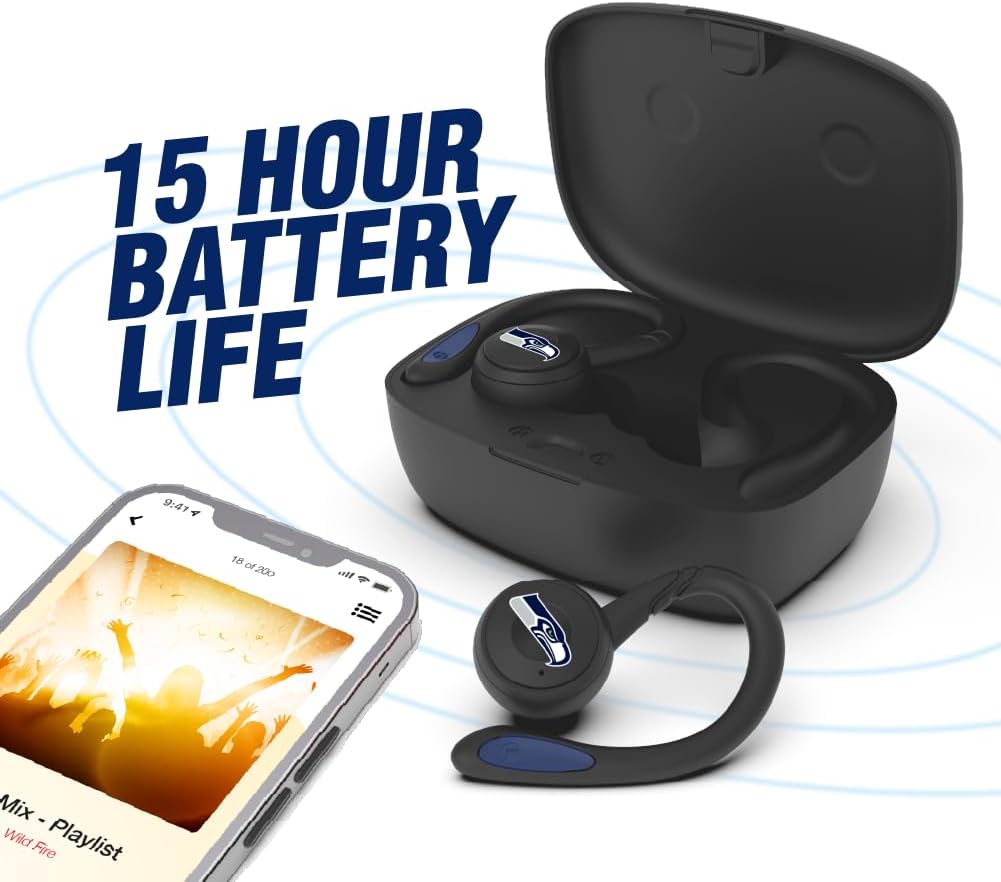
Image: The earbuds are shown within their charging case, positioned beside a smartphone playing music, emphasizing the extended battery life for continuous audio enjoyment.
2. Paru gyda Dyfais Bluetooth
- Sicrhewch fod y clustffonau wedi'u gwefru.
- Open the charging case. The earbuds will automatically enter pairing mode, and their LED indicators will flash (e.g., blue and red alternately).
- Ar eich dyfais (ffôn clyfar, tabled, ac ati), galluogwch Bluetooth.
- Chwiliwch am available Bluetooth devices. You should see "SOAR Earbuds V.5" or a similar name appear in the list.
- Select the earbuds from the list to connect. Once connected, the LED indicators on the earbuds will stop flashing or show a solid blue light, and you will hear an audible confirmation.
- If pairing fails, turn off the earbuds, disable Bluetooth on your device, and repeat the steps.
Cyfarwyddiadau Gweithredu
Pŵer Ymlaen / Diffodd
- Pŵer Ymlaen: Open the charging case, or press and hold the multi-function button on each earbud for approximately 3 seconds.
- Pwer i ffwrdd: Place the earbuds back into the charging case and close the lid, or press and hold the multi-function button on each earbud for approximately 5 seconds.
Chwarae Cerdd
- Chwarae/Seibiant: Single tap the multi-function button on either earbud.
- Trac Nesaf: Double tap the multi-function button on the right earbud.
- Trac Blaenorol: Double tap the multi-function button on the left earbud.
- Cyfrol i Fyny: Triple tap the multi-function button on the right earbud.
- Cyfrol i Lawr: Triple tap the multi-function button on the left earbud.
Rheoli Galwadau
- Ateb / Diwedd Galwad: Single tap the multi-function button on either earbud.
- Gwrthod Galwad: Pwyswch a daliwch y botwm amlswyddogaethol ar y naill glustffon neu'r llall am 2 eiliad.
Cynorthwyydd Llais
- Ysgogi Cynorthwyydd Llais: Pwyswch a daliwch y botwm amlswyddogaethol ar y naill glustffon neu'r llall am 2 eiliad (pan nad ydych ar alwad).
Cynnal a chadw
- Glanhau: Defnyddiwch frethyn meddal, sych, heb lint i lanhau'r clustffonau a'r cas gwefru. Peidiwch â defnyddio cemegau llym na deunyddiau sgraffiniol.
- Geliau Clust: Regularly remove and clean the ear gels with a damp lliain. Gwnewch yn siŵr eu bod yn hollol sych cyn eu hailgysylltu.
- Storio: Pan nad ydynt yn cael eu defnyddio, storiwch y clustffonau yn eu cas gwefru i'w hamddiffyn a'u cadw'n wefredig. Storiwch mewn lle oer, sych i ffwrdd o olau haul uniongyrchol a thymheredd eithafol.
- Gwrthiant Dŵr: The earbuds are sweat resistant, but not waterproof. Avoid submerging them in water or exposing them to heavy rain.
Datrys problemau
| Problem | Ateb |
|---|---|
| Nid yw'r clustffonau'n troi ymlaen. | Ensure the earbuds are charged. Place them in the charging case and connect the case to power. |
| Nid yw'r clustffonau'n paru â'r ddyfais. |
|
| Dim ond un earbud sy'n gweithio. |
|
| Ansawdd sain gwael neu ddatgysylltiadau. |
|
Manylebau
| Nodwedd | Manylyn |
|---|---|
| Rhif Model | NCAA-TWS5-TXC |
| Cysylltedd | Bluetooth 5.0 |
| Di-wifr Range | Hyd at 30 troedfedd (9 metr) |
| Bywyd Batri | Over 10 hours (music & talk time per charge) |
| Porthladd Codi Tâl | USB Math-C |
| Math o Reoli | Touch Control / Multi-function Button |
| Meicroffon | Adeiledig |
| Deunydd | Plastig |
| Pwysau | Approximately 140 g (total item weight) |
Gwarant a Chefnogaeth
For warranty information and customer support, please refer to the official SOAR product websafle neu cysylltwch â'ch manwerthwr. Cadwch eich prawf prynu ar gyfer unrhyw hawliadau gwarant.
Am gymorth pellach, ewch i: www.soar.com (Note: This is a placeholder link. Please refer to the actual product packaging or manufacturer's website for accurate support information.)


