
Rhagymadrodd
This manual provides essential information for the safe and efficient use of your ADEQWAT Magnetic Wall Charger with USB-C Cable. Please read these instructions carefully before using the product and retain them for future reference.
Gwybodaeth Diogelwch
- Peidiwch ag amlygu'r gwefrydd i ddŵr, lleithder, na thymheredd eithafol.
- Do not attempt to disassemble, repair, or modify the charger. This may void the warranty and pose safety risks.
- Cadwch allan o gyrraedd plant.
- Ensure the charger is plugged into a compatible power outlet.
- Disconnect the charger from the power outlet when not in use or during electrical storms.
- Osgowch ollwng y gwefrydd neu ei roi dan effeithiau cryf.
Cynnwys Pecyn
Gwiriwch fod yr holl eitemau yn bresennol yn y pecyn:
- ADEQWAT Magnetic Wall Charger
- Cebl USB-C integredig
- Additional Metallic Plate (for magnetic attachment)
Gosod
- Datblygwch y Plwg: Gently pull out the retractable plug from the back of the charger until it locks into place.

Delwedd: Cefn view of the charger with the retractable plug extended.
- Cysylltu â Power Outlet: Insert the charger's plug into a standard wall power outlet.

Image: The charger plugged into a wall outlet, demonstrating its use with a smartphone and tablet.
- Optional: Attach Metallic Plate: If you wish to use the magnetic feature with a device that is not inherently magnetic, attach the provided metallic plate to the back of your smartphone or its case. Ensure the plate is securely positioned.
Gweithredu
- Charging with USB-C Cable: Connect the integrated USB-C cable to your compatible device's USB-C port. Charging will begin automatically.
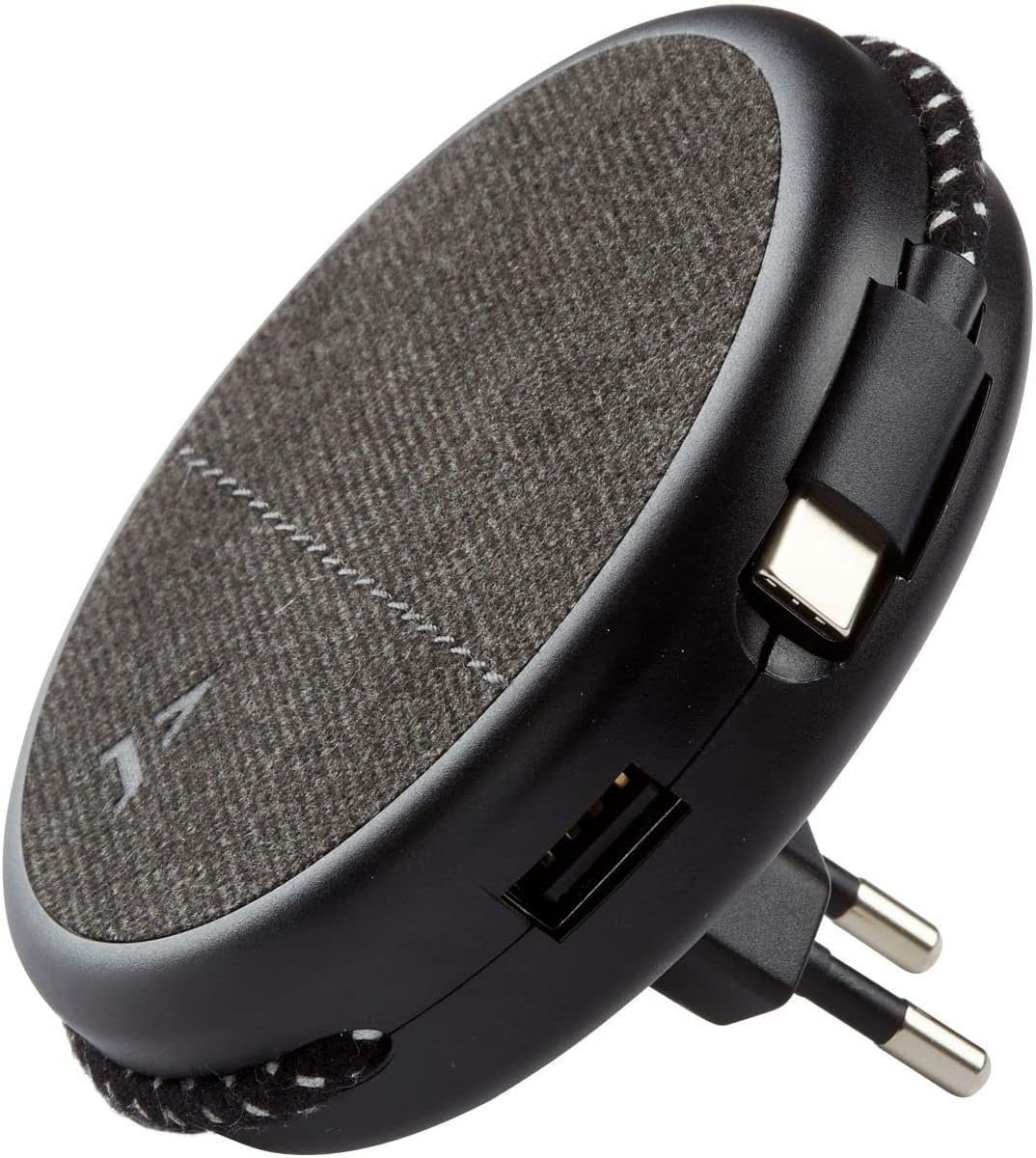
Image: Close-up of the charger, highlighting the integrated USB-C cable and an additional USB-A port.
- Charging with USB-A Port: For devices requiring a USB-A connection, use your own USB-A cable and plug it into the USB-A port on the charger.
- Defnyddio'r Nodwedd Magnetig: Once the charger is plugged into a wall outlet, you can magnetically attach your smartphone (with or without the metallic plate) to the charger's surface for convenient holding while charging.
Cynnal a chadw
- Glanhau: Disconnect the charger from the power outlet before cleaning. Use a soft, dry cloth to wipe the surface. Do not use liquid cleaners or abrasive materials.
- Storio: When not in use, store the charger in a cool, dry place, away from direct sunlight and extreme temperatures. The retractable plug can be folded back into the charger for compact storage.
Datrys problemau
| Problem | Achos Posibl | Ateb |
|---|---|---|
| Dyfais ddim yn gwefru. | Gwefrydd heb ei blygio i mewn yn iawn. Device cable faulty. Device incompatible. | Ensure the charger is fully inserted into the wall outlet. Rhowch gynnig ar gebl gwahanol. Verify device compatibility with USB charging standards. |
| Mae'r ymlyniad magnetig yn wan. | Device not magnetic. Metallic plate not properly attached. | Ensure your device has a magnetic back or use the provided metallic plate. Re-position or re-attach the metallic plate securely. |
| Mae'r gwefrydd yn teimlo'n gynnes. | Gweithrediad arferol. Gorlwytho. | A slight warmth during charging is normal. If it becomes excessively hot, disconnect immediately and contact support. Avoid charging multiple high-power devices simultaneously if it causes overheating. |
Manylebau
| Brand | ADEQWAT |
| Rhif Model | 8005668 |
| Lliw | Du |
| Cysylltiadau | USB (Integrated USB-C Cable, 1x USB-A Port) |
| Nodwedd Arbennig | Magnetig |
| Cyfanswm Porthladdoedd USB | 1 (USB-A) + 1 (Integrated USB-C) |
| Dyfeisiau Cydnaws | Cellular Phones, Tablets |
| Allbwn Pwer | 17 Wat |
| Nifer yr Eitemau | 2 (Charger + Metallic Plate) |
| Ffynhonnell Pwer | Trydan Corded |
| Cludadwy | Oes |
Gwarant a Chefnogaeth
For warranty information or technical support, please refer to the documentation provided with your purchase or visit the official ADEQWAT websafle. Cadwch eich prawf prynu ar gyfer hawliadau gwarant.