
Rhagymadrodd
This manual provides detailed instructions for the installation, operation, and maintenance of your Podofo 10.1'' Android 13 Car Stereo. Please read this manual thoroughly before using the product to ensure proper functionality and safety. Keep this manual for future reference.
Gosod a Gosod
The Podofo 10.1'' Android 13 Car Stereo is designed for universal 2-DIN installation. Ensure your vehicle's dashboard opening is compatible with the unit's dimensions.
Cynnwys Pecyn
Cyn gosod, gwiriwch fod yr holl gydrannau yn bresennol yn y pecyn:
- 1 x Uned Stereo Car
- 1 x Cebl Pŵer
- 1 x Antena GPS
- 1 x Cebl Mewnbwn Camera Cefn
- 1 x Camera Wrth Gefn AHD
- 1 x Cebl RCA
- 2 x Ceblau USB
- 2 x Bracedi Mowntio
- 4 x Sgriwiau
- 1 x Llawlyfr Defnyddiwr

Image: Dimensions of the car stereo unit (250mm width, 145mm height, 240mm depth) and a visual representation of all included accessories: Power Cable, USB Cables, Rear Camera, Camera, Brackets, GPS Antenna, RCA Cable, and User Manual.
Camau Gosod
- Paratoi: Datgysylltwch fatri'r cerbyd i atal siorts trydanol.
- Tynnu Hen Uned: Carefully remove the existing car stereo from the dashboard.
- Gwifrau:
- Connect the provided power cable to the car stereo and the vehicle's wiring harness.
- Cysylltwch yr antena GPS a'i osod mewn lleoliad gydag awyr glir view (e.e., dangosfwrdd).
- If installing the backup camera, route the camera cable from the rear of the vehicle to the stereo unit and connect it to the dedicated input.
- Connect USB cables for external devices as needed.
- Cysylltu ceblau RCA ar gyfer allanol amplifiers or video outputs if applicable.
- Mowntio: Attach the mounting brackets to the sides of the car stereo unit using the provided screws. Slide the unit into the dashboard opening and secure it.
- Prawf: Reconnect the vehicle's battery. Turn on the ignition and test the car stereo's basic functions (power, audio, display).
- Cynulliad terfynol: Reassemble the dashboard trim panels.
Note: Professional installation is recommended if you are unfamiliar with car audio wiring.
Cyfarwyddiadau Gweithredu
Your Podofo car stereo runs on Android 13, offering a wide range of features and customization options.
Basic Operation and User Interface
The 10.1-inch touchscreen provides intuitive control. The system features 2GB RAM and 32GB ROM for smooth performance and ample storio.

Image: The main user interface of the Podofo car stereo, displaying various application icons such as WhatsApp, Spotify, Maps, Message, Pandora, SiriusXM Radio, MLB, and Waze, along with system status indicators.
You can customize the desktop theme. Long-press on the screen to access 26 different UI themes and select your preferred look.

Image: A visual representation of the 26 different user interface desktop themes available on the Podofo car stereo, showcasing cynlluniau lliw a chynlluniau amrywiol.
Wireless Carplay & Android Auto / Mirror Link
Connect your smartphone wirelessly or via USB to access Apple Carplay or Android Auto. This allows you to use phone contacts, emails, notifications, music, and map navigation directly on the car stereo display, minimizing distractions while driving.
- Wireless/Wired Apple Carplay: For iPhone users.
- Wireless/Wired Android Auto: For Android smartphone users.
- Dolen drych: Synchronize most mobile applications from your phone to the 10.1'' screen.

Image: Demonstrates the Apple Carplay interface (top) and Android Auto interface (bottom) on the car stereo screen, showing how smartphone apps are integrated for in-car use.
Navigation (Online/Offline)
The unit supports GPS/QZSS/SBAS with built-in GPS navigation. Connect to Wi-Fi for real-time online navigation using applications like Google Maps. The included GPS antenna ensures accurate positioning.
Gosodiadau Bluetooth, Radio FM/RDS, ac EQ
- Bluetooth: Enjoy hands-free calling and Bluetooth music playback. The system automatically loads your phonebook.
- Radio FM/RDS: Access 30 preset radio stations. The high-end radio chip provides powerful noise reduction and anti-interference capabilities. Supports FM/AM RDS function for clear channel search.
- Gosodiadau EQ: Adjust audio equalization settings to customize your sound experience.
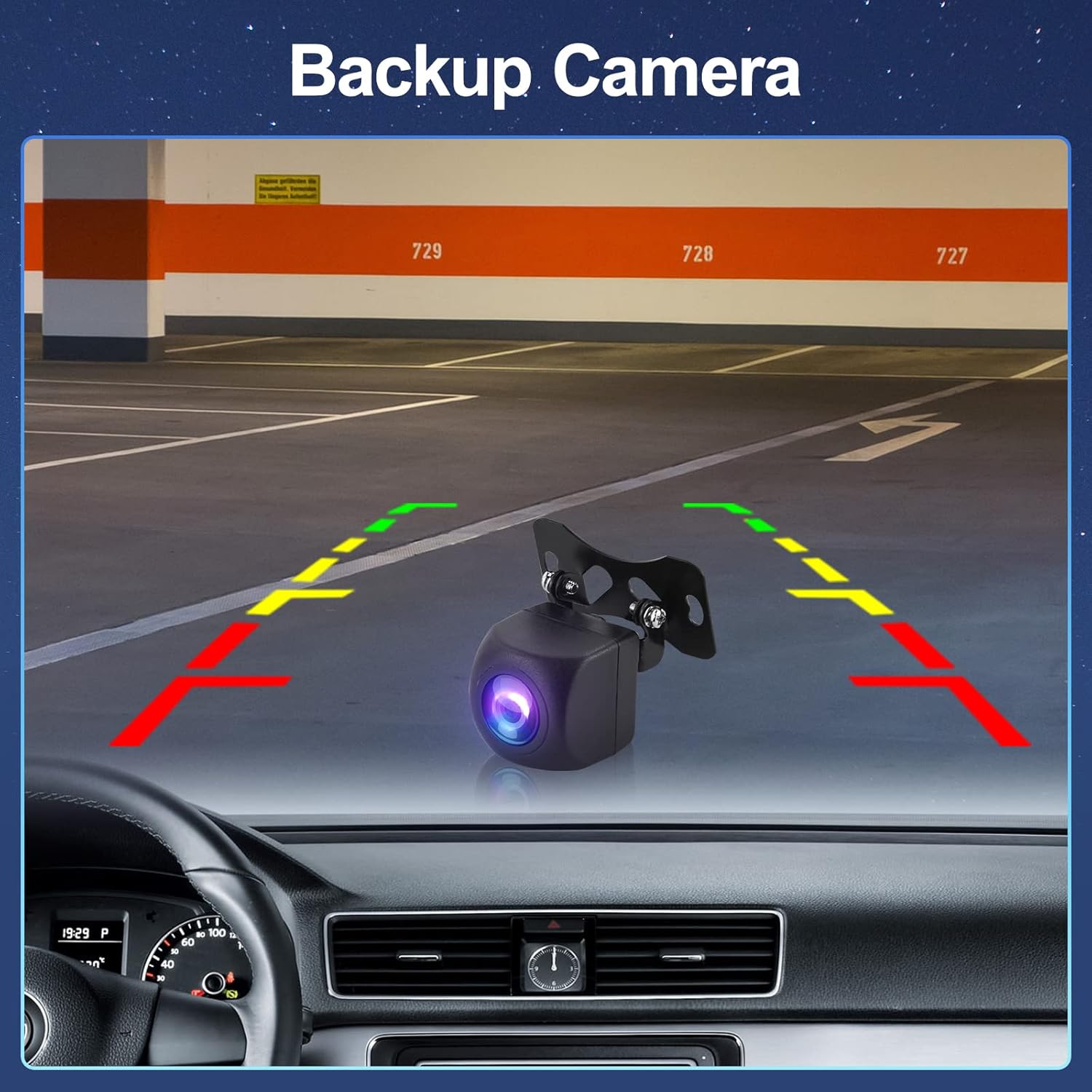
Image: The FM/RDS radio interface of the car stereo, showing frequency display, station presets, and RDS information.

Image: The Bluetooth music playback interface (top) and the detailed Equalizer (EQ) settings screen (bottom) on the car stereo, allowing for audio customization.
Camera Wrth Gefn AHD
The included AHD backup camera automatically displays the rear view on the screen when the vehicle is put into reverse gear. This feature enhances safety during parking and maneuvering.

Image: A simulated view from the AHD backup camera displayed on the car stereo screen, showing parking guidelines and the rear environment.
Rheolydd Olwyn Lywio (SWC)
The unit supports Steering Wheel Control. Connect your vehicle's SWC cable to the car stereo's control cable. Follow the instructions in the user manual to program the buttons, allowing you to control functions directly from your steering wheel.
Cynnal a chadw
Mae cynnal a chadw priodol yn sicrhau hirhoedledd a pherfformiad gorau posibl stereo eich car.
- Glanhau: Defnyddiwch frethyn meddal, sych i lanhau'r sgrin a'r uned. Ar gyfer smotiau ystyfnig, sychwch ychydigampgolchwch y lliain gyda dŵr neu lanhawr sy'n ddiogel i sgriniau. Osgowch ddeunyddiau sgraffiniol neu gemegau llym.
- Diweddariadau Meddalwedd: Gwiriwch yn rheolaidd am ddiweddariadau meddalwedd gan y gwneuthurwr i sicrhau bod y system yn rhedeg yn effeithlon a bod ganddi'r nodweddion a'r clytiau diogelwch diweddaraf.
- Amodau Amgylcheddol: Osgowch amlygu'r uned i dymheredd eithafol, golau haul uniongyrchol am gyfnodau hir, neu leithder gormodol.
Datrys problemau
If you encounter issues with your Podofo car stereo, refer to the following common problems and solutions:
| Problem | Achos / Ateb Posibl |
|---|---|
| Nid yw'r uned yn pweru ymlaen. | Check power cable connections. Ensure vehicle battery is connected and charged. Check vehicle's fuse box for blown fuses. |
| Dim sain. | Check speaker connections. Verify volume level is not muted or too low. Check audio settings (EQ, balance, fader). |
| Signal GPS yn wan neu ar goll. | Ensure GPS antenna is properly connected and placed in an unobstructed location. Move to an open area away from tall buildings or dense foliage. |
| Problemau cysylltiad Bluetooth. | Ensure Bluetooth is enabled on both the stereo and your phone. Delete previous pairings and re-pair the devices. Restart both devices. |
| Nid yw'r camera wrth gefn yn dangos. | Check the camera's power and video signal connections. Ensure the vehicle is in reverse gear. Verify camera settings in the stereo menu. |
| Sgrin gyffwrdd yn anymatebol. | Perform a soft reset (refer to the manual for reset button location, usually a small pinhole). If persistent, contact support. |
For issues not listed here, or if troubleshooting steps do not resolve the problem, please contact Podofo customer support.
Manylebau
| Nodwedd | Manylyn |
|---|---|
| Brand | Podofo |
| Enw Model | Radio de Coche 2 DIN |
| System Weithredu | Android 13 |
| RAM / ROM | 2GB RAM / 32GB ROM |
| Maint Sgrin | 10.1 modfedd |
| Math o Wasanaeth Cerbyd | Car |
| Nodweddion Arbennig | Wireless Carplay, Android Auto, Mirror Link, 26 UI Themes |
| Technoleg Cysylltedd | Wi-Fi, Bluetooth |
| Math o Fap | Street (GPS/QZSS/SBAS support) |
| Modd Allbwn Sain | Sain Amgylch |
| Math Mowntio | Dangosfwrdd Mount |
Gwarant a Chefnogaeth
Podofo is committed to providing excellent customer service and product support.
- Gwarant: The product typically comes with a warranty period. Please refer to your purchase documentation for specific warranty terms.
- Yn dychwelyd: A 60-day no-worry return policy may apply.
- Gwasanaeth Cwsmer: If you have any questions, concerns, or require technical assistance, please do not hesitate to contact Podofo customer service. They aim for quick replies, often within 18 hours, and offer professional support.
- Cyswllt: For support, please reach out to the seller "Podofo electronic" through the platform where you made your purchase, or refer to the contact information provided in your product packaging.