
BENFEI Memory Card Reader User Manual
Model: 000271grey-N
1. Rhagymadrodd
This manual provides detailed instructions for the BENFEI USB Type-C/Type-A Memory Card Reader. This device is designed to facilitate high-speed data transfer between various memory cards and your compatible devices, offering both USB-A and USB-C connectivity options.

Image 1.1: The BENFEI Memory Card Reader, showcasing its dual USB-A and USB-C connectors, alongside an SD card and a Micro SD card.
Nodweddion Allweddol:
- Dyluniad integredig: Features both USB-C (Thunderbolt 3 Compatible) and USB 3.0/2.0 Type-A connectors for broad device compatibility.
- Slotiau Cerdyn Deuol: Supports simultaneous reading and writing for SD (Secure Digital) and Micro SD (TF) card types.
- Perfformiad Cyflymder Uchel: Achieves transfer rates up to 104MB/sec in UHS-I mode via USB Type-C or USB 3.0 ports.
- Sefydlogrwydd Uwch: Equipped with an advanced IC chip for reliable high-speed data transfer.
- Cydnawsedd Eang: Compatible with various operating systems including Windows, macOS, ChromeOS, iPadOS, and Android.
2. Gosod
The BENFEI Memory Card Reader is designed for plug-and-play functionality, requiring no additional drivers for most modern operating systems.
Connecting the Card Reader:
- Nodwch y cysylltydd cywir: The card reader features an integrated USB-A connector with a retractable USB-C adapter.
- For USB-A ports: Ensure the USB-C adapter is retracted, then plug the USB-A connector into an available USB 3.0 or USB 2.0 port on your computer or laptop.
- For USB-C ports: Extend the USB-C adapter from the USB-A connector, then plug the USB-C connector into an available USB Type-C (Thunderbolt 3 compatible) port on your device.

Image 2.1: Illustration of the 2-in-1 design, demonstrating how to switch between USB-A and USB-C connections.
Once connected, your operating system should automatically detect the device. A new drive letter or icon representing the card reader will appear in your file fforiwr neu bwrdd gwaith.
3. Cyfarwyddiadau Gweithredu
Inserting Memory Cards:
- Identify card slots: The reader has two distinct slots: one for standard SD cards and one for Micro SD (TF) cards.
- Insert SD card: Gently slide your SD card into the larger slot with the metal contacts facing down and towards the reader until it clicks into place.
- Insert Micro SD (TF) card: Gently slide your Micro SD card into the smaller slot with the metal contacts facing down and towards the reader until it clicks into place.
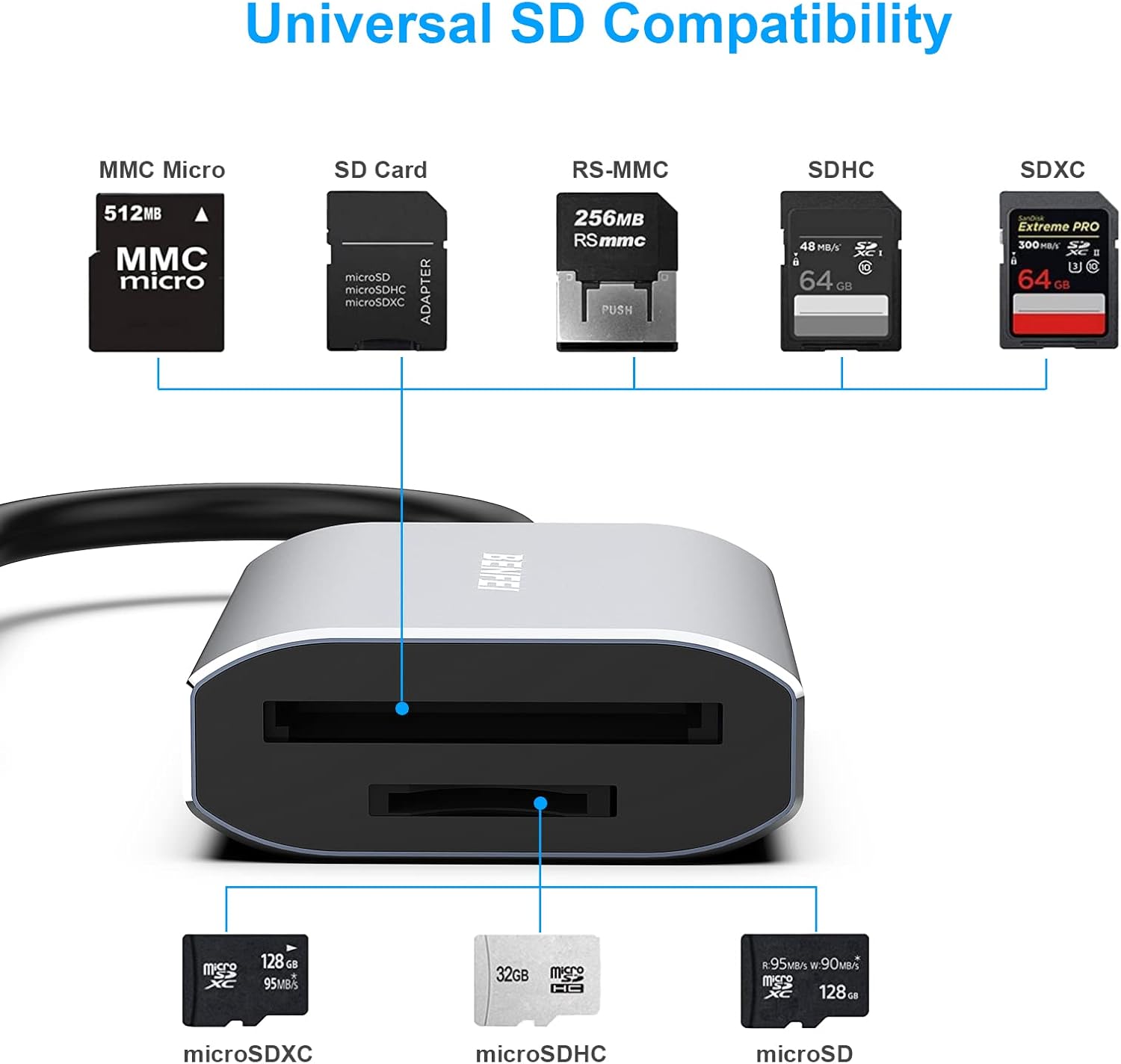
Image 3.1: Diagram illustrating the various compatible SD and Micro SD card types and their respective insertion slots on the reader.
Trosglwyddo Data:
- Once a card is inserted, it will appear as a removable drive on your connected device.
- Open the drive to access the files ar y cerdyn cof.
- Llusgo a gollwng files between your device and the memory card, or use copy/paste functions.
- The reader supports simultaneous reading and writing to both SD and Micro SD cards.

Image 3.2: Visual representation of high-speed file transfer (up to 104 MB/s) from an SD card to a tablet using the BENFEI reader.
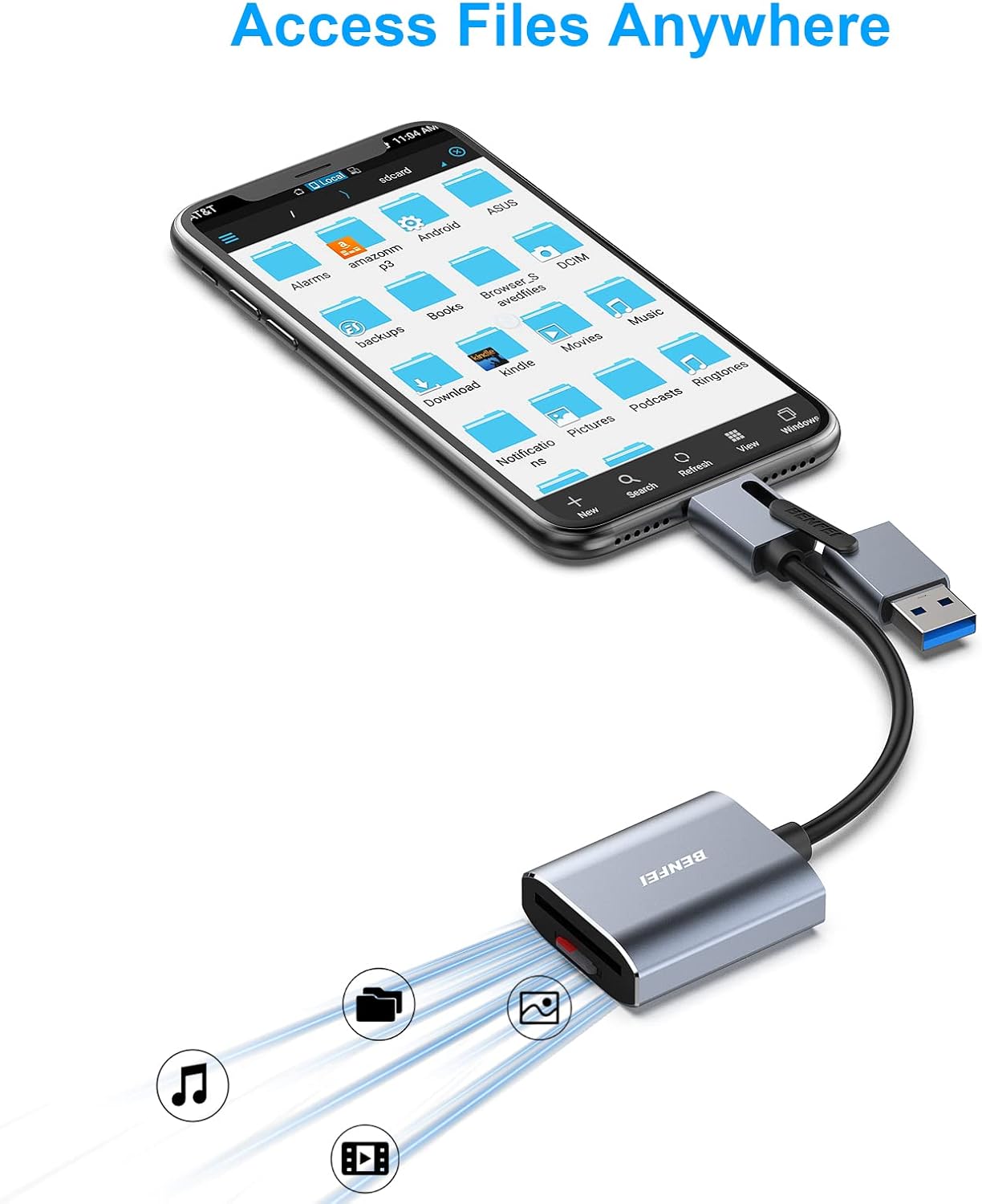
Image 3.3: The card reader connected to a smartphone, demonstrating the ability to access and manage files ar fynd.
Tynnu Cardiau Cof:
Always safely eject the memory card from your operating system before physically removing it from the reader to prevent data corruption.
- Windows: De-gliciwch ar eicon y gyriant yn 'Y Cyfrifiadur Hwn' neu 'Fy Nghyfrifiadur' a dewis 'Alldaflu'.
- MacOS: Drag the drive icon to the Trash or click the Eject button next to the drive in Finder.
- Once safely ejected, gently press the memory card further into its slot until it springs out, then pull it out.
4. cynnal
- Keep the card reader clean and free from dust and debris. Use a soft, dry cloth for cleaning.
- Osgoi amlygu'r ddyfais i dymereddau eithafol, lleithder neu olau haul uniongyrchol.
- Peidiwch â cheisio dadosod na thrwsio'r ddyfais eich hun, gan y bydd hyn yn gwneud y warant yn ddi-rym.
- Store the card reader in a safe place when not in use to prevent physical damage to the connectors or card slots.
5. Datrys Problemau
Problemau ac Atebion Cyffredin:
- Dyfais heb ei hadnabod:
- Ensure the card reader is fully plugged into a functional USB port.
- Try a different USB port or a different computer/device.
- Verify that the correct USB connector (USB-A or USB-C) is being used for your device's port.
- Ailgychwynwch eich cyfrifiadur/dyfais.
- Memory card not detected:
- Ensure the memory card is inserted correctly and fully into the appropriate slot.
- Try a different memory card to rule out a card issue.
- Check if the memory card is locked (physical switch on some SD cards).
- Ensure the card's file format (e.g., exFAT for SDXC) is supported by your operating system. Windows XP, Windows Vista before SP1, and Mac OS X before 10.6.6 do not support exFAT.
- Cyflymderau trosglwyddo araf:
- Ensure you are connected to a USB 3.0 or USB Type-C port for optimal speeds. USB 2.0 ports will result in slower transfers.
- The actual transfer speed is also dependent on the memory card's speed rating.
- Osgowch redeg nifer o gymwysiadau heriol yn ystod cyfnodau mawr file trosglwyddiadau.
6. manylebau

Delwedd 6.1: Manwl view of the BENFEI Memory Card Reader, highlighting its compact dimensions and the internal smart chip for efficient data transmission.
| Nodwedd | Manylyn |
|---|---|
| Brand | BENFEI |
| Rhif Model | 000271grey-N |
| Technoleg Cysylltedd | USB Type C, USB 3.0/2.0 Type A |
| Math o Gyfryngau a Gefnogir | SD Card (SD, SDHC, SDXC, RS-MMC, MMC Micro), Micro SD Card (TF, Micro SDHC, Micro SDXC) |
| Cyflymder Trosglwyddo Data | Up to 104MB/s (UHS-I mode) |
| Cydweddoldeb System Weithredu | Windows, macOS, ChromeOS, iPadOS, Android |
| Pwysau Eitem | 1.41 owns |
| Dimensiynau Pecyn | 4.49 x 3.54 x 0.67 modfedd |
| Nodwedd Arbennig | Compact, Integrated USB-A/USB-C design, Simultaneous Read/Write |
7. Gwarant a Chefnogaeth
Gwybodaeth Gwarant:
The BENFEI Memory Card Reader comes with an exclusive Gwarant 18 mis. This warranty covers manufacturing defects and ensures long-term satisfaction with your purchase. Please retain your proof of purchase for warranty claims.
Cefnogaeth i Gwsmeriaid:
For any questions, technical assistance, or warranty claims, please contact BENFEI customer service. Our friendly and easy-to-reach customer service team is available to help resolve any issues you may encounter.
You can typically find contact information on the official BENFEI websafle neu drwy'r manwerthwr lle prynwyd y cynnyrch.