
1. Cyfarwyddiadau Diogelwch Pwysig
- Darllenwch y cyfarwyddiadau hyn yn drylwyr cyn defnyddio'r cynnyrch.
- Cadwch y llawlyfr hwn er mwyn cyfeirio ato yn y dyfodol.
- Do not expose the product to extreme temperatures, humidity, or corrosive environments.
- Osgowch wrando ar lefelau cyfaint uchel am gyfnodau estynedig i atal niwed i'r clyw.
- Do not disassemble, repair, or modify the product. Contact authorized service personnel for assistance.
- Cadwch y cynnyrch i ffwrdd oddi wrth blant ac anifeiliaid anwes.
- Gwaredu'r cynnyrch a'i fatri yn gyfrifol yn unol â rheoliadau lleol.
2. Cynnwys Pecyn
Gwiriwch fod yr holl eitemau yn bresennol yn y pecyn:
- Edifier TO-U6+ True Wireless Earbuds (Left and Right)
- Achos Codi Tâl
- Cebl Codi Tâl USB
- Awgrymiadau Clust (amrywiol feintiau)
- Llawlyfr Defnyddiwr (y ddogfen hon)
3. Cynnyrch Drosview
The Edifier TO-U6+ earbuds are designed for comfortable in-ear fit and provide high-quality audio with touch controls.
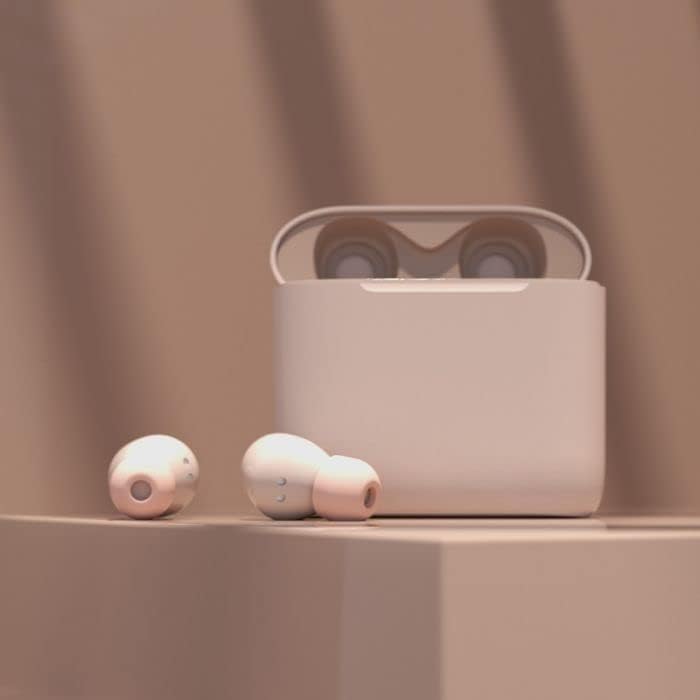
Image: Edifier TO-U6+ Earbuds removed from their open charging case, showcasineu dyluniad.

Image: A person wearing Edifier TO-U6+ earbuds, demonstrating their ergonomic fit during use.
The charging case protects the earbuds and provides additional battery life for extended listening.
4. Gosod
4.1 Gwefru'r Clustffonau a'r Cas
Cyn ei ddefnyddio gyntaf, gwefrwch y clustffonau a'r cas gwefru yn llawn.
- Rhowch y clustffonau yn y cas gwefru. Gwnewch yn siŵr eu bod wedi'u gosod yn gywir.
- Connect the USB charging cable to the charging port on the case and to a USB power source.
- The indicator light on the charging case will show charging status. A full charge provides up to 8 hours of playback for the earbuds and an additional 24 hours from the case, totaling 32 hours. A 15-minute charge can provide 1 hour of music playback.
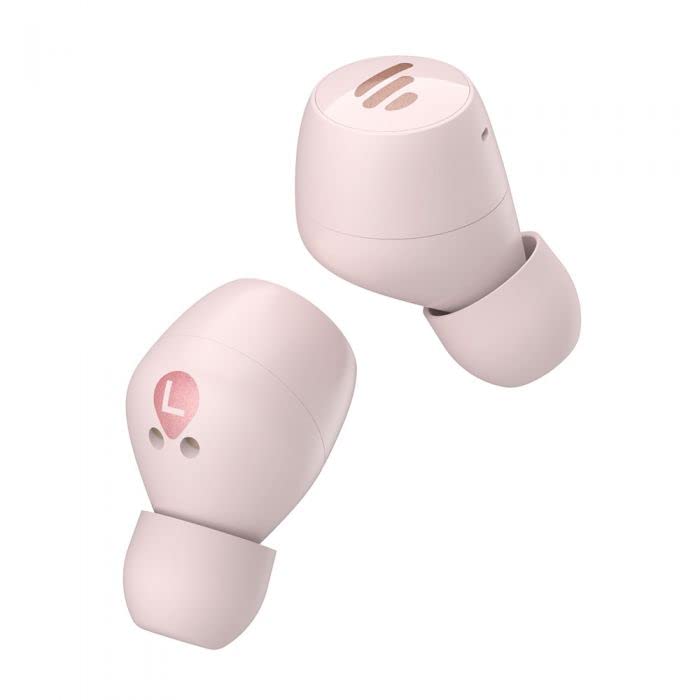
Image: The Edifier TO-U6+ charging case, illustrating its compact design.
4.2 Pâr Bluetooth
- Agorwch y cas gwefru. Bydd y clustffonau'n mynd i mewn i'r modd paru'n awtomatig, a nodir gan olau'n fflachio ar y clustffonau.
- Ar eich dyfais (ffôn clyfar, tabled, ac ati), galluogwch Bluetooth.
- Chwiliwch am available Bluetooth devices and select "Edifier TO-U6+" from the list.
- Once connected, the earbud indicator lights will turn off or show a steady light, depending on the model.
- If pairing fails, place the earbuds back into the case, close the lid, and then reopen to re-enter pairing mode.
5. Cyfarwyddiadau Gweithredu
5.1 Rheolaethau Cyffwrdd
The Edifier TO-U6+ earbuds feature intuitive touch controls on each earbud. The touch-sensitive area is located on the outer surface of each earbud.

Delwedd: Top view of the Edifier TO-U6+ earbuds, highlighting the touch control area.
| Gweithred | Swyddogaeth |
|---|---|
| Tap Sengl (Chwith/Dde) | Chwarae/Saib Cerddoriaeth, Ateb/Diweddu Galwad |
| Tap dwbl (Clust i'r Dde) | Trac Nesaf |
| Tap Dwbl (Clust Chwith) | Actifadu Cynorthwyydd Llais |
| Tap Triphlyg (Clust i'r Dde) | Trac Blaenorol |
| Pwyswch Hir (Chwith/Dde) | Gwrthod Galwad |
5.2 Galwadau Llais
The earbuds feature CVC 8.0 voice call noise cancellation, which reduces ambient noise for clearer conversations. Use the single tap action to answer or end calls, and long press to reject incoming calls.
6. cynnal
6.1 Glanhau
- Regularly clean the ear tips with a soft, dry cloth.
- Wipe the charging contacts on the earbuds and inside the case with a dry cotton swab to ensure proper charging.
- Peidiwch â defnyddio cemegau llym neu ddeunyddiau sgraffiniol ar gyfer glanhau.
6.2 Storio
- Storiwch y clustffonau yn eu cas gwefru bob amser pan nad ydynt yn cael eu defnyddio i'w hamddiffyn a'u cadw'n wefredig.
- Storiwch y cynnyrch mewn lle oer, sych, i ffwrdd o olau haul uniongyrchol a thymheredd eithafol.
6.3 Gwrthiant Dŵr a Llwch
The Edifier TO-U6+ earbuds are IP55-rated for dust and water resistance. This means they are protected against limited dust ingress and low-pressure water jets from any direction. They are suitable for workouts and light rain, but ddim for swimming or submersion in water.
7. Datrys Problemau
If you encounter issues with your Edifier TO-U6+ earbuds, refer to the following common solutions:
- Dim Sain: Gwnewch yn siŵr bod y clustffonau wedi'u gwefru, wedi'u paru'n iawn, a bod y gyfrol wedi'i haddasu ar y clustffonau a'ch dyfais.
- Materion paru: Turn off Bluetooth on your device, place earbuds back in the case, close and reopen the lid, then try pairing again. Clear previous Bluetooth connections on your device if necessary.
- Un Earbud Ddim yn Gweithio: Rhowch y ddau glustffon yn ôl yn y cas, caewch y caead, arhoswch ychydig eiliadau, yna tynnwch nhw allan eto. Mae hyn yn aml yn eu hail-gysoni.
- Problemau Codi Tâl: Check the charging cable and power source. Ensure charging contacts on earbuds and case are clean and free of debris.
- Ansawdd galwad gwael: Ensure earbuds are properly seated in your ears. Check for strong Bluetooth signal.
If problems persist, consult the Edifier support websafle neu cysylltwch â gwasanaeth cwsmeriaid.
8. manylebau
| Nodwedd | Manylyn |
|---|---|
| Model | TO-U6+ |
| Cysylltedd | Diwifr, Bluetooth 5.0 |
| Bluetooth Profiles | A2DP, AVRCP, HFP |
| Technoleg Sain | Qualcomm aptX |
| Lleihau Sŵn Galwadau | CVC 8.0 |
| Amser chwarae (Clustffonau) | Hyd at 8 awr |
| Cyfanswm Amser Chwarae (gyda Chas) | Hyd at 32 awr |
| Tâl Cyflym | 15 munud am chwarae 1 awr |
| Gwrthiant Dŵr | Llwch a Gwrth-ddŵr IP55 |
| Dull Rheoli | Cyffwrdd |
| Dimensiynau Cynnyrch | 2 x 2 x 3 cm (earbuds); 180 g (total weight) |
| Dyfeisiau Cydnaws | Ffonau Clyfar, Tabledi, Gliniaduron, Cyfrifiaduron Penbwrdd |
9. Gwarant a Chefnogaeth
Edifier products are covered by a limited warranty. For detailed warranty information, please refer to the warranty card included with your purchase or visit the official Edifier websafle.
For technical support, product registration, or further inquiries, please visit the Edifier customer support portal or contact their authorized service centers. Keep your proof of purchase for warranty claims.