
PPLEE CR1002M
PPLEE 5-in-1 White Noise Machine User Manual
Model: CR1002M
Rhagymadrodd
Thank you for choosing the PPLEE 5-in-1 White Noise Machine. This versatile device combines a white noise machine with 42 soothing sounds, a high-fidelity Bluetooth speaker, a dual digital alarm clock, a multi-color night light, and a convenient charging station. Designed to enhance your sleep quality, relaxation, and daily routine, this manual provides detailed instructions for setup, operation, and maintenance.

Figure 1: PPLEE 5-in-1 White Noise Machine Overview
Beth Sydd yn y Bocs
- 1 x PPLEE Bluetooth Noise Machine Alarm Clock
- 1 x 5V 2A Power Adapter and Cord
- 1 x Llawlyfr Defnyddiwr
Canllaw Gosod
1. Cysylltiad Pwer
Connect the provided 5V 2A power adapter to the DC jack on the back of the device and plug it into a standard electrical outlet. The device will power on automatically.
2. Battery Installation (Memory Function)
For memory function and to retain time/alarm settings during power outages, install 1 CR2032 battery (not included) into the battery compartment on the bottom of the unit. This battery does not power the main functions of the device, only the memory backup.
3. Gosod yr Amser
- Press and hold the 'TIME SET' button (usually labeled 'HOUR' or 'MIN' with a clock icon) until the hour display flashes.
- Use the 'HOUR' and 'MIN' buttons to adjust the time.
- Pwyswch 'TIME SET' eto i gadarnhau ac ymadael â'r modd gosod amser.
- To switch between 12-hour and 24-hour format, press the '12/24H' button.
Cyfarwyddiadau Gweithredu
Gweithrediad Peiriant Sain
The device offers 42 natural soothing sounds across four categories: white noise, fan sounds, lullabies, and nature sounds.
- Dewis Seiniau: Press the 'SOUND' button (often represented by a music note or sound wave icon) to cycle through the available sound categories and individual sounds.
- Addasiad Cyfaint: Use the 'VOL+' and 'VOL-' buttons to adjust the volume across 16 levels.
- Amserydd Cwsg: Press the 'TIMER' button repeatedly to set an automatic shut-off timer for 15, 30, 60, 90, 120, 180, or 480 minutes. The display will show the selected time. To cancel the timer, press the 'TIMER' button until 'OFF' or no timer duration is displayed.

Figure 2: Sound Selection and Timer Functions
Gweithrediad Siaradwr Bluetooth
Connect your smartphone or tablet wirelessly to play your favorite audio.
- Paru: Press the 'MODE' button until the Bluetooth icon appears on the display and starts flashing. On your device, enable Bluetooth and select 'CR1002M' (or similar) from the list of available devices. The icon will become solid when paired.
- Chwarae Sain: Once paired, play audio from your connected device. Use the 'PREV', 'PLAY/PAUSE', and 'NEXT' buttons on the machine to control playback, or control directly from your device.
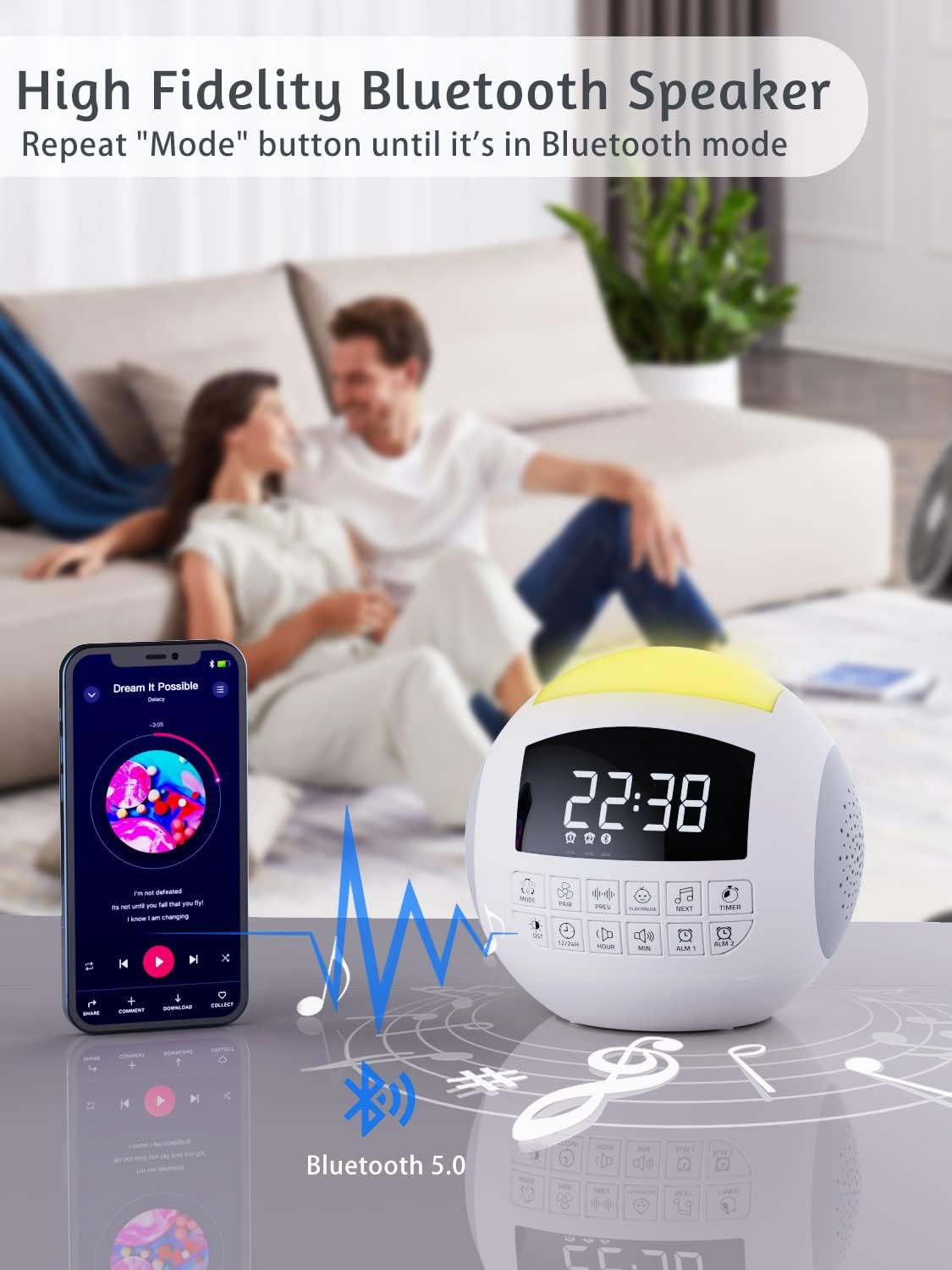
Ffigur 3: Cysylltedd Bluetooth
Gweithrediad Cloc Larwm
The device features dual alarms with customizable sounds and snooze functionality.
- Gosod Larymau: Press and hold 'ALARM 1' or 'ALARM 2' button until the alarm time flashes. Use 'HOUR' and 'MIN' buttons to set the desired alarm time. Press the alarm button again to confirm.
- Selecting Alarm Sound: After setting the time, press the alarm button again to select from 9 different alarm sounds.
- Actifadu/Dadactifadu Larwm: Press the 'ALARM 1' or 'ALARM 2' button briefly to toggle the alarm on or off. An alarm icon will appear on the display when active.
- Swyddogaeth Snooze: When the alarm sounds, press the large 'SNOOZE' button on top to temporarily silence it for 9 minutes.

Figure 4: Dual Alarm Clock Settings
Gweithrediad Golau Nos
The integrated night light offers 7 colors and adjustable brightness.
- Newid Lliwiau: Press the 'LIGHT' button (often represented by a light bulb icon) to cycle through the 7 solid colors and a gradient color mode.
- Addasu Disgleirdeb: Press and hold the 'LIGHT' button to adjust the brightness level (5 levels available).

Figure 5: 7-Color Night Light with Brightness Control
Ymarferoldeb Codi Tâl
The device includes a Type-C charging port for the unit itself and dual USB-A ports for charging external devices.
- Tâl Dyfais: The unit is powered via its Type-C port using the provided adapter.
- External Device Charging: Connect your smartphone, tablet, or other USB-powered devices to the dual USB-A ports on the back of the unit to charge them.

Figure 6: Charging Ports for External Devices
Swyddogaeth Cof
The memory function ensures that your time and alarm settings are retained even if the main power is interrupted, thanks to the installed CR2032 battery.

Figure 7: Memory Function with Battery Backup
Cynnal a chadw
- Glanhau: Sychwch y ddyfais gyda lliain meddal, sych. Peidiwch â defnyddio glanhawyr hylif na deunyddiau sgraffiniol.
- Storio: Storiwch y ddyfais mewn lle oer, sych pan nad yw'n cael ei defnyddio am gyfnodau hir.
- Amnewid Batri: Replace the CR2032 battery annually or if memory function fails.
Datrys problemau
| Problem | Achos Posibl | Ateb |
|---|---|---|
| Nid yw'r ddyfais yn pweru ymlaen. | Addasydd pŵer heb ei gysylltu neu soced diffygiol. | Ensure adapter is securely plugged into device and a working outlet. |
| Dim sain na chyfaint isel. | Volume too low or incorrect sound selected. | Increase volume using 'VOL+' button. Cycle through sounds to ensure one is playing. |
| Nid yw Bluetooth yn cysylltu. | Nid yw'r ddyfais yn y modd paru neu'n rhy bell o'r ffynhonnell. | Ensure device is in Bluetooth pairing mode (flashing icon). Move source closer. Try re-pairing. |
| Nid yw'r larwm yn canu. | Larwm heb ei actifadu neu gyfaint yn rhy isel. | Check if alarm icon is displayed. Increase alarm volume. Verify alarm time is set correctly. |
| Ailosodir amser/gosodiadau ar ôl diffodd y pŵertage. | CR2032 battery is dead or not installed. | Install or replace the CR2032 battery. |
Manylebau
| Nodwedd | Manylyn |
|---|---|
| Dimensiynau Cynnyrch | 5.32 x 5.95 x 6.1 modfedd |
| Pwysau Eitem | 1.39 pwys |
| Rhif Model | CR1002M |
| Lliw | Gwyn |
| Ffynhonnell Pwer | AC Powered (with CR2032 battery backup for memory) |
| Traciau Cerdd | 42 (White Noise, Fan, Lullabies, Nature Sounds) |
| Lliwiau Golau Nos | 7 Colors + Gradient |
| Lefelau Cyfrol | 16 |
| Lefelau Disgleirdeb | 5 |
| Amseryddion | 15, 30, 60, 90, 120, 180, 480 munud |
| Seiniau Larwm | 9 |
| Porthladdoedd Codi Tâl | Dual USB-A |
Gwarant a Chefnogaeth
PPLEE products are designed for reliability and performance. For warranty information or technical support, please refer to the contact details provided with your purchase or visit the official PPLEE website. A digital version of this user manual is also available for download at https://manuals.plus/m/f23b430e063d58de8cd25ce8d0ed17a6ff4bc5a117e3aca8867779d575e1b4e3.
Ask a question about this manual
Ask about setup, troubleshooting, compatibility, parts, safety, or missing instructions. Manuals+ will review the question and use this page’s manual context to help answer it.