
iGear iG-1012
Llawlyfr Defnyddiwr Cebl Gwefru iGear Duo
Model: iG-1012 | Brand: iGear
Cynnyrch Drosview
The iGear Duo Charging Cable is a versatile 2-in-1 solution designed for efficient charging and data synchronization across a wide range of devices. It features both a Type-C to Type-C connection and a Type-C to iPhone-pin connection, making it compatible with various smartphones, laptops, power banks, and other USB-C and Lightning-enabled devices.
Mae nodweddion allweddol yn cynnwys:
- Cysylltedd Deuol: Offers both Type-C to Type-C and Type-C to iPhone-pin connections in a single cable.
- Codi Tâl Cyflym: Supports 65W Power Delivery (PD) for Type-C to Type-C connections and 20W fast charging for Type-C to iPhone-pin connections.
- Gwydnwch Uchel: Constructed with a durable nylon braided exterior designed to resist breakage and withstand over 50,000 bends.
- Cydnawsedd Eang: Compatible with a broad range of devices including Android phones, iPhones, laptops, power banks, and speakers.
- Data Sync Capability: Enables high-speed data transfer up to 480Mbps.

Image: The iGear Duo Charging Cable showcasing its Type-C and detachable Lightning connectors, highlighting its dual functionality.
Canllaw Gosod
The iGear Duo Charging Cable is designed for plug-and-play simplicity. No complex setup or software installation is required.
- Adnabod Porthladd Dyfais: Determine whether your device requires a Type-C connection or an iPhone-pin (Lightning) connection.
- Dewiswch Connector:
- For Type-C devices: Use the integrated Type-C connector.
- For iPhone-pin (Lightning) devices: Attach the Lightning adapter to the Type-C connector. The Lightning adapter is designed to securely fit onto the Type-C end of the cable.
- Connect to Power Source/Device: Plug the appropriate connector into your device (phone, laptop, etc.) and the other Type-C end into a compatible power adapter (wall charger, power bank) or another device for data transfer.
Cyfarwyddiadau Gweithredu
Dyfeisiau Codi Tâl
The iGear Duo Charging Cable supports fast charging for both Type-C and iPhone-pin devices. Ensure your power adapter supports Power Delivery (PD) for optimal charging speeds.
- For Type-C Devices: Connect the Type-C end of the cable to your device and the other Type-C end to a 65W PD compatible power adapter.
- For iPhone-pin Devices: Attach the Lightning adapter to the cable's Type-C end, then connect it to your iPhone-pin device. Plug the other Type-C end into a 20W PD compatible power adapter.
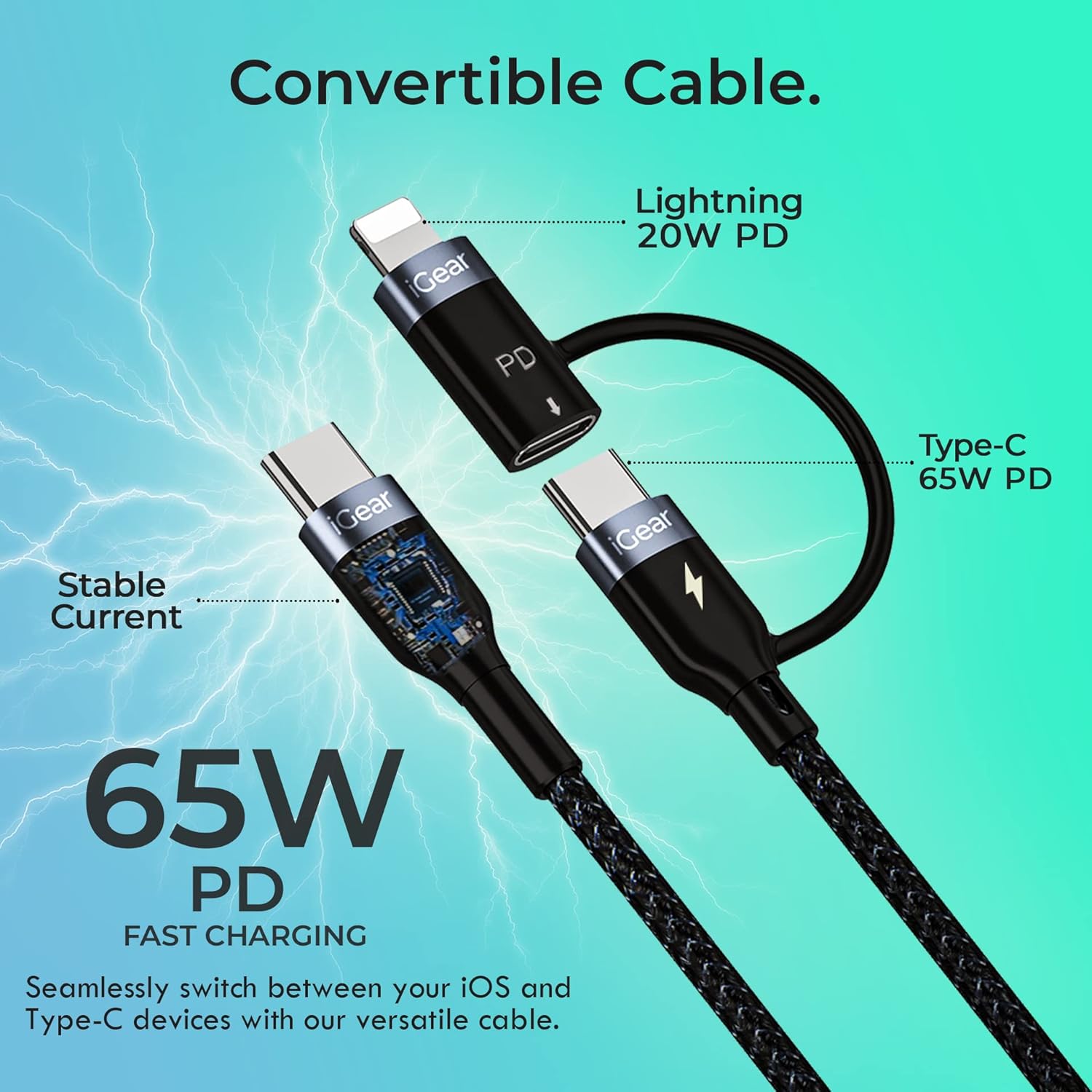
Image: A visual representation of the cable's convertible design, illustrating how the Lightning adapter connects to the Type-C end, and specifying 20W PD for Lightning and 65W PD for Type-C.
Trosglwyddo Data
The cable facilitates high-speed data transfer between compatible devices, such as a smartphone and a laptop.
- Cysylltu Dyfeisiau: Plug one end of the cable into your device (e.g., smartphone) and the other end into the data port of another device (e.g., laptop).
- Cychwyn Trosglwyddo: Follow the prompts on your devices to allow data access and begin transferring files. The cable supports data transfer speeds of up to 480Mbps.

Image: A hand holding a smartphone connected via the iGear Duo Cable, with text overlays indicating "65W Fast Charging" and "Upto 480Mbps Data Transfer," demonstrating its dual capabilities.
Gofal a Chynnal a Chadw
Proper care will extend the life of your iGear Duo Charging Cable and ensure optimal performance.
- Osgoi Plygu Eithafol: While the cable is designed to be durable and withstand many bends, avoid sharp or excessive bending, especially near the connectors, to prevent internal wire damage.
- Storio'n gywir: When not in use, coil the cable loosely. Avoid tightly wrapping or knotting the cable, which can stress the internal wires and outer braiding.
- Cadw'n Lân: Use a soft, dry cloth to wipe down the cable and connectors. Avoid using harsh chemicals or abrasive materials.
- Diogelu rhag Elfennau: Cadwch y cebl i ffwrdd o dymheredd eithafol, golau haul uniongyrchol, a lleithder.
- Triniwch gysylltwyr yn ofalus: Tynnwch o ben y cysylltydd bob amser, nid y cebl ei hun, wrth ddatgysylltu o ddyfais neu ffynhonnell bŵer.

Image: A detailed cross-section view of the cable's construction, highlighting its protective layers: rubber coating for insulation, copper wire for power, aluminum shield for protection, and a nylon braided jacket for durability.
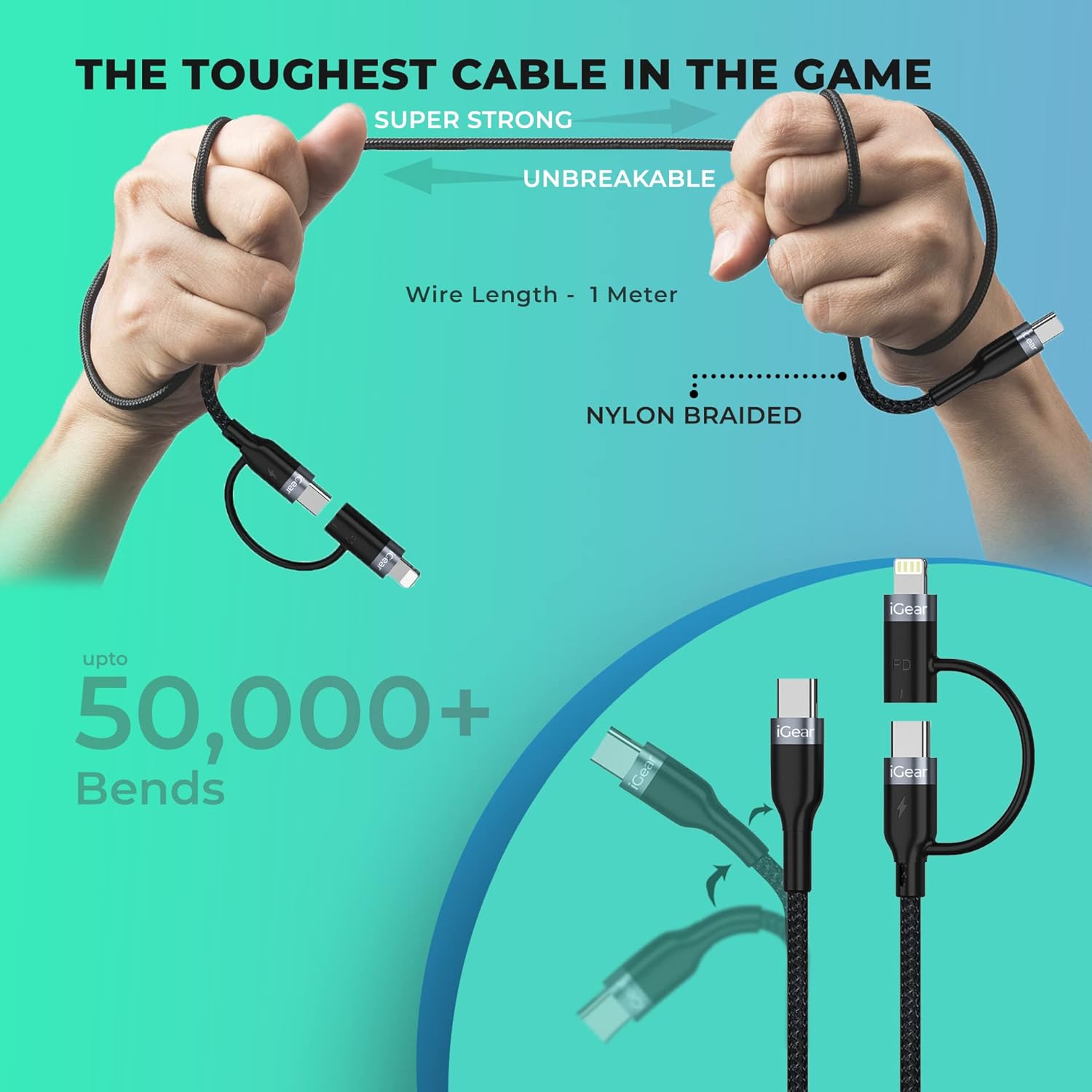
Image: A visual representation of the cable's robust design, showing it being bent and twisted, emphasizing its "Super Strong" and "Unbreakable" nylon braided construction, capable of withstanding over 50,000 bends.
Datrys problemau
If you encounter issues with your iGear Duo Charging Cable, refer to the following common problems and solutions:
| Problem | Achos Posibl | Ateb |
|---|---|---|
| Dyfais ddim yn gwefru. | Loose connection, incompatible power adapter, dirty port, or damaged cable. |
|
| Cyflymder codi tâl araf. | Power adapter not supporting PD, device drawing less power, or background apps consuming power. |
|
| Nid yw trosglwyddo data yn gweithio. | Incorrect connection, device settings, or driver issues. |
|
Manylebau Technegol
| Nodwedd | Manyleb |
|---|---|
| Brand | iGear |
| Rhif Model | iG- 1012 |
| Math o Gysylltydd | USB Type C, Lightning (via adapter) |
| Math Cebl | USB |
| Power Delivery (Type-C to Type-C) | Up to 65W PD |
| Power Delivery (Type-C to iPhone-pin) | Up to 20W PD |
| Cyflymder Trosglwyddo Data | Hyd at 480Mbps |
| Dyfeisiau Cydnaws | Headphone, Laptop, Power Bank, Smartphone, Speaker (Android & iPhone) |
| Nodweddion Arbennig | Braided, Data Transfer, Durable |
| Lliw | Du |
| Deunydd Allanol | Neilon |
| Pwysau Eitem | 40 g |
| Dimensiynau Pecyn | 16.2 x 8.3 x 2.3 cm |
| Cydrannau wedi'u Cynnwys | 1 cebl gwefru |
Gwarant a Chefnogaeth
Gwybodaeth Gwarant
The iGear Duo Charging Cable comes with a Gwarant 1 Flwyddyn o ddyddiad y pryniant. Mae'r warant hon yn cwmpasu diffygion gweithgynhyrchu a phroblemau sy'n deillio o ddefnydd arferol. Nid yw'n cwmpasu difrod a achosir gan gamddefnydd, damweiniau, addasiadau heb awdurdod, na thrychinebau naturiol.
Cadwch eich derbynneb prynu fel prawf o brynu ar gyfer hawliadau gwarant.
Cefnogaeth i Gwsmeriaid
For any product-related inquiries, technical assistance, or warranty claims, please contact iGear customer support:
- Gwneuthurwr: IGEAR TECH PRIVATE LIMITED
- Cyfeiriad: Goregaon East, Mumbai 400063
- Rhif Cyswllt: 9327667193
You may also visit the official iGear store on Amazon for more information and product updates: iGear Amazon Store
Ask a question about this manual
Ask about setup, troubleshooting, compatibility, parts, safety, or missing instructions. Manuals+ will review the question and use this page’s manual context to help answer it.