
BUFFBEE BK11
BUFFBEE Sound Machine & Alarm Clock
Model: BK11 - User Manual
Rhagymadrodd
Thank you for choosing the BUFFBEE Sound Machine & Alarm Clock. This versatile 2-in-1 device combines a high-quality sound machine with a fully functional alarm clock, designed to help you achieve restful sleep and wake up refreshed. Its intuitive controls and customizable features make it an essential addition to any bedroom.

Image: The Buffbee Sound Machine and Alarm Clock highlighting its dual functionality as both a sound machine and an alarm clock.
Gwybodaeth Diogelwch
- Peidiwch ag amlygu'r ddyfais i ddŵr na lleithder gormodol.
- Cadwch draw o ffynonellau gwres a golau haul uniongyrchol.
- Defnyddiwch yr addasydd pŵer a ddarperir yn unig.
- Peidiwch â cheisio dadosod neu atgyweirio'r ddyfais eich hun. Cysylltwch â chymorth cwsmeriaid am gymorth.
- Sicrhewch fod y ddyfais yn cael ei gosod ar arwyneb sefydlog, gwastad.
Cynnwys Pecyn
- BUFFBEE Sound Machine & Alarm Clock (Model: BK11)
- Addasydd Pŵer
- Llawlyfr Defnyddiwr
Cynnyrch Drosview
Ymgyfarwyddwch â chydrannau a rheolyddion y ddyfais:

Image: A detailed diagram illustrating the top panel controls (Alarm, Volume Control, Sound Machine, Night Light) and the rear panel (Display Dimmer, Adapter port).
- Rheolaethau Panel Uchaf: Alarm button, Timer button, Volume Up/Down, Previous/Next Sound, Sound Machine button, Night Light button.
- Arddangosfa Flaen: Arddangosfa cloc digidol.
- Golau gwaelod: Integrated colored light.
- Panel cefn: DC 5V Adapter port, 0-100% Display Dimmer knob.
Gosod
- Lleoliad: Place the device on a stable surface, such as a nightstand or desk.
- Cysylltiad Pwer: Insert the power adapter into the DC 5V port on the rear of the device, then plug it into a standard electrical outlet.
- Pŵer Cychwynnol Ar: The clock display will illuminate.
- Amser Gosod: Refer to the 'Operating Instructions' section for setting the current time.
Cyfarwyddiadau Gweithredu
Gosod yr Amser
- Pwyswch a dal y Amser button (clock icon) on the top panel until the hour digits flash.
- Defnyddiwch y Blaenorol (◀︎) or Nesaf (▶︎) buttons to adjust the hour.
- Gwasgwch y Amser button again to confirm the hour and move to minute setting.
- Defnyddiwch y Blaenorol (◀︎) or Nesaf (▶︎) buttons to adjust the minutes.
- Gwasgwch y Amser button one more time to confirm the minutes and exit time setting.
Gosod y Larwm
- Pwyswch a dal y Larwm button (bell icon) on the top panel until the alarm hour digits flash.
- Defnyddiwch y Blaenorol (◀︎) or Nesaf (▶︎) buttons to adjust the alarm hour.
- Gwasgwch y Larwm button again to confirm the hour and move to alarm minute setting.
- Defnyddiwch y Blaenorol (◀︎) or Nesaf (▶︎) buttons to adjust the alarm minutes.
- Gwasgwch y Larwm button one more time to confirm the minutes. The alarm icon will appear on the display, indicating the alarm is set.
- I ddiffodd y larwm, pwyswch y Larwm button once. The alarm icon will disappear.
Using the Sound Machine
The device offers 18 soothing sounds, including 5 white noises, 3 fan sounds, and 10 nature sounds (ocean, lullaby, waves, rain, thunderstorm, brook, croaking, bird chirping, summer night, and camptân).
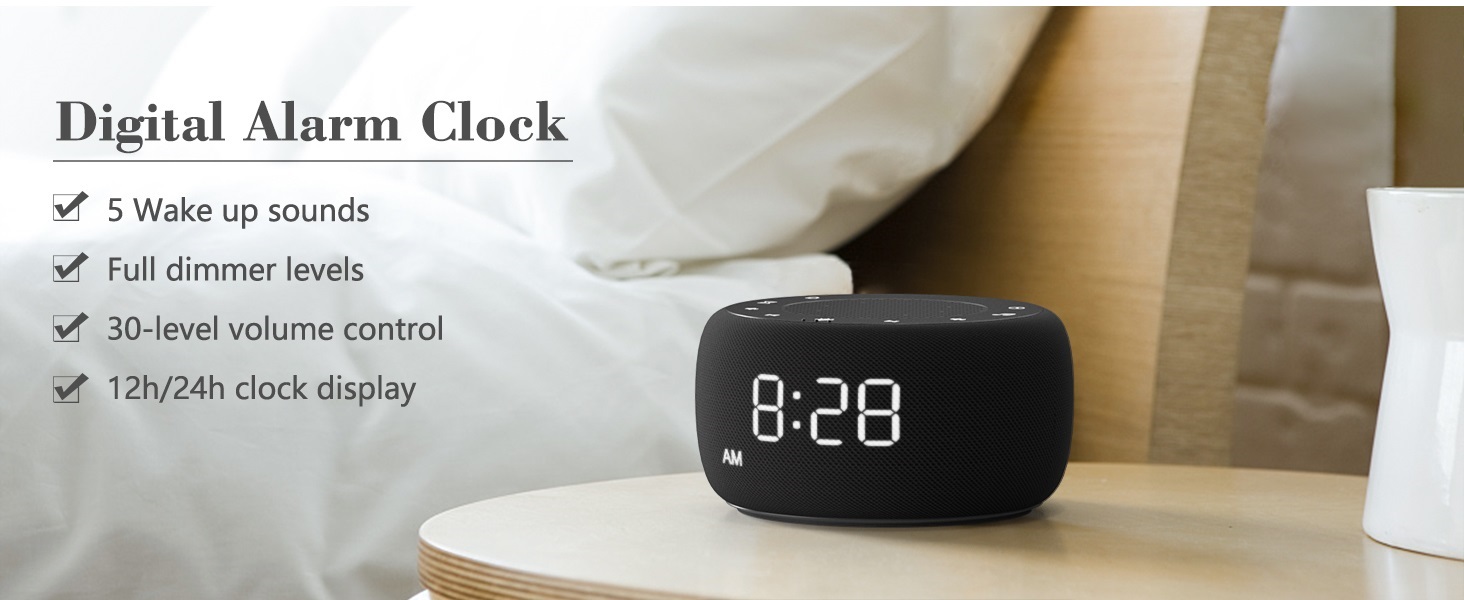
Image: An infographic displaying the 18 soothing sounds categorized into 3 fan sounds, 5 white noises, and 10 nature sounds, including ocean, lullaby, waves, rain, thunderstorm, brook, croaking, bird chirping, summer night, and camptân.
- Gwasgwch y Peiriant Sain button (music note icon) to cycle through the available sounds.
- Defnyddiwch y Cyfrol i Fyny (▲) a Cyfrol Lawr (▼) buttons to adjust the volume (30 levels).
- To turn off the sound, press the Peiriant Sain button until no sound is playing.
Amserydd Cwsg
Set a timer for the sound machine to automatically turn off.

Image: The top panel of the Buffbee Sound Machine, highlighting the Auto-Off Timer button and the Volume Control buttons.
- Gwasgwch y Amserydd button (hourglass icon) to cycle through timer options: 15, 30, 60, 90, 120 minutes, or continuous play.
- The selected timer duration will be displayed on the screen.
Adjusting Clock Face Brightness
The clock display brightness can be adjusted from 0% (completely dark) to 100%.

Image: The Buffbee Sound Machine demonstrating its 0-100% display dimmer feature, showing the clock face at 0%, partial, and 100% brightness.
- Lleolwch y Arddangos Dimmer knob on the rear of the device.
- Rotate the knob to increase or decrease the brightness of the clock display to your preference.
Using the Bottom Colored Light
The device features a bottom light with 7 color options to create a relaxing ambiance.

Image: The Buffbee Sound Machine displaying its bottom colored light feature, showing various color options and the ability to turn it on or off.
- Gwasgwch y Golau Nos button (light bulb icon) to cycle through the 7 color options.
- Continue pressing the button to turn the light off.
Cynnal a chadw
- Glanhau: Sychwch y ddyfais gyda lliain meddal, sych. Peidiwch â defnyddio glanhawyr sgraffiniol na thoddyddion.
- Storio: Pan nad yw'n cael ei ddefnyddio am gyfnodau hir, storiwch y ddyfais mewn lle oer, sych.
Datrys problemau
| Problem | Achos Posibl | Ateb |
|---|---|---|
| Nid yw'r ddyfais yn pweru ymlaen. | Power adapter not connected properly or power outlet issue. | Ensure the power adapter is securely plugged into the device and a working electrical outlet. Try a different outlet. |
| Clock display is too bright/dim. | Display dimmer setting needs adjustment. | Adjust the 0-100% Display Dimmer knob on the rear of the device. |
| Nid yw sain yn ddigon uchel. | Mae cyfaint wedi'i osod yn rhy isel. | Gwasgwch y Cyfrol i Fyny (▲) button to increase the volume. The device has 30 volume levels. |
| Nid yw'r larwm yn canu. | Alarm is not set or is turned off. | Ensure the alarm is set correctly and the alarm icon is visible on the display. |
Manylebau
| Nodwedd | Manylyn |
|---|---|
| Rhif Model | BK11 |
| Dimensiynau | 5.63 x 4.57 x 3.03 modfedd |
| Pwysau | 11.64 owns |
| Ffynhonnell Pwer | Batri (ar gyfer copi wrth gefn) / Addasydd AC |
| Allbwn Siaradwr | 5W |
| Dewisiadau Sain | 18 (5 white noises, 3 fan sounds, 10 nature sounds) |
| Lefelau Cyfrol | 30 |
| Amserydd Cwsg | 15, 30, 60, 90, 120 minutes, or continuous |
| Disgleirdeb Arddangosfa Cloc | 0-100% yn gymwysadwy |
| Bottom Light Colors | 7 opsiwn |
| Deunydd | Plastig, Styren Biwtadïen Acrylonitrile (ABS) |
Gwarant a Chefnogaeth
For warranty information and customer support, please refer to the contact details provided on the product packaging or visit the official BUFFBEE websafle. Cadwch eich derbynneb prynu ar gyfer hawliadau gwarant.
Ask a question about this manual
Ask about setup, troubleshooting, compatibility, parts, safety, or missing instructions. Manuals+ will review the question and use this page’s manual context to help answer it.