
TECWARE TWKB-P87PZT-WBR
TECWARE Phantom+ 87 Key Mechanical Gaming Keyboard User Manual
Model: TWKB-P87PZT-WBR
Rhagymadrodd
This manual provides detailed instructions for the setup, operation, maintenance, and troubleshooting of your TECWARE Phantom+ 87 Key Mechanical Gaming Keyboard. Designed for a premium typing experience, this keyboard features customizable RGB lighting, durable PBT keycaps, and hot-swappable switches.

Beth sy'n Gynwysedig
Verify that all the following items are present in your package:
- TECWARE Phantom+ 87 Key Mechanical Gaming Keyboard
- Detachable 1.8m Braided USB-C Cable
- Offeryn Tynnwr Newid
- Offeryn Tynnwr Keycap
- 4 Spare Switches

Gosod
Follow these steps to set up your TECWARE Phantom+ keyboard:
- Cysylltwch y Cebl USB-C: Insert the USB-C end of the braided cable into the port located on the back of the keyboard.
- Cysylltu â Chyfrifiadur: Plygiwch ben USB-A y cebl i mewn i borth USB sydd ar gael ar eich cyfrifiadur.
- Addasu Traed y Bysellfwrdd: Flip out the adjustable feet on the underside of the keyboard to achieve your preferred typing angle.
- Gosod Gyrrwr: The keyboard is plug-and-play. Your operating system (Windows 10 or later recommended) will automatically detect and install the necessary drivers.

Cyfarwyddiadau Gweithredu
Gweithrediad Sylfaenol
The TECWARE Phantom+ functions as a standard 87-key keyboard for typing and gaming. It features N-Key Rollover, ensuring all keystrokes are registered accurately, even during rapid input.
Rheoli Goleuadau RGB
The keyboard features 16.8 million color RGB lighting with 18 pre-set lighting modes. These modes can be cycled through directly on the keyboard using function key combinations (refer to the keyboard's printed legends for specific shortcuts). You can also adjust brightness and speed.

Nodweddion Meddalwedd
For advanced customization, the Phantom+ supports dedicated software. This software allows for:
- Macro Recording and Assignment
- Hyd at 3 Defnyddiwr Profiles
- Customizable Per-Key RGB Lighting
- Adjustable USB Report Rate (up to 1000Hz)

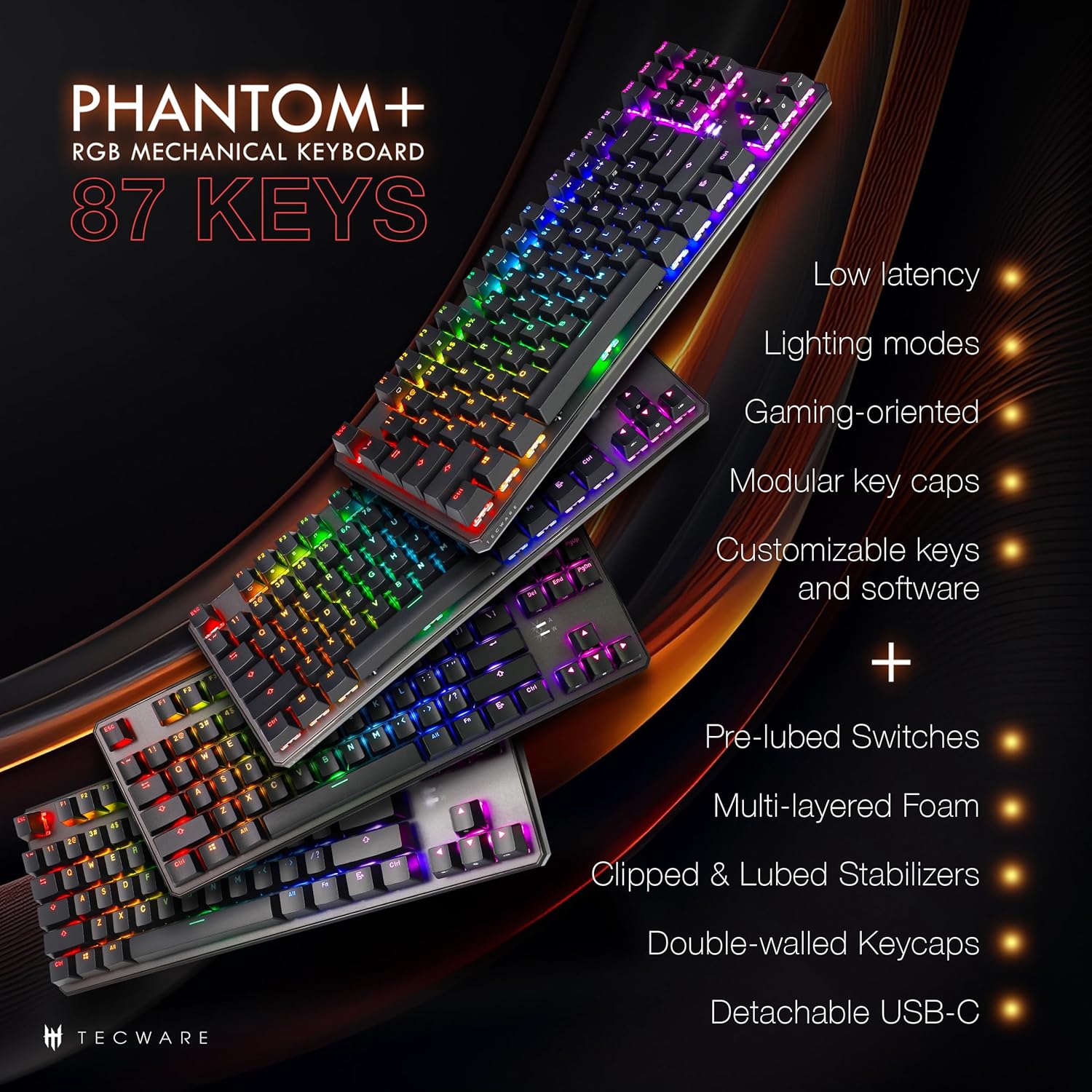
Nodweddion Allweddol Drosoddview
The Phantom+ keyboard incorporates several design and engineering features for enhanced performance and durability:
- Double-Shot PBT Keycaps: Resistant to wear and fading, providing long-lasting legends.
- V3 Stabilizers: Clipped and lubed for enhanced stability and smoother keystrokes on larger keys.
- Sain D.ampening Technology: Reduces keyboard noise for a more pleasant typing experience.
- Cyfradd Pleidleisio 1000Hz: Ensures rapid response times for gaming.
- Nodwedd Cloi Windows: Prevents accidental presses of the Windows key during gaming.

Cynnal a chadw
Glanhau
To clean your keyboard, disconnect it from your computer. Use a soft, dry cloth to wipe down the keycaps and chassis. For deeper cleaning, you may carefully remove keycaps using the provided keycap puller and use compressed air to clear debris from underneath.
Amnewid Switsh (Gellir ei Gyfnewid yn Boeth)
The TECWARE Phantom+ features hot-swappable switches, allowing you to replace individual switches without soldering. This is useful for customizing your typing feel or replacing a faulty switch.
- Tynnwch y Cap Allwedd: Defnyddiwch y tynnwr cap allwedd i dynnu'r cap allwedd yn ysgafn oddi ar y switsh rydych chi am ei ddisodli.
- Tynnu'r Switsh: Use the switch puller tool to grasp the top and bottom clips of the switch. Apply gentle pressure and pull the switch straight up to remove it from the PCB.
- Mewnosod Switsh Newydd: Aliniwch binnau'r switsh newydd gyda'r tyllau ar y PCB. Gwthiwch y switsh i lawr yn ysgafn nes iddo glicio i'w le. Gwnewch yn siŵr nad yw'r pinnau wedi plygu.
- Amnewid y Cap Allwedd: Press the keycap onto the new switch until it is firmly seated.

Datrys problemau
If you encounter issues with your TECWARE Phantom+ keyboard, refer to the table below for common problems and solutions:
| Problem | Achos Posibl | Ateb |
|---|---|---|
| Bysellfwrdd ddim yn ymateb | Cysylltiad USB llac, cebl diffygiol, problem gyda'r gyrrwr. | Ensure USB cable is securely connected. Try a different USB port or cable. Restart your computer. |
| RGB lighting not working or inconsistent | Lighting mode disabled, software conflict, power issue. | Check keyboard lighting controls (Fn + keys). Ensure software is running correctly. Try reconnecting the keyboard. |
| Allweddi penodol ddim yn gweithio | Switsh diffygiol, malurion o dan gap yr allwedd. | Remove keycap and check for debris. If hot-swappable, try replacing the switch with a spare. |
| Meddalwedd ddim yn canfod bysellfwrdd | Software not installed correctly, USB connection issue. | Reinstall the TECWARE software. Ensure the keyboard is directly connected to a USB port (avoiding hubs if possible). Run software as administrator. |
Manylebau
| Nodwedd | Manylyn |
|---|---|
| Model | TWKB-P87PZT-WBR |
| Allweddi | 87-Key (Tenkeyless) |
| Newid Math | Wraith Brown (Tactile) - Hot-swappable |
| Capiau bysell | PBT Dwbl-Ergyd |
| Goleuo | RGB (16.8 Miliwn o Liwiau, 18 Modd Rhagosodedig) |
| Cysylltedd | Detachable USB-C |
| Cyfradd Bleidleisio | Hyd at 1000Hz |
| N-Key Rollover | Cefnogir |
| Sefydlogwyr | V3 (Clipped & Lubed) |
| Dimensiynau (LxWxH) | 14.21 x 5.2 x 1.65 modfedd |
| Pwysau | 2.71 pwys |
| AO cydnaws | Windows 10 (PC, Laptop, Tablet) |
Wraith Switch Specifications
The Phantom+ keyboard comes pre-installed with TECWARE Wraith switches. The specifications for various Wraith switch types are detailed below:

Gwarant a Chefnogaeth
For warranty information, technical support, or to access the latest software and drivers for your TECWARE Phantom+ keyboard, please visit the official TECWARE websafle neu cysylltwch â'u gwasanaeth cwsmeriaid.
Gallwch ddod o hyd i ragor o wybodaeth ac adnoddau cymorth drwy ymweld â’r Official TECWARE Store on Amazon.
Ask a question about this manual
Ask about setup, troubleshooting, compatibility, parts, safety, or missing instructions. Manuals+ will review the question and use this page’s manual context to help answer it.