
1. Rhagymadrodd
Thank you for choosing the fojep Wireless Earbuds BX28. These earbuds are designed to provide a high-quality audio experience with advanced features for daily use and sports activities. This manual will guide you through the setup, operation, and maintenance of your new earbuds.

Figure 1.1: fojep Wireless Earbuds BX28 with charging case. The earbuds feature an ergonomic design with earhooks for a secure fit, and the charging case has an LED digital display.
2. Cynnwys Pecyn
Gwiriwch fod yr holl eitemau yn bresennol yn eich pecyn:
- fojep Wireless Earbuds (Left and Right)
- Charging Case with LED Digital Display
- Cebl Codi Tâl USB Math-C
- Clustffonau (3 maint: S, M, L)
- Llawlyfr Defnyddiwr
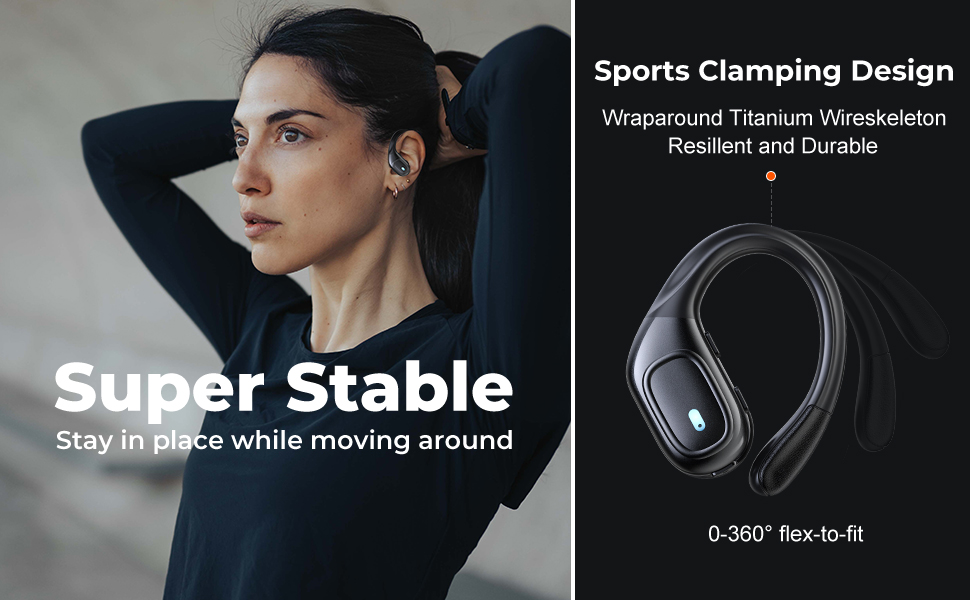
Figure 2.1: Illustration of the items included in the fojep BX28 earbud package, showing the earbuds, charging case, charging cable, and various eartip sizes.
3. Gosod
3.1 Gwefru'r Clustffonau a'r Cas
Before first use, fully charge the earbuds and the charging case. The charging case features an LED digital display that shows the battery percentage of the case and individual battery status bars for each earbud.
- Place both earbuds into the charging case. Ensure they are correctly seated; the indicator lights on the earbuds will illuminate.
- Connect the USB Type-C charging cable to the charging port on the case and the other end to a USB power source (e.g., wall adapter, computer USB port).
- The LED display on the charging case will show the charging progress. A full charge typically takes approximately 1.5-2 hours.

Figure 3.1: The charging case displays the battery percentage for the case and individual charge levels for the left and right earbuds. The earbuds offer up to 7 hours of playtime, extended to 75 hours with the charging case.
3.2 Paru â Dyfais Bluetooth
The fojep BX28 earbuds feature one-step auto pairing for convenience.
- Agorwch y cas gwefru. Bydd y clustffonau'n troi ymlaen yn awtomatig ac yn mynd i mewn i'r modd paru.
- On your device (smartphone, tablet, laptop), activate Bluetooth.
- Chwiliwch am available Bluetooth devices. Select "BX28" o'r rhestr.
- Ar ôl cysylltu, byddwch yn clywed tôn cadarnhau, a bydd y clustffonau'n barod i'w defnyddio.
The earbuds will automatically reconnect to the last paired device when removed from the case, provided Bluetooth is enabled on the device.
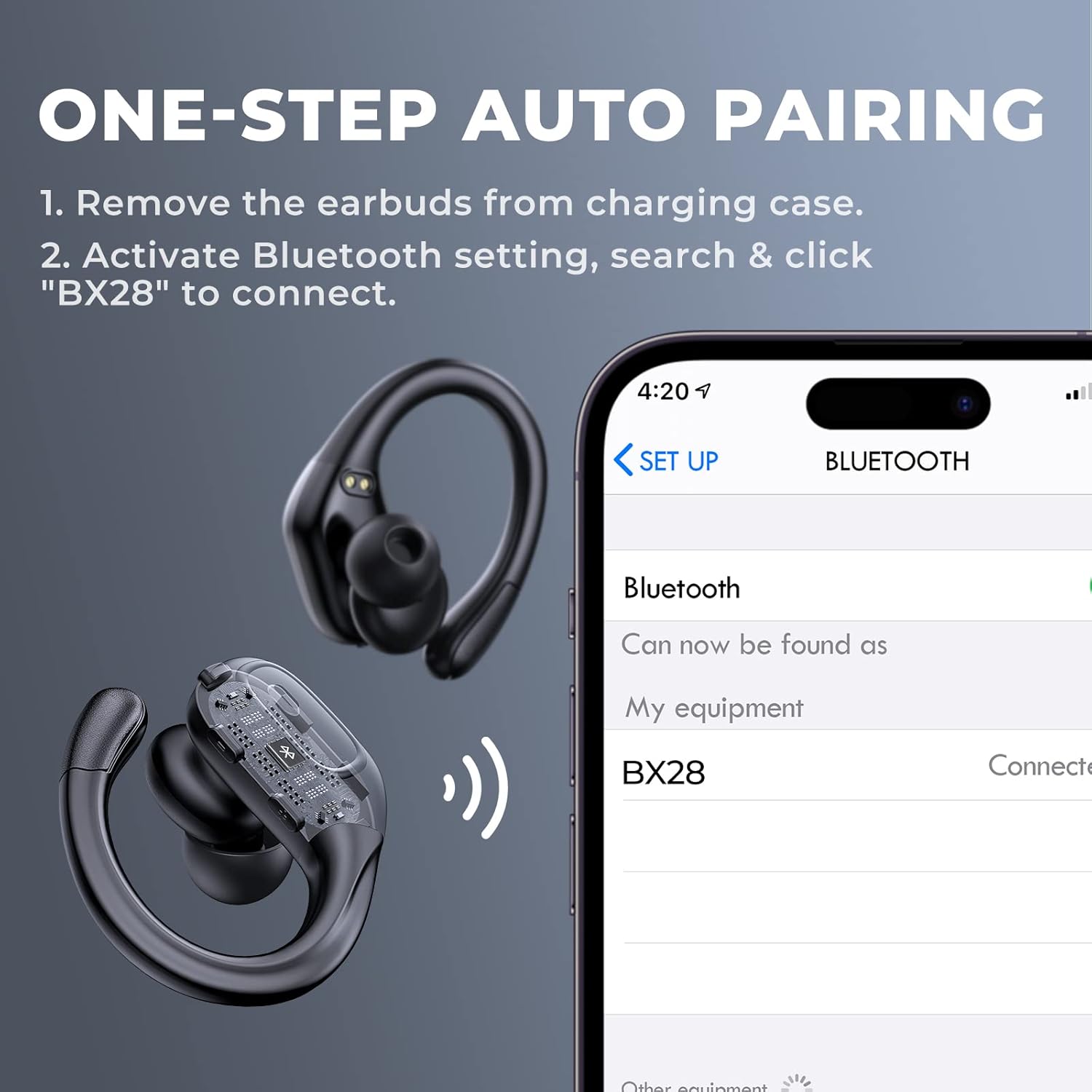
Figure 3.2: Visual guide for the one-step auto pairing process. Simply remove the earbuds from the charging case, and they will appear as "BX28" in your device's Bluetooth settings for connection.
3.3 Gwisgo'r Clustffonau
For optimal sound quality and comfort, choose the correct size eartips and adjust the earhooks.
- Select the eartips (S, M, L) that provide a snug and comfortable fit in your ear canal. A good seal enhances bass response and noise isolation.
- Gently place the earbud into your ear, ensuring the earhook wraps securely around the back of your ear. The earhooks are flexible for a customized fit.

Figure 3.3: The ergonomic design of the fojep BX28 earbuds, featuring flexible earhooks and multiple eartip sizes (S/M/L) to ensure a comfortable and secure fit, especially during sports activities.
4. Cyfarwyddiadau Gweithredu
The fojep BX28 earbuds feature intuitive touch controls on each earbud. The controls are mirrored on both earbuds, allowing for single-earbud use.
4.1 Rheolyddion Chwarae Cerddoriaeth
| Gweithred | Earbud chwith | Earbud dde |
|---|---|---|
| Chwarae/Saib | Tap Sengl | Tap Sengl |
| Can nesaf | Amh | Tap dwbl |
| Caniad Blaenorol | Tap dwbl | Amh |
| Cyfrol i Fyny | Amh | Tap Triphlyg |
| Cyfrol Lawr | Tap Triphlyg | Amh |
4.2 Rheolyddion Rheoli Galwadau
| Gweithred | Earbud chwith | Earbud dde |
|---|---|---|
| Ateb Galwad | Tap Sengl | Tap Sengl |
| Galwad Diwedd | Tap Sengl | Tap Sengl |
| Gwrthod Galwad | Long Press (2 eiliad) | Long Press (2 eiliad) |
4.3 Cynorthwyydd Llais
Activate your device's voice assistant (Siri, Google Assistant, etc.) by performing a specific tap gesture.
| Gweithred | Earbud chwith | Earbud dde |
|---|---|---|
| Actifadu Cynorthwyydd Llais | Long Press (2 eiliad) | Long Press (2 eiliad) |
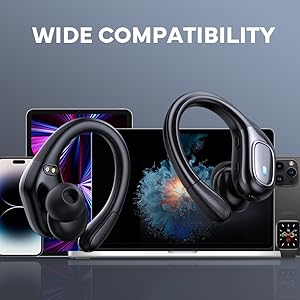
Figure 4.1: Detailed diagram of the touch controls for both left and right fojep BX28 earbuds, illustrating functions for music playback, call management, and voice assistant activation.
5. cynnal
Proper maintenance ensures the longevity and optimal performance of your fojep Wireless Earbuds BX28.
5.1 Glanhau
- Glanhewch y clustffonau'n rheolaidd, yn enwedig y blaenau clust a'r cysylltiadau gwefru, gyda lliain meddal, sych, heb lint.
- Ar gyfer baw ystyfnig, ychydig yn dampgolchwch y brethyn gyda dŵr neu lanhawr ysgafn, nad yw'n sgraffiniol. Osgowch leithder gormodol.
- Peidiwch â defnyddio cemegau llym, alcohol na deunyddiau sgraffiniol.
- Gwnewch yn siŵr bod y clustffonau'n hollol sych cyn eu rhoi yn ôl yn y cas gwefru.
5.2 Storio
- Pan nad ydynt yn cael eu defnyddio, storiwch y clustffonau yn eu cas gwefru i'w hamddiffyn a'u cadw'n wefredig.
- Storiwch mewn lle oer, sych i ffwrdd o dymheredd eithafol a golau haul uniongyrchol.
5.3 Gwrthiant Dŵr (IPX7)
The earbuds are rated IPX7 waterproof, meaning they can withstand submersion in up to 1 meter of water for 30 minutes. This makes them suitable for sweat resistance, rain, and splashes.
- Nodyn: Mae'r achos codi tâl yn NID waterproof. Do not expose the charging case to water.
- After exposure to water or sweat, ensure the earbuds are completely dry before placing them back into the charging case to prevent damage to the charging contacts.

Figure 5.1: The fojep BX28 earbuds are IPX7 rated, providing protection against rain, sweat, and splashes, making them suitable for various activities.
6. Datrys Problemau
If you encounter issues with your fojep Wireless Earbuds BX28, refer to the following common solutions:
| Problem | Achos Posibl | Ateb |
|---|---|---|
| Nid yw'r clustffonau'n paru/cysylltu | Bluetooth off, earbuds not in pairing mode, interference, previously paired device. |
|
| Dim ond un earbud yn gweithio | Low battery, not properly paired, earbud not connected to each other. |
|
| Cyfaint isel neu ansawdd sain gwael | Incorrect eartip size, earwax buildup, low device volume, poor connection. |
|
| Achos codi tâl nid codi tâl | Faulty cable, power source issue, dirty charging port. |
|
7. manylebau
| Nodwedd | Manylyn |
|---|---|
| Rhif Model | BX28 |
| Fersiwn Bluetooth | v5.3 |
| Amser Chwarae Earbud | Hyd at 7 awr (un tâl) |
| Cyfanswm Amser Chwarae (gyda chas gwefru) | Hyd at 75 awr |
| Graddfa dal dwr | IPX7 (clustiau clust yn unig) |
| Dull Rheoli | Rheoli Cyffwrdd |
| Meicroffon | Built-in, CVC Noise Cancelling |
| Porthladd Codi Tâl | USB Math-C |
| Deunydd | Plastig |
| Lliw | Du dwfn |

Figure 7.1: The fojep BX28 earbuds utilize advanced Bluetooth 5.3 technology, offering improved connection stability and efficiency compared to older versions.

Figure 7.2: The fojep BX28 earbuds are widely compatible with various Bluetooth-enabled devices, including smartphones, tablets, laptops, and smartwatches.
8. Gwarant a Chefnogaeth
fojep products are designed with quality and reliability in mind. For warranty information and customer support, please refer to the following:
- Gwarant: Gall telerau a hyd gwarant penodol amrywio yn ôl rhanbarth a manwerthwr. Cadwch eich prawf prynu ar gyfer hawliadau gwarant.
- Cefnogaeth i Gwsmeriaid: If you experience any issues or have questions not covered in this manual, please contact fojep customer support through the platform where you purchased the product (e.g., Amazon Message Center).
- Adnoddau Ar-lein: For the latest information, FAQs, and additional support, visit the official fojep store page on Amazon: fojep Amazon Store.
Your satisfaction is important to us. We are committed to providing excellent service and support.
