
1. Rhagymadrodd
This manual provides detailed instructions for the installation, operation, and maintenance of your Lapcare H61 Micro ATX Motherboard. Designed for Intel Socket 1155 processors, this motherboard supports DDR3 memory and includes an NVMe slot for high-speed storage. Please read this manual thoroughly before proceeding with installation to ensure proper setup and optimal performance.
2. Cynnyrch Drosview
The Lapcare H61 Micro ATX Motherboard is engineered for reliable performance in personal computer systems. It features essential components and connectivity options for a standard build.
Nodweddion Allweddol:
- Cymorth Cof DDR3
- SATA II Connectivity
- LAN 10/100 Mbps
- Integrated 6-channel Audio
- Porthladdoedd USB 2.0 lluosog
- NVMe Slot for high-speed storage
- Ffactor Ffurf Micro ATX
Cynllun Mamfwrdd:

Ffigur 2.1: O'r brig i lawr view of the Lapcare H61 Micro ATX Motherboard, highlighting the CPU socket, DDR3 RAM slots, PCI Express slots, SATA ports, and the NVMe slot.
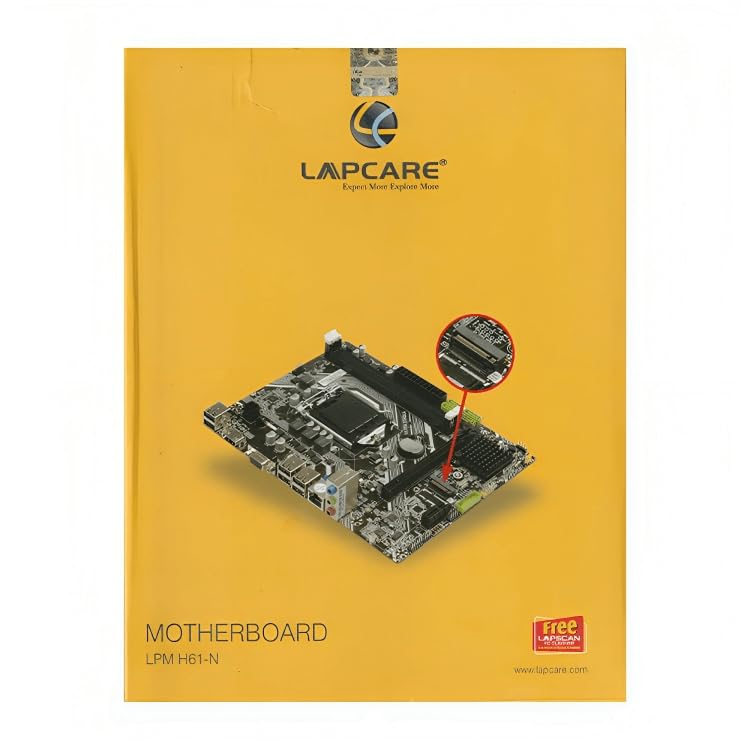
Ffigur 2.2: Ongl view of the Lapcare H61 Micro ATX Motherboard, illustrating the rear I/O ports (VGA, HDMI, USB, LAN, Audio) and internal connectors such as USB headers and power connectors.
3. Cyfarwyddiadau Gosod
Dilynwch y camau hyn yn ofalus i osod eich mamfwrdd a'i gydrannau.
3.1. Prepare Your Workspace
- Ensure you have a clean, well-lit, and static-free environment.
- Gather all necessary components: CPU, CPU cooler, DDR3 RAM, storage devices (SATA/NVMe), power supply, and PC case.
- Wear an anti-static wrist strap or periodically touch a grounded metal object to discharge static electricity.
3.2. Gosod y CPU
- Lleolwch soced y CPU LGA 1155 ar y famfwrdd.
- Gwthiwch y lifer llwytho i lawr yn ysgafn a'i dynnu allan i agor clawr soced y CPU.
- Carefully align your Intel Socket 1155 processor with the socket, ensuring the golden triangle on the CPU matches the triangle on the socket. Do not force the CPU into the socket.
- Lower the load plate and push the load lever back into place until it clicks, securing the CPU.
- Gosodwch yr oerydd CPU yn ôl cyfarwyddiadau'r gwneuthurwr.
3.3. Gosod RAM
- Lleolwch y ddau slot DDR3 DIMM ar y famfwrdd.
- Agorwch y clipiau ar ddau ben y slot DIMM.
- Aliniwch y rhic ar y modiwl cof DDR3 gyda'r allwedd yn y slot DIMM.
- Mewnosodwch y modiwl cof yn gadarn yn y slot nes bod y clipiau'n clicio i'w lle. Gwnewch yn siŵr bod y ddau glip wedi'u cau.
3.4. Gosod Dyfais Storio
Gyriannau SATA:
- Cysylltwch un pen cebl data SATA â phorthladd SATA 3Gb/s ar y famfwrdd.
- Cysylltwch ben arall y cebl data SATA â'ch gyriant caled SATA neu SSD.
- Cysylltwch gebl pŵer SATA o'ch cyflenwad pŵer i'r gyriant SATA.
NVMe SSD:
- Locate the NVMe slot on the motherboard.
- Remove the screw and stand-off from the NVMe slot.
- Insert your NVMe SSD into the slot at a 30-degree angle.
- Push the SSD down and secure it with the screw onto the stand-off.
3.5. Cysylltiadau Pwer
- Connect the 24-pin ATX power connector from your power supply to the 24-pin power socket on the motherboard.
- Connect the 4-pin 12V ATX power connector from your power supply to the 4-pin 12V power socket near the CPU.
3.6. Cysylltiadau Panel Blaen a Pherifferol
- Connect the front panel connectors (Power SW, Reset SW, HDD LED, Power LED) to the F_Panel header according to the pinout diagram in your PC case manual.
- Connect front panel USB 2.0 cables to the onboard USB 19-pin and 2.0 connectors.
- Connect front panel audio cables to the F_Audio connector.
- Connect case fans to the CPU_FAN/SYS_FAN connectors.
- Install any additional PCI Express expansion cards (e.g., graphics card) into the available slots.
4. Cyfarwyddiadau Gweithredu
4.1. Cychwyn Cyntaf
- After all components are installed and connected, close your PC case.
- Connect your monitor, keyboard, mouse, and power cable to the PC.
- Turn on the power supply and then press the power button on your PC case.
- Dylai'r system droi ymlaen ac arddangos y sgrin sblash BIOS/UEFI.
4.2. Gosod BIOS/UEFI
- Wrth gychwyn, pwyswch dro ar ôl tro ar y DEL key (or F2, depending on BIOS version) to enter the BIOS setup utility.
- In the BIOS, you can configure system settings such as boot order, date/time, and hardware parameters.
- Cadwch y newidiadau ac ymadael â'r BIOS i barhau â gosod y system weithredu.
4.3. Gosod System Weithredu
Insert your operating system installation media (USB drive or DVD) and follow the on-screen prompts to install the OS. Ensure all necessary drivers are installed after the OS installation for optimal performance.
5. cynnal
Mae cynnal a chadw rheolaidd yn helpu i sicrhau hirhoedledd a gweithrediad sefydlog eich mamfwrdd.
- Tynnu Llwch: Glanhewch lwch o fewn cas eich cyfrifiadur personol yn rheolaidd, yn enwedig o gefnogwyr a sinciau gwres, gan ddefnyddio aer cywasgedig. Gwnewch yn siŵr bod y system wedi'i diffodd a'i datgysylltu cyn glanhau.
- Diweddariadau BIOS: Check the Lapcare official website for BIOS updates. Only update the BIOS if necessary and follow the instructions precisely to avoid system instability.
- Rheoli Ceblau: Sicrhewch fod ceblau mewnol wedi'u llwybro'n daclus i wella llif aer ac atal ymyrraeth.
6. Datrys Problemau
Os byddwch chi'n dod ar draws problemau, cyfeiriwch at y camau datrys problemau cyffredin canlynol:
6.1. Dim Pŵer / Dim Cychwyn
- Check all power connections: 24-pin ATX, 4-pin 12V, and power supply cable to the wall outlet.
- Gwnewch yn siŵr bod switsh y cyflenwad pŵer yn y safle 'ON'.
- Gwiriwch gysylltiad switsh pŵer y panel blaen â'r famfwrdd.
- Test the power supply with another system or a power supply tester if available.
6.2. Dim Arddangos
- Ensure the monitor is powered on and connected to the correct video output (VGA or HDMI) on the motherboard or graphics card.
- Reseat the RAM modules. Try booting with only one RAM module installed.
- Reseat any installed graphics card.
- Clear the CMOS (refer to motherboard manual for jumper location, usually near the battery).
6.3. Ansefydlogrwydd System / Damweiniau
- Check CPU and GPU temperatures. Overheating can cause instability.
- Rhedeg offer diagnostig cof i wirio am RAM diffygiol.
- Gwnewch yn siŵr bod yr holl yrwyr yn gyfredol.
- Gwiriwch y cyflenwad pŵertagMae e yn ddigonol ar gyfer pob cydran.
7. manylebau
Detailed technical specifications for the Lapcare H61 Micro ATX Motherboard (Model LKMBMH8003).
| Nodwedd | Manyleb |
|---|---|
| Brand | Lapcare |
| Rhif Model | LKMBMH8003 |
| Ffactor Ffurf | Micro ATX |
| Soced CPU | LGA 1155 |
| Proseswyr Cydnaws | Intel® Socket 1155 for 3rd/2nd Generation Core™ i7/Core™ i5/Core™ i3/Pentium®/Celeron® Processors |
| Chipset | Chipset Intel® H61 |
| Cymorth Cof | 2 x DDR3 DIMMs, 1066/1333MHz |
| Storio | 4 x SATA 3Gb/s ports, 1 x NVMe Slot |
| Slotiau Ehangu | 1 x PCI Express x16 slot, 1 x PCI Express x1 slot |
| LAN | Realtek®8105E 10/100 Mbps |
| Sain | Realtek®661, Flexible 6-channel Audio |
| Porthladdoedd USB (Cefn) | 6 x porthladdoedd USB 2.0 |
| USB Ports (Onboard) | 2 x USB 2.0 headers (supports 4 additional USB 2.0 ports) |
| Allbwn Fideo | 1 x VGA port, 1 x HDMI port |
| Dimensiynau (LxWxH) | 7.5 x 5.4 x 3.5 cm |
| Pwysau Eitem | 560 g |
8. Gwarant a Chefnogaeth
For information regarding product warranty, technical support, or service, please refer to the warranty card included with your product or contact your retailer. You may also visit the official Lapcare websafle ar gyfer yr adnoddau cymorth a manylion cyswllt diweddaraf.