
Rii K18S IT
Rii Mini i18S Wireless + Bluetooth Keyboard
Llawlyfr Defnyddiwr
1. Rhagymadrodd
The Rii Mini i18S is a compact, versatile keyboard featuring both 2.4G wireless and Bluetooth connectivity. It integrates a large touchpad and LED backlighting, making it suitable for a wide range of devices including Smart TVs, TV Boxes, Tablets, Smartphones, Consoles, and PCs. This manual provides detailed instructions for setup, operation, maintenance, and troubleshooting to ensure optimal use of your device.

Figure 1: Rii Mini i18S keyboard demonstrating its dual wireless and Bluetooth connectivity.
2. Cynnwys Pecyn
Gwiriwch y pecyn am yr eitemau canlynol:
- Rii Mini i18S Wireless + Bluetooth Keyboard
- USB RF 2.4 GHz Receiver
- Cebl Codi Tâl USB
- Cable Estyniad USB
- Llawlyfr Defnyddiwr (y ddogfen hon)
3. Cynnyrch Drosview
The Rii Mini i18S features a QWERTY layout keyboard. It has a large multi-touch touchpad, and dedicated multimedia keys. It is designed for comfortable and efficient input across various platforms.
3.1 Nodweddion Allweddol
- Cysylltedd Deuol: 2.4G Wireless and Bluetooth 4.0.
- Large Touchpad: High sensitivity with multi-touch gestures.
- Golau cefn LED: Two selectable colors (blue, green) for use in low-light conditions.
- Batri y gellir ei ailwefru: Built-in lithium polymer battery.
- Rheolaethau Amlgyfrwng: Dedicated keys for media playback.
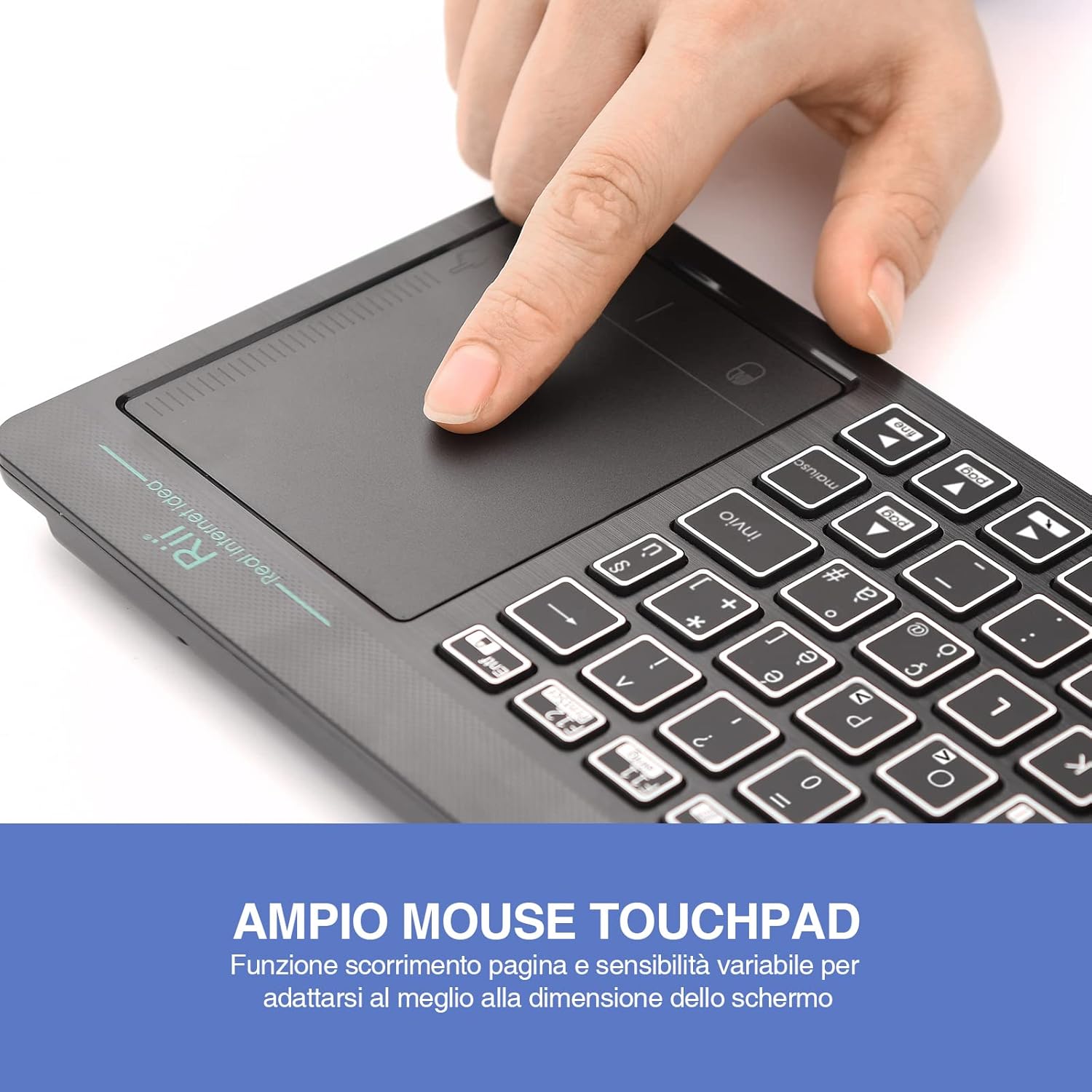
Figure 2: The large, sensitive touchpad of the Rii Mini i18S, supporting multi-touch gestures.

Figure 3: The Rii Mini i18S keyboard showcasing its two-color LED backlighting (blue and green).
4. Gosod
4.1 Gwefru'r Bysellfwrdd
Before initial use, fully charge the keyboard. Connect the provided USB charging cable to the keyboard's microUSB port and the other end to a USB power source (e.g., computer USB port, USB wall adapter).
- The charging indicator LED will illuminate during charging.
- The LED will turn off or change color when fully charged.
- Capasiti batri: 400mAh.
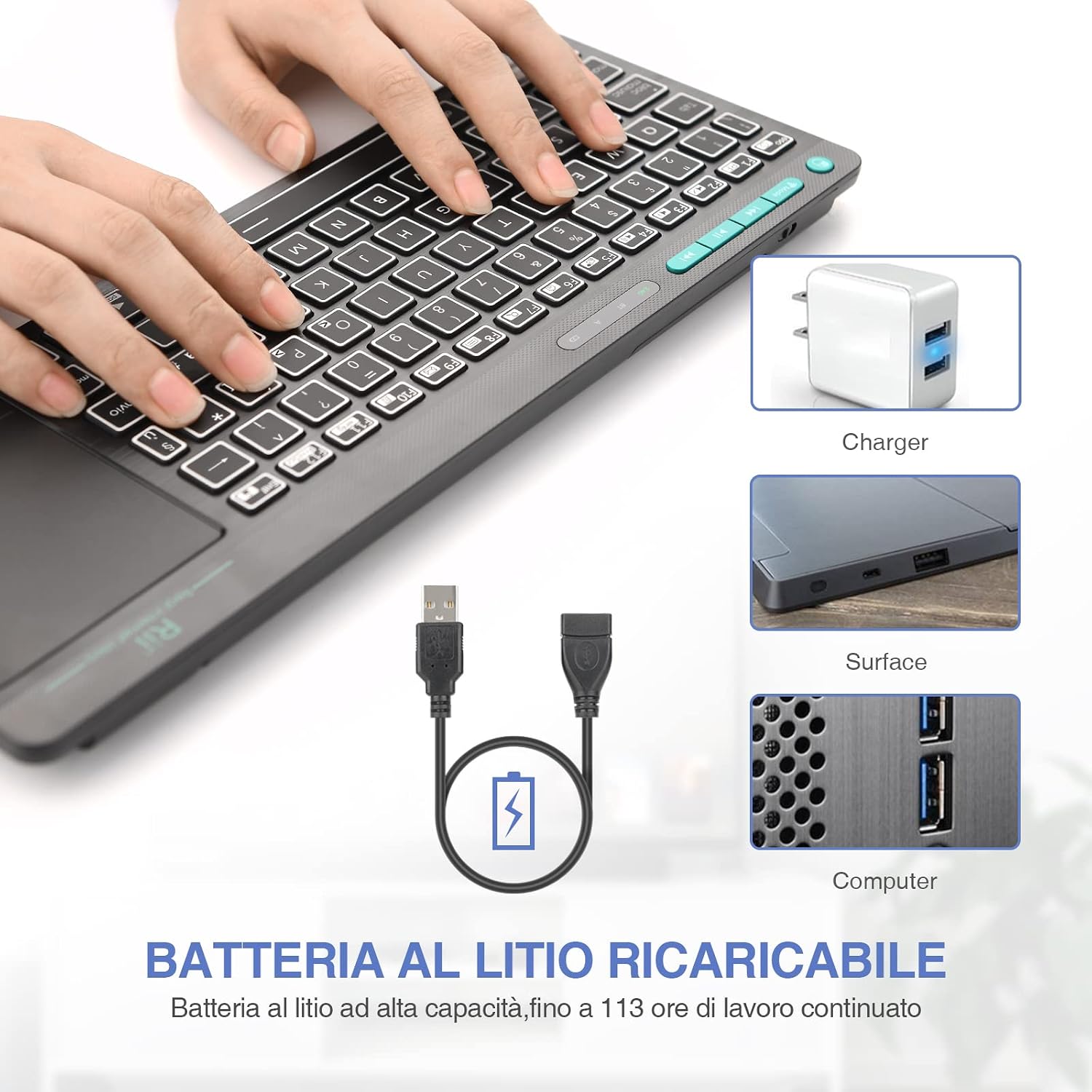
Figure 4: The Rii Mini i18S keyboard being charged using the included USB cable, connected to a power source.
Cysylltiad Di-wifr 4.2 2.4G
For 2.4G wireless connection, use the included USB receiver.
- Locate the USB receiver in the back compartment of the keyboard.
- Insert the USB receiver into an available USB port on your device (Smart TV, PC, TV Box, etc.).
- Gwasgwch y MODD button on the keyboard until the 2.4G indicator LED is active.
- The keyboard should automatically connect to your device. If not, try pressing Fn + RF i ail-baru.

Figure 5: The USB wireless receiver stored securely in the back compartment of the Rii Mini i18S keyboard.
4.3 Cysylltiad Bluetooth
For Bluetooth connection, ensure your device has Bluetooth enabled.
- Gwasgwch y MODD button on the keyboard until the BT indicator LED is active.
- On your device, go to Bluetooth settings and search for new devices.
- Select "Rii Mini i18S" from the list of available devices to pair.
- Dilynwch unrhyw awgrymiadau ar y sgrin i gwblhau'r broses baru.
The dual connection technology allows you to manage up to two devices simultaneously: one via Bluetooth and one via 2.4G wireless.

Figure 6: The Rii Mini i18S keyboard demonstrating its dual mode connectivity, shown here connected to a tablet.
5. Cyfarwyddiadau Gweithredu
5.1 Swyddogaethau Sylfaenol y Bysellfwrdd
The keyboard features a standard QWERTY layout. All keys function as labeled. Use the Fn key in combination with other keys for special functions (e.g., multimedia controls).
- CAPS LOCK: Press to toggle uppercase/lowercase. An indicator LED will show its status.
5.2 Swyddogaethau'r Pad Cyffwrdd
The integrated touchpad supports various gestures:
- Tap Bys Sengl: Chwith-gliciwch.
- Tap Dau Fys: De-gliciwch.
- Sgroliwch Dau Fys: Drag two fingers up or down to scroll pages.
- Llusgo Bys Un Bys: Symudwch y cyrchwr.
- Left Mouse Button: A physical left mouse button is also available on the top-left side of the keyboard for convenience.
5.3 Rheoli Backlight
The keyboard features LED backlighting with two selectable colors.
- Gwasgwch y light bulb icon key to cycle through backlight colors (blue, green) or turn it off.
5.4 Allwedd Amlgyfrwng
Defnyddiwch y Fn key in conjunction with the F1-F12 keys (or other labeled keys) to access multimedia functions such as volume control, play/pause, and track skipping.
6. cynnal
6.1 Glanhau
I lanhau'r bysellfwrdd, defnyddiwch frethyn meddal, sych. Ar gyfer baw ystyfnig, sychwch ychydig.ampgolchwch y brethyn gyda dŵr neu doddiant glanhau ysgafn. Osgowch ddefnyddio cemegau llym neu ddeunyddiau sgraffiniol.
6.2 Gofal Batri
- Ceisiwch osgoi amlygu'r bysellfwrdd i dymheredd eithafol.
- Charge the keyboard regularly, even if not in frequent use, to maintain battery health.
- The keyboard features a programmable standby mode (3 minutes or 2 hours) to conserve battery life.
7. Datrys Problemau
7.1 Bysellfwrdd Ddim yn Ymateb
- Gwirio Batri: Ensure the keyboard is charged. Connect it to a power source.
- Gwirio Cysylltiad:
- For 2.4G Wireless: Ensure the USB receiver is properly inserted and the keyboard is in 2.4G mode. Try a different USB port.
- For Bluetooth: Ensure Bluetooth is enabled on your device and the keyboard is in Bluetooth mode. Re-pair the device if necessary.
- Ailgychwyn: Turn the keyboard off and on again. Restart your connected device.
7.2 Touchpad Not Working Correctly
- Glanhau'r Pad Cyffwrdd: Ensure the touchpad surface is clean and free of debris.
- Sensitifrwydd: Adjust touchpad sensitivity if available in your device's settings.
7.3 Goleuadau Cefn Ddim yn Gweithio
- Gwirio Batri: Low battery might disable backlighting. Charge the keyboard.
- Toglo: Press the light bulb icon key to ensure it's not turned off.
8. manylebau
| Model | K18S IT |
| Cysylltedd | 2.4 GHz RF Wireless, Bluetooth 4.0 |
| Ystod Gweithredu | Up to 10 meters (2.4 GHz RF), Up to 8 meters (Bluetooth) |
| Cynllun Bysellfwrdd | QWERTY (Italian layout) |
| Touchpad Resolution | Hyd at 1000 DPI |
| Lliwiau Backlight | Blue, Green (selectable) |
| Math Batri | Polymer Lithiwm y gellir ei Ailwefru |
| Gallu Batri | 400mAh |
| Porthladd Codi Tâl | MicroUSB (5V 350mA) |
| Dimensiynau (L x W x H) | 31.7 x 12.3 x 1.8 cm |
| Pwysau | 340g |
| AO cydnaws | Windows (XP/Vista/7/8/10/11), Mac OS, Linux (Ubuntu 11.04+), Android (2.3+), iOS, Raspbian, PlayStation (PS3/PS4/PS5), Xbox (360/One/S/X), Fire TV |
| Ardystiadau | CE, RoHS, Cyngor Sir y Fflint |
9. Gwarant a Chefnogaeth
Rii products are designed for reliability and performance. For warranty information and technical support, please refer to the official Rii websafle neu cysylltwch â'ch dosbarthwr lleol. Cadwch eich derbynneb prynu ar gyfer hawliadau gwarant.
Swyddogol websafle: www.ritek.com
Ask a question about this manual
Ask about setup, troubleshooting, compatibility, parts, safety, or missing instructions. Manuals+ will review the question and use this page’s manual context to help answer it.