
Rhagymadrodd
This manual provides essential information for setting up, operating, maintaining, and troubleshooting your CUPEISI 7-inch Android 14 Tablet. Please read this guide thoroughly to ensure proper use and to maximize your tablet's performance and longevity.
Beth Sydd yn y Bocs
Gwiriwch fod yr holl eitemau yn bresennol wrth ddadbocsio:
- CUPEISI 7-inch Android 14 Tablet
- Cebl Math-C
- Llawlyfr Defnyddiwr (y ddogfen hon)
Cynnyrch Drosview
The CUPEISI Q2S tablet features a 7-inch HD IPS display, powered by a 1.6GHz Quad-core processor and running Android 14. It includes 8GB RAM (4GB physical + 4GB virtual) and 32GB internal storage, expandable up to 1TB via microSD card. The tablet is equipped with dual cameras and supports Wi-Fi and Bluetooth connectivity.
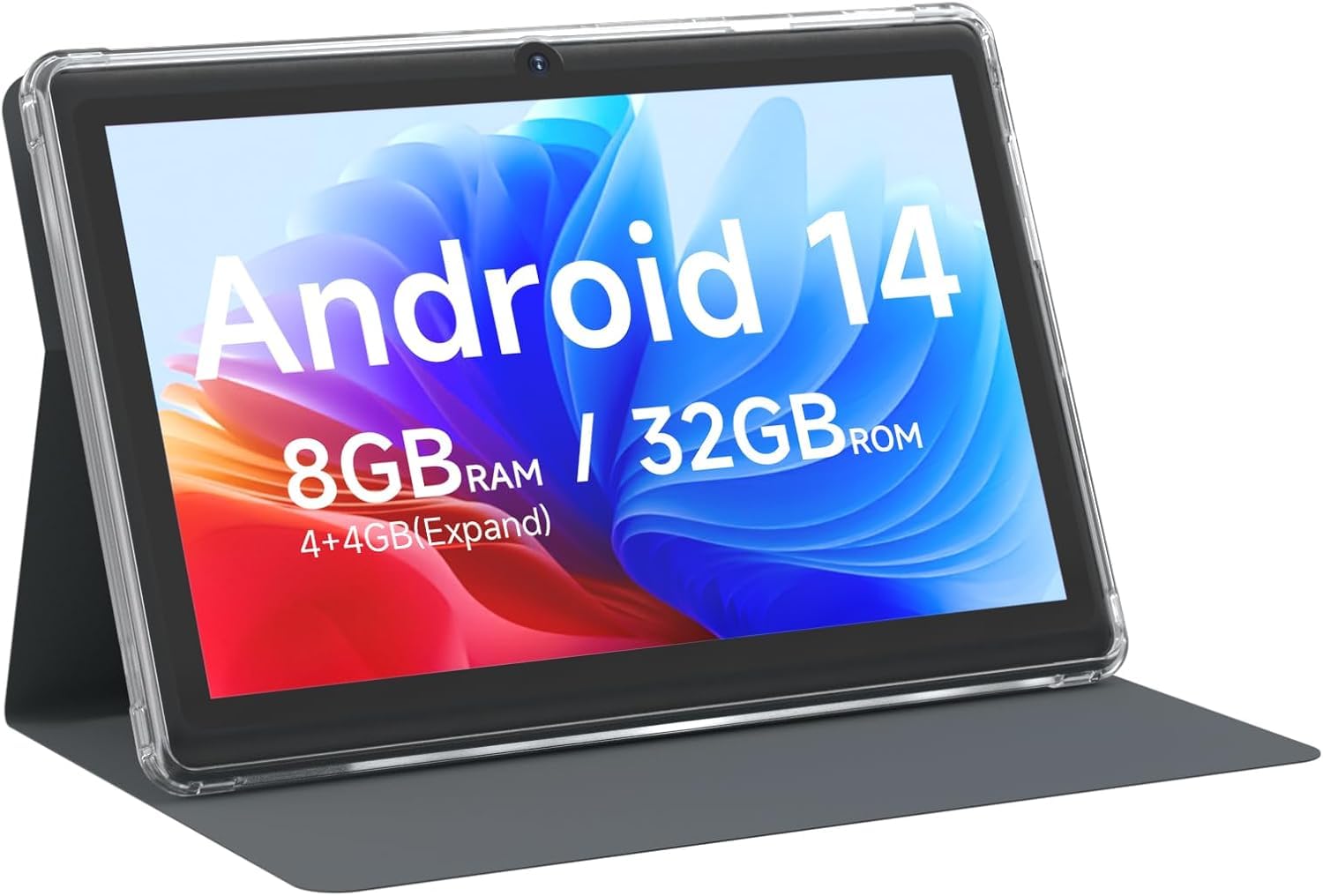
CUPEISI 7-inch Android 14 Tablet, front view.

Drosoddview of CUPEISI 7-inch Android 14 Tablet features including OS, CPU, RAM, ROM, Screen, Camera, Battery, and WiFi.
Gosod
1. Codi Tâl y Dabled
Before first use, fully charge the tablet. Connect the provided Type-C cable to the tablet's charging port and the other end to a compatible USB power adapter (not included) or a computer's USB port. The battery indicator on the screen will show charging status.
2. Troi Ymlaen a Gosod Cychwynnol
- Pwyswch a dal y botwm Power nes bod y sgrin yn goleuo.
- Follow the on-screen prompts to select your language, region, and other initial settings.
3. Cysylltu â Wi-Fi
- Ewch i Gosodiadau > Rhwydwaith a rhyngrwyd > Wi-Fi.
- Togglo Wi-Fi On.
- Dewiswch eich rhwydwaith Wi-Fi dymunol o'r rhestr.
- Rhowch gyfrinair y rhwydwaith os gofynnir amdano, yna tapiwch Cyswllt.
4. Google Account Setup
A Google account is required to download apps from Google Play Store and access Google services. You can sign in with an existing account or create a new one during the initial setup or later via Gosodiadau > Cyfrifon.
Gweithredu Eich Tabled
1. Basic Navigation and Gestures
- Tap: Dewiswch eitem neu agorwch ap.
- Swipe: Sgroliwch drwy sgriniau neu restrau.
- Pinsiad: Chwyddo i mewn neu allan ar ddelweddau a web tudalennau.
- Gwasg Hir: Mynediad i ddewislenni cyd-destunol neu symud eiconau.
2. Managing Applications

Tablet screen showing various application icons, illustrating the 8GB RAM and 32GB ROM storage capacity.
- Gosod Apiau: Open the Google Play Store app, search for your desired app, and tap Gosod.
- Dadosod Apiau: Long-press an app icon on the home screen or app drawer, then drag it to the Dadosod option, or go to Gosodiadau > Apiau > select the app > Dadosod.
3. Rheoli Storio
The tablet has 32GB of internal storage. You can expand this by inserting a microSD card (up to 1TB) into the designated slot. To manage storage, go to Gosodiadau > Storio.
4. Defnyddio'r Camera
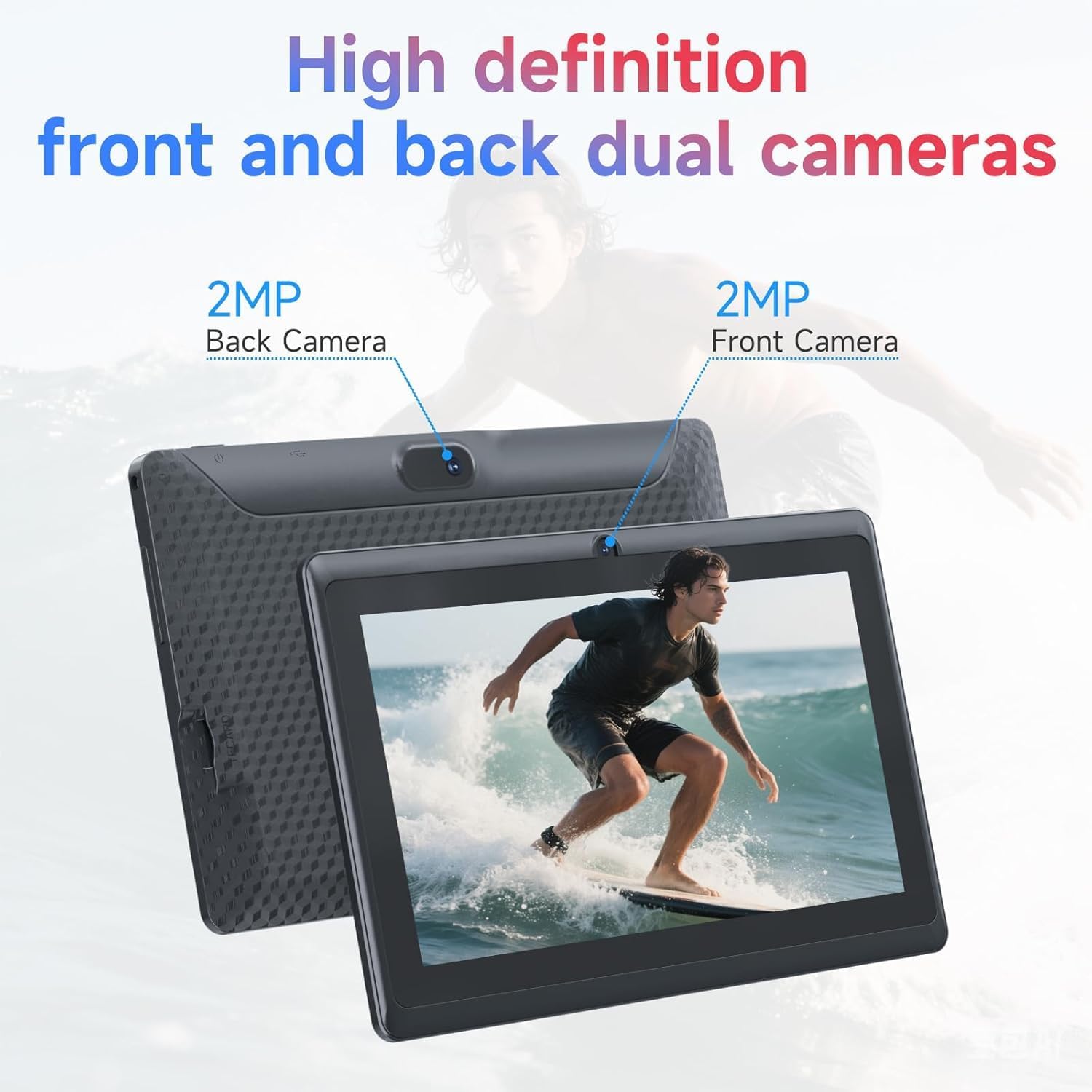
Illustration of the tablet's dual cameras, featuring a 5MP front camera and an 8MP rear camera.
The tablet features a 5MP front camera and an 8MP rear camera. Open the Camera app to take photos or record videos. Tap the camera icon to switch between front and rear cameras.
5. Cysylltedd (Bluetooth)
I gysylltu dyfeisiau Bluetooth:
- Ewch i Gosodiadau > Dyfeisiau cysylltiedig > Bluetooth.
- Toglo Bluetooth On.
- Dewiswch Pâr dyfais newydd a dewiswch eich dyfais o'r rhestr.
6. Modd Diogelu Llygaid

The 7-inch IPS HD screen of the tablet displaying a colorful image, highlighting its 1024x600 resolution.
The tablet's display is designed to reduce blue light emission for eye comfort. You can enable or adjust eye protection settings in Gosodiadau > Arddangos.

A user engaged in a video conference on the tablet, demonstrating its suitability for work and study.
Cynnal a chadw
1. Glanhau a Gofal
- Defnyddiwch frethyn meddal, di-lint i lanhau sgrin a chorff y dabled.
- Ceisiwch osgoi defnyddio cemegau llym neu ddeunyddiau sgraffiniol.
- Keep the tablet away from extreme temperatures, direct sunlight, and moisture.

An image depicting the tablet's drop protection feature, showing it withstands impacts.
2. Diweddariadau Meddalwedd
Chwiliwch am ddiweddariadau meddalwedd a'u gosod yn rheolaidd i sicrhau'r perfformiad a'r diogelwch gorau posibl. Ewch i Gosodiadau > System > Diweddariad system.
3. Optimeiddio Batri
- To prolong battery life, reduce screen brightness, disable Wi-Fi/Bluetooth when not in use, and close background apps.
- Osgowch ollwng y batri'n llwyr yn aml.
Datrys problemau
| Mater | Ateb Posibl |
|---|---|
| Nid yw'r tabled yn troi ymlaen | Ensure the tablet is charged. Connect to a power source and wait a few minutes before attempting to power on again. |
| Materion cysylltiad Wi-Fi | Check if Wi-Fi is enabled in settings. Restart your router and the tablet. Ensure you have entered the correct password. |
| Perfformiad araf | Close unnecessary background applications. Clear cache from apps in Settings > Apps. Consider performing a factory reset if issues persist (back up data first). |
| Apiau'n chwalu neu'n rhewi | Update the app to the latest version. Clear the app's cache and data in Settings > Apps. Reinstall the app. |
Manylebau
| Brand | CUPESI |
| Rhif Model | C2S |
| System Weithredu | Android 14 |
| Prosesydd | 1.6 GHz Quad-core (ARM Cortex) |
| HWRDD | 8 GB (4GB fixed + 4GB virtual) |
| Storio Mewnol | 32 GB |
| Storfa Ehangadwy | Hyd at 1 TB trwy gerdyn microSD |
| Maint Sgrin | 7 modfedd |
| Cydraniad Arddangos | 1024 x 600 Pixels IPS HD |
| Camera blaen | 5 AS |
| Camera Cefn | 8 AS |
| Gallu Batri | 3000 mAh |
| Bywyd Batri Cyfartalog | 6 Awr |
| Cysylltedd | Wi-Fi (802.11g), Bluetooth |
| Rhyngwyneb | USB Math-C |
| Dimensiynau (H x L x T) | 7.5" x 4.3" x 0.3" |
| Pwysau Eitem | 0.38 Cilogram |
Gwybodaeth Gwarant
The CUPEISI Q2S Tablet comes with a 1-year limited warranty from the date of purchase. This warranty covers manufacturing defects and workmanship under normal use. It does not cover damage caused by misuse, accidents, unauthorized modifications, or external factors. Please retain your proof of purchase for warranty claims.
Cefnogaeth i Gwsmeriaid
For further assistance, technical support, or warranty inquiries, please refer to the contact information provided with your product packaging or visit the official CUPEISI website. When contacting support, please have your tablet model number (Q2S) and proof of purchase ready.