
1. Rhagymadrodd
The Momcozy Portable Sound Machine is designed to create a soothing environment for babies, kids, and adults, promoting better sleep and relaxation. Featuring 15 high-quality sounds, a customizable night light, and a portable design, this device is ideal for use at home or on the go.

Figure 1: The Momcozy Portable Sound Machine, compact and ready for use.
2. Nodweddion Cynnyrch
- 15 Seiniau Lleddfol: Includes 2 white noises, waves, birds, rain, heartbeats, fans, shhhs, and 2 classic lullabies for an immersive soothing experience.
- Swyddogaeth Cof: Automatically remembers the last played music, volume mode, and brightness settings.
- Golau Nos Addasadwy: Soft and comforting night light with adjustable color and brightness, suitable for feeding sessions and bedtime.
- Cyfleus a Chludadwy: Comes with a silicone carrying strap for easy attachment to strollers, diaper bags, luggage, or cribs. Compact design for on-the-go use.
- Toddler Lock Feature: Prevents accidental changes to sound or power settings by younger users.
- Long-lasting Playtime: Up to 24 hours on a single charge with a convenient USB charging cable.
- Amserydd Auto-Off: Set the device to turn off automatically after 30 or 60 minutes.
3. Gwybodaeth Diogelwch
RHYBUDD: Not a toy. Keep out of reach of children when not in use.
Risg o sioc drydanol if improperly handled.
To prevent hearing damage, do not use for more than 1 hour at a time and take a 14-hour break before resuming use.
4. Cyfarwyddiadau Gweithredu
4.1 Pŵer Ymlaen/Diffodd
Hold down the power button until the LED light turns on to power on the device. To power off, hold the power button again.
4.2 Sound Selection and Volume
Cycle through the 15 soothing sounds using the sound button. The machine will automatically play the last selected sound upon powering back on due to its memory function. Adjust the volume to your preference using the volume up (+) and volume down (-) buttons.

Figure 2: Sound and volume controls with memory function.
4.3 Gweithrediad Goleuadau Nos
To use the night light, press the light button. You can choose your favorite color and brightness by long-pressing the light button. The device offers multiple color modes.

Figure 3: Customizable night light feature.
4.4 Auto-Off Timer
Use the auto-off timer to set the device to turn off after 30 or 60 minutes. This feature helps conserve battery life and ensures uninterrupted soothing sounds for a set duration.

Figure 4: Auto-off timer settings.
4.5 Toddler Lock
The toddler lock feature prevents younger ones from altering the sound or turning the unit off. Long press the lock button to activate or deactivate this function.

Figure 5: Toddler lock button.
4.6 Cry Detection Mode
The device can be set to automatically detect baby crying and play soothing music. This feature helps to calm your baby without manual intervention.
Video 1: Learn more about the Momcozy white noise machine, including its cry detection feature.
5. Gwefru a Bywyd Batri
The Momcozy Portable Sound Machine runs up to 24 hours on a single charge. It comes with a convenient USB charging cable. Connect the cable to the USB-C port on the device and a compatible power source to charge.

Figure 6: USB charging port and battery indicators.
6. Cludadwyedd
The compact size and included silicone carrying strap make the Momcozy sound machine highly portable. Easily attach it to a stroller, diaper bag, luggage, or crib for on-the-go use, ensuring a soothing environment wherever you are.
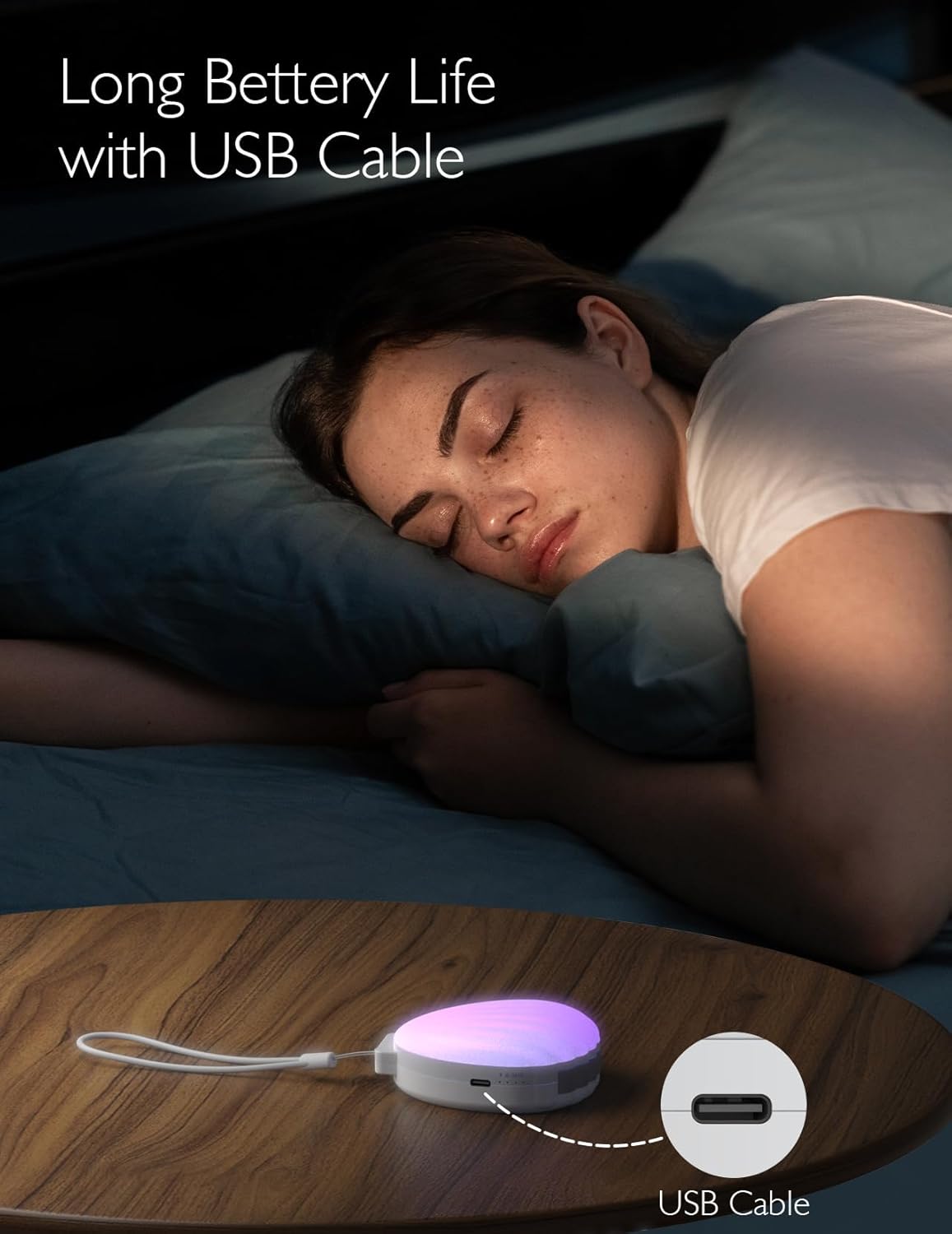
Figure 7: Attached to a stroller for outdoor use.

Figure 8: Easily fits into luggage for travel.
Video 2: See the Momcozy Portable Sound Machine in action, demonstrating its portability and ease of use on the go.
7. manylebau
| Nodwedd | Manylyn |
|---|---|
| Rhif Model | WN005 |
| Dimensiynau | 4.72 x 4.61 x 2.91 modfedd |
| Pwysau | 7.83 owns |
| Ffynhonnell Pwer | Wedi'i Bweru â Batri (1 batri metel Lithiwm wedi'i gynnwys) |
| Deunydd | Silicôn |
| Lliw | Gwyn |
8. Datrys Problemau
8.1 Dyfais Ddim yn Troi Ymlaen
- Gwnewch yn siŵr bod y ddyfais wedi'i gwefru'n llawn. Cysylltwch hi â ffynhonnell bŵer gan ddefnyddio'r cebl USB.
- Gwiriwch a yw'r switsh pŵer yn y safle 'ON'.
- If the toddler lock is active, long-press the lock button to deactivate it before attempting to power on.
8.2 Dim Sain neu Sain Ystumiedig
- Adjust the volume using the volume up (+) button.
- Ensure the device is not in toddler lock mode, which might prevent volume adjustments.
- Try cycling through different sound options to see if the issue persists with all sounds.
8.3 Night Light Not Working
- Press the light button to activate the night light.
- Long-press the light button to adjust brightness, as it might be set to the lowest setting.
- Ensure the device has sufficient battery charge.
9. Gwarant a Chefnogaeth
Momcozy products come with a standard manufacturer's warranty. For detailed warranty information, product support, or troubleshooting assistance not covered in this manual, please visit the official Momcozy website or contact customer service through the contact information provided on your product packaging or purchase receipt.
Ymwelwch â'r Momcozy Store am fwy o gynhyrchion a gwybodaeth.


