
1. Cynnyrch Drosview
The EIGHTREE Smart WiFi LED Light Bulb offers advanced lighting control through a smartphone application and voice commands. This bulb provides a wide range of colors and adjustable brightness, designed for various home lighting needs. It is energy-efficient and compatible with popular smart home ecosystems.
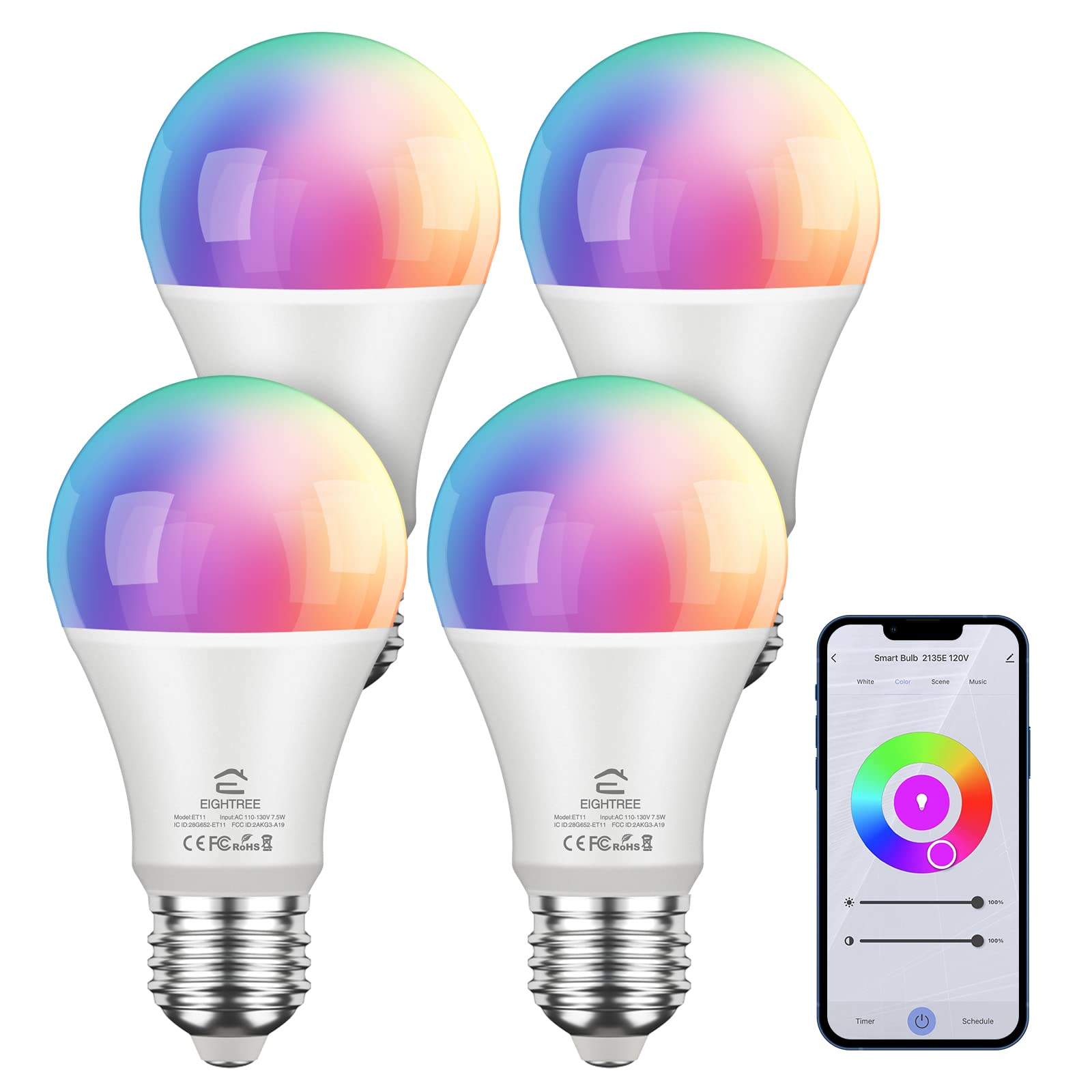
Image: EIGHTREE Smart WiFi LED Light Bulb highlighting its core functionalities.
Nodweddion Allweddol:
- Rheolaeth Anghysbell: Manage lighting settings from anywhere using the Smart Life APP. (Note: Supports 2.4GHz Wi-Fi only).
- Rheoli llais: Compatible with Alexa, Google Home, and SmartThings for hands-free operation.
- Timing and Grouping: Schedule lighting operations and control multiple bulbs simultaneously.
- Dimmable & Multicolor: Offers 16 million RGB colors and adjustable color temperatures (2800K-6200K).
- Ynni Effeithlon: 7.5W LED bulb provides 800LM brightness, equivalent to a 60W incandescent bulb, with over 80% less energy consumption.
2. Gwybodaeth Diogelwch
Please read and follow all safety instructions to prevent injury or damage. This device is for indoor use only. Do not disassemble or modify the bulb. Ensure the power is off before installation or removal. Avoid exposure to water or high humidity. Use only in suitable fixtures and environments.
3. Cychwyn Arni
Beth sydd yn y blwch:
- EIGHTREE Smart WiFi LED Light Bulb(s)
- Llawlyfr Defnyddiwr
Rhestr Wirio cyn gosod:
- A stable 2.4GHz Wi-Fi network. (5GHz Wi-Fi is not supported).
- Ffôn clyfar neu lechen yn rhedeg iOS neu Android.
- The "Smart Life" application installed on your device.
4. Canllaw Cysylltiad
Cysylltiad Bluetooth (Argymhellir)
This method utilizes Bluetooth for initial device discovery, simplifying the connection process.
- Sicrhewch fod Bluetooth wedi'i alluogi ar eich ffôn clyfar.
- Install the smart bulb and turn it on. Turn the device off-on-off-on-off-on until the bulb blinks rapidly. This indicates pairing mode.
- Open the Smart Life App, tap '+' to Add Device, then select 'Lighting' and 'Light Source (BLE+Wi-Fi)'. The app should automatically discover the bulb.
- Confirm the blinking status in the app.
- Dewiswch eich rhwydwaith Wi-Fi 2.4GHz a nodwch y cyfrinair.
- Wait for the connection to complete. Once connected, you can rename the bulb.
Video: Detailed steps for Bluetooth-assisted connection of the smart bulb.
EZ Mode Connection (Without Bluetooth)
If Bluetooth is unavailable or preferred not to be used, follow these steps for EZ Mode connection.
- Install the smart bulb and turn it on. Turn the device off-on-off-on-off-on until the bulb blinks rapidly.
- Open the Smart Life App, tap '+' to Add Device, then select 'Lighting' and 'Light Source (Wi-Fi)'.
- Confirm the blinking status in the app.
- Dewiswch eich rhwydwaith Wi-Fi 2.4GHz a nodwch y cyfrinair.
- Wait for the connection to complete. Once connected, you can rename the bulb.

Image: Visual guide for the quick and easy setup process via the Smart Life app.
Video: Instructions for EZ Mode connection when Bluetooth is off.
Voice Assistant Integration (Alexa & Google Home)
After successfully connecting your smart bulb to the Smart Life App, you can link it with Amazon Alexa or Google Home for voice control.
- In the Smart Life App, navigate to the device page for your bulb.
- Look for "Third-party Control" options.
- For Alexa: Choose "Alexa", then "Sign In With Amazon", and follow the prompts to "Link" your account.
- For Google Home: Choose "Google Assistant", then "Link with Google Assistant". Select "Get started", then "Works with Google", find "Smart Life", and "Agree and Link" your account.
- Ar ôl cysylltu, gallwch ddefnyddio gorchmynion llais fel:
- "Alexa, turn on the bedroom light."
- "Hey Google, turn on bedroom light."
- "Alexa, set the light to purple."
Video: Guide on how to connect your smart bulb with Alexa or Google Home for voice control.
5. Cyfarwyddiadau Gweithredu
Rheoli Ap:
The Smart Life App provides comprehensive control over your EIGHTREE Smart WiFi LED Light Bulb.
- Brightness & Color Adjustment: Adjust the light intensity from 0-100% and choose from 16 million colors, including warm (2800K) and cool (6200K) white tones.

Image: Demonstrates warm, cool, and colored light options with app control interfaces.
- Dulliau golygfa: Select from various pre-set scene modes or create custom ones to match your mood or activity.
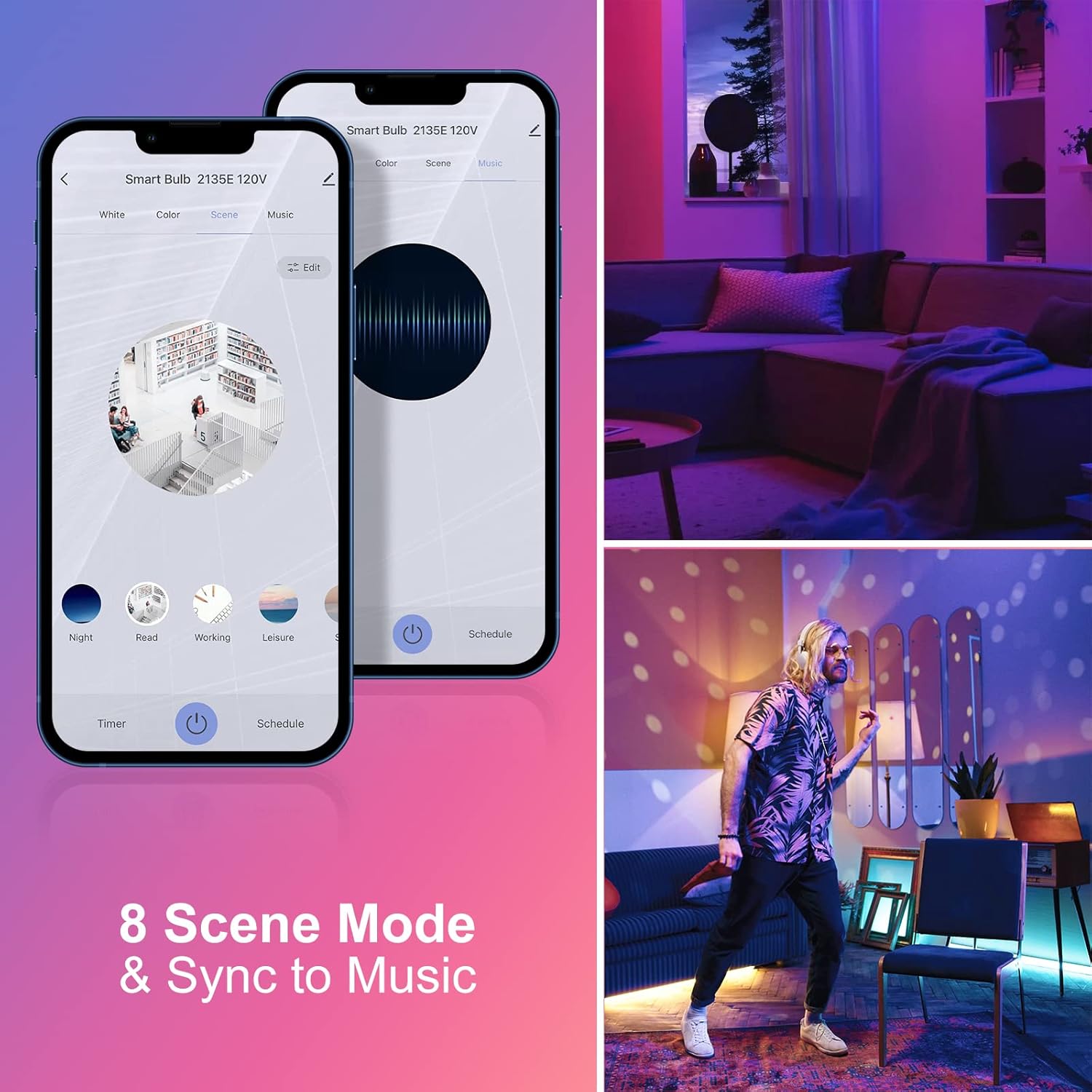
Image: Illustrates 8 scene modes and music synchronization capabilities.
- Amseru ac Amserlennu: Set schedules for the bulb to turn on/off at specific times, or to change settings automatically.

Delwedd: Examples of setting schedules for bedtime and wake-up routines.
- Rheolaeth Grŵp: Group multiple EIGHTREE smart bulbs together to control them simultaneously with a single command.

Image: Depicts group control functionality across different rooms in a house.
Rheoli llais:
Once integrated with Alexa or Google Home, use simple voice commands to manage your lighting:
- "Alexa, trowch [Enw'r Golau] ymlaen."
- "Hey Google, dim [Light Name] to 50%."
- "Alexa, newidiwch [Enw'r Golau] i las."
- "Hey Google, set [Light Name] to warm white."
6. cynnal
To ensure optimal performance and longevity of your EIGHTREE Smart WiFi LED Light Bulb, keep it clean and free from dust. Use a soft, dry cloth for cleaning. Do not use liquid cleaners or abrasive materials. Ensure the bulb is completely cool before handling. No user-serviceable parts are inside.
7. Datrys Problemau
If you encounter issues with your smart bulb, please refer to the following common solutions:
- Bwlb ddim yn cysylltu: Ensure your Wi-Fi network is 2.4GHz. Confirm Bluetooth is enabled on your phone for recommended connection. Try resetting the bulb by cycling power off-on-off-on-off-on until it blinks rapidly.
- Nid yw rheolaeth llais yn gweithio: Verify that your Smart Life account is correctly linked to Alexa or Google Home. Check your internet connection and ensure your voice assistant device is online.
- Bulb offline: Check your Wi-Fi router and internet connection. Ensure the bulb is within range of your Wi-Fi signal. Power cycle the bulb and your router if necessary.
- Ap ddim yn ymateb: Close and reopen the Smart Life App. Ensure the app is updated to the latest version.
For further assistance, please contact EIGHTREE customer support.
8. manylebau
| Nodwedd | Manylyn |
|---|---|
| Brand | WYTHNOS |
| Rhif Model | ET11 |
| Math Golau | LED |
| Wattage | 7.5 Wat (60W Gwynias Cyfwerth) |
| Disgleirdeb | 800 o Lumens |
| Maint Siâp Bylbiau | A19 |
| Sylfaen Bylbiau | E26 |
| Tymheredd Lliw | 2800K-6200K (Warm, Amber, Cool, Blue Tones) |
| Mynegai Rendro Lliw (CRI) | 80 |
| Technoleg Cysylltedd | Wi-Fi (2.4GHz yn unig) |
| Math o Reolwr | Amazon Alexa, Cynorthwyydd Google |
| Cyftage | 100-120 folt |
| Amlder | 60 Hertz |
| Bywyd Gweithredu Ffynhonnell Ysgafn | Dros 20,000 Awr |
| Defnydd Dan Do / Awyr Agored | Dan do |
9. Gwarant a Chefnogaeth
EIGHTREE products are designed for quality and reliability. This product comes with a Gwarant di-bryder 24 mis o ddyddiad y pryniant, gan gwmpasu diffygion gweithgynhyrchu.
Cefnogaeth i Gwsmeriaid:
If you have any questions, require technical assistance, or experience any problems with your EIGHTREE Smart WiFi LED Light Bulb, please contact our customer support team. We are dedicated to providing prompt and helpful service.
For contact information, please refer to the product packaging or the official EIGHTREE websafle.