
Technical Pro PLIT12
Technical Pro PLIT12 Portable Bluetooth Party Speaker User Manual
Model: PLIT12
1. Rhagymadrodd
Diolch am brynuasing the Technical Pro PLIT12 Portable Bluetooth Party Speaker. This powerful and versatile speaker is designed to deliver high-quality audio with dynamic LED lighting effects, making it ideal for parties, events, and personal entertainment. Featuring Bluetooth connectivity, USB/TF card playback, FM radio, and microphone input, the PLIT12 offers a comprehensive audio solution. Please read this manual carefully to ensure proper operation and to maximize your enjoyment of this product.
2. Cyfarwyddiadau Diogelwch
- Ffynhonnell Pwer: Use only the specified power adapter for charging. Ensure the voltage matches the requirements of the speaker.
- Gofal Batri: For maximum battery life, fully charge the speaker for 8-10 hours prior to its initial use. Do not expose the battery to excessive heat or direct sunlight. Do not attempt to replace the battery yourself.
- Dŵr a lleithder: Do not expose the speaker to water, rain, or excessive moisture. This product is not waterproof.
- Awyru: Do not block any ventilation openings. Ensure adequate airflow around the speaker to prevent overheating.
- Glanhau: Disconnect the power before cleaning. Use a soft, dry cloth. Do not use liquid cleaners or aerosol sprays.
- Lleoliad: Place the speaker on a stable, flat surface. Avoid placing it near heat sources, direct sunlight, or in areas with high humidity.
- Gwasanaethu: Do not attempt to repair or disassemble the speaker yourself. Refer all servicing to qualified service personnel.
- Diogelu'r Clyw: Osgowch wrando’n hir ar lefelau cyfaint uchel er mwyn atal niwed i’r clyw.
3. Cynnwys Pecyn
Ticiwch y blwch ar gyfer yr eitemau canlynol:
- Technical Pro PLIT12 Portable Bluetooth Party Speaker
- Rheolaeth Anghysbell Di-wifr
- Addasydd Pŵer
- Llawlyfr Defnyddiwr
- Canllaw Cychwyn Cyflym
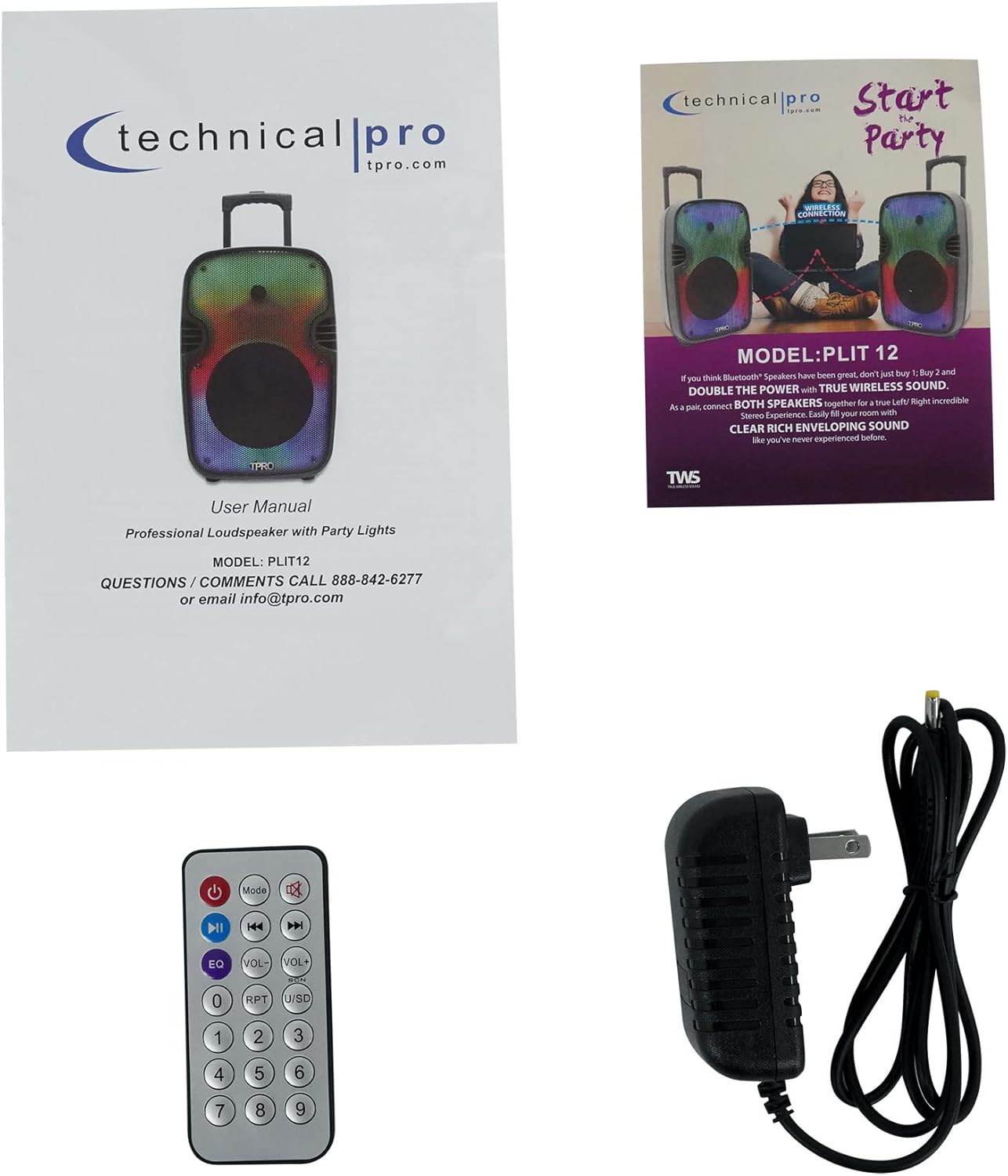
Image: Included accessories and documentation.
4. Nodweddion a Chydrannau'r Cynnyrch
Blaen View

Delwedd: Blaen view of the PLIT12 speaker and its remote control.
Rear Panel Controls and Inputs

Delwedd: Manwl view of the rear control panel. Note: The sticker with '1011204545' is a product identifier.
- BT Pairing Name: TPRO PLIT12: Indicates the Bluetooth pairing name.
- Botwm Modd: Cycles through input modes (Bluetooth, USB, TF Card, FM Radio, AUX).
- Botwm REC: For recording audio (if supported).
- Botwm Modd LED: Changes the LED lighting patterns.
- LED Power Switch: Yn troi'r goleuadau LED ymlaen neu i ffwrdd.
- Newid Pwer: Yn troi'r siaradwr ymlaen neu i ffwrdd.
- 12V Battery In: Power input for charging the internal battery.
- Knob Cyfrol: Yn addasu'r brif gyfrol.
- Knob Bas: Yn addasu lefel y bas.
- Knob Trebl: Yn addasu lefel y trebl.
- Adlais Knob: Yn addasu'r effaith adlais ar gyfer y meicroffon.
- Knob Cyfaint Meicroffon: Yn addasu cyfaint y meicroffon.
- Porth USB: Ar gyfer gyriannau fflach USB (hyd at 64GB).
- Slot Cerdyn TF: For TF (MicroSD) cards (up to 64GB).
- Mewnbwn AUX: Mewnbwn ategol 3.5mm ar gyfer dyfeisiau sain allanol.
- Meic i Mewn: 1/4'' microphone input.
- Sgrin LCD: Displays current mode, track information, and other status indicators.
- Rheolaethau Chwarae: Play/Pause, Skip Forward, Skip Backward.
Nodweddion Allweddol Drosoddview

Image: Visual representation of the speaker's main features.
- Pŵer Uchaf 2000 Watt: Delivers powerful sound output.
- 12" LED Woofer: Provides deep bass with dynamic LED lighting.
- Bluetooth v2.0 with EDR: Wireless connectivity with a range of 30 feet.
- Mewnbynnau: USB Flash Drive, TF Card, Microphone.
- LED Power Switch & Mode Button: Control the integrated LED lights.
- Cludadwyedd: Easy to carry with wheels and a telescoping carry-on handle.
Iconic Features

Image: Icons illustrating key functionalities of the speaker.
- Bluetooth: Wireless audio streaming.
- LED Fade & Blending / LED Fire Wall / Running LED Ring: Multiple LED lighting modes.
- LED Woofer: Illuminated woofer for visual effects.
- Rheolaethau Chwarae: For media management.
- Batri y gellir ei ailwefru: Batri adeiledig ar gyfer defnydd cludadwy.
- TF/USB Inputs: For playing media from storage devices.
- TWS Stereo Sound: True Wireless Stereo for connecting two speakers.
- Olwynion: Ar gyfer cludiant hawdd.
5. Gosod
Codi Tâl Cychwynnol
- Before first use, connect the provided power adapter to the "12V Battery In" port on the rear panel and plug it into a power outlet.
- Allow the speaker to charge for 8-10 hours to ensure the battery is fully conditioned.
- Bydd y dangosydd gwefru (os yw'n bresennol) yn dangos y statws gwefru.
Pweru Ymlaen/Diffodd
- To turn on the speaker, flip the "Power" switch on the rear panel to the ON position.
- To turn off the speaker, flip the "Power" switch to the OFF position.
Bluetooth Pairing (Single Speaker)
- Turn on the speaker. The speaker will automatically enter Bluetooth mode or you can press the "Mode" button to select Bluetooth. The LCD screen will display "BLUE" or a similar indicator, and you will hear an audible prompt.
- Galluogwch Bluetooth ar eich dyfais symudol (ffôn clyfar, tabled, ac ati).
- Chwiliwch am Bluetooth devices and select "TPRO PLIT12" from the list.
- Once paired, the speaker will confirm with an audible sound. You can now play audio wirelessly from your device.
TWS (True Wireless Stereo) Pairing (Two Speakers)
TWS allows you to connect two PLIT12 speakers wirelessly for a true stereo sound experience.
- Ensure both PLIT12 speakers are powered on and in Bluetooth mode.
- On one of the speakers (this will be your primary speaker), press and hold the "TWS" button (if available, or a combination of buttons as per quick start guide, typically the Play/Pause button) until you hear a pairing sound.
- Bydd y ddau siaradwr yn cysylltu â'i gilydd yn awtomatig. Ar ôl cysylltu, byddwch yn clywed sain cadarnhau.
- Now, connect your mobile device to the primary speaker via Bluetooth as described in the "Bluetooth Pairing (Single Speaker)" section.
- Bydd sain nawr yn chwarae mewn stereo ar draws y ddau siaradwr.
Connecting USB/TF Card
- Insert a USB flash drive or TF card (with .mp3 files, max 64GB) into the respective port on the rear panel.
- The speaker will automatically switch to USB/TF mode and begin playing audio. If not, press the "Mode" button to select the correct input.
Connecting AUX Device
- Connect one end of a 3.5mm audio cable (not included) to the AUX input on the speaker.
- Cysylltwch y pen arall â'r jac clustffonau neu allbwn sain eich dyfais allanol.
- Press the "Mode" button until "AUX" is displayed on the LCD screen.
Meicroffon Cysylltu
- Plug a 1/4'' microphone (not included) into the "Mic In" port on the rear panel.
- Adjust the "Mic Vol" knob to control the microphone's volume.
- Use the "Echo" knob to add an echo effect to the microphone audio.
6. Cyfarwyddiadau Gweithredu
Chwarae Bluetooth
- Once paired, control playback (play/pause, skip tracks) directly from your connected Bluetooth device or using the speaker's playback controls.
Chwarae Cerdyn USB / TF
- Use the playback controls on the speaker or remote to navigate tracks.
- The "Repeat" function on USB/TF card inputs allows for continuous playback of a single track or all tracks.
Gweithrediad Radio FM
- Press the "Mode" button to switch to FM Radio mode.
- Pwyswch y botwm Chwarae/Saib i sganio'n awtomatig a chadw'r gorsafoedd FM sydd ar gael.
- Use the Skip Forward/Backward buttons to navigate between saved stations.
Moddau Golau LED
- Use the "LED Power Switch" to turn the LED lights on or off.
- Press the "LED Mode Button" to cycle through various lighting effects, including LED Glow Wall with Burning Mode and Running LED Ring.
Swyddogaethau Rheoli o Bell
The included wireless remote control provides convenient access to various functions:
- Botwm Pŵer: Yn troi'r siaradwr ymlaen/i ffwrdd.
- Botwm Modd: Cycles through input modes.
- Botwm EQ: Adjusts equalizer presets.
- Cyfrol i fyny/i lawr: Yn addasu cyfaint meistr.
- Rheolaethau Chwarae: Chwarae/Saib, Trac Blaenorol, Trac Nesaf.
- RPT (Repeat) Button: Repeats current track or all tracks (for USB/TF).
- USB/SD Button: Selects USB or SD (TF) card input directly.
- Bysellbad rhifol: For direct track selection (on USB/TF) or FM station tuning.
7. cynnal
- Glanhau: Wipe the speaker's exterior with a soft, dry, lint-free cloth. Do not use abrasive cleaners, waxes, or solvents.
- Gofal Batri: To prolong battery life, avoid fully discharging the battery frequently. Recharge the speaker regularly, even if not in use, especially if storing for extended periods.
- Storio: Storiwch y siaradwr mewn lle oer, sych i ffwrdd o olau haul uniongyrchol a thymheredd eithafol.
- Cludiant: Utilize the integrated pull-up trolley and built-in wheels for easy and safe transportation.
8. Datrys Problemau
- Dim pŵer:
Ateb: Ensure the power adapter is securely connected and plugged into a working outlet. Check if the battery is charged. Try charging the unit for several hours. - Dim Sain:
Ateb: Check the master volume level on the speaker and your connected device. Ensure the correct input mode (Bluetooth, USB, AUX, FM) is selected. If using a microphone, check its volume knob. - Bluetooth ddim yn cysylltu:
Ateb: Ensure the speaker is in Bluetooth mode. Turn off and on Bluetooth on your device. Forget "TPRO PLIT12" from your device's Bluetooth list and try pairing again. Ensure your device is within the 30-foot range. - Cerdyn USB/TF Ddim yn Chwarae:
Ateb: Sicrhau y files are in .mp3 format. Check if the USB drive/TF card is properly inserted and not corrupted. The maximum supported size is 64GB. - Goleuadau LED Ddim yn Gweithio:
Ateb: Ensure the "LED Power Switch" is in the ON position. Try pressing the "LED Mode Button" to cycle through modes. - Rheolaeth Anghysbell Ddim yn Ymateb:
Ateb: Ensure there are no obstructions between the remote and the speaker. Check and replace the remote control battery if necessary.
9. manylebau
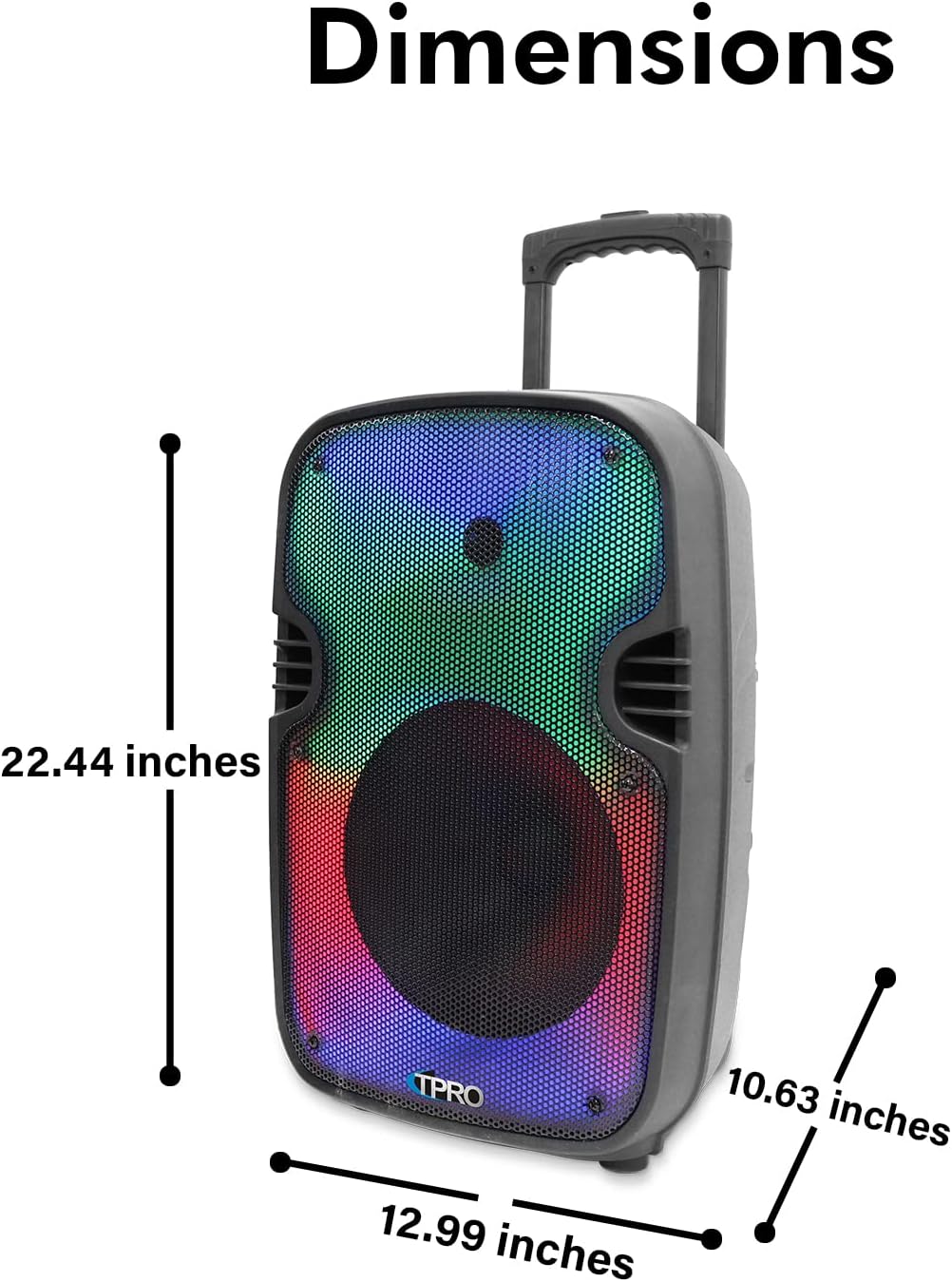
Delwedd: Dimensiynau'r cynnyrch.
| Nodwedd | Manylyn |
|---|---|
| Rhif Model | PLIT12 |
| Allbwn Wattage | 2000 Wat (Pŵer Uchaf) |
| Maint Woofer | 12 inches (LED Woofer) |
| Technoleg Cysylltedd | Bluetooth |
| Amrediad Bluetooth | 30 Traed |
| Mewnbynnau Sain | USB flash drive, FM Radio, AUX, Microphone, Bluetooth |
| USB Card Maximum Size | 64GB |
| Cefnogir File Mathau | .mp3 files (from USB/TF drives) |
| Ffynhonnell Pwer | Wedi'i Bweru â Batri |
| rhwystriant | 3 Ohms |
| Sensitifrwydd | 80 ±2dB (1W@1M) |
| Ymateb Amlder | 80Hz - 18KHz |
| Deunydd | Plastig |
| Dimensiynau Cynnyrch (L x W x H) | 10 x 13 x 23 modfedd |
| Pwysau Eitem | 10 pwys |
| UPC | 817802018252 |
| Gwneuthurwr | Technegol Pro |
10. Gwarant a Chefnogaeth
For warranty information, technical support, or service inquiries, please contact Technical Pro directly. Refer to the contact information provided with your product packaging or visit the official Technical Pro websafle am y manylion cymorth diweddaraf.
Gwneuthurwr: Technegol Pro
Ask a question about this manual
Ask about setup, troubleshooting, compatibility, parts, safety, or missing instructions. Manuals+ will review the question and use this page’s manual context to help answer it.