
1. Rhagymadrodd
This user manual provides detailed instructions for the operation and maintenance of the HANMATEK HM305 Mini Variable Switching Digital Bench Power Supply. This device is designed to provide a stable and adjustable DC power source for various electronic applications, including production line testing, electrical maintenance, product aging, battery charging, laboratory research, and educational purposes.
Please read this manual thoroughly before operating the device to ensure safe and efficient use.
2. Nodweddion Cynnyrch
- Auto Power Calculation: Intelligently calculates and displays output voltage, current, and power on a large, clear LED 4-digit display. Features automatic decimal point carry for precise readings.
- Rheoli switsh allbwn: Equipped with an output enable/disable button, allowing users to adjust voltage and current settings without actual power output, enhancing safety and energy efficiency during setup or switching between loads.
- Safe and Reliable Operation: Incorporates multiple protection functions including Over-Voltage Protection (OVP), Over-Current Protection (OCP), over-power protection, over-temperature protection, and short-circuit protection. Features a built-in cooling fan for low noise and low ripple operation.
- Ystod Cais Eang: Includes a front 5V 2A USB charging port for devices. Suitable for diverse applications such as production line testing, electrical maintenance, product aging tests, battery charging, laboratory scientific research, and educational demonstrations.
- High-Precision Display: Offers high-precision readings with a voltage resolution of 0.01V and a current resolution of 0.001A, ensuring accurate control and monitoring.
- Dyluniad Compact a Chludadwy: Designed to be small in volume and light in weight, making it easy to carry and move for various tasks.
3. Product Components and Layout

Ffigur 3.1: Front and Rear Panel Layout of the HM305 Power Supply.
- 1. Cyftage Value Display Table: Yn dangos y gyfrol allbwntage.
- 2. Current Value Display Table: Displays the output current.
- 3. Power Value Display Table: Displays the calculated output power.
- 4. Output On/Off Button: Controls the power output to the terminals.
- 5. Cyftage Value Adjustment Knob: Adjusts the desired output voltage. Press to select digit for fine adjustment.
- 6. Current Value Adjustment Knob: Adjusts the desired output current. Press to select digit for fine adjustment.
- 7. 5V 2A Charging Port (USB): Provides a fixed 5V, 2A USB output for charging devices.
- 8. Output Terminal Positive (Red): Connects to the positive lead of the load.
- 9. Output Terminal Negative (Black): Connects to the negative lead of the load.
- 10. Allwedd Power Switch: Prif switsh pŵer ar gyfer yr uned.
- 11. Fan oeri: Dissipates heat from the internal components.
- 12. Power Voltage Input Socket: Connects the input power cord.
- 13. Daliwr ffiws: Contains the protective fuse for the unit.
4. Gosod
4.1 Dadbacio ac Archwilio
Upon receiving your HANMATEK HM305 power supply, carefully unpack all components and inspect for any signs of damage during transit. The package should include:
- 1 x HANMATEK HM305 Power Supply Unit
- 1 x Output Power Cord (test leads)
- 1 x Input Power Cord (AC power cable)
- 1 x Llawlyfr Defnyddiwr (y ddogfen hon)

Ffigur 4.1: Eitemau sydd wedi'u cynnwys yn y pecyn cynnyrch.
4.2 Cysylltiad Pwer
- Ensure the main power switch on the rear panel is in the OFF position.
- Connect the provided input power cord to the power voltage input socket on the rear panel of the power supply.
- Plug the other end of the input power cord into a suitable AC power outlet (110V input voltage is supported).
4.3 Cysylltiad Allbwn
Connect your load to the output terminals on the front panel using the provided output power cord (test leads). Ensure correct polarity: red to positive (+) and black to negative (-).
5. Cyfarwyddiadau Gweithredu
5.1 Troi Ymlaen a Gosod Cychwynnol
- After connecting the power supply as described in Section 4, turn on the main power switch on the rear panel. The display will illuminate.
- The unit may default to an "Output ON" state. It is recommended to press the ALLBWN button on the front panel to turn the output OFF before connecting any sensitive loads. The indicator light next to the OUTPUT button will turn off when the output is disabled.
5.2 Adjusting Voltage a Chyfredol
- Cyftage Addasiad: Cylchdroi y VOLTAGE SETOUT knob to adjust the desired voltage. Press the knob to select which digit you wish to adjust for fine-tuning. The voltage resolution is 0.01V.
- Addasiad Presennol: Cylchdroi y CURRENT LOCK knob to set the maximum current limit. Press the knob to select which digit you wish to adjust for fine-tuning. The current resolution is 0.001A.
- Sicrhau y cyftage and current limits are set appropriately for your connected load to prevent damage.

Ffigur 5.1: High-precision digital display for voltage, cerrynt, a grym.
5.3 Enabling Output
Unwaith y dymunir cyftage and current limits are set and your load is correctly connected, press the ALLBWN button to enable the power output. The indicator light will illuminate, and power will be supplied to your load.
5.4 Using the USB Charging Port
The front panel features a 5V 2A USB charging port. Simply connect your USB-powered device to this port for charging. This output is independent of the main DC output settings.

Ffigur 5.2: USB charging port in use.
6. cynnal
6.1 Glanhau
I lanhau tu allan y cyflenwad pŵer, defnyddiwch lliain meddal, damp cloth. Do not use abrasive cleaners or solvents, as these may damage the casing or display. Ensure the unit is powered off and disconnected from the mains before cleaning.
6.2 Awyru
Ensure that the ventilation openings on the sides and rear of the unit are not obstructed. Proper airflow is crucial for dissipating heat and maintaining optimal performance and lifespan of the device. The built-in cooling fan helps regulate internal temperature.
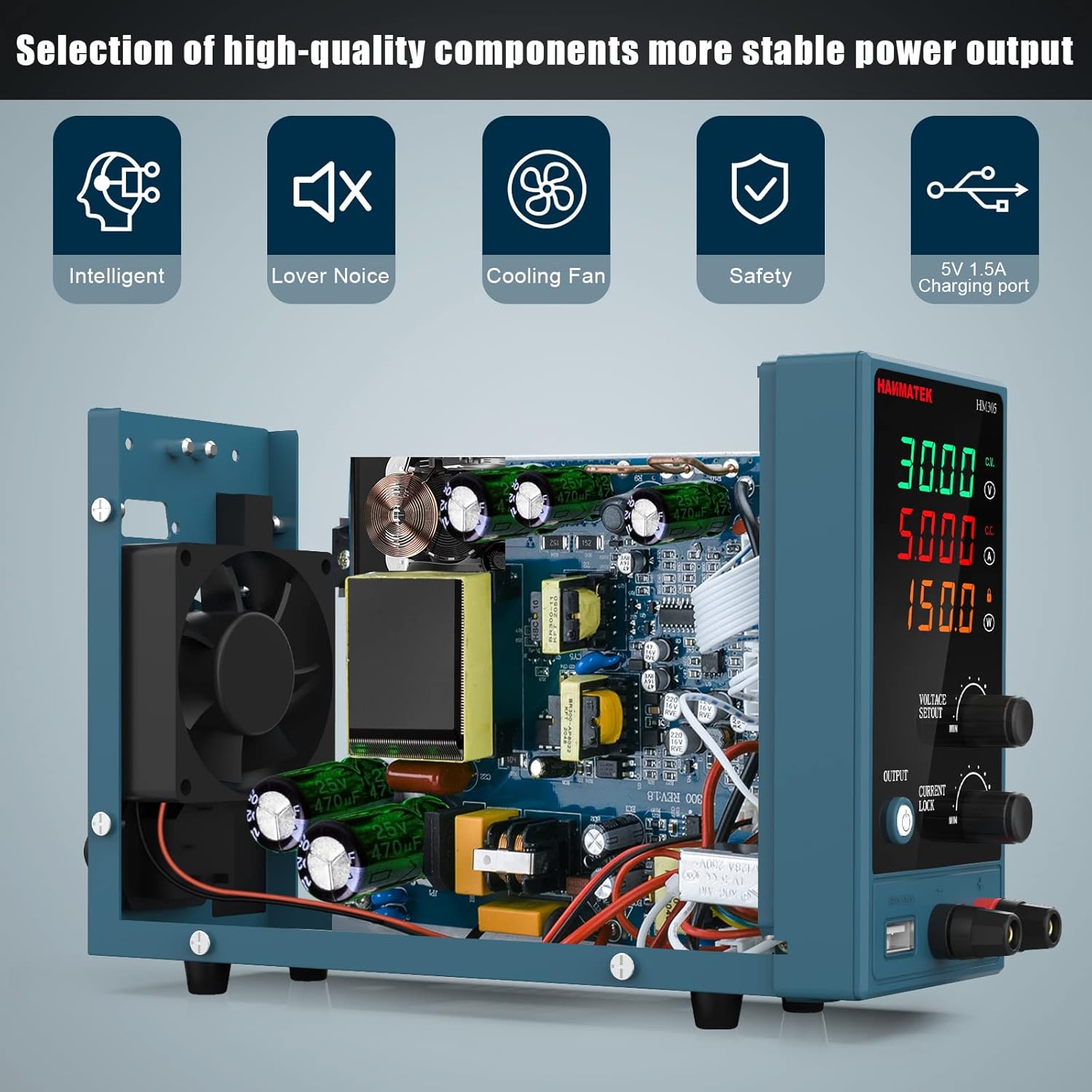
Ffigur 6.1: Internal components and cooling fan for optimal performance.
6.3 Amnewid Ffiws
If the power supply fails to turn on, check the fuse located in the fuse holder on the rear panel. Disconnect the unit from the mains power before attempting to replace the fuse. Use only fuses of the specified type and rating to avoid damage to the unit or risk of fire.
7. Datrys Problemau
| Problem | Achos Posibl | Ateb |
|---|---|---|
| Nid yw'r uned yn pweru ymlaen. | No AC power; Main power switch off; Blown fuse. | Check power cord connection and wall outlet. Ensure main power switch is ON. Replace fuse if blown (refer to Section 6.3). |
| Dim allbwn cyftage/current when enabled. | Output button OFF; Output terminals not connected correctly; Overload protection activated. | Gwasgwch y ALLBWN button to enable. Verify connections to load. Check if OVP/OCP indicators are lit; reduce load or adjust limits. |
| Cyftage/Current readings are unstable. | Loose connections; Excessive load; Interference. | Ensure all connections are secure. Reduce load if it exceeds unit's capacity. Relocate unit away from strong electromagnetic interference. |
| Unit overheats or fan is excessively loud. | Obstructed ventilation; Prolonged high load operation. | Ensure ventilation openings are clear. Reduce load or allow unit to cool down. |
8. manylebau
| Paramedr | Gwerth |
|---|---|
| Model | HM305 |
| Allbwn Voltage Ystod | 0-30 V DC |
| Amrediad Cyfredol Allbwn | 0-5 A. |
| Cyftage Penderfyniad | 0.01 V |
| Penderfyniad Cyfredol | 0.001 A |
| Arddangos | 4-digit LED Display (Voltage, Current, Power) |
| Allbwn USB | 5V 2A |
| Swyddogaethau Diogelu | OVP, OCP, Over-power, Over-temperature, Short-circuit |
| Dimensiynau Cynnyrch | 3.15 x 5.91 x 9.06 modfedd |
| Pwysau Eitem | 2.2 pwys (tua 1 kg) |
| Deunydd | Metel |
9. Gwybodaeth Diogelwch
- Always operate the power supply in a well-ventilated area to prevent overheating.
- Peidiwch ag amlygu'r uned i leithder na thymheredd eithafol.
- Sicrhewch fod y cyflenwad pŵer wedi'i seilio'n iawn.
- Before connecting or disconnecting any load, ensure the output is disabled using the ALLBWN botwm.
- Peidiwch â bod yn fwy na'r uchafswm cyftage or current ratings of the device or your connected load.
- In case of malfunction or unusual operation, immediately disconnect the power supply from the mains and contact support.
- Only qualified personnel should attempt repairs.
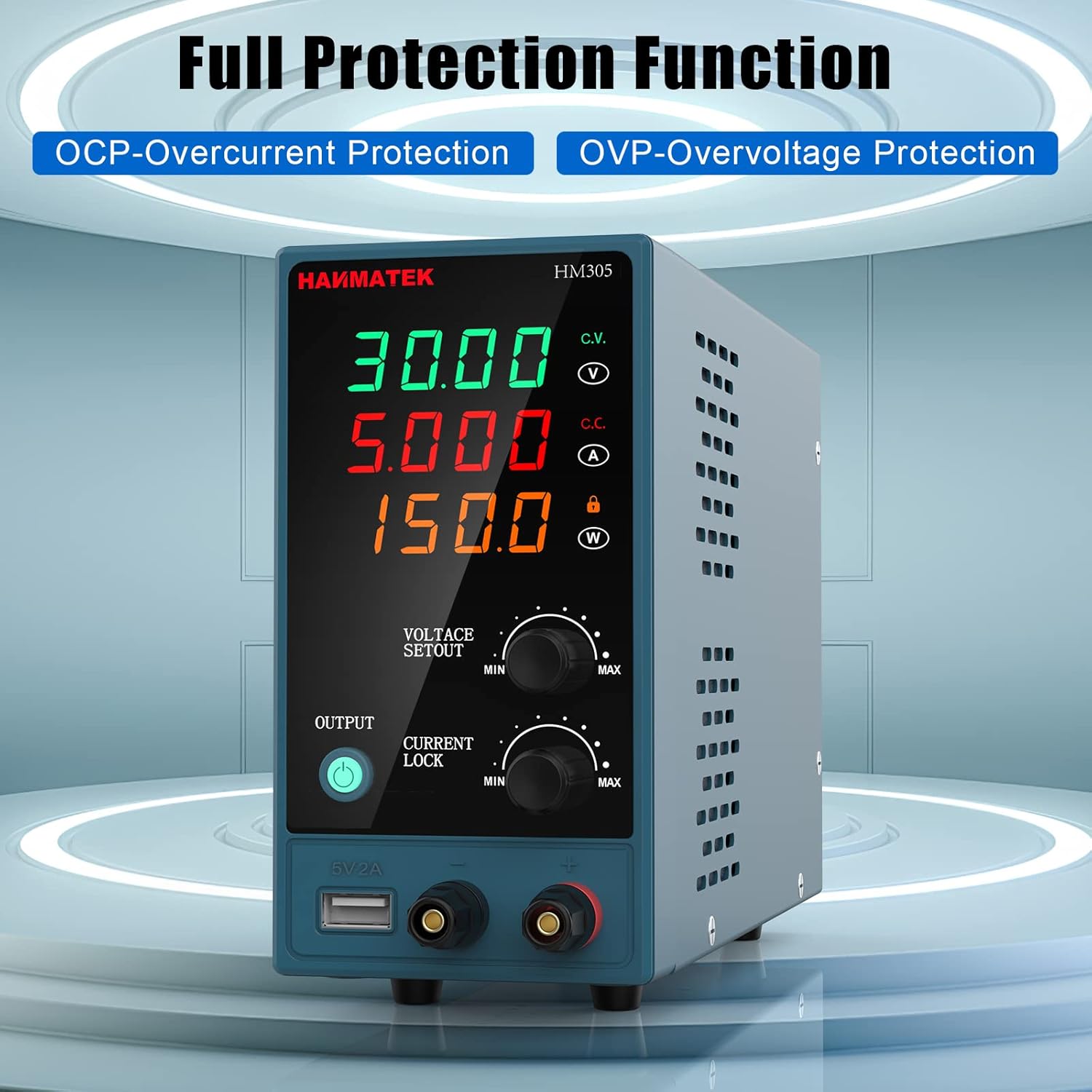
Ffigur 9.1: Built-in protection features for safe operation.
10. Gwarant a Chefnogaeth
HANMATEK products are designed for reliability and performance. For warranty information, technical support, or service inquiries, please refer to the contact details provided on the official HANMATEK websafle neu cysylltwch â'ch dosbarthwr lleol.
Cadwch eich derbynneb prynu fel prawf o brynu ar gyfer hawliadau gwarant.


