
1. Rhagymadrodd
Thank you for choosing the GLUROO Floor Lamp, Model 01. This lamp features 3-color lighting, stepless dimming, a magnetic remote control, memory function, and a timer. This manual provides detailed instructions for assembly, operation, and care to ensure optimal performance and safety.
2. Cynnwys Pecyn
Gwiriwch fod yr holl gydrannau yn bresennol cyn eu cydosod:
- Lamp
- Lampcysgod
- Rheolaeth Anghysbell
- Newid Troed
- Cebl Pŵer
3. Cyfarwyddiadau Cymanfa
The GLUROO Floor Lamp is designed for easy self-assembly. Follow these steps:
- Dadbacio'r holl gydrannau o'r pecyn yn ofalus.
- Cynnull y lamp pole sections by screwing them together clockwise until secure.
- Atodwch y lampcysgod i ben y lamp pole according to the included diagrams.
- Cysylltwch y cebl pŵer â'r lamp and plug it into a suitable power outlet.
- Ensure the foot switch is accessible for easy operation.
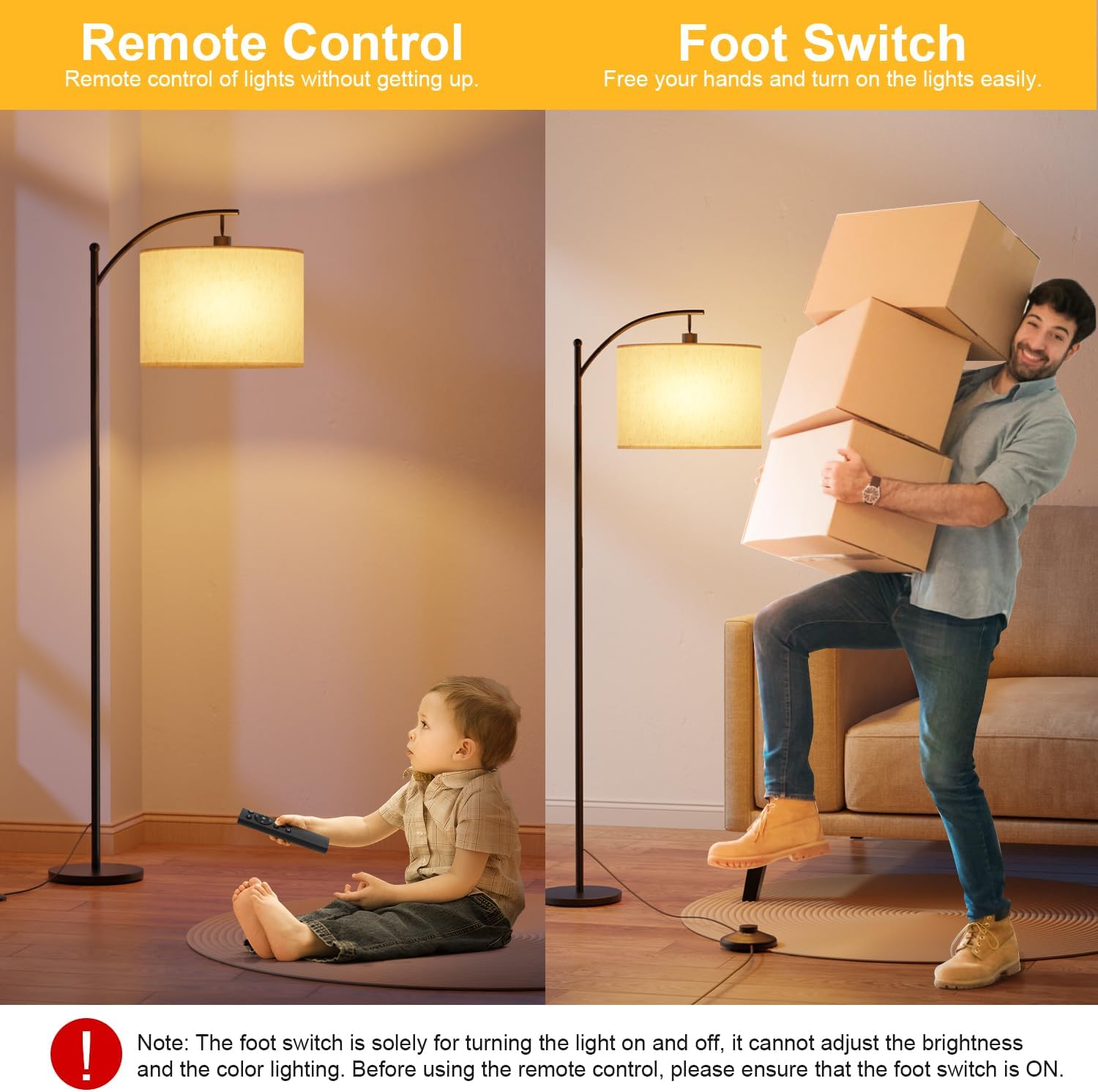
Image: Assembled GLUROO Floor Lamp.
4. Cyfarwyddiadau Gweithredu
4.1 Power On/Off (Foot Switch)
The foot switch provides a convenient way to turn the lamp on and off. Press the foot switch to toggle the power. Note that the foot switch only controls on/off functionality and does not adjust brightness or color temperature.

Image: Foot switch for basic power control and remote control for advanced settings.
4.2 Swyddogaethau Rheoli o Bell
The remote control offers full control over the lamp's features. Ensure the foot switch is in the ON position for the remote to function.
- Botwm Pŵer: Yn troi y lamp ymlaen neu i ffwrdd.
- Addasiad Disgleirdeb: Use the '+' and '-' buttons to adjust brightness from 1% to 100%.
- Addasiad Tymheredd Lliw: Cycle through Warm White (3000K), Natural White (4000K), and Cool White (6000K) using the 'K' button.
- Moddau Rhagosodedig:
- Modd Golau Nos: Provides a soft, low light for nighttime.
- Modd Bwydo: Optimized light for baby feeding.
- Modd Gweithio: Bright, cool light suitable for tasks.
- Modd Darllen: Comfortable light for reading.
- Amserydd 1 Awr: Press the '1H' button to set the lamp to turn off automatically after one hour.
- Swyddogaeth Cof: Mae'r lamp remembers your last brightness and color temperature settings when turned off and on again.

Image: Detailed layout of the remote control buttons and their functions.

Delwedd: Examples of Warm White, Natural White, and Cool White lighting.

Image: Visual representation of stepless dimming capability.

Delwedd: Yr lamp retaining its last setting after being turned off and on.

Image: The 1-hour timer function, useful for bedtime.
4.3 Magnetic Remote Control
The remote control features a magnetic back, allowing it to be conveniently attached to the metal pole of the floor lamp for easy storage and access.
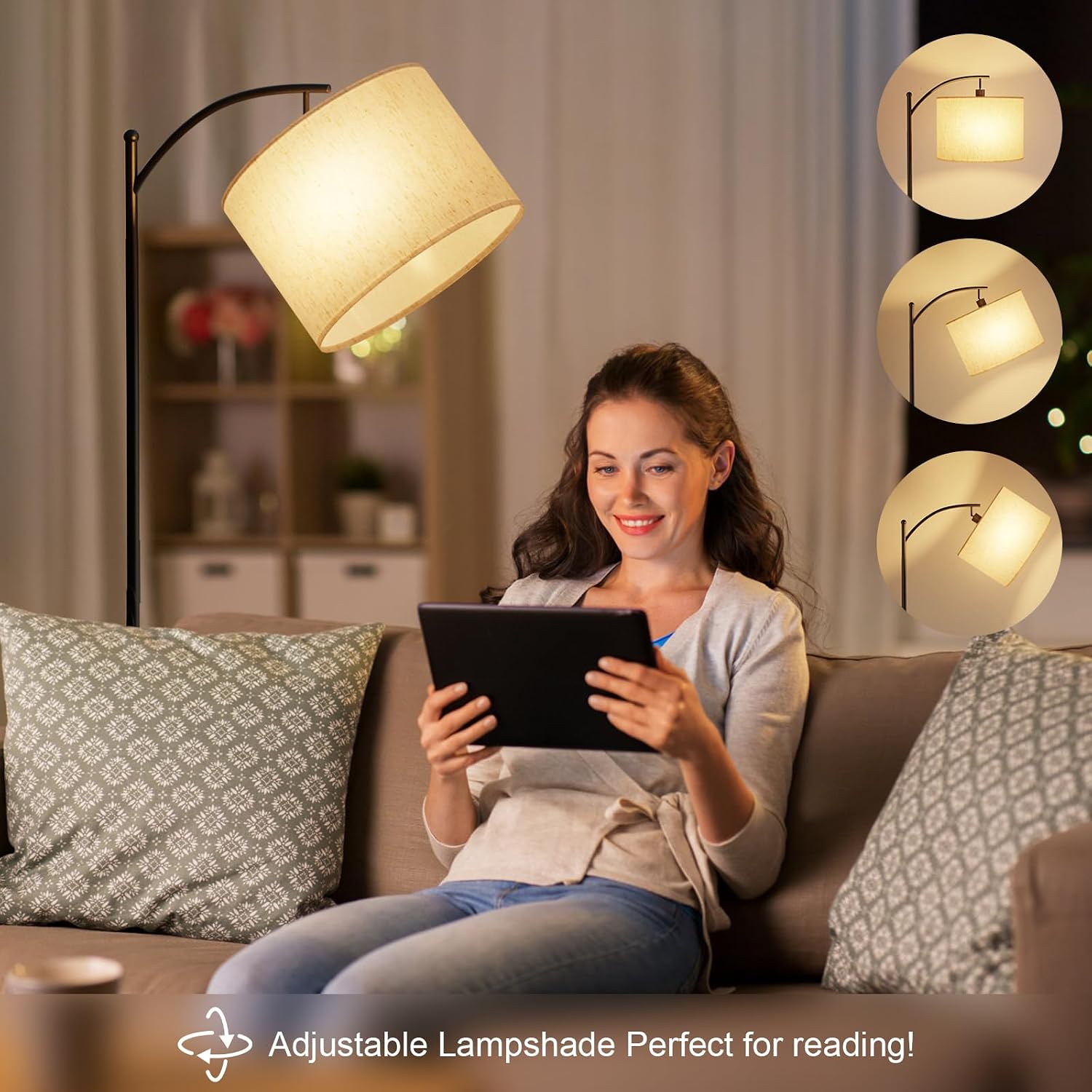
Image: Remote control magnetically attached to the lamp polyn.
4.4 L gymwysadwyampcysgod
Mae'r lampshade can be adjusted to direct light where needed, making it ideal for reading or task lighting.

Image: Lampshade adjusted for reading.

Image: Diagram showing the adjustable lampcysgod.
5. Remote Control Pairing and Unpairing
5.1 Paru'r Rheolaeth Anghysbell
If your remote control is not responding, it may need to be paired with the lamp:
- Datgysylltwch y lamp o'r cyflenwad pŵer am o leiaf 10 eiliad.
- Reconnect the power supply. Turn on the lamp using the foot switch.
- Within 5 seconds of turning on the lamp, press and hold the power button on the remote control until the lamp blinks twice. Release the button.
- The remote control is now paired.
Video: Demonstrates how to pair the remote control with the GLUROO Floor Lamp.
5.2 Unpairing the Remote Control
To unpair the remote control from the lamp:
- Sicrhau y lamp is currently turned on.
- Press the foot switch to turn off the lamp.
- Wait for approximately 10 seconds or more.
- Press and hold the power button on the remote control. Do not release the button after the first blink cycle. Continue holding until the lamp blinks a second time, indicating that the unpairing is complete.
Note: The same video above also illustrates the unpairing process.
6. Gwybodaeth Diogelwch
- Tynnwch y plwg bob amser i'r lamp cyn glanhau neu wneud unrhyw waith cynnal a chadw.
- Peidiwch â defnyddio'r lamp mewn gwlyb neu damp amgylcheddau.
- Cadw'r lamp i ffwrdd o ffynonellau gwres a golau haul uniongyrchol.
- Sicrhau y lamp base is stable to prevent tipping, especially around children and pets.
- Use only the specified LED bulb (E27 base).
7. cynnal
To maintain your GLUROO Floor Lamp:
- Sychwch y lamp gyda lliain meddal, sych.
- Peidiwch â defnyddio glanhawyr neu doddyddion sgraffiniol.
- Gwiriwch y llinyn pŵer o bryd i'w gilydd am unrhyw ddifrod.
8. Datrys Problemau
| Problem | Achos Posibl | Ateb |
|---|---|---|
| Lamp ddim yn troi ymlaen. | No power, loose connection, foot switch off. | Check power outlet, ensure all connections are secure, turn on foot switch. |
| Rheoli o bell ddim yn gweithio. | Remote not paired, battery low, foot switch off. | Ensure foot switch is ON. Replace remote battery. Re-pair the remote control (refer to Section 5.1). |
| Lamp fflachiadau neu bylu yn annisgwyl. | Loose bulb, unstable power supply. | Tighten the bulb. Try plugging into a different outlet. |
9. manylebau
| Nodwedd | Manylyn |
|---|---|
| Brand | GLUROO |
| Rhif Model | 01 |
| Dimensiynau (L x W x H) | 25 x 25 x 160 cm |
| Pwysau | 4.66 kg |
| Deunydd | Iron (Base), Fabric (Lampcysgod) |
| Lliw | Du |
| Nifer y Bylbiau | 1 |
| Cyftage | 230 folt |
| Nodweddion Arbennig | Adjustable Color Temperature, Memory Function, Dimmable, Timer |
| Math Bylbiau | LED (Sylfaen E27) |
| Arddull Newid | Remote, Foot Switch |
10. Gwarant a Chefnogaeth
GLUROO products come with a standard manufacturer's warranty. For warranty claims, technical support, or any inquiries regarding your product, please contact GLUROO customer service through your purchase platform. Please have your order ID ready when contacting support.
You can typically find contact information by logging into your account, checking your order ID, and clicking "Contact Seller".