
Andonstar AD246S-P
Andonstar AD246S-P HDMI Digital Microscope User Manual
Model: AD246S-P | Brand: Andonstar
1. Rhagymadrodd
The Andonstar AD246S-P is a versatile HDMI digital microscope designed for detailed observation and recording. Featuring a 7-inch screen, 2160P UHD video recording capabilities, and a multi-lens system, it is suitable for examining various objects including coins, circuit boards, biological slides, and more. This manual provides instructions for proper setup, operation, and maintenance of your device.

Figure 1: Andonstar AD246S-P Digital Microscope Overview
2. Beth sydd wedi'i gynnwys
The Andonstar AD246S-P package includes the following components:
- 1x Microscope Host
- 1x Plastic Stand
- 1x Lens A (18-720x magnification)
- 1x Lens B (1560-2040x magnification)
- 1x Lens C (2760-4080x magnification)
- 2x USB Spot Lights
- 1x 32GB Micro SD Card
- Cebl USB 1x
- 1x Switch Cable
- Cebl HDMI 1x
- 1x Rheolaeth Anghysbell
- 5x Prepared Slides
- 1x Observation Box
- 1x Tweezers
- 3x Backdrop Boards
- Sgriwdreifer 1x
- 1x Llawlyfr Cyfarwyddiadau

Ffigur 2: Cynnwys Pecyn
3. Gosod
3.1 Cynulliad y Stand
Assemble the plastic stand by following the instructions provided in the video below. Ensure all screws are tightened for stability.
Video 1: How to Install the Plastic Bracket for AD246/AD249 (Applicable to AD246S-P)
Video 2: Assemble the Plastic Stand for AD246, 246S, 249, 249S
3.2 Cysylltu Cydrannau
Connect the microscope host to the stand. Plug in the USB spot lights and the power cable. Insert the provided 32GB Micro SD card into the designated slot on the microscope host.
4. Cyfarwyddiadau Gweithredu
4.1 Pŵer Ymlaen/Diffodd
Press and hold the Power On/Off button on the microscope host to turn the device on or off.
4.2 Lens Installation and Usage
The AD246S-P comes with three interchangeable lenses (A, B, and C) to suit different observation needs. Lenses can be exchanged by removing and installing screws.

Figure 3: Multi-Lens System Overview
Video 3: How to use the 3 lenses of AD246/AD249 plastic stand (Applicable to AD246S-P)
4.2.1 Lens A (18-720x)
Use Lens A for observing larger objects such as whole coins, circuit boards, plants, or stones. It provides a magnification range of 18-720x.

Figure 4: Coin and PCB Observation with Lens A
Video 4: Andonstar AD246S-Use lens A to observe coins
Video 5: Andonstar AD246S-Use lens A to observe flowers
Video 6: AD246S HDMI microscope-Use lens A to observe butterfly
4.2.2 Lens B (1560-2040x) & Lens C (2760-4080x)
Lenses B and C are designed for higher magnification, ideal for observing biological slides and microscopic structures. Lens B offers 1560-2040x magnification, while Lens C provides 2760-4080x magnification.

Figure 5: Biological Observation with Lenses B and C
Video 7: Andonstar AD246S-Use lens B to observe prepared slides
4.3 Addasiad Ffocws
Rotate the focusing wheel on the microscope body to adjust the image clarity. Use the bracket knob to fine-tune the object distance for optimal focus.
4.4 LED Lights Adjustment
The two USB spot lights can be adjusted in intensity and direction to provide optimal illumination for your specimen. Use the switch cable to control brightness levels.
4.5 Swyddogaethau Rheoli o Bell
The wireless remote control allows for convenient operation from a distance. Functions include image discoloration, digital zoom, and menu navigation.
4.6 Recordio Lluniau a Fideo
With the included 32GB Micro SD card, you can easily capture and store images or videos of your observations. Use the remote control or the buttons on the microscope host to switch between photo and video modes and initiate recording.
4.7 Allbwn HDMI
Connect the microscope to a larger screen or monitor via the HDMI cable for an expanded view of the microscopic world.
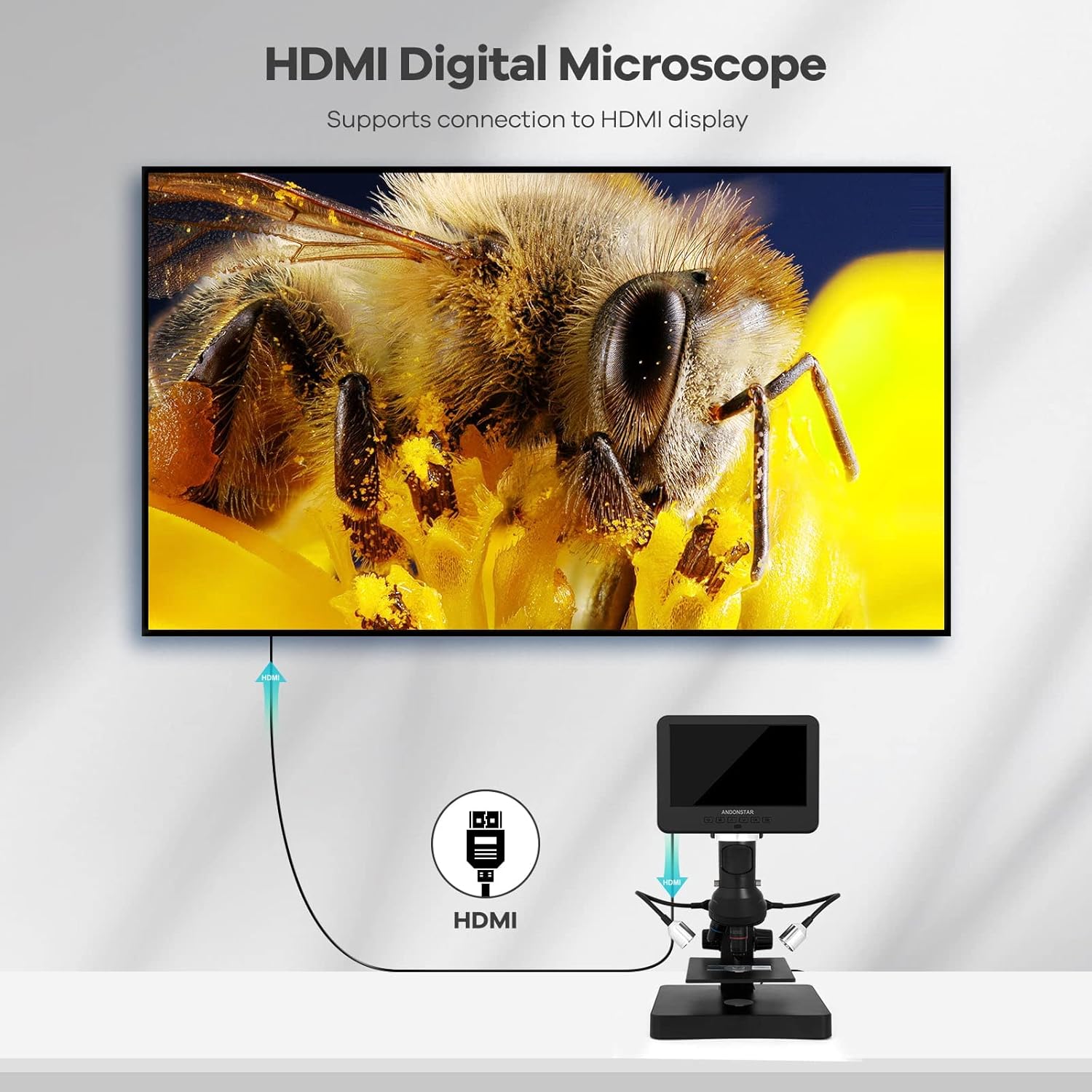
Figure 6: HDMI Output to External Display
4.8 USB Connection to PC
Connect the microscope to a Windows PC using the USB cable to utilize professional measurement software. This software allows for object measurement, area calculation, photo capture, and video recording directly on your computer.

Figure 7: USB Connection to PC for Software Use
5. manylebau
- Dimensiynau Cynnyrch: 7.87 x 7.48 x 11.81 modfedd
- Pwysau Eitem: 4.13 pwys (1.88 cilogram)
- Rhif Model yr Eitem: OC246S-P
- Gwneuthurwr: ShenZhen Andonstar Technology Co., Ltd
- Math o ffynhonnell golau: LED
- Deunydd: Plastig
- Lliw: Du, Arian
- Ongl Real o View: 178 Gradd
- Uchafswm Chwyddiad: 4080.00x
- Cyftage: 240 folt
6. cynnal
To ensure the longevity and optimal performance of your Andonstar AD246S-P microscope, follow these maintenance guidelines:
- Keep the lenses clean using a soft, lint-free cloth. Avoid abrasive materials.
- Store the microscope in a dry, dust-free environment when not in use.
- Osgoi amlygu'r ddyfais i dymereddau eithafol neu olau haul uniongyrchol.
- Trin y microsgop a'i gydrannau yn ofalus i atal difrod.
7. Datrys Problemau
If you encounter issues with your microscope, refer to the following common troubleshooting tips:
- Dim pŵer: Ensure all cables are securely connected and the power adapter is functioning correctly.
- Delwedd aneglur: Adjust the focusing wheel and the bracket knob to achieve clear focus. Ensure the correct lens is installed for the desired magnification.
- Dim Delwedd ar y Sgrin: Check cable connections (power, HDMI, USB). Ensure the device is powered on.
- Gwall Cerdyn SD: Ensure the SD card is inserted correctly. Try reformatting the SD card (this will erase all data).
- PC Connection Issues: Verify USB cable connection. Ensure the correct measurement software drivers are installed on your Windows PC.
8. Gwarant a Chefnogaeth
Andonstar Technology Co., Ltd provides professional after-sales service. For any issues or inquiries, please contact our support team. We offer 24-hour professional after-sales service to assist you.
Ask a question about this manual
Ask about setup, troubleshooting, compatibility, parts, safety, or missing instructions. Manuals+ will review the question and use this page’s manual context to help answer it.