
1. Rhagymadrodd
Diolch am brynuasing the Muse M-308 BT Bluetooth Speaker. This manual provides essential information for the safe and correct use of your device. Please read it thoroughly before use and keep it for future reference.
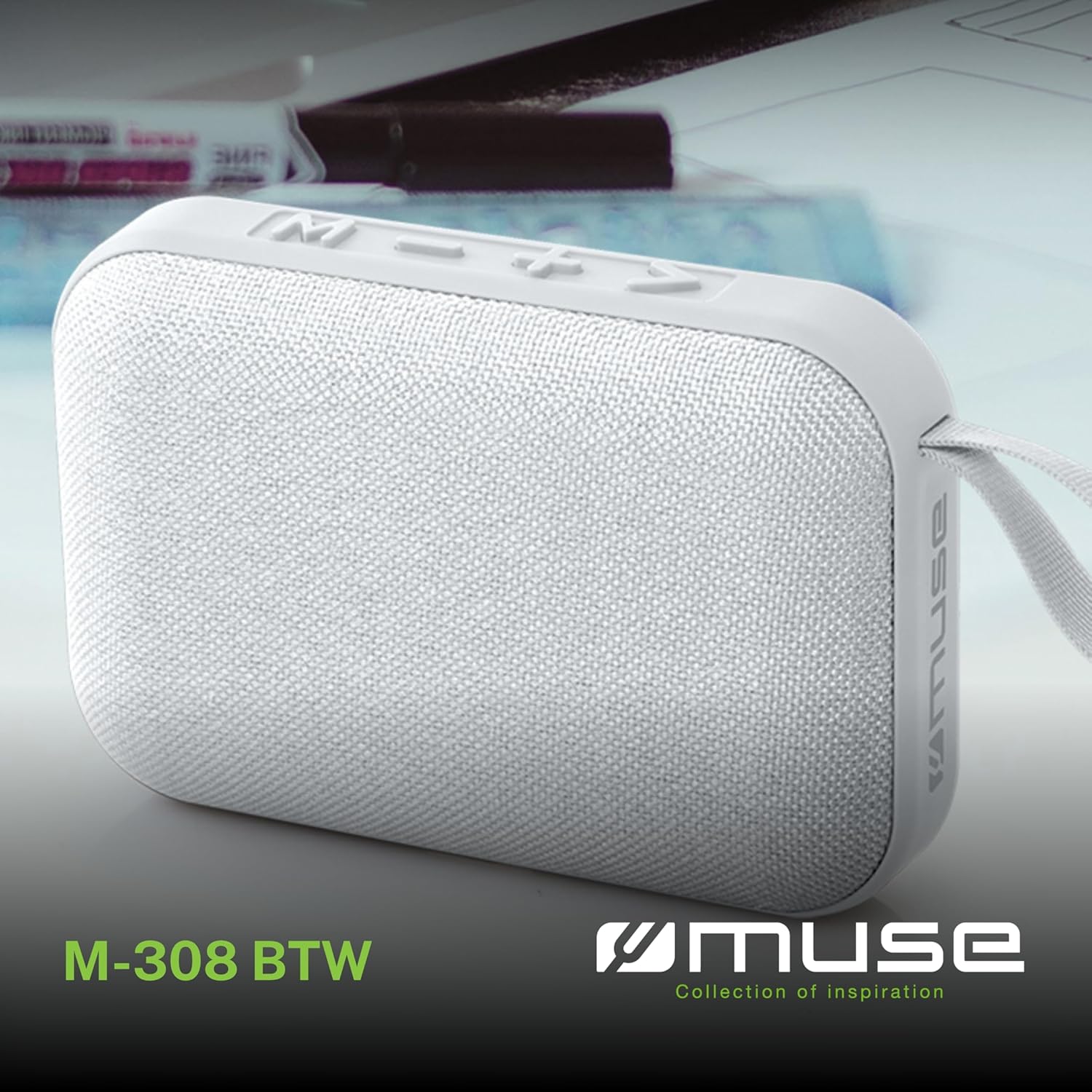
Delwedd 1.1: Blaen view of the Muse M-308 BT Bluetooth Speaker.
2. Nodweddion Cynnyrch
- Cysylltedd Bluetooth: Ffrydiwch sain yn ddi-wifr o ddyfeisiau cydnaws.
- Swyddogaeth di-dwylo: Integrated microphone for taking calls.
- Chwarae Cyfryngau: Supports music playback from USB and MicroSD (TF) cards.
- Paru Stereo: Connect two M-308 BT speakers for enhanced stereo sound.
- Dangosydd LED: Provides visual feedback for Bluetooth pairing and charging status.
- Cryno ac Ysgafn: Designed for portability, weighing approximately 200g.
- Batri y gellir ei ailwefru wedi'i gynnwys: 1200mAh capacity for up to 10 hours of playback.
- Pŵer Allbwn: 5 Watts for clear audio.

Image 2.1: Key features of the Muse M-308 BT speaker.

Image 2.2: Additional functionalities of the Muse M-308 BT speaker.
3. Cynnwys Pecyn
Sicrhewch fod yr holl eitemau yn bresennol wrth ddadbacio:
- Muse M-308 BT Bluetooth Speaker
- Cebl Codi Tâl USB
- Llawlyfr Defnyddiwr (y ddogfen hon)
4. Rheolaethau a Chysylltiadau
Familiarize yourself with the speaker's controls and connection ports:

Image 4.1: Top panel with various connections.
- Porth USB: Ar gyfer chwarae cerddoriaeth o yriant fflach USB.
- Porth Micro-USB: Am godi tâl ar y siaradwr.
- Micro SD (TF) Card Slot: For playing music from a Micro SD card.
- Newid ON / OFF: To power the speaker on or off.

Image 4.2: Side panel with control buttons.
- M Button (Mode): Press to switch between Bluetooth, USB, and Micro SD modes.
- - Button (Volume Down / Previous Track):
- Short press: Decrease volume.
- Long press: Go to the previous track.
- + Button (Volume Up / Next Track):
- Short press: Increase volume.
- Long press: Go to the next track.
- > Button (Play / Pause / Call):
- Short press: Play or pause music.
- Short press (during incoming call): Answer call.
- Long press (during incoming call): Reject call.
- Short press (during call): End call.
5. Gosod
5.1 Gwefru'r Siaradwr
- Connect the supplied USB charging cable to the Micro-USB port on the speaker.
- Cysylltwch ben arall y cebl USB ag addasydd pŵer USB (heb ei gynnwys) neu borthladd USB cyfrifiadur.
- The LED indicator will illuminate to show charging status. It will turn off or change color when fully charged.
5.2 Pweru Ymlaen/Diffodd
- To power on, slide the ON/OFF switch to the 'ON' position. You will hear an audible prompt.
- I ddiffodd y pŵer, llithrwch y switsh ON/OFF i'r safle 'OFF'.
5.3 Pâr Bluetooth
- Ensure the speaker is powered on and in Bluetooth mode (indicated by a flashing LED). If not, press the 'M' button to switch to Bluetooth mode.
- Galluogwch Bluetooth ar eich ffôn clyfar, tabled, neu ddyfais gydnaws arall.
- Chwiliwch am available Bluetooth devices and select "M-308 BT" from the list.
- Once paired, the LED indicator will stop flashing and remain solid, and you will hear a confirmation tone.
- The speaker will automatically connect to the last paired device when powered on, if it is within range.
5.4 Stereo Pairing (TWS Function)
To pair two M-308 BT speakers for true wireless stereo sound:
- Ensure both speakers are powered on and in Bluetooth pairing mode (LED flashing).
- On one of the speakers (this will be the primary speaker), double-press the 'M' button. The speaker will search for another M-308 BT speaker.
- Once connected, both speakers will emit a confirmation tone, and the LED on the primary speaker will flash slowly, while the LED on the secondary speaker will remain solid.
- Nawr, cysylltwch eich dyfais â'r prif siaradwr drwy Bluetooth fel y disgrifir yn adran 5.3.
6. Cyfarwyddiadau Gweithredu
6.1 Chwarae Cerddoriaeth
- Modd Bluetooth: After successful pairing, start playing music on your connected device. The audio will stream through the speaker.
- Modd USB / Micro SD: Insert a USB flash drive or Micro SD card into the respective port. The speaker will automatically switch to the corresponding mode and begin playing music. If it doesn't, press the 'M' button to cycle through modes.
6.2 Rheoli Cyfaint
- Press the '+' button to increase the volume.
- Press the '-' button to decrease the volume.
6.3 Mordwyo Traciau
- Long press the '+' button to skip to the next track.
- Long press the '-' button to go back to the previous track.
6.4 Galwad Heb Law
- When a call comes in, the music will pause. Press the '>' button to answer the call.
- To end a call, press the '>' button again.
- To reject an incoming call, long press the '>' button.
7. cynnal
- Keep the speaker away from extreme temperatures, direct sunlight, and moisture.
- Do not expose the speaker to water or other liquids. This model is not water-resistant.
- Glanhewch y siaradwr gyda lliain meddal, sych. Peidiwch â defnyddio glanhawyr sgraffiniol na thoddyddion.
- Peidiwch â cheisio dadosod na thrwsio'r siaradwr eich hun. Bydd hyn yn gwneud y warant yn ddi-rym.
- When not in use for extended periods, charge the battery at least once every three months to maintain battery health.
8. Datrys Problemau
| Problem | Achos Posibl | Ateb |
|---|---|---|
| Nid yw'r siaradwr yn troi ymlaen. | Mae batri wedi'i ddisbyddu. | Gwefrwch y siaradwr gan ddefnyddio'r cebl USB a gyflenwir. |
| Methu paru drwy Bluetooth. | Bluetooth is not enabled on your device or speaker is not in pairing mode. Speaker is too far from the device. | Ensure Bluetooth is active on both devices. Make sure the speaker is in Bluetooth pairing mode (flashing LED). Move the speaker closer to your device (within 10 meters). |
| Dim sain. | Volume is too low. Speaker is not connected. Incorrect mode selected. | Increase the volume on both the speaker and your connected device. Re-pair the Bluetooth connection. Press the 'M' button to cycle through modes (Bluetooth, USB, Micro SD). |
| Music playback from Micro SD card is erratic or "screaming". | Llygredig files on Micro SD card. Incompatible file fformat. | Sicrhau sain files are in a compatible format (e.g., MP3). Try using a different Micro SD card or reformatting the current one and reloading files. |
| Speaker switches between modes (e.g., SD and BT) unexpectedly. | Interference or a temporary software glitch. | Power off the speaker, wait a few seconds, then power it back on. Ensure no other devices are causing interference. If the issue persists, try removing the Micro SD card if it's inserted. |
9. manylebau
| Enw Model | M-308 BT |
| Brand | Muse |
| Technoleg Cysylltedd | Bluetooth, Wired |
| Technoleg Cyfathrebu Di-wifr | Bluetooth |
| Llefarydd Uchafswm Pŵer Allbwn | 5 Wat |
| Modd Allbwn Sain | Stereo |
| Math o Siaradwr | Siaradwr Bluetooth cludadwy |
| Nodweddion Arbennig | Bluetooth |
| Dyfeisiau Cydnaws | Smartphone, Tabled |
| Ffynhonnell Pwer | Batri |
| Bywyd Batri | 10 Awr |
| Gallu Batri | 1200 Miliampere-awr |
| Dimensiynau Cynnyrch (D x W x H) | 118D x 30B x 76H millimeters (11.8 x 3 x 7.6 cm) |
| Pwysau Eitem | 200 gram |
| Deunydd | Plastic rubber material |
| Is Water Resistant | Nac ydw |
| Cydrannau wedi'u Cynnwys | Cebl Codi Tâl USB |
Image 9.1: Dimensions of the Muse M-308 BT speaker.
10. Gwarant a Chefnogaeth
The Muse M-308 BT Bluetooth Speaker comes with a Gwarant 2 mlynedd o'r dyddiad prynu.
For technical support, warranty claims, or further assistance, please contact your retailer or visit the official MUSE websafle ar gyfer gwybodaeth cyswllt.