
1. Rhagymadrodd
This manual provides essential instructions for the proper use and maintenance of your LOTUS Smartwatch Model 50003/A. Please read this guide thoroughly before using your smartwatch to ensure optimal performance and longevity.
The LOTUS Smartwatch 50003/A features an intuitive interface and elegant design, offering a variety of smart functions. It is equipped with Bluetooth connectivity, allowing seamless synchronization with your mobile devices. This synchronization enables features such as call and message notifications, music control, and other practical functions for daily life.
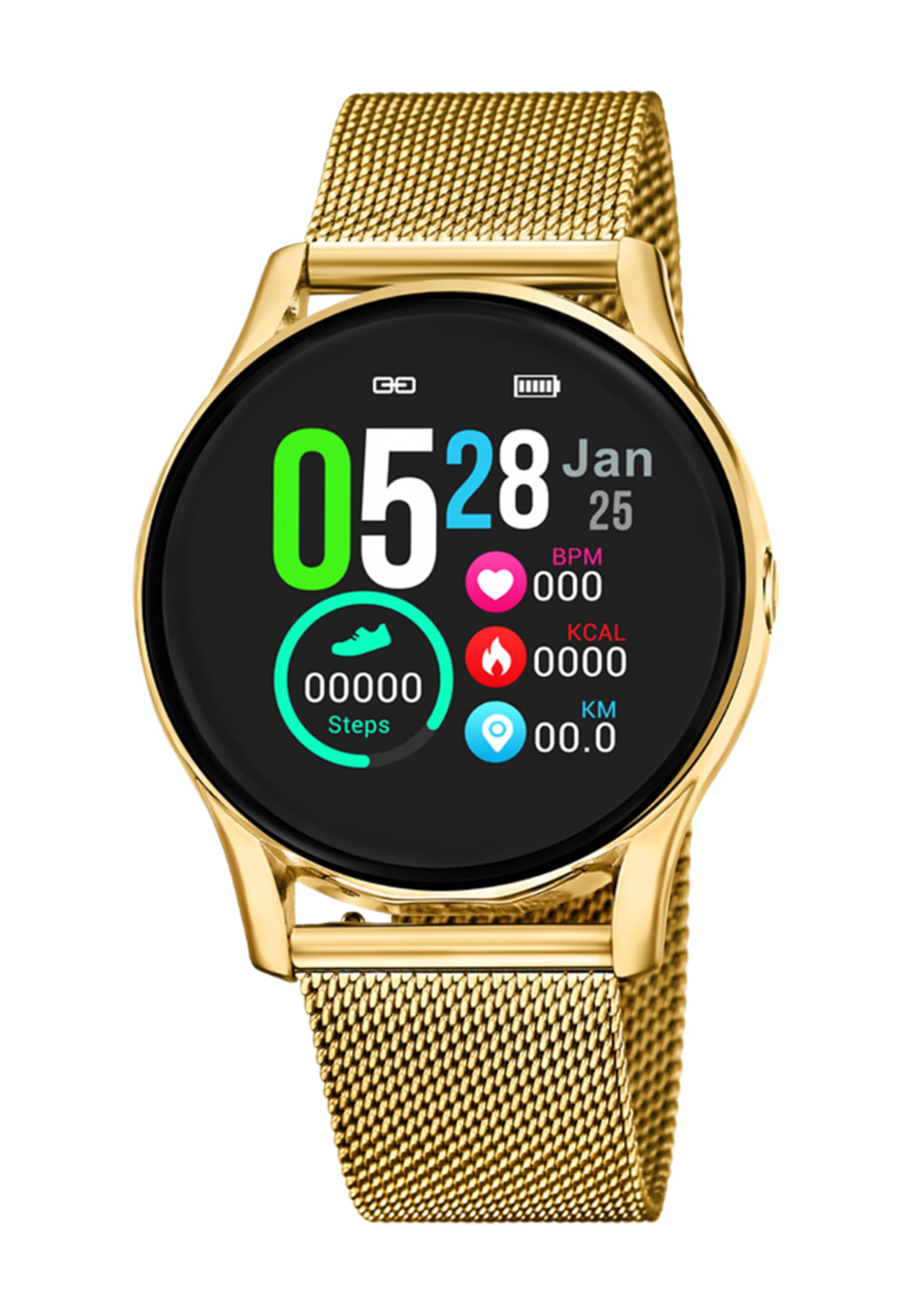
Delwedd 1.1: Blaen view of the LOTUS Smartwatch 50003/A.
2. Cynnwys Pecyn
Please check the package contents upon unboxing. The standard package for the LOTUS Smartwatch 50003/A should include:
- LOTUS Smartwatch 50003/A
- Cebl Codi Tâl
- Llawlyfr Defnyddiwr (y ddogfen hon)
3. Canllaw Gosod
3.1. Gwefru'r Smartwatch
Before initial use, fully charge your smartwatch.
- Cysylltwch y cebl gwefru â'r porthladd gwefru ar gefn yr oriawr glyfar.
- Plug the other end of the charging cable into a USB power adapter (not included) or a computer's USB port.
- Bydd arddangosfa’r oriawr yn dangos statws y gwefru. Caniatewch tua 2-3 awr ar gyfer gwefr lawn.
3.2. Gosod yr Ap Cydymaith
To unlock all features and synchronize your smartwatch with your smartphone, you need to install the official LOTUS Connected app.
- Scan the QR code provided in the watch packaging or search for "LOTUS Connected" in your smartphone's app store (Google Play Store for Android, Apple App Store for iOS).
- Dadlwythwch a gosodwch yr app.
- Dilynwch y cyfarwyddiadau ar y sgrin i greu cyfrif neu fewngofnodi.

Image 3.2: Synchronizing the smartwatch with the companion app on a smartphone.
3.3. Paru â'ch Ffôn Clyfar
Ensure Bluetooth is enabled on your smartphone and the smartwatch is charged.
- Open the LOTUS Connected app on your smartphone.
- Follow the app's instructions to add a new device.
- The app will search for available smartwatches. Select "LOTUS 50003/A" from the list.
- Confirm the pairing request on both your smartphone and smartwatch if prompted.
- Ar ôl ei baru, bydd yr oriawr yn cydamseru amser a data â'ch ffôn.
4. Cyfarwyddiadau Gweithredu
4.1. Mordwyo Sylfaenol
- Sgrin gyffwrdd: Sweipiwch i'r chwith/dde, i fyny/i lawr i lywio drwy'r ddewislenni a'r nodweddion. Tapiwch i ddewis.
- Botymau Ochr: The smartwatch may have one or more physical buttons. Typically, one button serves as a power on/off, back, or home button. Refer to the on-screen prompts for specific button functions.

Delwedd 4.1: Enghraifftample of a smartwatch display showing activity data.
4.2. Nodweddion Allweddol
- Hysbysiadau: Receive alerts for incoming calls, messages, and app notifications directly on your wrist. Manage notification settings via the LOTUS Connected app.
- Rheoli Cerddoriaeth: Control music playback on your connected smartphone (play, pause, skip tracks, adjust volume).
- Olrhain Gweithgaredd: Monitor steps, distance, calories burned, and sleep patterns. View detailed statistics in the companion app.
- Gwrthiant Dŵr: The smartwatch is water resistant. Avoid prolonged submersion or use in hot water/steam. Refer to specifications for exact water resistance rating.
5. cynnal
5.1. Glanhau Eich Oriawr Clyfar
- Sychwch sgrin a chorff yr oriawr gyda lliain meddal, di-lint.
- Ar gyfer baw ystyfnig, ychydig yn dampgolchwch y brethyn gyda dŵr. Osgowch gemegau llym neu ddeunyddiau sgraffiniol.
- Gwnewch yn siŵr bod y cysylltiadau gwefru yn lân ac yn sych cyn gwefru.
5.2. Gofal Batri
- Charge the smartwatch regularly. Avoid letting the battery completely drain for extended periods.
- Do not expose the smartwatch to extreme temperatures, as this can affect battery life and performance.
- If the watch will not be used for a long time, charge it to about 50% before storing.
6. Datrys Problemau
6.1. Problemau Cyffredin ac Atebion
- Oriawr ddim yn troi ymlaen: Gwnewch yn siŵr bod yr oriawr wedi'i gwefru'n llawn. Cysylltwch hi â'r gwefrydd ac aros ychydig funudau cyn ceisio ei throi ymlaen.
- Methu paru â ffôn clyfar:
- Sicrhewch fod Bluetooth wedi'i alluogi ar eich ffôn clyfar.
- Make sure the smartwatch is within range of your phone.
- Ailgychwynwch eich ffôn clyfar a'ch oriawr smart.
- Rhowch gynnig ar ddad-baru ac ail-baru'r ddyfais drwy'r ap.
- Hysbysiadau heb eu derbyn:
- Check notification settings in the LOTUS Connected app.
- Ensure the app has necessary permissions on your smartphone.
- Verify that the smartwatch is properly connected via Bluetooth.
- Bywyd batri byr:
- Lleihau disgleirdeb sgrin.
- Analluoga hysbysiadau neu nodweddion diangen.
- Ensure the watch is fully charged before use.
6.2. Ailosod Ffatri
If issues persist, a factory reset may resolve them. This will erase all data on the smartwatch and restore it to its original settings.
- Navigate to the "Settings" menu on your smartwatch.
- Look for an option like "System," "Reset," or "Factory Reset."
- Cadarnhewch yr ailosodiad pan ofynnir i chi.
- After resetting, you will need to re-pair the smartwatch with your phone and set it up again.
7. manylebau
| Nodwedd | Manylyn |
|---|---|
| Brand | LOTUS |
| Rhif Model | 50003/A |
| Lliw | Du |
| Cydweddoldeb System Weithredu | Android, iOS |
| Maint Sgrin | 39.65 Milimetrau |
| Nodweddion Arbennig | Gwrth-ddŵr |
| Dyfeisiau Cydnaws | Ffôn clyfar |
| Cyfansoddiad Batri | Metel Lithiwm |
| Argaeledd Rhannau Sbâr | 5 Mlynedd |
8. Gwarant a Chefnogaeth
Your LOTUS Smartwatch 50003/A comes with a manufacturer's warranty. Please refer to the warranty card included in your product packaging for specific terms and conditions.
Mae rhannau sbâr ar gyfer y model hwn ar gael am hyd at 5 mlynedd o'r dyddiad prynu.
For technical support, service, or warranty claims, please contact LOTUS customer service through their official websafle neu'r wybodaeth gyswllt a ddarperir yn nogfennaeth eich gwarant.